mirror of
https://github.com/dani-garcia/vaultwarden.git
synced 2026-04-25 17:25:57 +03:00
[GH-ISSUE #2298] New browser extention update not compatible #1220
Labels
No labels
SSO
Third party
better for forum
bug
bug
documentation
duplicate
enhancement
future Vault
future Vault
future Vault
good first issue
help wanted
low priority
notes
pull-request
question
troubleshooting
wontfix
No milestone
No project
No assignees
1 participant

Notifications
Due date
No due date set.
Dependencies
No dependencies set.
Reference
starred/vaultwarden#1220
Loading…
Add table
Add a link
Reference in a new issue
No description provided.
Delete branch "%!s()"
Deleting a branch is permanent. Although the deleted branch may continue to exist for a short time before it actually gets removed, it CANNOT be undone in most cases. Continue?
Originally created by @kearfy on GitHub (Feb 11, 2022).
Original GitHub issue: https://github.com/dani-garcia/vaultwarden/issues/2298
Fix, at least for now
Uninstalling and reinstalling the extension seems to fix the issue.
Subject of the issue
New update of the (chrome) browser extension does not work with vaultwarden anymore.
Deployment environment
Install method: docker
Clients used:
web vault
Reverse proxy and version:
nginx reverse proxy
MySQL/MariaDB or PostgreSQL version:
mysql (i guess)
Other relevant details:
Steps to reproduce
update browser extension to latest version
Expected behaviour
can sign in and use extension
Actual behaviour
it completely breaks, cannot decrypt, cannot find field 'keys', etc
Troubleshooting data
@rakeshdas1 commented on GitHub (Feb 11, 2022):
Just faced this issue as well - simple fix is to log in and out of the browser extension.
Facing this issue with the Bitwarden browser extension version: 1.56.0
@kearfy commented on GitHub (Feb 11, 2022):
Did that earlier today, now happens to me again but the fix doesnt work this time...
@taylorcoffelt commented on GitHub (Feb 11, 2022):
Getting this as well on Vaultwarden version 1.24.0, extension version 1.56.1
All entries are showing as

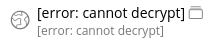
error: cannot decrypt:In extension search doesn't work.
If I log out, and attempt to log back in, I'm getting intermittently the
cannot find field 'keys'toast error message.I just tried logging in and out one more time and now all the entries are showing, and search is now working.
I have the extension installed in another Chrome profile, and that one is still showing the broken behavior. Both Chrome profiles are on the same extension version.
@viyh commented on GitHub (Feb 11, 2022):
I'm also getting this on two separate laptops that use two separate Vaultwarden servers.
@mka142 commented on GitHub (Feb 11, 2022):
It crashes there:
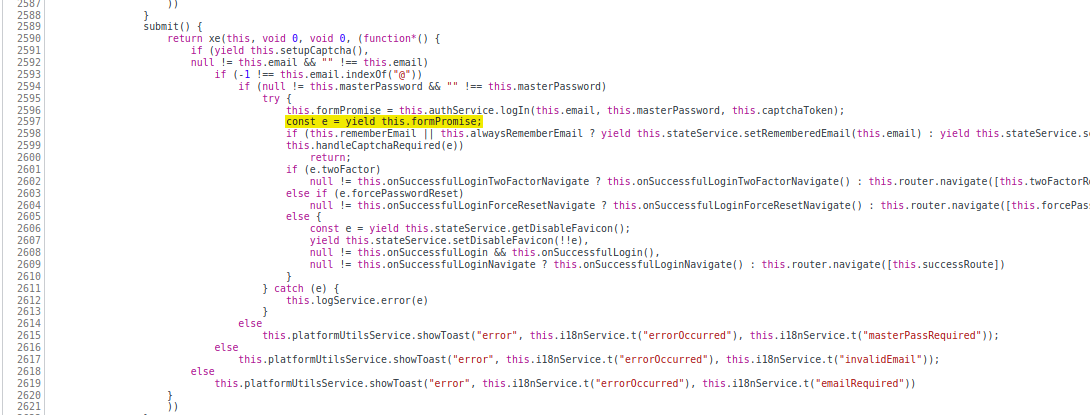
But it makes no sense couse file with thath code was updated 11 days ago
https://github.com/bitwarden/jslib/blob/master/angular/src/components/login.component.ts#L107
@mka142 commented on GitHub (Feb 11, 2022):
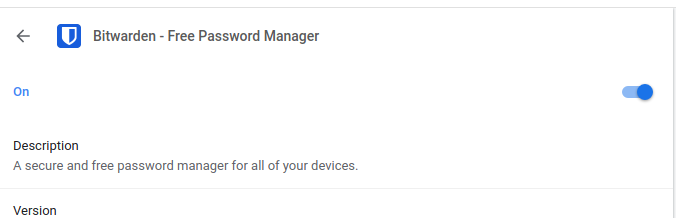
Try to turn off and on in chromium extension settings
@MaxRubbel commented on GitHub (Feb 11, 2022):
Uninstall and Install the Extensions helps me.
@kearfy commented on GitHub (Feb 11, 2022):
I can confirm that this works for me. I will close the issue for now.