mirror of
https://github.com/rivo/tview.git
synced 2026-04-26 13:25:51 +03:00
[GH-ISSUE #535] How to select items inside a grid container? #388
Labels
No milestone
No project
No assignees
1 participant

Notifications
Due date
No due date set.
Dependencies
No dependencies set.
Reference
starred/tview#388
Loading…
Add table
Add a link
Reference in a new issue
No description provided.
Delete branch "%!s()"
Deleting a branch is permanent. Although the deleted branch may continue to exist for a short time before it actually gets removed, it CANNOT be undone in most cases. Continue?
Originally created by @manikandanraji on GitHub (Nov 29, 2020).
Original GitHub issue: https://github.com/rivo/tview/issues/535
I have this grid, inside this grid each children is a flex widget. How to select these flex items?
@rivo commented on GitHub (Dec 4, 2020):
What do you mean by "select"? Do you want to set the focus to a specific flex item? In your code? Or by the user (and if so, with the keyboard or with the mouse)?
I'm not sure I understand your request.
@manikandanraji commented on GitHub (Dec 4, 2020):
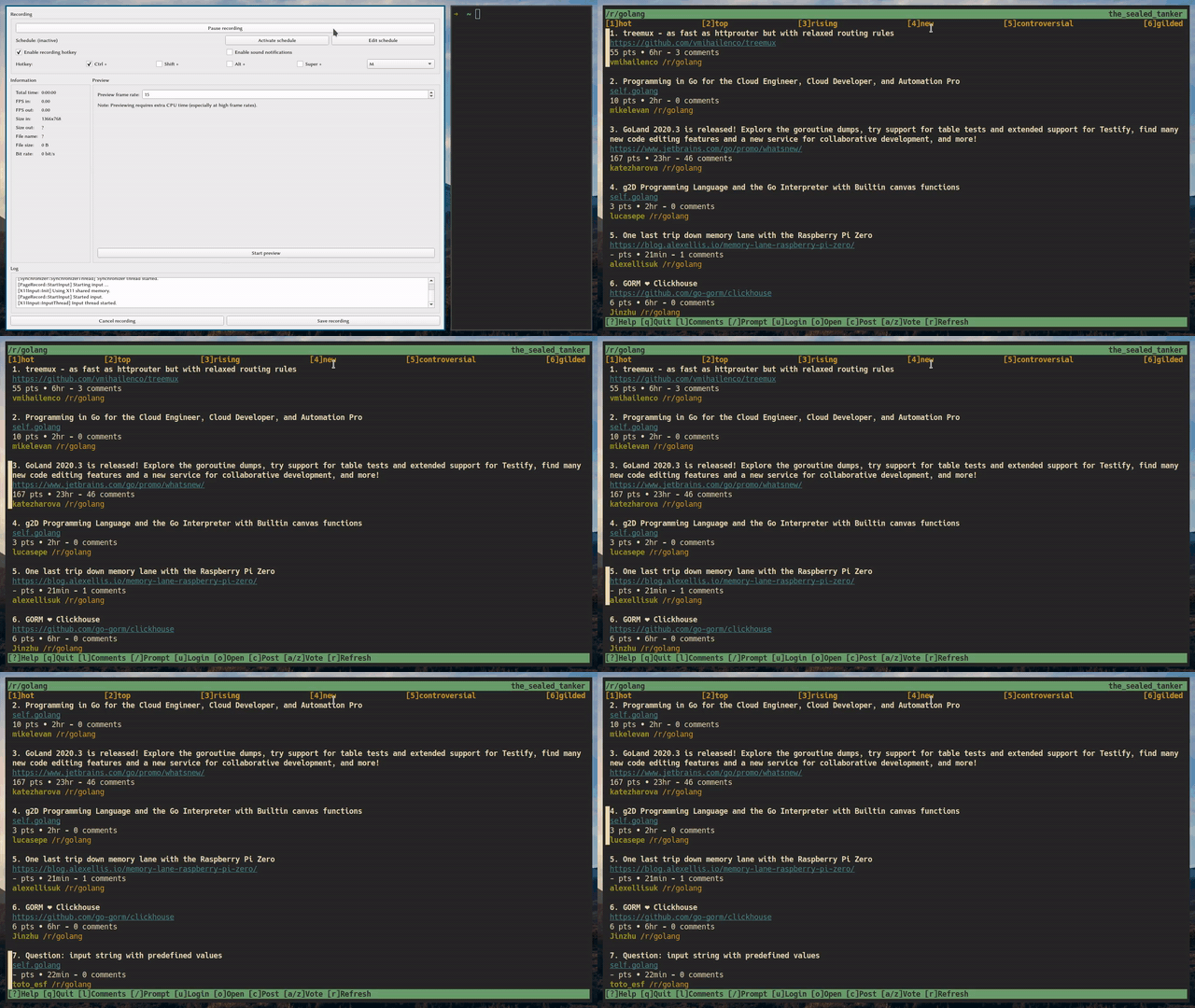
Yep, I want the user to set the focus to a flex item. For example, by default the first flex item will be focussed, if the user presses 'J' set the focus to the next flex item
Similar to how rtv (reddit terminal viewer) does:
@tslocum commented on GitHub (Dec 4, 2020):
Container widgets such as Flex and Grid pass focus to the first contained widget with the focus property set. When multiple widgets have focus set, only the first receives focus. To switch focus you must manage the focus state of the application. You can do this by capturing user input via SetInputCapture and listening for Tab and Shift+Tab key events. I created FocusManager (code) to make this process less cumbersome.