mirror of
https://github.com/amidaware/tacticalrmm.git
synced 2026-04-26 06:55:52 +03:00
[GH-ISSUE #1472] Running command from WebUI on non-english Windows OS returns corrupted text. #916
Labels
No labels
In Process
bug
bug
dev-triage
documentation
duplicate
enhancement
fixed
good first issue
help wanted
integration
invalid
pull-request
question
requires agent update
security
ui tweak
wontfix
No milestone
No project
No assignees
1 participant

Notifications
Due date
No due date set.
Dependencies
No dependencies set.
Reference
starred/tacticalrmm#916
Loading…
Add table
Add a link
Reference in a new issue
No description provided.
Delete branch "%!s()"
Deleting a branch is permanent. Although the deleted branch may continue to exist for a short time before it actually gets removed, it CANNOT be undone in most cases. Continue?
Originally created by @HoniWhy on GitHub (Apr 4, 2023).
Original GitHub issue: https://github.com/amidaware/tacticalrmm/issues/1472
Server Info (please complete the following information):
Installation Method:
Agent Info (please complete the following information):
Describe the bug
When executing command from Send command right click menu in WebUI the output you get is corrupted. Encoding issue?
When English is set as OS Language and the command is ran as user the issue is gone.
To Reproduce
Expected behavior
Readable output in client OS language
Screenshots
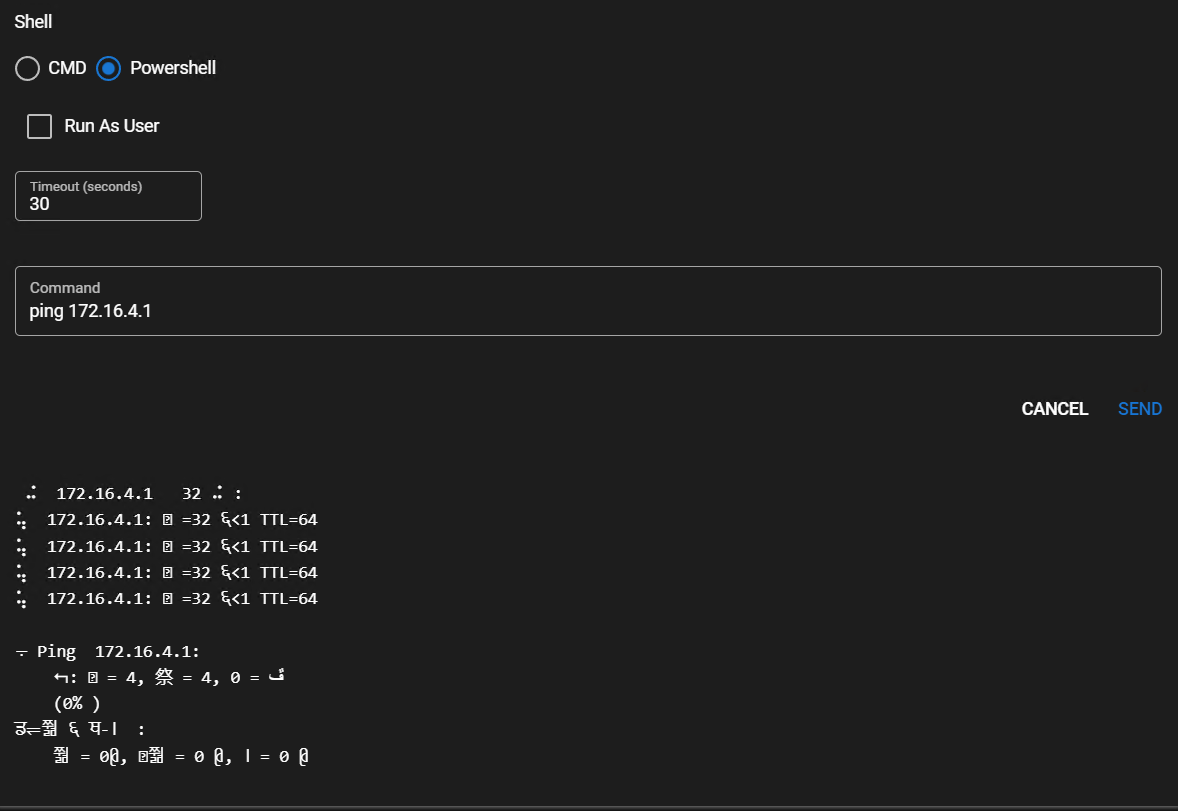
Additional context
Same behavior is seen in Task/Script output.
MeshCentral's Remote Background Terminal works just fine.
When English is set as OS Language and the command is ran as user the issue is gone.
Changing browser language did not help the issue.
TRMM server
Changing locale to ru_RU.utf8 (and other presented ru_ locales) changes nothing in command output.
@vsychov commented on GitHub (Dec 13, 2023):
You can try solution, from my comment in #1618
@Sug2077 commented on GitHub (Jan 24, 2024):
you can add
chcp 65001 > nulat bat scripts headand
[Console]::OutputEncoding = [System.Text.Encoding]::UTF8at powershell scripts headwhen you send commands to windows agent, you can use
chcp 65001 > nul && you-commandThese methods avoid changing the user's computer Settings.