[GH-ISSUE #794] Unable to edit agent, patches_last_installed: Datetime has wrong format #2447

Closed
opened 2026-03-14 04:04:45 +03:00 by kerem · 2 comments
Owner

Originally created by @bradhawkins85 on GitHub (Nov 9, 2021).
Original GitHub issue: https://github.com/amidaware/tacticalrmm/issues/794

Server Info (please complete the following information):

  • OS: Ubuntu 20.04
  • Browser: Edge Chromium
  • RMM Version (as shown in top left of web UI): 0.9.1

Installation Method:

  • Standard
  • Docker

Agent Info (please complete the following information):

  • Agent version (as shown in the 'Summary' tab of the agent from web UI): 1.6.2
  • Agent OS: [e.g. Win 10 v2004, Server 2012 R2] Windows 10, or Windows Server

Describe the bug
When editing an agent it is not possible to save the changes, HTTP 400 banner is displayed, patches_last_installed: Datetime has wrong format as per screenshot below.

To Reproduce
Steps to reproduce the behavior:

  1. Right click on an agent
  2. Click Edit
  3. Make Changes (or not)
  4. Click Save
  5. See error

Expected behavior
Save changes without error

Screenshots
image

Additional context
Does not appear to impact all agents,
Can't see anything in the server logs,
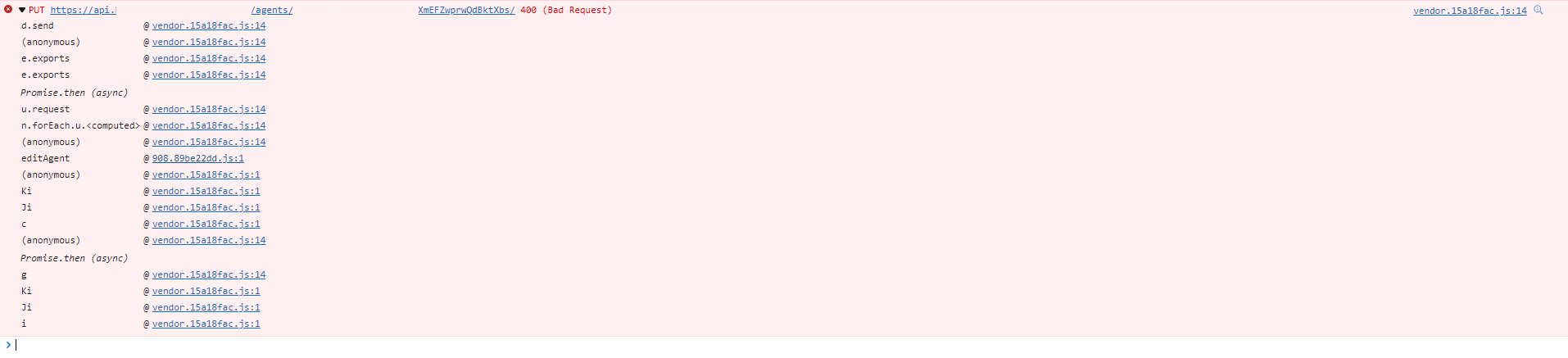
Browser console only shows the following error:
image

Originally created by @bradhawkins85 on GitHub (Nov 9, 2021). Original GitHub issue: https://github.com/amidaware/tacticalrmm/issues/794 **Server Info (please complete the following information):** - OS: Ubuntu 20.04 - Browser: Edge Chromium - RMM Version (as shown in top left of web UI): 0.9.1 **Installation Method:** - [X] Standard - [ ] Docker **Agent Info (please complete the following information):** - Agent version (as shown in the 'Summary' tab of the agent from web UI): 1.6.2 - Agent OS: [e.g. Win 10 v2004, Server 2012 R2] Windows 10, or Windows Server **Describe the bug** When editing an agent it is not possible to save the changes, HTTP 400 banner is displayed, patches_last_installed: Datetime has wrong format as per screenshot below. **To Reproduce** Steps to reproduce the behavior: 1. Right click on an agent 2. Click Edit <Agent Name> 3. Make Changes (or not) 4. Click Save 5. See error **Expected behavior** Save changes without error **Screenshots** ![image](https://user-images.githubusercontent.com/15325110/140865908-a45eba5b-2988-4702-96f4-96d6f0e47a70.png) **Additional context** Does not appear to impact all agents, Can't see anything in the server logs, Browser console only shows the following error: ![image](https://user-images.githubusercontent.com/15325110/140866905-5f7d2b97-2914-4040-afbd-ce57c3248327.png)
kerem 2026-03-14 04:04:45 +03:00
  • closed this issue
  • added the
    bug
    fixed
    labels
Author
Owner

@wh1te909 commented on GitHub (Nov 9, 2021):

thanks this was fixed in latest commit 45deda4dea and will be in next release happening shortly

<!-- gh-comment-id:963837349 --> @wh1te909 commented on GitHub (Nov 9, 2021): thanks this was fixed in latest commit 45deda4dea263142fe2051a3332e096b5c09ee3b and will be in next release happening shortly
Author
Owner

@wh1te909 commented on GitHub (Nov 9, 2021):

fixed in release 0.9.2

<!-- gh-comment-id:963847717 --> @wh1te909 commented on GitHub (Nov 9, 2021): fixed in release 0.9.2
Sign in to join this conversation.
No milestone
No project
No assignees
1 participant
Notifications
Due date
The due date is invalid or out of range. Please use the format "yyyy-mm-dd".

No due date set.

Dependencies

No dependencies set.

Reference
starred/tacticalrmm#2447
No description provided.