mirror of
https://github.com/amidaware/tacticalrmm.git
synced 2026-04-26 15:05:57 +03:00
[GH-ISSUE #587] Windows Firewall Check Script - Public/Private Networks #2317
Labels
No labels
In Process
bug
bug
dev-triage
documentation
duplicate
enhancement
fixed
good first issue
help wanted
integration
invalid
pull-request
question
requires agent update
security
ui tweak
wontfix
No milestone
No project
No assignees
1 participant

Notifications
Due date
No due date set.
Dependencies
No dependencies set.
Reference
starred/tacticalrmm#2317
Loading…
Add table
Add a link
Reference in a new issue
No description provided.
Delete branch "%!s()"
Deleting a branch is permanent. Although the deleted branch may continue to exist for a short time before it actually gets removed, it CANNOT be undone in most cases. Continue?
Originally created by @zburkhardt on GitHub (Jun 19, 2021).
Original GitHub issue: https://github.com/amidaware/tacticalrmm/issues/587
Originally assigned to: @silversword411 on GitHub.
Server Info (please complete the following information):
Installation Method:
Agent Info (please complete the following information):
Describe the bug
The "Windows Firewall - Check Status" script will print "Firewall is Enabled" and exit with code 0 any time the Domain firewall profile is still enabled but the Public and/or Private firewall profiles are disabled, regardless of what the current network type is
To Reproduce
Steps to reproduce the behavior:
Expected behavior
Expected script to exit with code 1 when the current active firewall profile is disabled (or maybe when any firewall profile is disabled?)
Screenshots
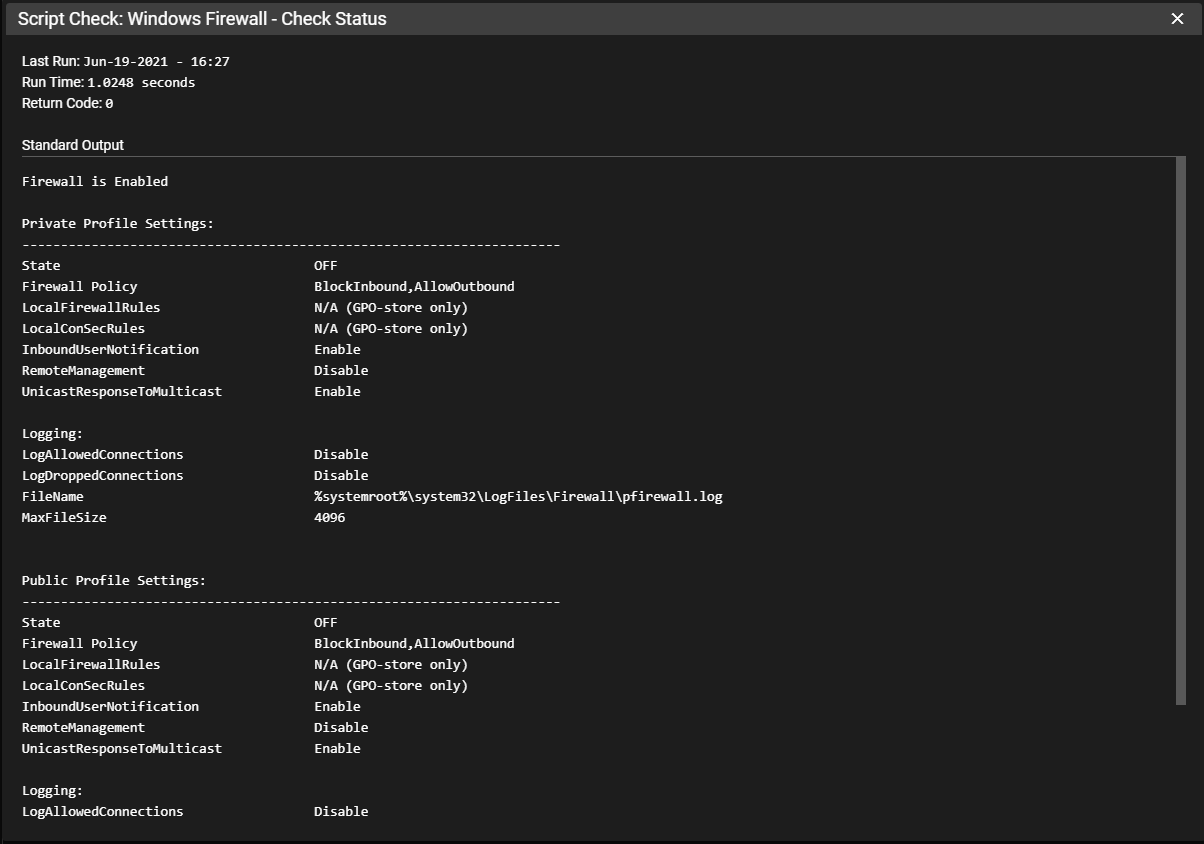
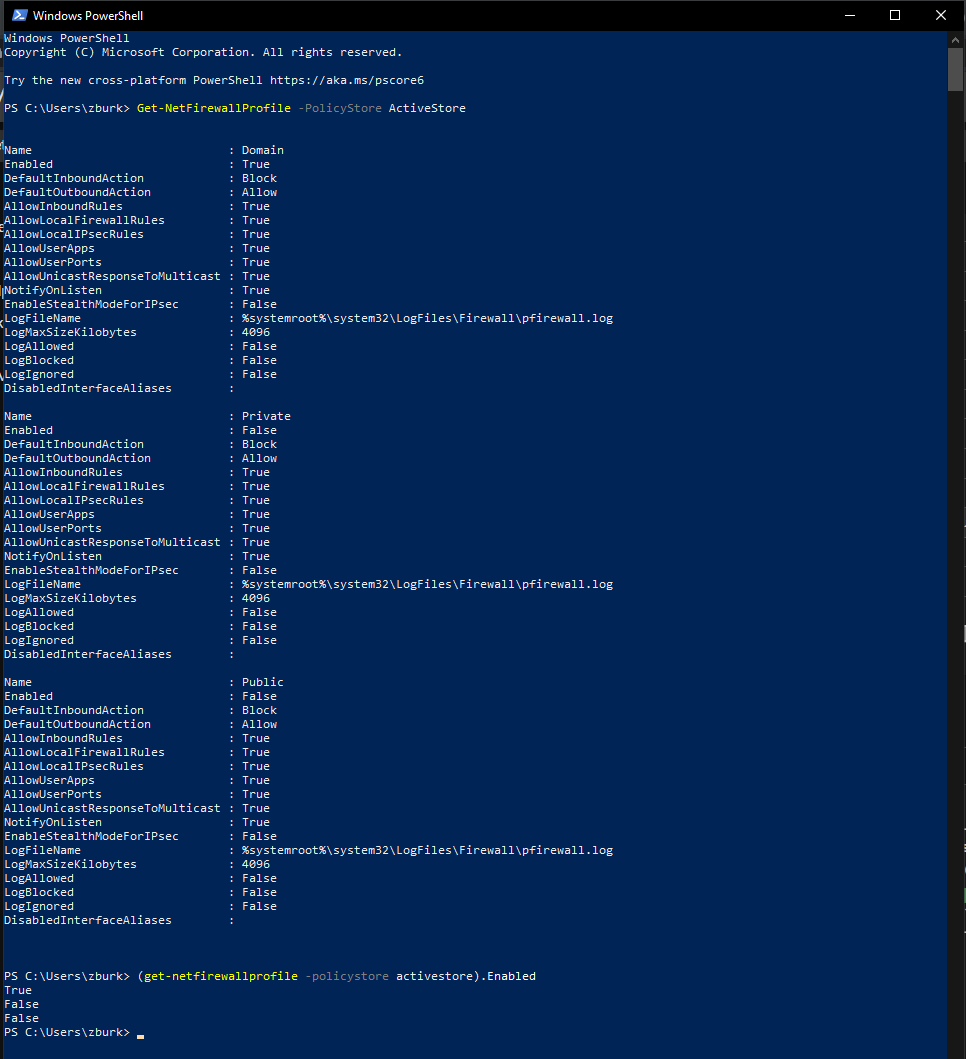
Additional context
If you run "(get-netfirewallprofile -policystore activestore).Enabled" in Powershell, it looks like it lists the active status for all three profiles, in order of:
Hence why the script thinks the firewall is still enabled
@silversword411 commented on GitHub (Jun 19, 2021):
Well, technically the firewall is still enabled.
Let see if I can improve the return info :)
@sdm216 commented on GitHub (Jun 28, 2021):
Just switch the if statement to false, and swap the exit codes.
$ErrorActionPreference = 'silentlycontinue'
$fwenabled = (get-netfirewallprofile -policystore activestore).Enabled
if ($fwenabled.Contains('False')) {
Write-Output "Firewall is Disabled"
exit 1
}
else {
Write-Host "Firewall is Enabled"
exit 0
}
Exit $LASTEXITCODE
@dinger1986 commented on GitHub (Jun 28, 2021):
Feel free to submit or change the firewall script with a pull request.
I am sure I wrote that and used whatever ms suggested was the best way to check it.