mirror of
https://github.com/amidaware/tacticalrmm.git
synced 2026-04-26 15:05:57 +03:00
[GH-ISSUE #248] fresh install: Bad credentials #2098
Labels
No labels
In Process
bug
bug
dev-triage
documentation
duplicate
enhancement
fixed
good first issue
help wanted
integration
invalid
pull-request
question
requires agent update
security
ui tweak
wontfix
No milestone
No project
No assignees
1 participant

Notifications
Due date
No due date set.
Dependencies
No dependencies set.
Reference
starred/tacticalrmm#2098
Loading…
Add table
Add a link
Reference in a new issue
No description provided.
Delete branch "%!s()"
Deleting a branch is permanent. Although the deleted branch may continue to exist for a short time before it actually gets removed, it CANNOT be undone in most cases. Continue?
Originally created by @Servery on GitHub (Jan 17, 2021).
Original GitHub issue: https://github.com/amidaware/tacticalrmm/issues/248
I can not initialy login using the credentials set up when installing.
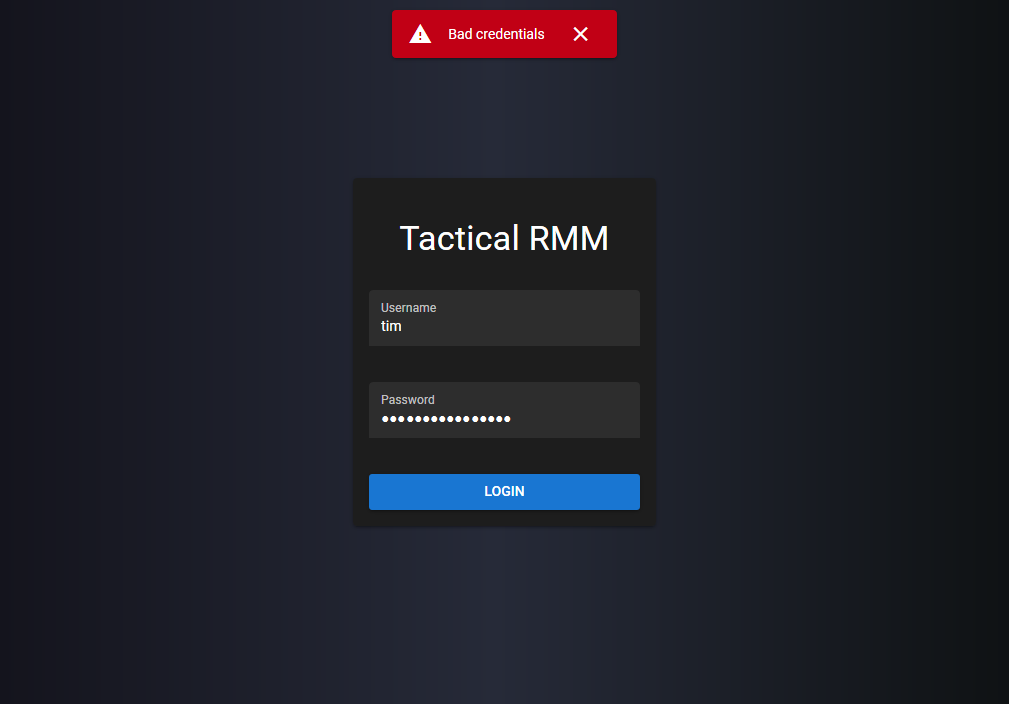
I tried installing on Ubuntu, Debian.
I tried also installing docker verison.
I tried using diffrent complex passwords and unsernames.
I tried copy&pasting username/password and also typing ist in manually.
Is there anything I should try to do?
@dinger1986 commented on GitHub (Jan 17, 2021):
Are you using the linux username and password or the credentials setup during the tactical install?
@wh1te909 commented on GitHub (Jan 17, 2021):
it's probably DNS. open ure browsers dev console and paste a screenshot of the error
@Servery commented on GitHub (Jan 17, 2021):
sorry...
I've found the issue: the subdomain api.example.com was not pointig to correct IP, so that login on rmm.example.org was not possible. (The browser console error was CORSDidNotSucceed)