mirror of
https://github.com/amidaware/tacticalrmm.git
synced 2026-04-26 15:05:57 +03:00
[GH-ISSUE #122] Installation Stuck #2015
Labels
No labels
In Process
bug
bug
dev-triage
documentation
duplicate
enhancement
fixed
good first issue
help wanted
integration
invalid
pull-request
question
requires agent update
security
ui tweak
wontfix
No milestone
No project
No assignees
1 participant

Notifications
Due date
No due date set.
Dependencies
No dependencies set.
Reference
starred/tacticalrmm#2015
Loading…
Add table
Add a link
Reference in a new issue
No description provided.
Delete branch "%!s()"
Deleting a branch is permanent. Although the deleted branch may continue to exist for a short time before it actually gets removed, it CANNOT be undone in most cases. Continue?
Originally created by @Erdju on GitHub (Sep 30, 2020).
Original GitHub issue: https://github.com/amidaware/tacticalrmm/issues/122
Hi,
First of all thanks for this great project.
I am having a problem while installing.
I am installing on a Ubuntu LTS 20.04 with the script provided.
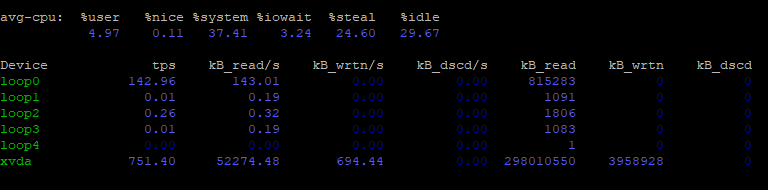
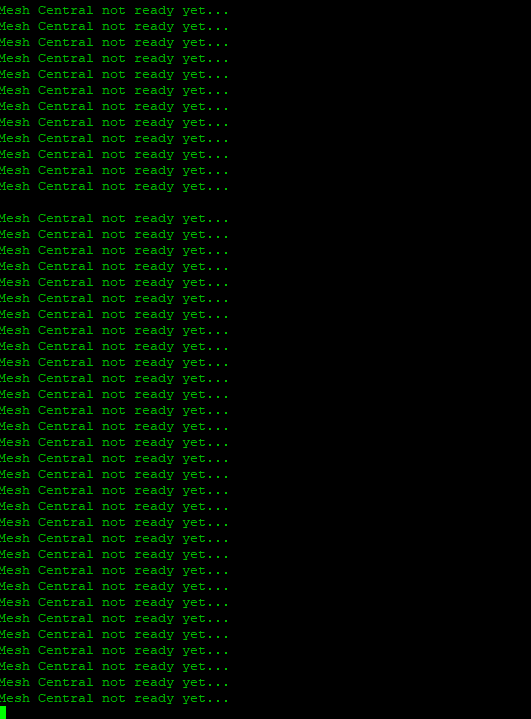
The installation goes on a loop at Mesh Central Not Ready Yet. I left it on for a while waiting because I am trying it on a free tier machine on Amazon so I though it might have been slow.
If you have any solutions it would be appreciated.
Thanks
@saulens22 commented on GitHub (Sep 30, 2020):
Maybe it's because AWS gives less than required 4GB of RAM? My own VPS has 8GB, but it stays fixed at 4GB. Maybe it's hard requirement?
Try running
systemctl status meshcentraland check output for errors.@wh1te909 commented on GitHub (Sep 30, 2020):
Correct, installation will get stuck around that point because it literally runs out of RAM.
Bare minimum for a fresh install is 2GB with 0 agents.
@Erdju commented on GitHub (Sep 30, 2020):
Thanks a lot guys. It was the free tier so its probably the ram. Will try on a new machine with more ram tomorrow.
@wh1te909 commented on GitHub (Sep 30, 2020):
np! please re-open tomorrow if still have issues
@dinger1986 commented on GitHub (Sep 30, 2020):
On AWS I would pay attention to the disk IOPS as well, low IOPS is slow disks, off the top of my head a desktop SSD is roundabout 44,000 IOPS, some AWS disks are far below that. I ran a test on an old server in my office with 7200rpm drives in raid 5 and the IOPS on that is only about 1000 and it was slow!!
@wh1te909 commented on GitHub (Sep 30, 2020):
@dinger1986 great point, I avoid AWS like the plague, their low end VM's are terribly slow cuz of the limits they place on disk IO. For the same price on vultr or buyvm etc you can get ssd's with thousands of more iops and no stupid limits. And yea biggest bottleneck for the RMM is the harddrive, def would not run on anything other than an SSD.
@dinger1986 commented on GitHub (Sep 30, 2020):
Was going to say similar about other providers, just worried Jeff might be watching haha