mirror of
https://github.com/aome510/spotify-player.git
synced 2026-04-26 09:25:49 +03:00
[GH-ISSUE #106] Installing Image + Lyric_Finder Issues with Aur PKGBuild #44
Labels
No labels
bug
documentation
enhancement
good first issue
help wanted
pull-request
question
third-party
third-party
wontfix
No milestone
No project
No assignees
1 participant

Notifications
Due date
No due date set.
Dependencies
No dependencies set.
Reference
starred/spotify-player#44
Loading…
Add table
Add a link
Reference in a new issue
No description provided.
Delete branch "%!s()"
Deleting a branch is permanent. Although the deleted branch may continue to exist for a short time before it actually gets removed, it CANNOT be undone in most cases. Continue?
Originally created by @ForeignExchangeZtudent on GitHub (Jan 14, 2023).
Original GitHub issue: https://github.com/aome510/spotify-player/issues/106
Tried to Install spotify-player with Image and Lyric_Finder unfortunately Image does not have Binaries and is just a library and should hence be listed as a dependencies rather than as a package.
Uncertain but it should be clarified that lyric_finder is the name and not lyric-finder as the github page states.
Uncertain what the PKGBuild would look like may need to wait for an update to list Image as a dependency in cargo.lock assumedly as just adding to build():
cargo build --locked --release --features image, lyric_finder would work unless dependencies work differently
and package() adding:
cargo install --features image, lyric_finder.
Did not work.
Anyways, I wait for an update that may fix these build issues. Cheers.
I tried installing with Cargo but it got messier as I couldn't specify the playback backend and had the same issues, as well.
Also no clue if lyric_finder has the same problems as Image or not. Image is not a binary and has to be set as a [dependencies]. It would error out immediately.
Again, if you could show the modified PKGBUILD that would feature image and lyric_finder that would be appreciated unless there is an issue in the cargo.lock file as I suspect.
@aome510 commented on GitHub (Jan 15, 2023):
hi @ForeignExchangeZtudent, I don't have access to an arch machine nor have an experience dealing with this kind of issue, so I'm afraid I couldn't help.
Maybe @alosarjos (the package's AUR maintainer) can have a thought on this
@alosarjos commented on GitHub (Jan 15, 2023):
Hmmm, if I'm understanding this correctly, the issue is that the AUR package is missing some optional features right?
Right now I'm packaging with the default settings. I have no issue updating the package to include more features by default on Arch, but I think that it's @aome510 who should decide what features are enabled by default when redistributing this proyect.
@alosarjos commented on GitHub (Jan 15, 2023):
@ForeignExchangeZtudent If you want a modified PKGBUILD with those features included, it's pretty straighforward
@aome510 commented on GitHub (Jan 15, 2023):
Yeah, I think the current set of default features should work for most people. If you want to build the app with additional features, you can always do it manually with
cargo install(assuming that you havecargoinstalled on your machine):I think it didn't work because you have an extra space between two features, so it tried to also install
lyric_finderpackage instead oflyric_finderfeature. To clarify, the feature should belyric-finderas in the command I mentioned above.@ForeignExchangeZtudent commented on GitHub (Jan 15, 2023):
Thanks guys, I figured it out you have to build:
cargo build --release --locked --features lyric-finder,image
if you want both features through AUR. Anyways, resolved. Thanks again for the help, my apologies for not understanding cargo properly.
@alosarjos commented on GitHub (Jan 15, 2023):
No problem. You can always build it locally and move the generated binary to where the AUR package installs it (
/usr/bin/spotify_player)You have some options to get it the way you want it. 👍
@bytebone commented on GitHub (Jan 19, 2023):
Is there a way to verify image support has been properly installed? I'm running arch and used
yay --editmenu -S spotify-playerto edit the PKGBUILD before building, adding the--features imagepart as described above. building went without apparent issues, on top of my existing installation.spotify-player is running inside a kitty window. I've verified that image support is working via
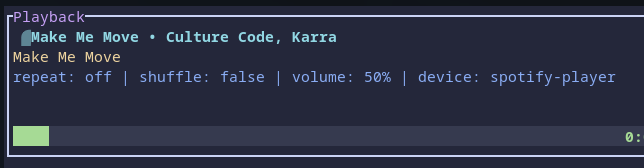
kitty +kitten icat "path/to/image". The player window shows no image:To make sure, i added the two lines
cover_image_widthandcover_img_lengthto my config as well, but it didnt help.When running
yay -Qi spotify-playerthe build date shows my last build time, and the packager is unknown as well, so i assume it was built on top of the last install successfully.@alosarjos commented on GitHub (Jan 19, 2023):
@RainerZufahl In my case using
gnome-consolejust by building it I can see it (It looks really bad since console doesn't have support for images) so it should just workCould you try using the
PKGBUILDfrom https://github.com/aome510/spotify-player/issues/106#issuecomment-1383199211 and just do amakepkg -si?@bytebone commented on GitHub (Jan 19, 2023):
Ah, that did the trick. And I found the issue with my previous approach: since I didnt uninstall the player before reinstalling it with the new flag, i (obviously) have to cleanBuild the package, which i declined before. But now I tested it with cleanBuild and it worked just as well.
Thank you!
@slikie commented on GitHub (Mar 4, 2023):
@aome510
notifyseems to be pretty stable. please consider ship it by default or on arch@aome510 commented on GitHub (Mar 4, 2023):
Imo, the default should be minimal and should only include features needed to make the app function like a music player.
notifyis definitely not one of them. Also, I think it's not too difficult to update thePKGBUILDby yourself to include any additional features.