- JavaScript 72.5%
- HTML 22%
- CSS 3.8%
- Dockerfile 1.7%
 eecc955313
Bumps [follow-redirects](https://github.com/follow-redirects/follow-redirects) from 1.15.11 to 1.16.0. - [Release notes](https://github.com/follow-redirects/follow-redirects/releases) - [Commits](https://github.com/follow-redirects/follow-redirects/compare/v1.15.11...v1.16.0) --- updated-dependencies: - dependency-name: follow-redirects dependency-version: 1.16.0 dependency-type: indirect ... Signed-off-by: dependabot[bot] <support@github.com> |
||
|---|---|---|
| app | ||
| server | ||
| test | ||
| .bowerrc | ||
| .editorconfig | ||
| .gitattributes | ||
| .gitignore | ||
| .jshintrc | ||
| .npmignore | ||
| .travis.yml | ||
| bower.json | ||
| capture.gif | ||
| Development.md | ||
| Docker.md | ||
| Dockerfile | ||
| Gruntfile.js | ||
| karma.conf.js | ||
| LICENSE | ||
| package-lock.json | ||
| package.json | ||
| README.md | ||
| REST.md | ||

peerflix-server





Streaming torrent client for node.js with web ui.
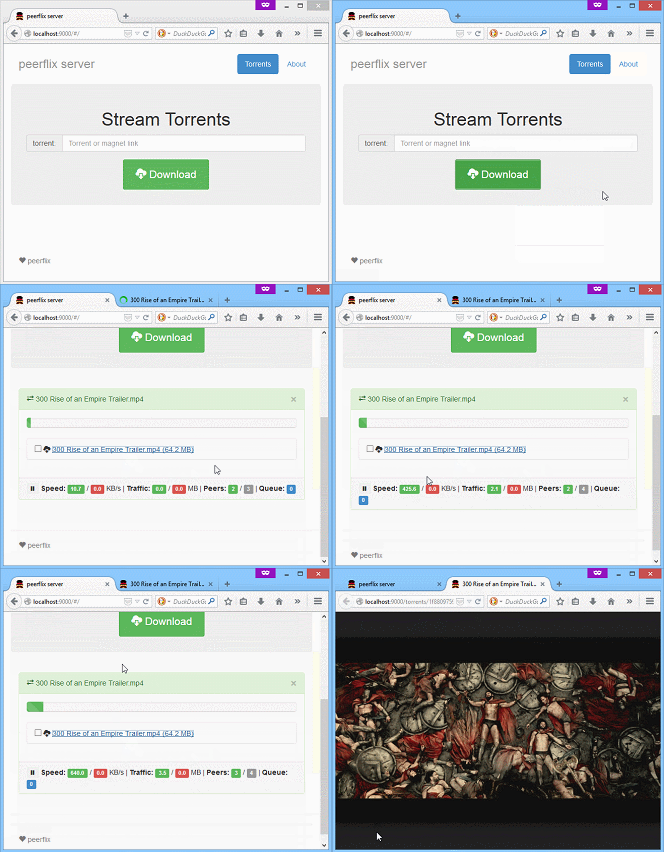
Based on torrent-stream, inspired by peerflix.
Usage
npm install -g peerflix-serverpeerflix-server- Open your browser at http://localhost:9000/
- Enjoy!
Configuration
You can configure the application using config.json file (doesn't exist by default).
The options are passed to all torrent-stream instances.
Here's an example that overrides the defaults:
{
  "connections": 50,
  "tmp": "/mnt/torrents"
}
The application stores its current state (list of torrents) in torrents.json
You can define configuration and state files location by PEERFLIX_CONFIG_PATH environmnt variable. Default value is $HOME/.config/peerflix-server/.
You can also change the default port by setting PORT environment variable:
PORT=1234 peerflix-server

# or on windows
SET PORT=1234
peerflix-server
Daemon
If you want to run peerflix-server as a daemon, you can do it using forever:
npm install -g forever
forever start $(which peerflix-server)
You might also want to enable logging -- see the docs.
FAQ
How do I add password protection?
Development
See Development.md
REST API
See REST.md
Docker
See Docker.md