mirror of
https://github.com/clechasseur/pathcopycopy.git
synced 2026-04-25 12:15:58 +03:00
[GH-ISSUE #131] [FEATURE] Support DPI scaling #130
Labels
No labels
bug
duplicate
enhancement
enhancement
enhancement
fixed
help wanted
help wanted
invalid
pull-request
question
waiting for input
wontfix
No milestone
No project
No assignees
1 participant

Notifications
Due date
No due date set.
Dependencies
No dependencies set.
Reference
starred/pathcopycopy#130
Loading…
Add table
Add a link
Reference in a new issue
No description provided.
Delete branch "%!s()"
Deleting a branch is permanent. Although the deleted branch may continue to exist for a short time before it actually gets removed, it CANNOT be undone in most cases. Continue?
Originally created by @mdmower on GitHub (Aug 25, 2020).
Original GitHub issue: https://github.com/clechasseur/pathcopycopy/issues/131
Originally assigned to: @clechasseur on GitHub.
Is your feature request related to a problem? Please describe.
The Path Copy Copy settings panel has blurry text:
Describe the solution you'd like
Support DPI scaling: https://docs.microsoft.com/en-us/windows/win32/hidpi/high-dpi-desktop-application-development-on-windows
Describe alternatives you've considered
Have not considered alternatives since I don't need to access settings very often.
Additional context
In the above screenshot, I am using 125% scaling with a resolution of 2560x1440. This is Windows 10 Pro Build 2004.
@clechasseur commented on GitHub (Jul 26, 2021):
This is trickier than it looks because the Settings application is built in old Windows Forms technology. Apparently, automatic high DPI support is provided for Windows Forms app starting with .NET Framework 4.7 in some versions of Windows 10:
https://docs.microsoft.com/en-us/dotnet/desktop/winforms/high-dpi-support-in-windows-forms?view=netframeworkdesktop-4.8
I think it's possible to use this and still work in previous OSes, but then I'd have to target .NET Framework 4.7. I don't know how much of a hassle this would cause to some people... Path Copy Copy is still supported on Vista and up in theory.
I'll keep this open and see.
@clechasseur commented on GitHub (Aug 18, 2021):
I've created a branch to test high DPI support. This is a branch of the future 20.0 version, requiring .NET Framework 4.7 and an updated Windows 7.
https://github.com/clechasseur/pathcopycopy/suites/3526182957/artifacts/84270118
@mdmower If you're still interested 😉 , could you try to install this build and see if it works on your side? All I've done is declare high DPI support, so right now some texts are cropped because the forms aren't well adjusted to the new DPI.
@mdmower commented on GitHub (Aug 18, 2021):
That's great, thanks for working on this @clechasseur . I will pull the branch tonight (I'm in US PDT time zone) and see how the dialog looks.
@mdmower commented on GitHub (Aug 19, 2021):
@clechasseur - feature looks to be coming along well.
Windows 10 64-bit with .NET Framework 4.7.
Sample screenshots when 125% scaling is active:
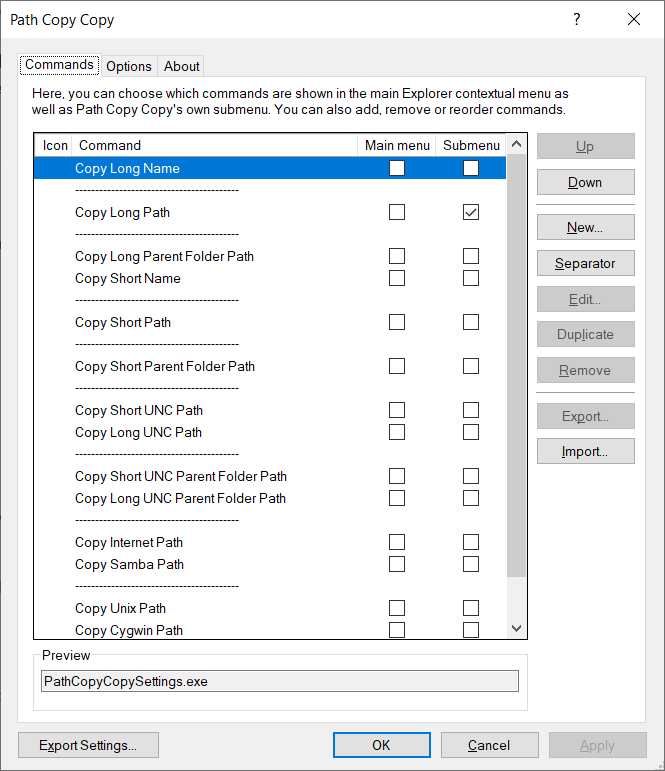
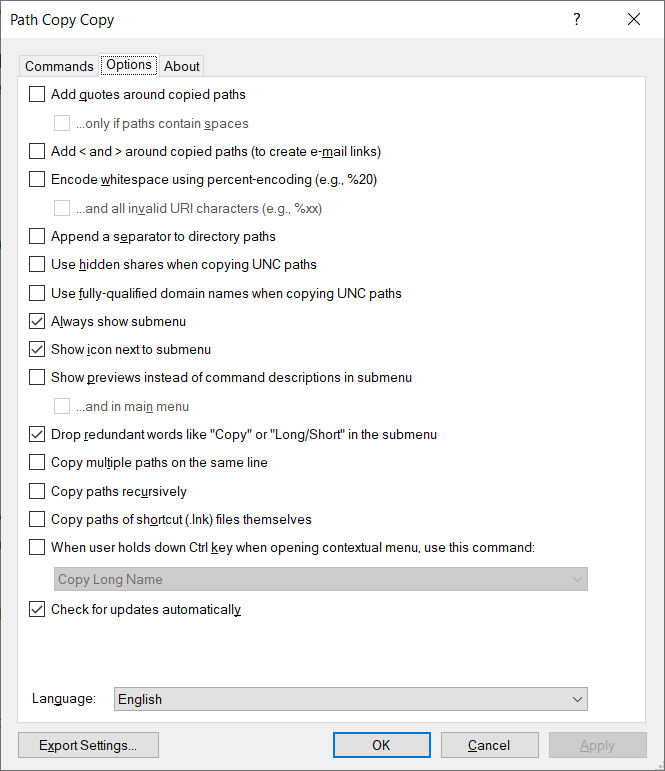
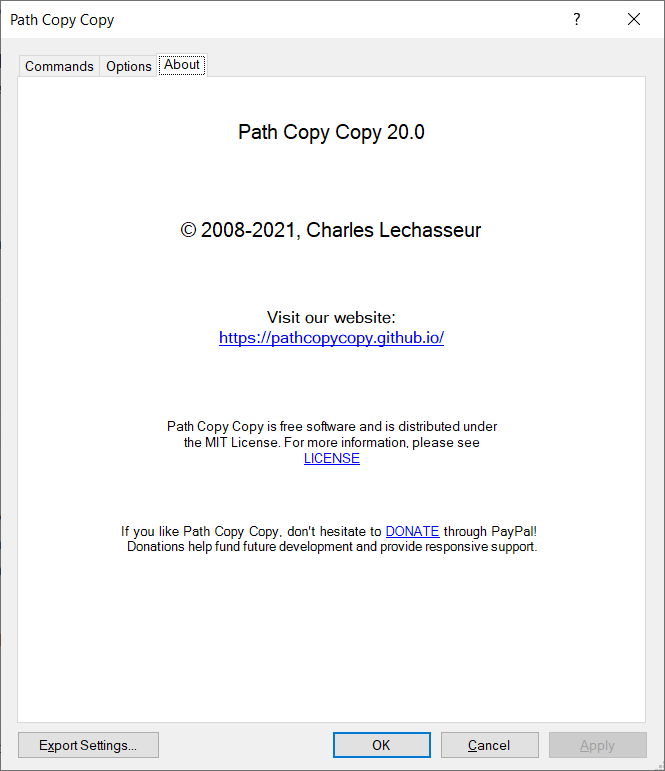
Branch HEAD was at
20862d7533when I compiled.@mdmower commented on GitHub (Aug 19, 2021):
Something that may need a bit more attention is form resizing when the window transitions between monitors with different scaling. If I start the application on a monitor with 125% scaling and drag it to a monitor with 100% scaling (i.e. not scaled), then the settings window looks like the following. It stays this way even after dragging back and forth between the two screens.
@clechasseur commented on GitHub (Aug 19, 2021):
Did you resize the windows before taking these screenshots? Here, with the default window size, some of the captions are truncated.
@clechasseur commented on GitHub (Aug 19, 2021):
Hmm, I'll have to dig out my old external monitor to test this one.. Might take a bit more time.
@mdmower commented on GitHub (Aug 19, 2021):
Nope, did not resize. Just looked again, but I'm not seeing truncated text after resizing large and then shrinking down to its smallest allowed size. I'm not exactly clear on what you mean by "caption" though.
@clechasseur commented on GitHub (Aug 21, 2021):
I tried hooking up my laptop to my TV today. Here's how the app looks on the TV at 150% scaling.
Not everything is scaled properly it seems. And on all forms other than the main form, it looks like everything is scaled wrong.
@clechasseur commented on GitHub (Aug 21, 2021):
I reproduced this when I hooked up my laptop to my TV. Laptop screen was at 100%, TV was at 150%. Dragging window between screens broke their content. I have no idea why that is though - I'll try to do some research, but this looks like something that the framework should take care of...
@clechasseur commented on GitHub (Aug 21, 2021):
It seems that targeting .NET Framework 4.8 (instead of 4.7) partially fixes the issue of dragging forms between screens with different DPI.
@mdmower Could you grab the latest build and see if it's better on your side? If you don't want to recompile it, you can grab this installer:
https://github.com/clechasseur/pathcopycopy/suites/3557293333/artifacts/85342936
@clechasseur commented on GitHub (Aug 28, 2021):
I merged the branch for this issue in
default. This will be part of the next release.If more work is needed on this in the future, it will be possible to open a new ticket, but I consider the support we have now to be pretty good (or at least good enough).