[GH-ISSUE #785] Not passing (or completing) ssllabs.com tests #663

Closed
opened 2026-02-26 06:33:53 +03:00 by kerem · 2 comments
Owner

Originally created by @matt-benett on GitHub (Dec 21, 2020).
Original GitHub issue: https://github.com/NginxProxyManager/nginx-proxy-manager/issues/785

Checklist

  • Have you pulled and found the error with jc21/nginx-proxy-manager:latest docker image? - Yes, using latest image, pulled on 2020 Dec 21st
  • Are you sure you're not using someone else's docker image? No
  • If having problems with Lets Encrypt, have you made absolutely sure your site is accessible from outside of your network? Yes

Describe the bug

  • A clear and concise description of what the bug is.
    I have my sites setup to use SSL from lets encrypt. In the browser all seems ok. But if i try to do a test at ssllabs.com, it only gets a couple of tests in before the test fails.
  • What version of Nginx Proxy Manager is reported on the login page? 2.7.1

To Reproduce
Steps to reproduce the behavior:

  1. Go to SSL and get a SSL cert from lets encrypt (i have tried wildcard and non-wildcard)
  2. Apply this cert to a host
  3. Force HTTPs, but no other settings checked.
  4. Go to https://www.ssllabs.com/ssltest/ and enter your site.
  5. It will then fail a few checks in.
  6. But it seems to work perfect in a browser.

Expected behavior
A report from SSL labs on the health of the SSL setup

Originally created by @matt-benett on GitHub (Dec 21, 2020). Original GitHub issue: https://github.com/NginxProxyManager/nginx-proxy-manager/issues/785 **Checklist** - Have you pulled and found the error with `jc21/nginx-proxy-manager:latest` docker image? - Yes, using latest image, pulled on 2020 Dec 21st - Are you sure you're not using someone else's docker image? No - If having problems with Lets Encrypt, have you made absolutely sure your site is accessible from outside of your network? Yes **Describe the bug** - A clear and concise description of what the bug is. I have my sites setup to use SSL from lets encrypt. In the browser all seems ok. But if i try to do a test at ssllabs.com, it only gets a couple of tests in before the test fails. - What version of Nginx Proxy Manager is reported on the login page? 2.7.1 **To Reproduce** Steps to reproduce the behavior: 1. Go to SSL and get a SSL cert from lets encrypt (i have tried wildcard and non-wildcard) 2. Apply this cert to a host 3. Force HTTPs, but no other settings checked. 4. Go to https://www.ssllabs.com/ssltest/ and enter your site. 5. It will then fail a few checks in. 6. But it seems to work perfect in a browser. **Expected behavior** A report from SSL labs on the health of the SSL setup
kerem 2026-02-26 06:33:53 +03:00
  • closed this issue
  • added the
    bug
    label
Author
Owner

@ssheduardo commented on GitHub (Dec 31, 2020):

Some error, when set a ssl letsencrypt, the page show error.
This is my configuration

image
image

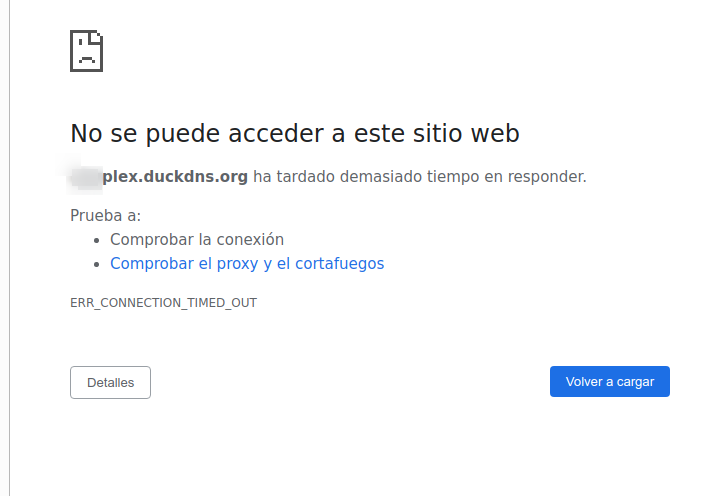
When open the url, the page show error.
image

<!-- gh-comment-id:753007451 --> @ssheduardo commented on GitHub (Dec 31, 2020): Some error, when set a ssl letsencrypt, the page show error. This is my configuration ![image](https://user-images.githubusercontent.com/1160138/103419189-3ddaf400-4b92-11eb-9ee5-e745b2a19c13.png) ![image](https://user-images.githubusercontent.com/1160138/103419251-84305300-4b92-11eb-9f9e-49512a177ab1.png) When open the url, the page show error. ![image](https://user-images.githubusercontent.com/1160138/103419368-0f114d80-4b93-11eb-8494-f25091f531dc.png)
Author
Owner

@c0by85 commented on GitHub (Jan 10, 2021):

Can't confirm. Works fine.

image

<!-- gh-comment-id:757452675 --> @c0by85 commented on GitHub (Jan 10, 2021): Can't confirm. Works fine. ![image](https://user-images.githubusercontent.com/25707747/104120440-31476000-5337-11eb-83c2-ed014c689680.png)
Sign in to join this conversation.
No milestone
No project
No assignees
1 participant
Notifications
Due date
The due date is invalid or out of range. Please use the format "yyyy-mm-dd".

No due date set.

Dependencies

No dependencies set.

Reference
starred/nginx-proxy-manager-NginxProxyManager#663
No description provided.