[GH-ISSUE #1719] CSS works on one domain, but not the other #1278

Closed
opened 2026-02-26 06:36:31 +03:00 by kerem · 1 comment
Owner

Originally created by @ryzech on GitHub (Jan 2, 2022).
Original GitHub issue: https://github.com/NginxProxyManager/nginx-proxy-manager/issues/1719

Checklist

  • Have you pulled and found the error with jc21/nginx-proxy-manager:latest docker image?
    • Yes
  • Are you sure you're not using someone else's docker image?
    • Yes
  • Have you searched for similar issues (both open and closed)?
    • Yes

Describe the bug
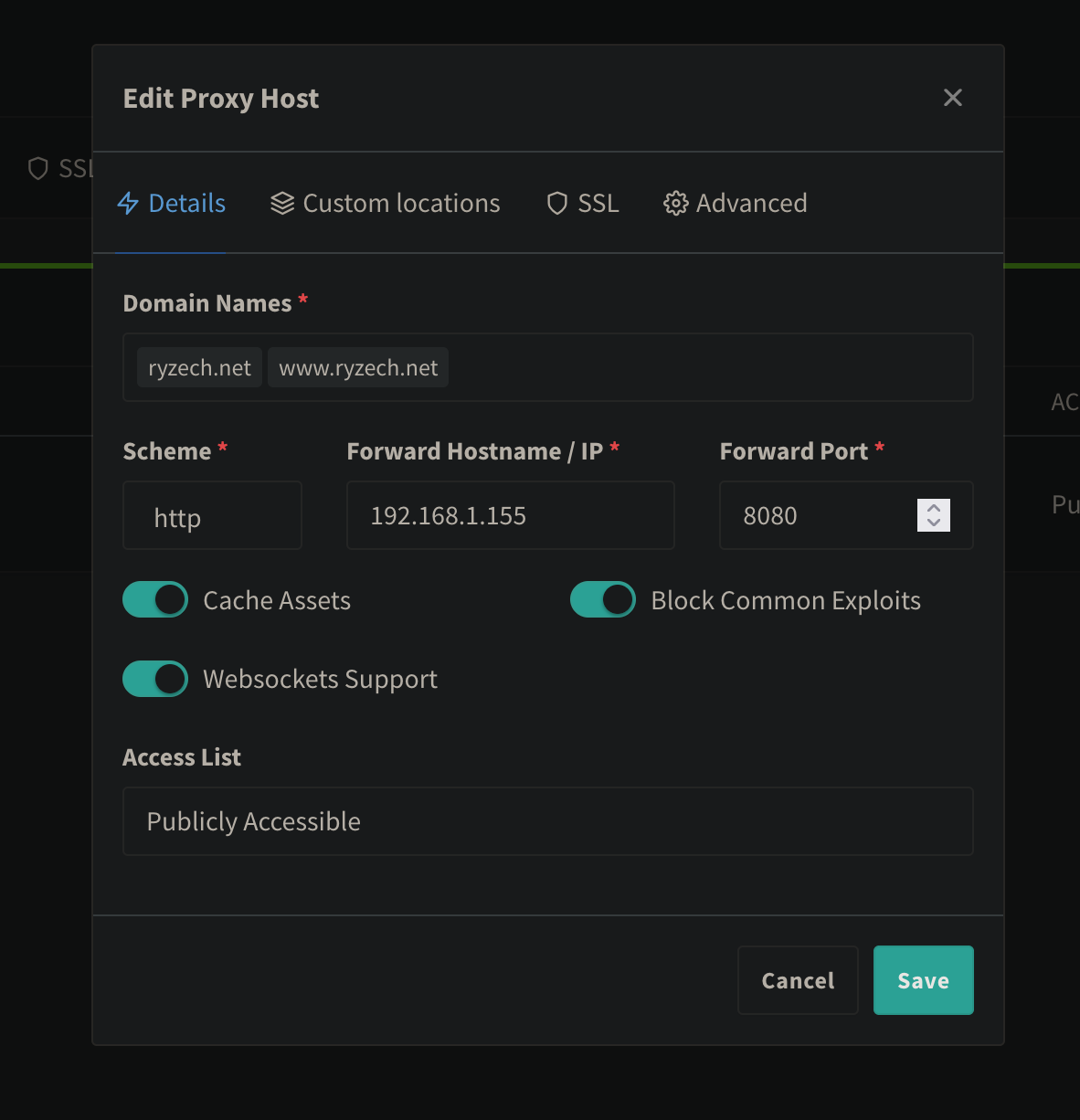
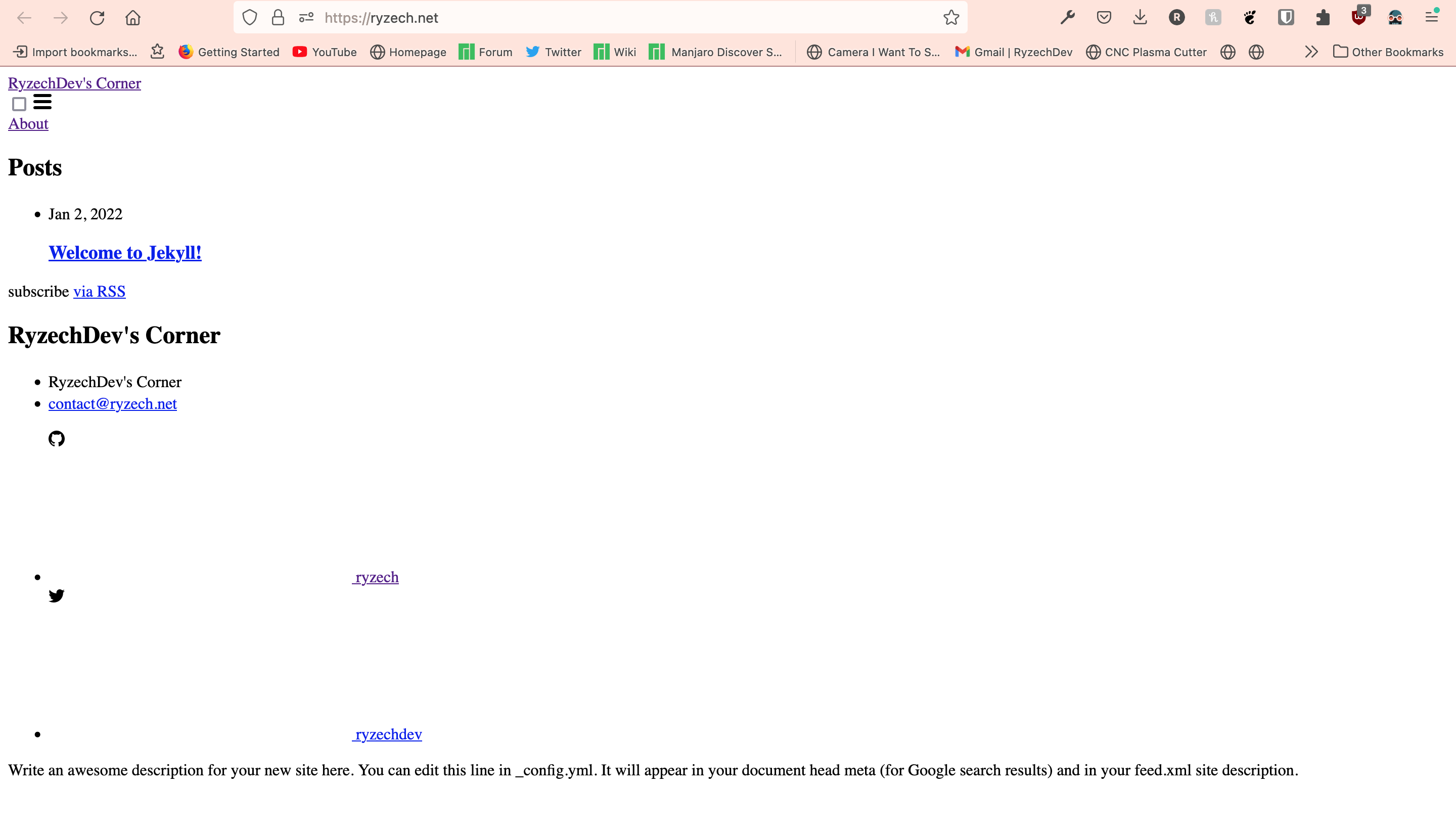
So i have two domains under one proxy host (ryzech.net and www.ryzech.net). On www.ryzech.net the website loads and the css works with all the theming. But if i try to load the website on ryzech.net, the css doesn't load, and it's just plain html. I'm pretty sure this isn't the fault of the website, as it works perfectly locally without nginx proxy manager.

Nginx Proxy Manager Version
v2.9.13

To Reproduce
Steps to reproduce the behavior:

  1. Create new proxy host with 2 domains, set the hostname and port to an nginx docker container running a jekyll blog site (the jekyll html files are in a local mounted volume).
  2. Load one of the two domains
  3. One of the domains will fail to load the css styling

Expected behavior

  1. Create the proxy host with two domains
  2. load either of the two domains
  3. both domains load the css without fail

Screenshots
Screen Shot 2022-01-02 at 4 09 55 PM
Screen Shot 2022-01-02 at 4 10 04 PM

Operating System
Debian 11 Bullseye running under a Proxmox VE Node (Hypervisor)

Additional context
Docker Version: 20.10.2
Browser Version: Firefox Developer Edition 96.0b4

Originally created by @ryzech on GitHub (Jan 2, 2022). Original GitHub issue: https://github.com/NginxProxyManager/nginx-proxy-manager/issues/1719 **Checklist** - Have you pulled and found the error with `jc21/nginx-proxy-manager:latest` docker image? - **Yes** - Are you sure you're not using someone else's docker image? - **Yes** - Have you searched for similar issues (both open and closed)? - **Yes** **Describe the bug** So i have two domains under one proxy host (ryzech.net and www.ryzech.net). On www.ryzech.net the website loads and the css works with all the theming. But if i try to load the website on ryzech.net, the css doesn't load, and it's just plain html. I'm pretty sure this isn't the fault of the website, as it works perfectly locally without nginx proxy manager. **Nginx Proxy Manager Version** v2.9.13 **To Reproduce** Steps to reproduce the behavior: 1. Create new proxy host with 2 domains, set the hostname and port to an nginx docker container running a jekyll blog site (the jekyll html files are in a local mounted volume). 2. Load one of the two domains 3. One of the domains will fail to load the css styling **Expected behavior** 1. Create the proxy host with two domains 2. load either of the two domains 3. both domains load the css without fail **Screenshots** <img width="591" alt="Screen Shot 2022-01-02 at 4 09 55 PM" src="https://user-images.githubusercontent.com/61711965/147890692-c75e8b4f-3096-4fc6-a538-558abf642180.png"> <img width="1440" alt="Screen Shot 2022-01-02 at 4 10 04 PM" src="https://user-images.githubusercontent.com/61711965/147890693-6194becb-7286-4fa2-9109-bebe40eff0c3.png"> **Operating System** Debian 11 Bullseye running under a Proxmox VE Node (Hypervisor) **Additional context** Docker Version: 20.10.2 Browser Version: Firefox Developer Edition 96.0b4
kerem 2026-02-26 06:36:31 +03:00
  • closed this issue
  • added the
    bug
    label
Author
Owner

@ryzech commented on GitHub (Jan 2, 2022):

after 5 hours of it not working, it somehow just started working immediately after opening this issue lmao, sorry!

<!-- gh-comment-id:1003784166 --> @ryzech commented on GitHub (Jan 2, 2022): after 5 hours of it not working, it somehow just started working immediately after opening this issue lmao, sorry!
Sign in to join this conversation.
No milestone
No project
No assignees
1 participant
Notifications
Due date
The due date is invalid or out of range. Please use the format "yyyy-mm-dd".

No due date set.

Dependencies

No dependencies set.

Reference
starred/nginx-proxy-manager-NginxProxyManager#1278
No description provided.