mirror of
https://github.com/koel/koel.git
synced 2026-04-25 08:46:00 +03:00
[GH-ISSUE #648] Integrate with Dropbox and Google Drive #464
Labels
No labels
Authentication
Dependencies
Documentation
Feature Request
Flac
Help Wanted
Installation/Setup
Integration
Mobile
PR Welcome
Pending Release
Performance
Playlist
S3
Search
Sync
[Pri] Low
[Pri] Normal
[Status] Keep Open
[Status] Needs Author Reply
[Status] Needs Review
[Status] Stale
[Status] Will Implement
[Type] Blessed
[Type] Bug
[Type] Duplicate
[Type] Enhancement
[Type] Help Request
[Type] Question
[Type] Task
pull-request
No milestone
No project
No assignees
1 participant

Notifications
Due date
No due date set.
Dependencies
No dependencies set.
Reference
starred/koel-koel#464
Loading…
Add table
Add a link
Reference in a new issue
No description provided.
Delete branch "%!s()"
Deleting a branch is permanent. Although the deleted branch may continue to exist for a short time before it actually gets removed, it CANNOT be undone in most cases. Continue?
Originally created by @phanan on GitHub (Sep 15, 2017).
Original GitHub issue: https://github.com/koel/koel/issues/648
Just leaving this here as a reminder and to welcome ideas/contributions.
@natrod commented on GitHub (Nov 9, 2017):
@phanan Great Project! I would love to contribute to the effort during my free time
@DevinNorgarb commented on GitHub (Jan 30, 2018):
@phanan old thread, I know, but I am successfully using Google Drive as a CDN for Koel.
Simply put, you can mount Google Drive on an Ubuntu VPS which is what I have done, then just reference the mountpoint as the root media path and voila, all my music is streamed directly from Google Drive.
If there is any interest I 'd be happy to explain in depth.
@phanan commented on GitHub (Jan 30, 2018):
@DevinNorgarb Not an old thread, so no worries 😄
As I'm not familiar with GDriver as well as the whole mounting idea, can you share a bit more about e.g. the performance? Does scanning work just seamlessly?
@DevinNorgarb commented on GitHub (Feb 1, 2018):
Yes absolutely, I use google-drive-ocamlfuse to mount it.
Before you install the package just head over to your
Google Developer API's account, select a new project if you haven't, then find the Google Drive API under their API Libary and enable the API.
After following the instructions to mount the drive, if all is successful, you should have google drive mounted as an external harddrive, you can browse through it like you would with any other directory in Linux as well as rename, delete, and copy files to and from it.
They make use of Readahead which streams and caches media instead of downloading each song every time.
I have found using Koel to scan and stream the media directory works perfectly and imports everything without an issue.
When I have time I will run some bench marks for you.
@DevinNorgarb commented on GitHub (Dec 28, 2018):
@phanan
Hi guys
Here is an update on the Google Drive integration.
How I went about doing the integration:
Importing
Created an
Importsidebar title withGoogle Driveas an optionOn the Import page we can use Googles file picker to authenticate ourself and select individual or multiple tracks/directories.
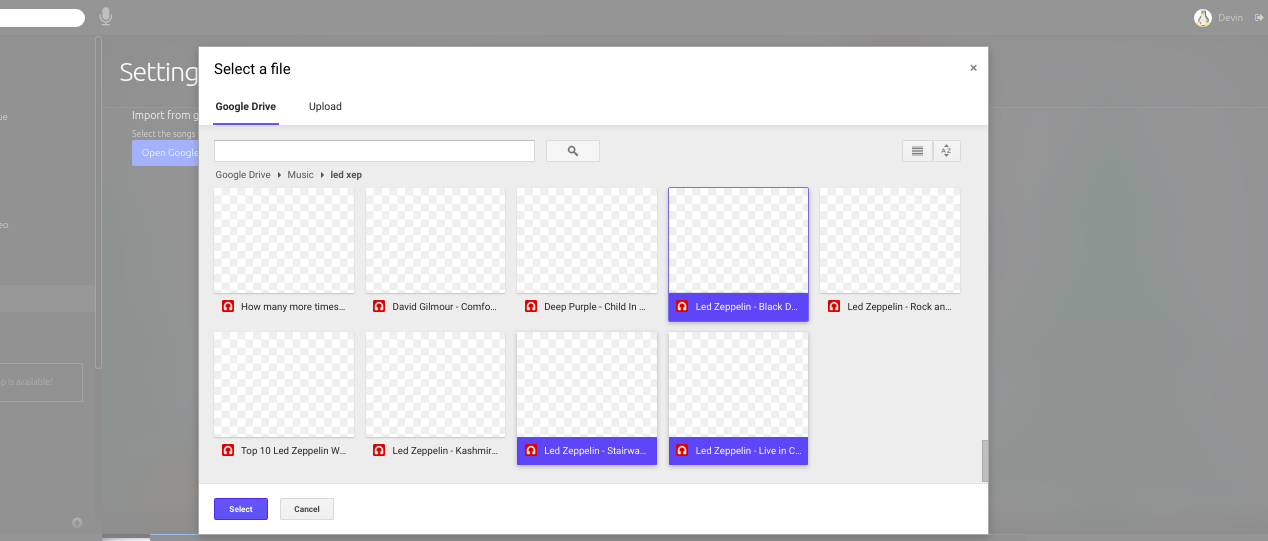
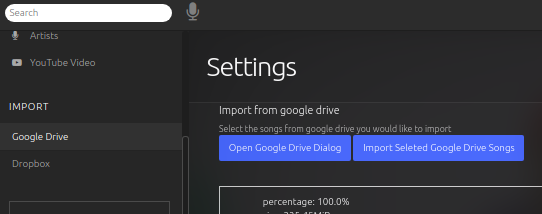
Once we have selected our files we to import the picker fires an
On Selectevent which is we catch an array of objects, each object containing detailed info on the track.I pass this to a controller where I loop though each record, grab what I need then pass this on to a queue job.
This is where it got a bit tricky. I needed all the metadata which Koel requires to build the Track, Album, Artist, Cover Art and other info, but this cannot be done using http, so passing the URL Google provides
is with to access the track won't work which is explained here by its creator, James Heinrich.
getID3 using remote urls.
An option is to download the first 32kb of the track, which might or might not be enough to get all the info out so just doing a full download is what I choose.
I did this by opening a stream with the url google provides, the placing this in the
/tmpdir scanning it with getID3, which gives us everything we need to pass to \App\Models\File to create new instance.Similar to way we check a property named $song->s3_params I check for $song->cdn == 'google_drive' then save the ID google provides for the track since the file is not going to remain in the
/tmpmuch longer.This ID (saved in the db as the songs path)will be refrenced later to Identify and stream the track.
I then call `$file->sync() which saves the song and all it's metadata.
We can just unlink the temp file since it's served it purpose.
Streaming
In the
SongControllersplay() method I check for $song->cdn == 'google_drive' again` if ($song->s3_params) {
return (new S3Streamer($song))->stream();
}
This is Similar to the S3 check.
If true a new GoogleDriveStreamer is instantiated.
For convenience here I add Google Drive as a Flysystem adapter
After creating a stream I pass this to laravels response->stream()
This streams the track, exactly as expected with cover art, LastFM info and is cachied, the full monty.
The streaming is milissconds slower than using a local file.
Feedback would be great on how I went about this.
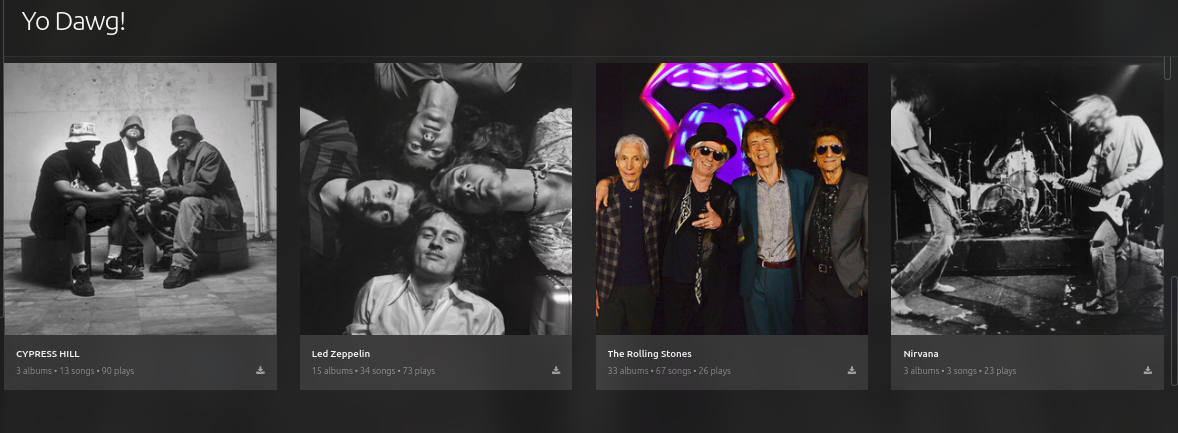
Imported Tracks!
notes:
`
@qwerzl commented on GitHub (Dec 11, 2022):
Is this still a work in progress? Would love to see the feature!
@phanan commented on GitHub (Jul 26, 2024):
Dropbox integration has been implemented in v7. Google Drive will be added if/when I have the time.