[GH-ISSUE #1006] Compile error #351

Closed
opened 2026-03-16 14:51:01 +03:00 by kerem · 1 comment
Owner

Originally created by @Mikolaj98p on GitHub (Jul 20, 2020).
Original GitHub issue: https://github.com/hoppscotch/hoppscotch/issues/1006

Describe the bug
On command npm run dev I have compile error and in browser display error

To Reproduce
Steps to reproduce the behavior:

  1. Run npm install
  2. Run npm audit fix (I try with this command and without)
  3. Run npm run dev
  4. See error
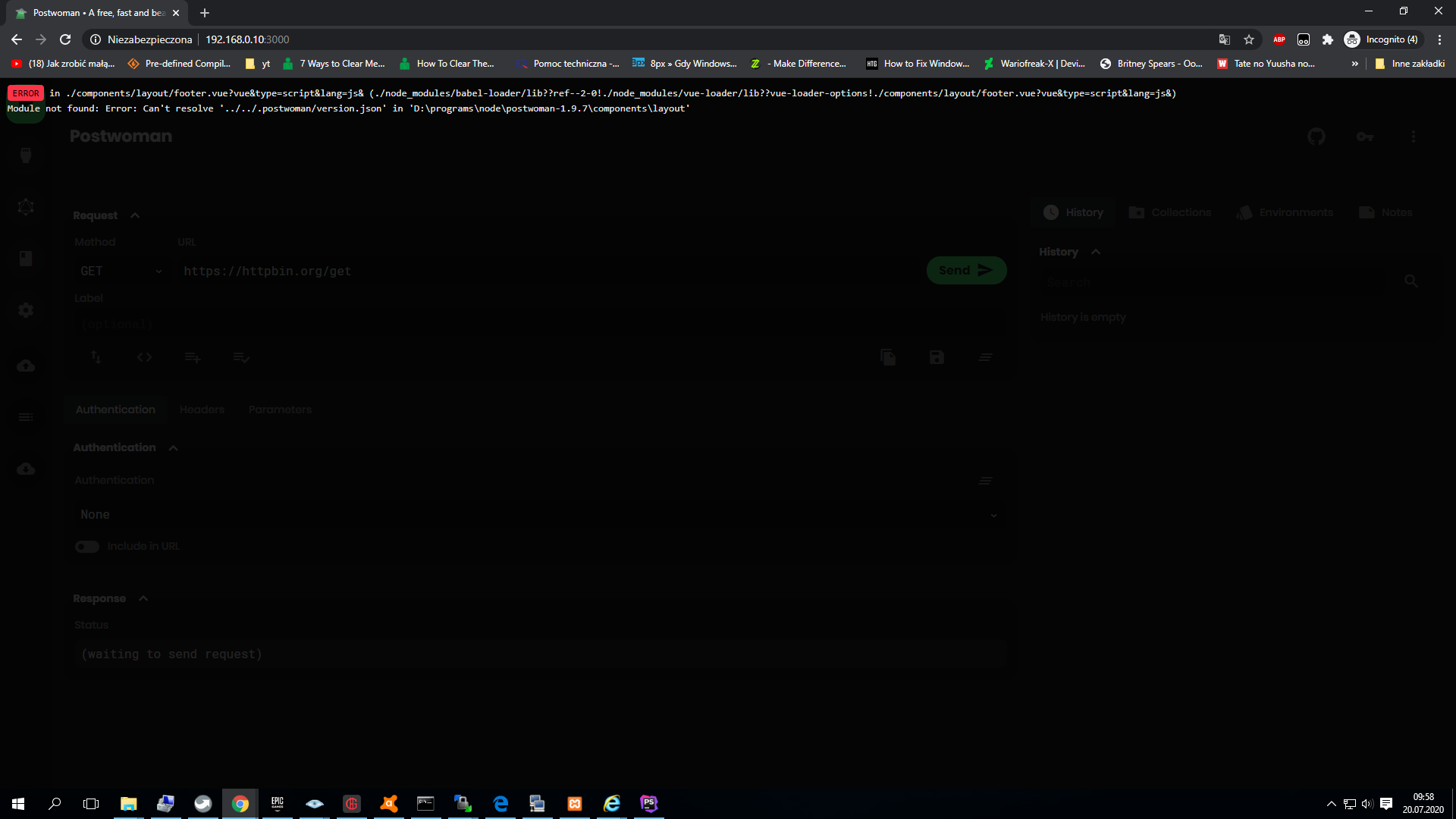
    In browser
 in ./components/layout/footer.vue?vue&type=script&lang=js& (./node_modules/babel-loader/lib??ref--2-0!./node_modules/vue-loader/lib??vue-loader-options!./components/layout/footer.vue?vue&type=script&lang=js&)
Module not found: Error: Can't resolve '../../.postwoman/version.json' in 'D:\programs\node\postwoman-1.9.7\components\layout'

In cmd

 ERROR  Failed to compile with 1 errors                                                       friendly-errors 09:49:18

This relative module was not found:                                                           friendly-errors 09:49:18
                                                                                              friendly-errors 09:49:18
* ../../.postwoman/version.json in ./node_modules/babel-loader/lib??ref--2-0!./node_modules/vue-loader/lib??vue-loader-options!./components/layout/footer.vue?vue&type=script&lang=js&

Screenshots
Zrzut ekranu (3)

Desktop (please complete the following information):

  • OS: Win10 TH2
  • Browser: Chrome 83.0.4103.116

PS: Sory for my bad english.

Originally created by @Mikolaj98p on GitHub (Jul 20, 2020). Original GitHub issue: https://github.com/hoppscotch/hoppscotch/issues/1006 **Describe the bug** On command `npm run dev` I have compile error and in browser display error **To Reproduce** Steps to reproduce the behavior: 1. Run `npm install` 2. Run `npm audit fix` (I try with this command and without) 3. Run `npm run dev` 4. See error In browser ``` in ./components/layout/footer.vue?vue&type=script&lang=js& (./node_modules/babel-loader/lib??ref--2-0!./node_modules/vue-loader/lib??vue-loader-options!./components/layout/footer.vue?vue&type=script&lang=js&) Module not found: Error: Can't resolve '../../.postwoman/version.json' in 'D:\programs\node\postwoman-1.9.7\components\layout' ``` In cmd ``` ERROR Failed to compile with 1 errors friendly-errors 09:49:18 This relative module was not found: friendly-errors 09:49:18 friendly-errors 09:49:18 * ../../.postwoman/version.json in ./node_modules/babel-loader/lib??ref--2-0!./node_modules/vue-loader/lib??vue-loader-options!./components/layout/footer.vue?vue&type=script&lang=js& ``` **Screenshots** ![Zrzut ekranu (3)](https://user-images.githubusercontent.com/20612773/87913590-a06e8680-ca6f-11ea-8718-e3c9e8eccc45.png) **Desktop (please complete the following information):** - OS: Win10 TH2 - Browser: Chrome 83.0.4103.116 PS: Sory for my bad english.
kerem closed this issue 2026-03-16 14:51:06 +03:00
Author
Owner

@liyasthomas commented on GitHub (Jul 20, 2020):

Step 1
Create a folder named .postwoman in root directory.

Step 2
Create a file named version.json file inside .postwoman folder.

Step 3
Paste the following line in version.json file.

{"name":"v1.9.7"}

Let me know if the issue isn't solved.

Explanation: version.json is dynamically created when we run the build.js script and is not available when we download / clone the repo.

<!-- gh-comment-id:660877822 --> @liyasthomas commented on GitHub (Jul 20, 2020): **Step 1** Create a folder named `.postwoman` in root directory. **Step 2** Create a file named `version.json` file inside `.postwoman` folder. **Step 3** Paste the following line in `version.json` file. ``` {"name":"v1.9.7"} ``` Let me know if the issue isn't solved. Explanation: `version.json` is dynamically created when we run the `build.js` script and is not available when we download / clone the repo.
Sign in to join this conversation.
No milestone
No project
No assignees
1 participant
Notifications
Due date
The due date is invalid or out of range. Please use the format "yyyy-mm-dd".

No due date set.

Dependencies

No dependencies set.

Reference
starred/hoppscotch#351
No description provided.