mirror of
https://github.com/hoppscotch/hoppscotch.git
synced 2026-04-25 16:55:59 +03:00
[GH-ISSUE #321] Auth info on WebSocket connections #117
Labels
No labels
CodeDay
a11y
browser limited
bug
bug fix
cli
core
critical
design
desktop
discussion
docker
documentation
duplicate
enterprise
feature
feature
fosshack
future
good first issue
hacktoberfest
help wanted
i18n
invalid
major
minor
need information
need testing
not applicable to hoppscotch
not reproducible
pull-request
question
refactor
resolved
sandbox
self-host
spam
stale
testmu
wip
wont fix
No milestone
No project
No assignees
1 participant

Notifications
Due date
No due date set.
Dependencies
No dependencies set.
Reference
starred/hoppscotch#117
Loading…
Add table
Add a link
Reference in a new issue
No description provided.
Delete branch "%!s()"
Deleting a branch is permanent. Although the deleted branch may continue to exist for a short time before it actually gets removed, it CANNOT be undone in most cases. Continue?
Originally created by @jensgram on GitHub (Nov 21, 2019).
Original GitHub issue: https://github.com/hoppscotch/hoppscotch/issues/321
Originally assigned to: @liyasthomas on GitHub.
Is your feature request related to a problem? Please describe.
I'm not able to pass auth info on WebSocket connections.
Describe the solution you'd like
It would be nice to port the
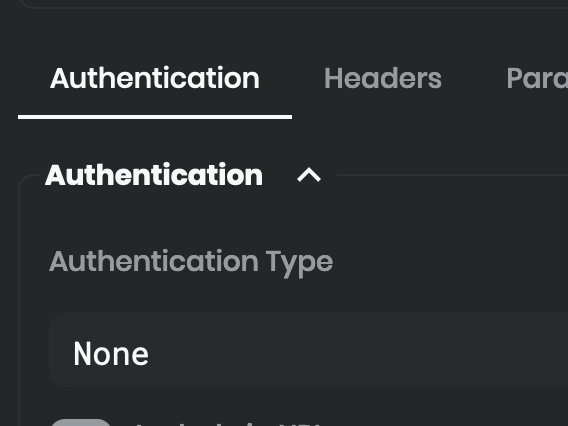
Authenticationcomponent (and possibly theHeaderscomponent too) fromRequesttoWebSocket.Describe alternatives you've considered
I may simply not be aware of how to use the UI. Perhaps it's already possible to pass auth info on WS connections?
Additional context
Current WS pane:
AuthenticationandHeaderscomponents inRequestpane:@liyasthomas commented on GitHub (Dec 6, 2019):
HTTP Authorization header problem can be addressed with the following:
ws://username:password@example.com/serviceThen, a proper Basic Authorization HTTP header will be set with the provided
usernameandpassword. If you needBasic Authorization, then you're all set.If you want to use
Bearerhowever, and I resorted to the following trick: I connect to the server as follows:ws://my_token@example.com/serviceAnd when connection at the server side receives
Basic Authorizationheader with non-emptyusernameand emptypassword, then it interprets the username as a token.@igorrocha commented on GitHub (Jan 3, 2020):
For anyone finding this issue now, it seems that the trick for passing an Authorization or Bearer header in the URL doesn't work anymore. It has been deprecated, as stated here.
The easiest way to pass auth information is through a querystring parameter, which doesn't pose a security issue if you're using wss. Another workaround involves server side Authentication, and is described here.
@liyasthomas commented on GitHub (Jan 4, 2020):
Thanks for sharing the information 🙌🏼