[GH-ISSUE #905] pw.response seems not to work #321

Closed
opened 2026-03-16 14:41:08 +03:00 by kerem · 8 comments
Owner

Originally created by @lapo-luchini on GitHub (May 27, 2020).
Original GitHub issue: https://github.com/hoppscotch/hoppscotch/issues/905

Describe the bug
Examples from the wiki page seem not to work (yet?).

To Reproduce

  1. create GET JSON call
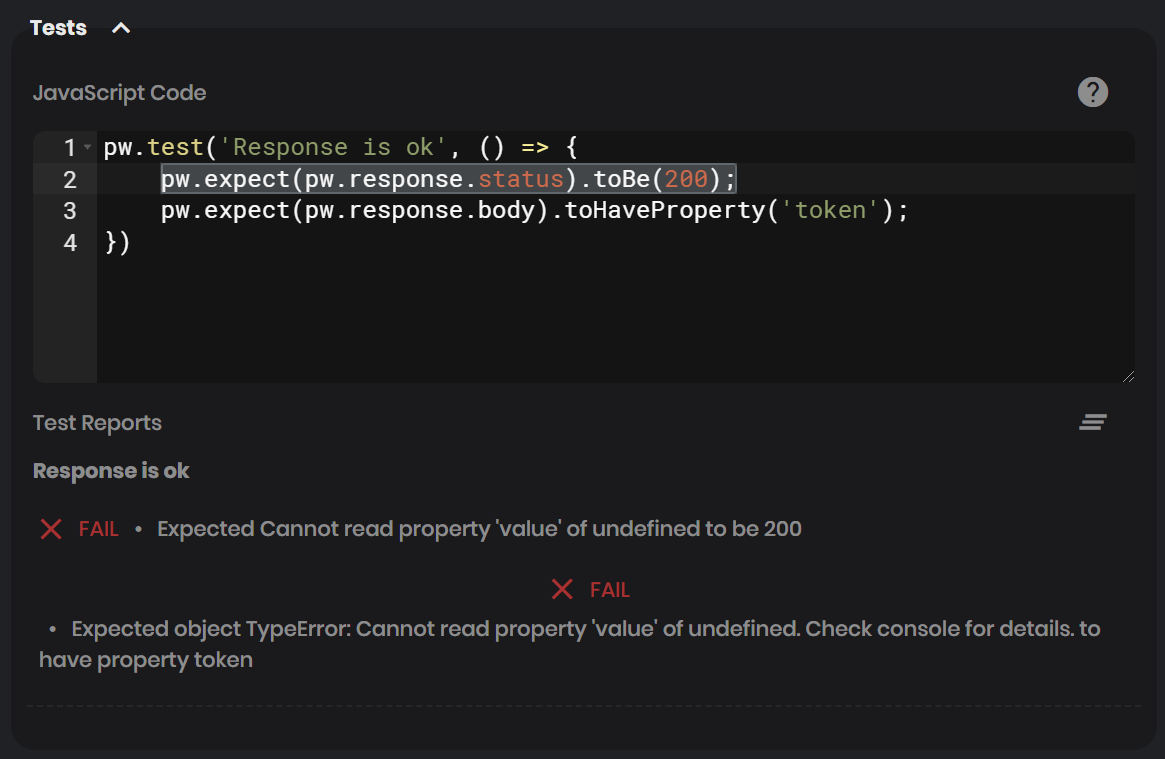
  2. copy test from wiki: pw.expect(pw.response.status).toBe(200);
  3. execute call
  4. see error: Expected Cannot read property 'value' of undefined to be 200

Expected behavior
A successful test.

Screenshots
image

Desktop (please complete the following information):

  • OS: Windows 10
  • Browser Chrome
  • Version 83
    (using extension to do the clal locally, since it's only accessible via a VPN)
Originally created by @lapo-luchini on GitHub (May 27, 2020). Original GitHub issue: https://github.com/hoppscotch/hoppscotch/issues/905 **Describe the bug** Examples from the wiki page seem not to work (yet?). **To Reproduce** 1. create GET JSON call 2. copy test from wiki: `pw.expect(pw.response.status).toBe(200);` 3. execute call 4. see error: `Expected Cannot read property 'value' of undefined to be 200` **Expected behavior** A successful test. **Screenshots** ![image](https://user-images.githubusercontent.com/420454/83029688-3e773f00-a033-11ea-9ce7-3ca030c17427.png) **Desktop (please complete the following information):** - OS: Windows 10 - Browser Chrome - Version 83 (using extension to do the clal locally, since it's only accessible via a VPN)
kerem 2026-03-16 14:41:08 +03:00
Author
Owner

@liyasthomas commented on GitHub (May 27, 2020):

@lapo-luchini can you share a reproducible endpoint/link?
I can't reproduce the issue at my end.

<!-- gh-comment-id:634690661 --> @liyasthomas commented on GitHub (May 27, 2020): @lapo-luchini can you share a reproducible endpoint/link? I can't reproduce the issue at my end.
Author
Owner

@lapo-luchini commented on GitHub (May 27, 2020):

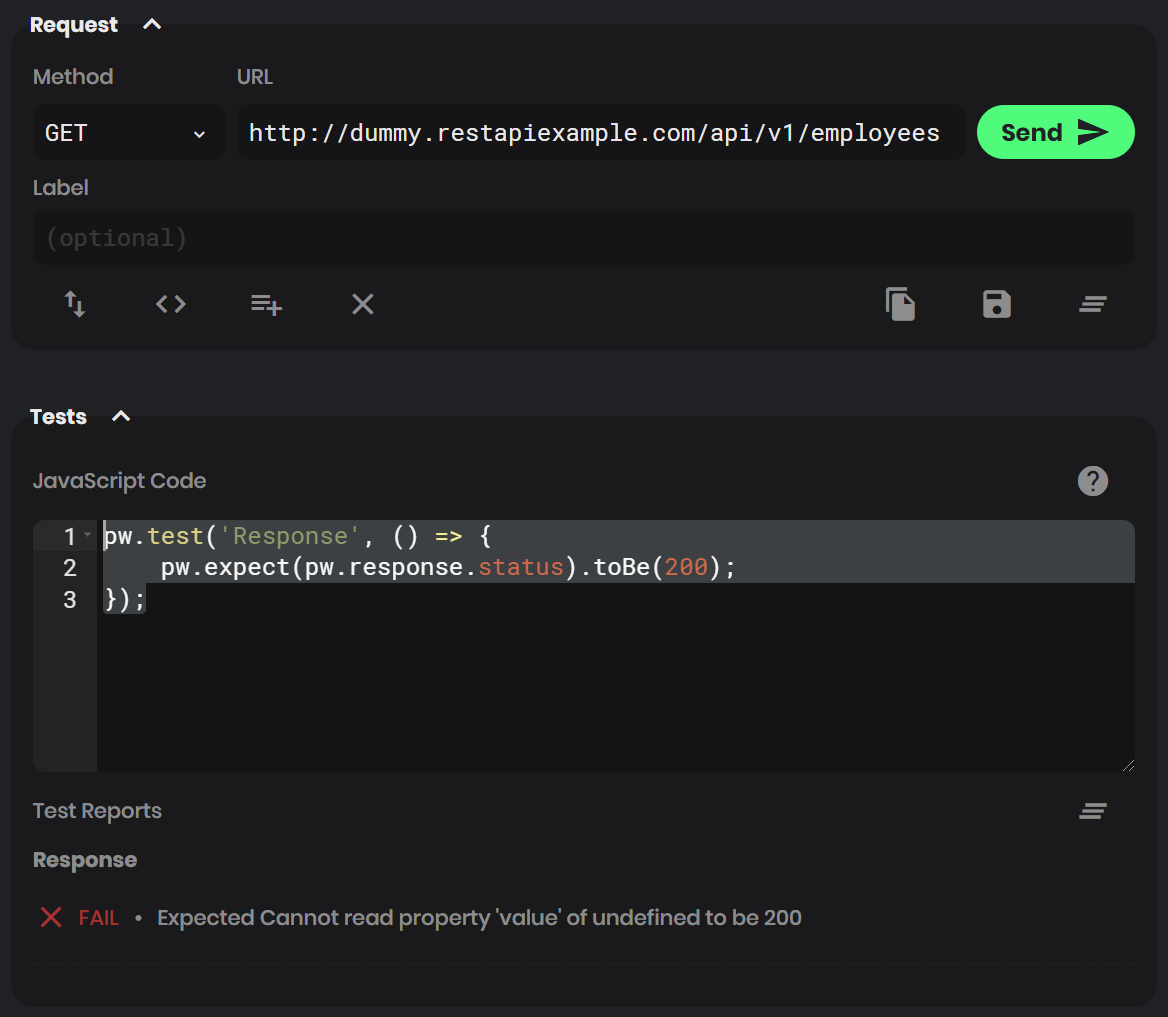
I seem to be able to reproduce that with any RESP API really (thankfully, because my own is only accessible via private VPN) and even without variables / environments:
URL: http://dummy.restapiexample.com/api/v1/employees
Test code:

pw.test('Response', () => {
    pw.expect(pw.response.status).toBe(200);
});

Same result:
image
Application reports itself to be v.1.9.7, by the way.

<!-- gh-comment-id:634713945 --> @lapo-luchini commented on GitHub (May 27, 2020): I seem to be able to reproduce that with any RESP API really (thankfully, because my own is only accessible via private VPN) and even without variables / environments: URL: `http://dummy.restapiexample.com/api/v1/employees` Test code: ``` pw.test('Response', () => { pw.expect(pw.response.status).toBe(200); }); ``` Same result: ![image](https://user-images.githubusercontent.com/420454/83035647-01627b00-a03a-11ea-9691-4895d3f0ae09.png) Application reports itself to be v.1.9.7, by the way.
Author
Owner

@liyasthomas commented on GitHub (May 27, 2020):

The endpoint: http://dummy.restapiexample.com/api/v1/employees won't work because it is served with http protocol. I tried with https but it refused to connect.

Postwoman being hosted in https protocol - browser will restrict all non-secure http requests.

To test non-https endpoints, please use Browser extension (link in readme) or Toggle Proxy mode on from settings > proxy.

And also, tests works fine - let me know whether the issue still persists.

<!-- gh-comment-id:634732016 --> @liyasthomas commented on GitHub (May 27, 2020): The endpoint: `http://dummy.restapiexample.com/api/v1/employees` won't work because it is served with `http` protocol. I tried with `https` but it refused to connect. Postwoman being hosted in `https` protocol - browser will restrict all non-secure `http` requests. To test non-https endpoints, please use **Browser extension** (link in readme) or Toggle Proxy mode on from settings > proxy. And also, tests works fine - let me know whether the issue still persists.
Author
Owner

@lapo-luchini commented on GitHub (May 27, 2020):

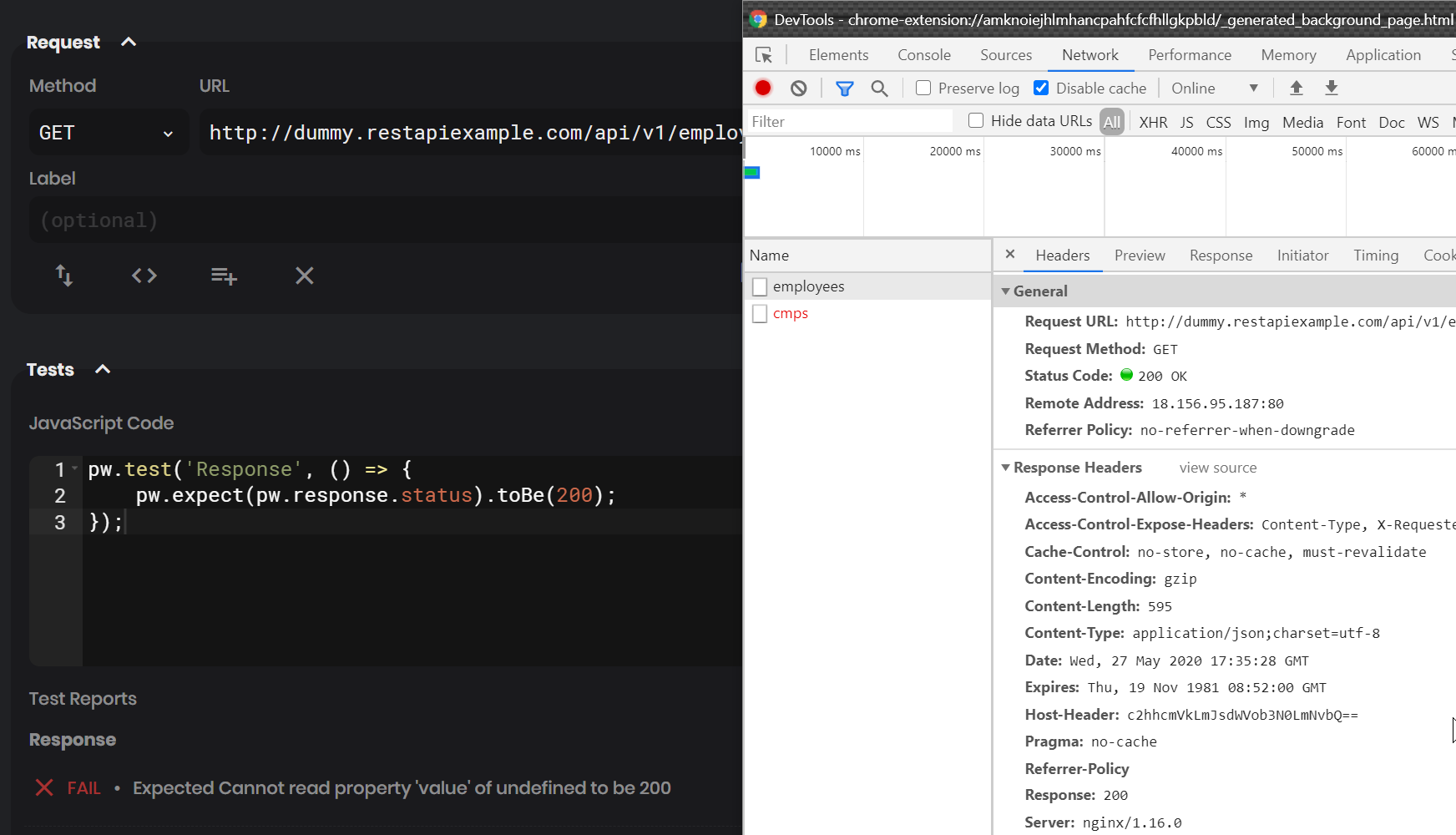
But I am using the browser extension, in fact.
And, watching the extension's background page, the request worked correctly too:
image

<!-- gh-comment-id:634825352 --> @lapo-luchini commented on GitHub (May 27, 2020): But _I am_ using the browser extension, in fact. And, watching the extension's background page, the request worked correctly too: ![image](https://user-images.githubusercontent.com/420454/83053744-8016e280-a051-11ea-8e35-cb49a0ee29ef.png)
Author
Owner

@liyasthomas commented on GitHub (May 28, 2020):

Can you check if there's any errors in console log?

<!-- gh-comment-id:635008789 --> @liyasthomas commented on GitHub (May 28, 2020): Can you check if there's any errors in console log?
Author
Owner

@lapo-luchini commented on GitHub (May 28, 2020):

Yes there is, I tried debugging but the (internally beautified) code isn't clear to me.
(I tried with a local git clone + npm run serve but then it's in http and doesn't happen)
Do you have an https deploy with included SourceMaps?
(I also tried deploying it in https on my own, but then it fails connecting to my Chrome extension)

Console error:

TypeError: Cannot read property 'value' of undefined
    at 519987073f102793edd6.js:1
    at 519987073f102793edd6.js:1
    at d (90e58649f81013ae3376.js:2)
    at Generator._invoke (90e58649f81013ae3376.js:2)
    at Generator.S.forEach.t.<computed> [as next] (90e58649f81013ae3376.js:2)
    at r (90e58649f81013ae3376.js:2)
    at l (90e58649f81013ae3376.js:2)

Innermost line:
null !== F.a.currentUser && F.a.currentSettings[2].value && F.a.writeHistory(r)
Third line:
return { type: "normal", arg: t.call(e, n) }

<!-- gh-comment-id:635166200 --> @lapo-luchini commented on GitHub (May 28, 2020): Yes there is, I tried debugging but the (internally beautified) code isn't clear to me. (I tried with a local `git clone` + `npm run serve` but then it's in `http` and doesn't happen) Do you have an `https` deploy with included SourceMaps? (I also tried deploying it in `https` on my own, but then it fails connecting to my Chrome extension) Console error: ``` TypeError: Cannot read property 'value' of undefined at 519987073f102793edd6.js:1 at 519987073f102793edd6.js:1 at d (90e58649f81013ae3376.js:2) at Generator._invoke (90e58649f81013ae3376.js:2) at Generator.S.forEach.t.<computed> [as next] (90e58649f81013ae3376.js:2) at r (90e58649f81013ae3376.js:2) at l (90e58649f81013ae3376.js:2) ``` Innermost line: `null !== F.a.currentUser && F.a.currentSettings[2].value && F.a.writeHistory(r) ` Third line: `return { type: "normal", arg: t.call(e, n) }`
Author
Owner

@liyasthomas commented on GitHub (May 28, 2020):

Try clearing all app cache and uninstalling service worker from dev tools. Also are logged in with Google/GitHub?

<!-- gh-comment-id:635169562 --> @liyasthomas commented on GitHub (May 28, 2020): Try clearing all app cache and uninstalling service worker from dev tools. Also are logged in with Google/GitHub?
Author
Owner

@lapo-luchini commented on GitHub (May 29, 2020):

Cleaned app cache & unregistered worker: it works now!
I was logged in with GitHub, yes.
Now I logged again and it seems to be still working.

<!-- gh-comment-id:636086190 --> @lapo-luchini commented on GitHub (May 29, 2020): Cleaned app cache & unregistered worker: **it works now!** I was logged in with GitHub, yes. Now I logged again and it seems to be still working.
Sign in to join this conversation.
No milestone
No project
No assignees
1 participant
Notifications
Due date
The due date is invalid or out of range. Please use the format "yyyy-mm-dd".

No due date set.

Dependencies

No dependencies set.

Reference
starred/hoppscotch#321
No description provided.