- JavaScript 97.5%
- CSS 2.3%
- TypeScript 0.2%
 70b706133d
This update enhances user experience by automatically redirecting users to the budget page if they don't have any budget set up in the Dashboard layout. It checks if there are any budgets associated with a user's email address upon Dashboard component mounting and navigates the user to the budget page if none found. While no critical changes, it incorporates code style improvements for more readable and maintainable code, like consistent spacing and semicolons. A minor change to the Header component was done which doesn't bring any functional changes. No concerns or issues have been identified with these changes. |
||
|---|---|---|
| app | ||
| components/ui | ||
| lib | ||
| public | ||
| utils | ||
| .DS_Store | ||
| .gitignore | ||
| components.json | ||
| drizzle.config.js | ||
| jsconfig.json | ||
| middleware.ts | ||
| next.config.mjs | ||
| package-lock.json | ||
| package.json | ||
| postcss.config.mjs | ||
| README.md | ||
| tailwind.config.js | ||
| yarn.lock | ||



Finan Smart
📋 Table of Contents
- 🤖 Introduction
- ⚙️ Tech Stack
- 🔋 Features
- 🤸 Quick Start
- 🕸️ Assets & Code
- 🚀 More
🚨 Tutorial
This repository contains the code corresponding to an in-depth tutorial available on our YouTube channel, Code with Albert.
If you prefer visual learning, this is the perfect resource for you. Follow our tutorial to learn how to build projects like these step-by-step in a beginner-friendly manner!
🤖 Introduction
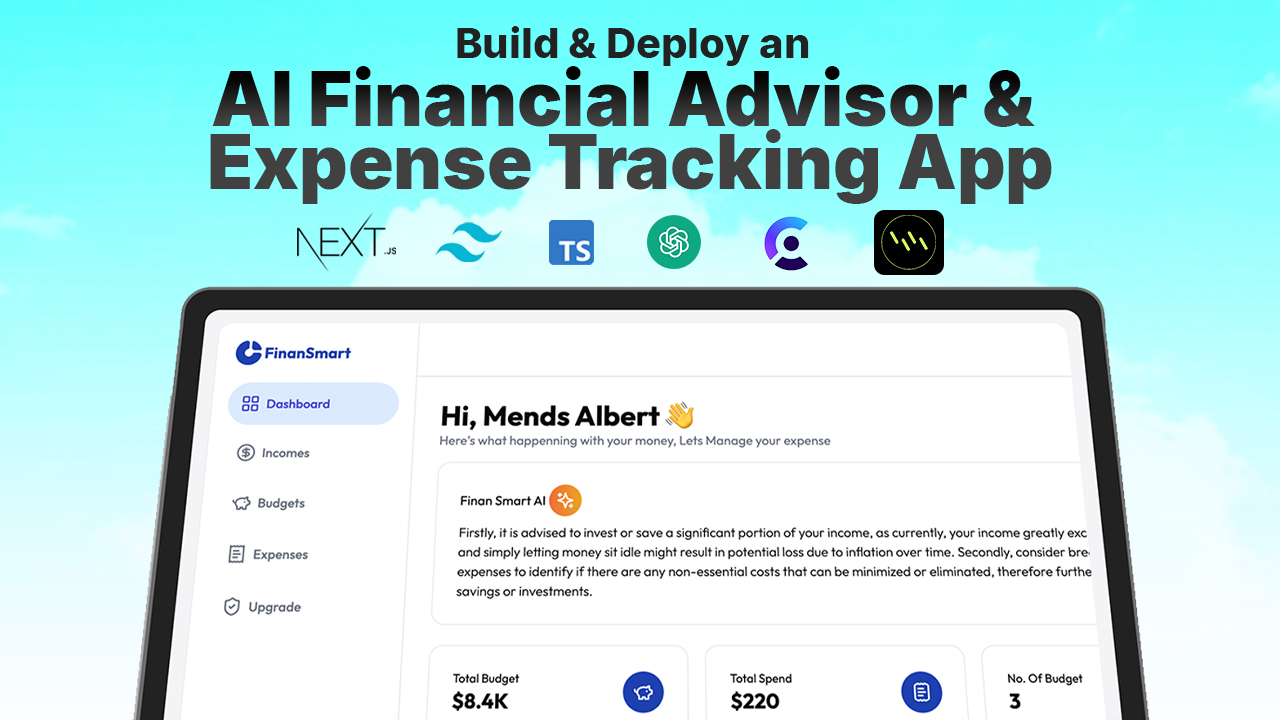
Built with the latest Next.js and TypeScript, Finan Smart is an advanced AI financial advice tool. It allows users to input their income, expenses, and budgets, and receive personalized financial advice based on their financial data. This project is perfect for those looking to learn how to integrate AI-driven insights and financial management into a Next.js application.
If you're getting started and need assistance or face any bugs, join our active Discord community. It's a place where people help each other out.
⚙️ Tech Stack
- Next.js
- TypeScript
- OpenAI API
- Tailwind CSS
🔋 Features
👉 Income and Expense Input: Allows users to input their income and expenses.
👉 Budget Management: Enables users to manage their budgets effectively.
👉 Personalized Financial Advice: Provides detailed financial advice based on user-specific financial data using OpenAI's GPT-4 model.
👉 Responsive Design: Ensures a seamless experience across different devices.
🤸 Quick Start
Follow these steps to set up the project locally on your machine.
Prerequisites
Make sure you have the following installed on your machine:
Cloning the Repository
git clone https://github.com/mendsalbert/ai-finance-trackingt.git
cd ai-finance-tracking
Installation
Install the project dependencies using npm:
npm install
Set Up Environment Variables
Create a new file named .env in the root of your project and add the following content:
NEXT_PUBLIC_CLERK_PUBLISHABLE_KEY=p
CLERK_SECRET_KEY=

NEXT_PUBLIC_CLERK_SIGN_IN_URL=/sign-in
NEXT_PUBLIC_CLERK_SIGN_UP_URL=/sign-up
NEXT_PUBLIC_CLERK_AFTER_SIGN_IN_URL=/
NEXT_PUBLIC_CLERK_AFTER_SIGN_UP_URL=/
NEXT_PUBLIC_OPENAI_API_KEY=

NEXT_PUBLIC_DATABASE_URL=
Replace the placeholder values with your actual OpenAI credentials. You can obtain these credentials by signing up on the OpenAI website.
Running the Project
npm run dev
Open http://localhost:3000 in your browser to view the project.
🕸️ Assets & Code
The repository includes all the assets and code you need to get started with Finan Smart. Follow along with our YouTube tutorial for a step-by-step guide.
🚀 More
For more information and additional resources, check out our YouTube channel and join our Discord community for support and discussions.