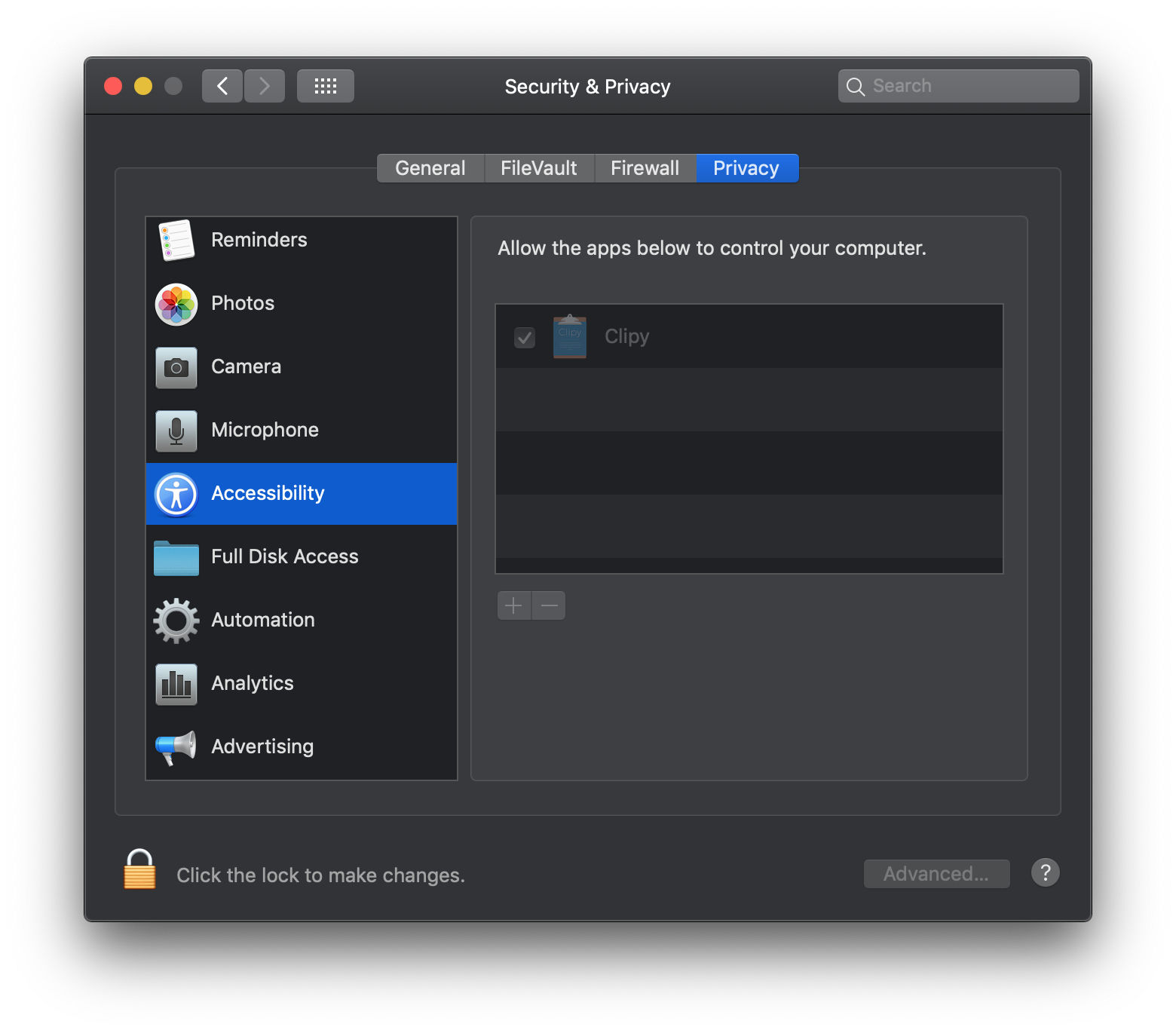
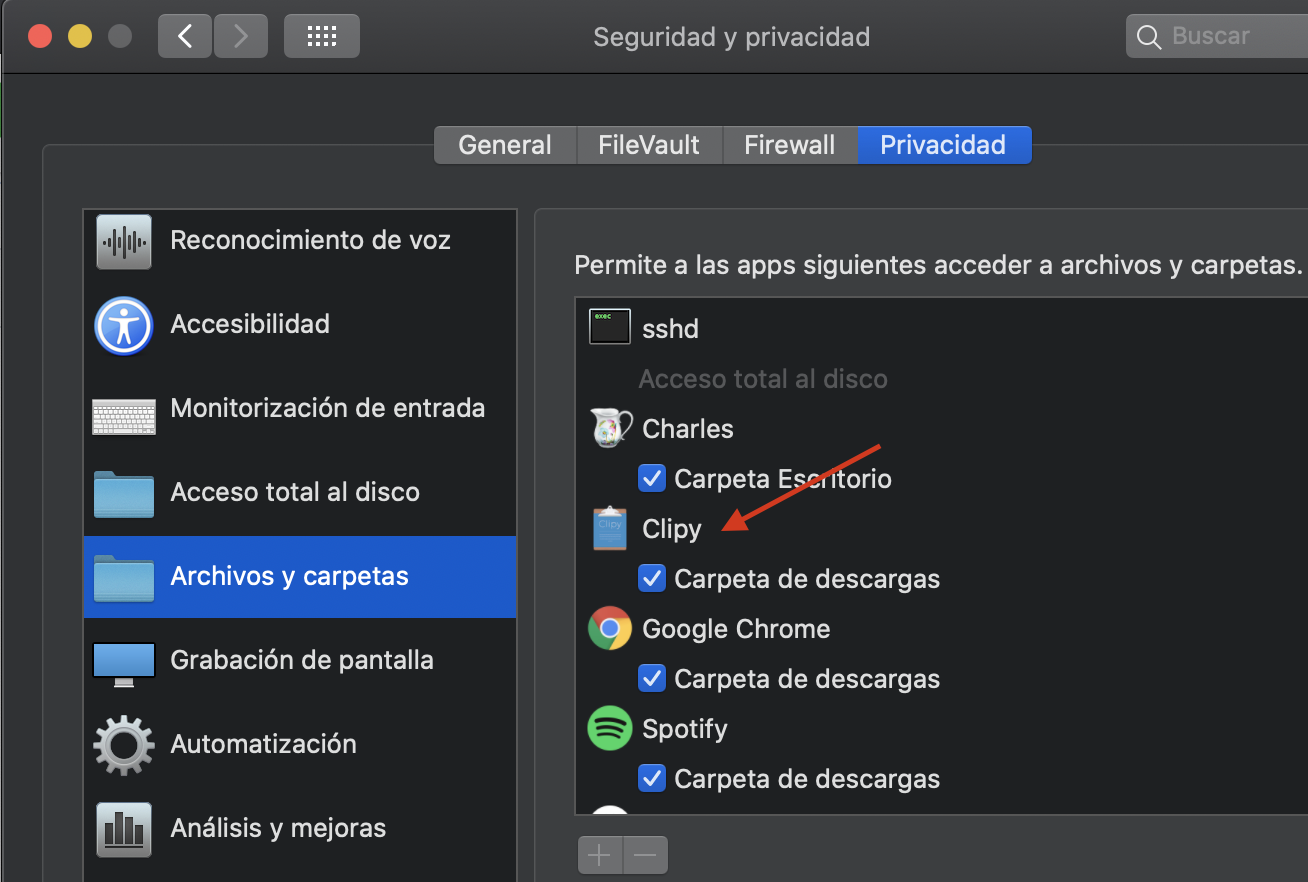
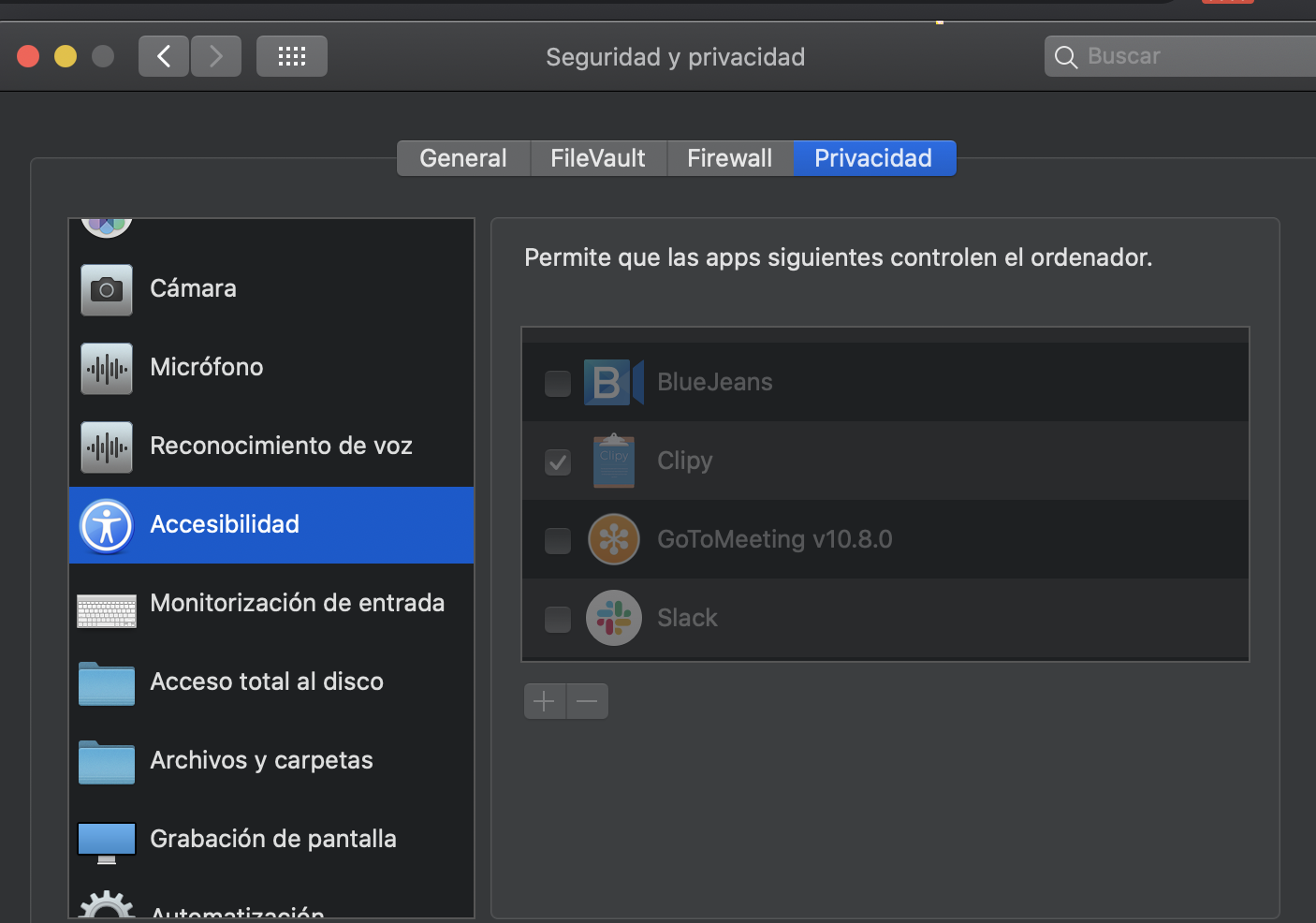
[GH-ISSUE #319] No copying of images #175

Open
opened 2026-03-03 01:10:35 +03:00 by kerem · 97 comments
Owner

Originally created by @antunderwood on GitHub (Oct 19, 2018).
Original GitHub issue: https://github.com/Clipy/Clipy/issues/319

Originally assigned to: @Econa77 on GitHub.

When using 10.14 and version 1.2.1 images are no longer stored. For example capturing a screenshot to clipboard or selecting an image in Preview

Originally created by @antunderwood on GitHub (Oct 19, 2018). Original GitHub issue: https://github.com/Clipy/Clipy/issues/319 Originally assigned to: @Econa77 on GitHub. When using 10.14 and version 1.2.1 images are no longer stored. For example capturing a screenshot to clipboard or selecting an image in Preview
Author
Owner

@J-Liu commented on GitHub (Oct 19, 2018):

and no preview of images any longer.

<!-- gh-comment-id:431410488 --> @J-Liu commented on GitHub (Oct 19, 2018): and no preview of images any longer.
Author
Owner

@ningzimu commented on GitHub (Oct 19, 2018):

I have the same question!

<!-- gh-comment-id:431427054 --> @ningzimu commented on GitHub (Oct 19, 2018): I have the same question!
Author
Owner

@Tsuki commented on GitHub (Oct 20, 2018):

+1
version 1.2.1

<!-- gh-comment-id:431567324 --> @Tsuki commented on GitHub (Oct 20, 2018): +1 version 1.2.1
Author
Owner

@0xcb49 commented on GitHub (Oct 24, 2018):

+1
macos 10.14
version 1.2.1

<!-- gh-comment-id:432486872 --> @0xcb49 commented on GitHub (Oct 24, 2018): +1 macos 10.14 version 1.2.1
Author
Owner

@ghost commented on GitHub (Oct 25, 2018):

me too!!!!
+1

<!-- gh-comment-id:432930445 --> @ghost commented on GitHub (Oct 25, 2018): me too!!!! +1
Author
Owner

@chenxiccc commented on GitHub (Oct 30, 2018):

Same.
macos 10.14
version 1.2.0 and 1.2.1

But 1.1.5 works fine

<!-- gh-comment-id:434145072 --> @chenxiccc commented on GitHub (Oct 30, 2018): Same. macos 10.14 version 1.2.0 and 1.2.1 But 1.1.5 works fine
Author
Owner

@Econa77 commented on GitHub (Oct 30, 2018):

@aunderwo @J-Liu @ningzimu @Tsuki @0xcb49 @qxs7 @chenxiccc Thanks reporting 👍

But in my mac this problem can not be reproduced. Can you explain a bit more detailed behavior?
Even if copy the images on the desktop etc., will not they be saved in the history?

<!-- gh-comment-id:434401273 --> @Econa77 commented on GitHub (Oct 30, 2018): @aunderwo @J-Liu @ningzimu @Tsuki @0xcb49 @qxs7 @chenxiccc Thanks reporting 👍 But in my mac this problem can not be reproduced. Can you explain a bit more detailed behavior? Even if copy the images on the desktop etc., will not they be saved in the history?
Author
Owner

@antunderwood commented on GitHub (Oct 30, 2018):

Here's one example. I open an image in Preview. I copy it using cmd-C. I can paste this into another program but it does not appear in Clipy history

<!-- gh-comment-id:434405910 --> @antunderwood commented on GitHub (Oct 30, 2018): Here's one example. I open an image in Preview. I copy it using cmd-C. I can paste this into another program but it does not appear in Clipy history
Author
Owner

@Econa77 commented on GitHub (Oct 30, 2018):

I was able to reproduce :)
I found the cause, so will fix it even on the weekend 👍

<!-- gh-comment-id:434410131 --> @Econa77 commented on GitHub (Oct 30, 2018): I was able to reproduce :) I found the cause, so will fix it even on the weekend 👍
Author
Owner

@antunderwood commented on GitHub (Oct 30, 2018):

@Econa77 thank you

<!-- gh-comment-id:434412467 --> @antunderwood commented on GitHub (Oct 30, 2018): @Econa77 thank you
Author
Owner

@ghost commented on GitHub (Oct 30, 2018):

Thanks a lot!!!

在 2018年10月31日,上午2:23,Anthony Underwood notifications@github.com 写道:

@Econa77 thank you


You are receiving this because you were mentioned.
Reply to this email directly, view it on GitHub, or mute the thread.

<!-- gh-comment-id:434498347 --> @ghost commented on GitHub (Oct 30, 2018): Thanks a lot!!! > 在 2018年10月31日,上午2:23,Anthony Underwood <notifications@github.com> 写道: > > @Econa77 thank you > > — > You are receiving this because you were mentioned. > Reply to this email directly, view it on GitHub, or mute the thread.
Author
Owner

@chenxiccc commented on GitHub (Oct 31, 2018):

Use xnip to get a snapshot, i'm sure the clipboard contains this (for i can paste it into word). But it doesn't show in Clipy.

But the Apple's stock screenshot works fine.

<!-- gh-comment-id:434545334 --> @chenxiccc commented on GitHub (Oct 31, 2018): Use xnip to get a snapshot, i'm sure the clipboard contains this (for i can paste it into word). But it doesn't show in Clipy. But the Apple's stock screenshot works fine.
Author
Owner

@alexsereno commented on GitHub (Nov 6, 2018):

+1 here too, do we have a fix incoming soon-ish?

<!-- gh-comment-id:436283624 --> @alexsereno commented on GitHub (Nov 6, 2018): +1 here too, do we have a fix incoming soon-ish?
Author
Owner

@dekaru commented on GitHub (Nov 7, 2018):

@theHokage please read the full thread before posting, the answer to your question is a few posts above:

https://github.com/Clipy/Clipy/issues/319#issuecomment-434410131

<!-- gh-comment-id:436734766 --> @dekaru commented on GitHub (Nov 7, 2018): @theHokage please read the full thread before posting, the answer to your question is a few posts above: https://github.com/Clipy/Clipy/issues/319#issuecomment-434410131
Author
Owner

@jaekyeom commented on GitHub (Nov 9, 2018):

For the record, this happened to me too, and I'm using macOS 10.12.6.

<!-- gh-comment-id:437416188 --> @jaekyeom commented on GitHub (Nov 9, 2018): For the record, this happened to me too, and I'm using macOS 10.12.6.
Author
Owner

@electriquo commented on GitHub (Nov 15, 2018):

i am having the same issue on macos 10.14.1 (https://github.com/Clipy/Clipy/issues/326).
@Econa77: is there a new release that fixes this?

<!-- gh-comment-id:438966037 --> @electriquo commented on GitHub (Nov 15, 2018): i am having the same issue on macos 10.14.1 (https://github.com/Clipy/Clipy/issues/326). @Econa77: is there a new release that fixes this?
Author
Owner

@jonathanfann commented on GitHub (Nov 15, 2018):

i seem to have just random stuff being copied now and never the stuff i need, started with just images but now even text. i see there was a fix in the pipeline... any update on that @Econa77 ? i don't mind tinkering myself if it's something i can tackle.

<!-- gh-comment-id:439104018 --> @jonathanfann commented on GitHub (Nov 15, 2018): i seem to have just random stuff being copied now and never the stuff i need, started with just images but now even text. i see there was a fix in the pipeline... any update on that @Econa77 ? i don't mind tinkering myself if it's something i can tackle.
Author
Owner

@gbanis commented on GitHub (Nov 16, 2018):

Doesn't work on 10.13 either.
Also it does not copy the screenshot you take from mac's crosshair screenshots.

<!-- gh-comment-id:439557367 --> @gbanis commented on GitHub (Nov 16, 2018): Doesn't work on 10.13 either. Also it does not copy the screenshot you take from mac's crosshair screenshots.
Author
Owner

@electriquo commented on GitHub (Nov 20, 2018):

@Econa77:
asking again in case you missed it, is there a new release that fixes this?

<!-- gh-comment-id:440154798 --> @electriquo commented on GitHub (Nov 20, 2018): @Econa77: asking again in case you missed it, [is there a new release that fixes this](https://github.com/Clipy/Clipy/issues/319#issuecomment-434410131)?
Author
Owner

@rebasecontinue commented on GitHub (Nov 29, 2018):

+1
MacOS Mojave

<!-- gh-comment-id:442770969 --> @rebasecontinue commented on GitHub (Nov 29, 2018): +1 MacOS Mojave
Author
Owner

@Allenice commented on GitHub (Nov 30, 2018):

+1
Mac OS Mojave
1.2.1

<!-- gh-comment-id:443145959 --> @Allenice commented on GitHub (Nov 30, 2018): +1 Mac OS Mojave 1.2.1
Author
Owner

@antunderwood commented on GitHub (Nov 30, 2018):

Please can we have an update on a fix for this please. It was reported approx a month and a half ago and although a fix was reported as forthcoming, it seems to have gone quiet.

Many thanks

<!-- gh-comment-id:443373973 --> @antunderwood commented on GitHub (Nov 30, 2018): Please can we have an update on a fix for this please. It was reported approx a month and a half ago and although a fix was reported as forthcoming, it seems to have gone quiet. Many thanks
Author
Owner

@dbthinking commented on GitHub (Dec 12, 2018):

@aunderwo
waiting so long, I have moved to Alfred...

<!-- gh-comment-id:446453123 --> @dbthinking commented on GitHub (Dec 12, 2018): @aunderwo waiting so long, I have moved to Alfred...
Author
Owner

@Tao93 commented on GitHub (Dec 12, 2018):

@aunderwo v1.1.5 works ok on my macOS 10.14.1, you could see an issue opened by me 4 days earlier than this issue.

<!-- gh-comment-id:446557206 --> @Tao93 commented on GitHub (Dec 12, 2018): @aunderwo v1.1.5 works ok on my macOS 10.14.1, you could see [an issue](https://github.com/Clipy/Clipy/issues/316) opened by me 4 days earlier than this issue.
Author
Owner

@antunderwood commented on GitHub (Dec 12, 2018):

@Tao93 Thanks. I'll revert back to 1.1.5 for the moment then until the devs get a chance to fix 1.2.x

<!-- gh-comment-id:446613354 --> @antunderwood commented on GitHub (Dec 12, 2018): @Tao93 Thanks. I'll revert back to 1.1.5 for the moment then until the devs get a chance to fix 1.2.x
Author
Owner

@paunin commented on GitHub (Dec 20, 2018):

+1 :( no images - reverting

<!-- gh-comment-id:448860534 --> @paunin commented on GitHub (Dec 20, 2018): +1 :( no images - reverting
Author
Owner

@paunin commented on GitHub (Dec 20, 2018):

for the brew users:

brew cask uninstall clipy && \
rm -rf ~/Library/Application Support/Clipy && \
rm -rf ~/Library/Application Support/com.clipy-app.Clipy && \
rm -rf ~/Library/Caches/com.clipy-app.Clipy && \
rm -rf ~/Library/Caches/com.crashlytics.data/com.clipy-app.Clipy && \
rm -rf ~/Library/Caches/io.fabric.sdk.mac.data/com.clipy-app.Clipy && \
rm -rf ~/Library/Cookies/com.clipy-app.Clipy.binarycookies && \
rm -rf ~/Library/Preferences/com.clipy-app.Clipy.plist && \
brew cask install https://raw.githubusercontent.com/Homebrew/homebrew-cask/645dbb8228ec2f1f217ed1431e188687aac13ca5/Casks/clipy.rb
<!-- gh-comment-id:448866643 --> @paunin commented on GitHub (Dec 20, 2018): for the brew users: ``` brew cask uninstall clipy && \ rm -rf ~/Library/Application Support/Clipy && \ rm -rf ~/Library/Application Support/com.clipy-app.Clipy && \ rm -rf ~/Library/Caches/com.clipy-app.Clipy && \ rm -rf ~/Library/Caches/com.crashlytics.data/com.clipy-app.Clipy && \ rm -rf ~/Library/Caches/io.fabric.sdk.mac.data/com.clipy-app.Clipy && \ rm -rf ~/Library/Cookies/com.clipy-app.Clipy.binarycookies && \ rm -rf ~/Library/Preferences/com.clipy-app.Clipy.plist && \ brew cask install https://raw.githubusercontent.com/Homebrew/homebrew-cask/645dbb8228ec2f1f217ed1431e188687aac13ca5/Casks/clipy.rb ```
Author
Owner

@hedefalk commented on GitHub (Dec 20, 2018):

@paunin 1.1.5 doesn't start for me on OSX 10.13.6 :/

Dec 20 11:14:26 polina com.apple.xpc.launchd[1] (com.clipy-app.Clipy.37916[11406]): Service exited due to signal: Illegal instruction: 4 sent by exc handler[0]
De
<!-- gh-comment-id:448945586 --> @hedefalk commented on GitHub (Dec 20, 2018): @paunin 1.1.5 doesn't start for me on OSX 10.13.6 :/ ``` Dec 20 11:14:26 polina com.apple.xpc.launchd[1] (com.clipy-app.Clipy.37916[11406]): Service exited due to signal: Illegal instruction: 4 sent by exc handler[0] De ```
Author
Owner

@paunin commented on GitHub (Dec 20, 2018):

@hedefalk the same on my side :(

<!-- gh-comment-id:448997906 --> @paunin commented on GitHub (Dec 20, 2018): @hedefalk the same on my side :(
Author
Owner

@Tao93 commented on GitHub (Dec 21, 2018):

@hedefalk @paunin Unable to start Clipy may be caused by downgrading to Clipy v1.1.5 without removing Clipy v1.2.x completely. Try removing current Clipy completely rather than only remove Clipy.app from /Applications (one simple method is using AppCleaner), below is a image showing some of other files of Clipy:

image

And then download Clipy v1.1.5 from release page and install it.

This solution works for me, Clipy v1.1.5 is fine and its copy list has captured images. Hope it also work for you.

<!-- gh-comment-id:449205311 --> @Tao93 commented on GitHub (Dec 21, 2018): @hedefalk @paunin `Unable to start Clipy` may be caused by downgrading to Clipy v1.1.5 without removing Clipy v1.2.x completely. Try removing current Clipy completely rather than only remove Clipy.app from `/Applications` (one simple method is using [AppCleaner](https://freemacsoft.net/appcleaner/)), below is a image showing some of other files of Clipy: ![image](https://user-images.githubusercontent.com/18344038/50319540-e44f8180-0502-11e9-82a1-7d65a0c1b3ff.png) And then download Clipy v1.1.5 from [release page](https://github.com/Clipy/Clipy/releases) and install it. This solution works for me, Clipy v1.1.5 is fine and its copy list has captured images. Hope it also work for you.
Author
Owner

@paunin commented on GitHub (Dec 22, 2018):

@Tao93 - this helped! thanks

<!-- gh-comment-id:449555287 --> @paunin commented on GitHub (Dec 22, 2018): @Tao93 - this helped! thanks
Author
Owner

@J-Liu commented on GitHub (Jan 5, 2019):

ping
Will anyone fix it and make a new release?

<!-- gh-comment-id:451615910 --> @J-Liu commented on GitHub (Jan 5, 2019): ping Will anyone fix it and make a new release?
Author
Owner

@alexsereno commented on GitHub (Jan 5, 2019):

@J-Liu @Econa77 fixed this in #330 but someone with write access needs to approve it to ship in main distro. I just built from that and its working perfectly

<!-- gh-comment-id:451683254 --> @alexsereno commented on GitHub (Jan 5, 2019): @J-Liu @Econa77 fixed this in #330 but someone with write access needs to approve it to ship in main distro. I just built from that and its working perfectly
Author
Owner

@J-Liu commented on GitHub (Jan 7, 2019):

@Econa77 @econa If you could merge it and release a new version that would be awesome.

<!-- gh-comment-id:451866978 --> @J-Liu commented on GitHub (Jan 7, 2019): @Econa77 @econa If you could merge it and release a new version that would be awesome.
Author
Owner

@tessus commented on GitHub (Jan 13, 2019):

I've been able to compile the current develop branch with PRs #315 and #330.

If you want to compile it yourself, here's the mojave branch.

I've also created a release version by running the following command:

xcodebuild -workspace Clipy.xcworkspace -scheme Clipy -configuration "Release" build

Don't mind the error. I found out the error is just for compiling the tests. The application itself builds fine. It will be in your ~/Library/Developer/Xcode/DerivedData/Clipy-<some-hash-here>/Build/Products/Release folder.

You can download my compiled version here.

P.S.: The branch does not seem to have all the fixes. Copying several images and showing them as thumbnails in the history works. Unfortunately it is currently only possible to paste the last copied image. As soon as you pick an image from the history that you want to paste, only an empty item is added to the history.

<!-- gh-comment-id:453809726 --> @tessus commented on GitHub (Jan 13, 2019): I've been able to compile the current `develop` branch with PRs #315 and #330. If you want to compile it yourself, here's the [mojave](https://github.com/tessus/Clipy/tree/mojave) branch. I've also created a release version by running the following command: ``` xcodebuild -workspace Clipy.xcworkspace -scheme Clipy -configuration "Release" build ``` Don't mind the error. I found out the error is just for compiling the tests. The application itself builds fine. It will be in your `~/Library/Developer/Xcode/DerivedData/Clipy-<some-hash-here>/Build/Products/Release` folder. You can download my compiled version [here](https://drive.google.com/file/d/19tAUBTMmoY8m57SmLiIbgs74247Fv42s/view?usp=sharing). P.S.: The branch does not seem to have all the fixes. Copying several images and showing them as thumbnails in the history works. Unfortunately it is currently only possible to paste the last copied image. As soon as you pick an image from the history that you want to paste, only an empty item is added to the history.
Author
Owner

@hedefalk commented on GitHub (Jan 13, 2019):

@tessus I've built your branch and it works but the issue of no images in history persists…? Even if that settings is enabled:

image

image

image

I miss this feature so much. With having the thumbnails in the history there I could copy maybe three screenshots like this in a batch and then go report an image - now I had to do them one by one…

<!-- gh-comment-id:453812013 --> @hedefalk commented on GitHub (Jan 13, 2019): @tessus I've built your branch and it works but the issue of no images in history persists…? Even if that settings is enabled: ![image](https://user-images.githubusercontent.com/116520/51083246-0198f980-1717-11e9-9e3c-72ac8af0f6af.png) ![image](https://user-images.githubusercontent.com/116520/51083247-0c538e80-1717-11e9-9362-86bc4c1ce1e5.png) ![image](https://user-images.githubusercontent.com/116520/51083249-183f5080-1717-11e9-987d-a8637c686aa9.png) I miss this feature so much. With having the thumbnails in the history there I could copy maybe three screenshots like this in a batch and then go report an image - now I had to do them one by one…
Author
Owner

@tessus commented on GitHub (Jan 13, 2019):

@hedefalk Are you sure you are running the binary you have built? Have you closed the other one first? Maybe I should have change the version number. Just pushed another commit to change the version string.

image image

I'm running the binary I built and it works for me.

<!-- gh-comment-id:453812667 --> @tessus commented on GitHub (Jan 13, 2019): @hedefalk Are you sure you are running the binary you have built? Have you closed the other one first? Maybe I should have change the version number. Just pushed another commit to change the version string. <img width="216" alt="image" src="https://user-images.githubusercontent.com/223439/51083286-84a15c00-16e5-11e9-8d27-78498f3df731.png"> <img width="282" alt="image" src="https://user-images.githubusercontent.com/223439/51083293-a569b180-16e5-11e9-9047-303a0b596cf9.png"> I'm running the binary I built and it works for me.
Author
Owner

@hedefalk commented on GitHub (Jan 13, 2019):

Yes, check build time in my screenshot?

<!-- gh-comment-id:453814917 --> @hedefalk commented on GitHub (Jan 13, 2019): Yes, check build time in my screenshot?
Author
Owner

@tessus commented on GitHub (Jan 13, 2019):

@hedefalk this is not the build time, but the last time the update check ran.

As I said in my previous comment, I've changed the version to 1.2.1-mojave. Or you try the binary I built. In any case, I need to get some sleep.

<!-- gh-comment-id:453816234 --> @tessus commented on GitHub (Jan 13, 2019): @hedefalk this is not the build time, but the last time the update check ran. As I said in my previous comment, I've changed the version to `1.2.1-mojave`. Or you try the binary I built. In any case, I need to get some sleep.
Author
Owner

@hedefalk commented on GitHub (Jan 13, 2019):

@tessus Whoops! Sorry, I must have built the develop branch.

<!-- gh-comment-id:453816744 --> @hedefalk commented on GitHub (Jan 13, 2019): @tessus Whoops! Sorry, I must have built the develop branch.
Author
Owner

@hedefalk commented on GitHub (Jan 13, 2019):

@tessus YEY! It works! Thanks a bunch for this!

<!-- gh-comment-id:453817028 --> @hedefalk commented on GitHub (Jan 13, 2019): @tessus YEY! It works! Thanks a bunch for this!
Author
Owner

@J-Liu commented on GitHub (Jan 14, 2019):

Am I the only one who can not paste image from history chosen?

<!-- gh-comment-id:454015371 --> @J-Liu commented on GitHub (Jan 14, 2019): Am I the only one who can not paste image from history chosen?
Author
Owner

@jonathanfann commented on GitHub (Jan 14, 2019):

this fixes that too - thanks so much for fixing this btw.

On Mon, Jan 14, 2019 at 9:04 AM Jia Liu notifications@github.com wrote:

Am I the only one who can not paste image from history chosen?


You are receiving this because you commented.
Reply to this email directly, view it on GitHub
https://github.com/Clipy/Clipy/issues/319#issuecomment-454015371, or mute
the thread
https://github.com/notifications/unsubscribe-auth/AHXnlkCQatT1MWJpK8FoiLW-3apPfgy6ks5vDI51gaJpZM4XwIC8
.

<!-- gh-comment-id:454026668 --> @jonathanfann commented on GitHub (Jan 14, 2019): this fixes that too - thanks so much for fixing this btw. On Mon, Jan 14, 2019 at 9:04 AM Jia Liu <notifications@github.com> wrote: > Am I the only one who can not paste image from history chosen? > > — > You are receiving this because you commented. > Reply to this email directly, view it on GitHub > <https://github.com/Clipy/Clipy/issues/319#issuecomment-454015371>, or mute > the thread > <https://github.com/notifications/unsubscribe-auth/AHXnlkCQatT1MWJpK8FoiLW-3apPfgy6ks5vDI51gaJpZM4XwIC8> > . >
Author
Owner

@tessus commented on GitHub (Jan 14, 2019):

@J-Liu I think I run into the same issue. It apparently only works when pasting the last copied image. Argh, I can't believe I haven't tested this earlier. I thought I did, but apparently not.

So I guess now we know why this hasn't been merged yet.

Let's hope the second part is added to the PR soon.

<!-- gh-comment-id:454041976 --> @tessus commented on GitHub (Jan 14, 2019): @J-Liu I think I run into the same issue. It apparently only works when pasting the last copied image. Argh, I can't believe I haven't tested this earlier. I thought I did, but apparently not. So I guess now we know why this hasn't been merged yet. Let's hope the second part is added to the PR soon.
Author
Owner

@jonathanfann commented on GitHub (Jan 14, 2019):

[image: image.png]
works for me

On Mon, Jan 14, 2019 at 10:21 AM Helmut K. C. Tessarek <
notifications@github.com> wrote:

@J-Liu https://github.com/J-Liu I think I run into the same issue. It
apparently only works when pasting the last copied image. Argh, I can't
believe I haven't tested this earlier. I thought I did, but apparently not.

So I guess now we know why this hasn't been merged yet.

Let's hope the second part is added to the PR soon.


You are receiving this because you commented.
Reply to this email directly, view it on GitHub
https://github.com/Clipy/Clipy/issues/319#issuecomment-454041976, or mute
the thread
https://github.com/notifications/unsubscribe-auth/AHXnln3FSRUu2J90JHclxMVIkXeKjKT4ks5vDKBygaJpZM4XwIC8
.

<!-- gh-comment-id:454042508 --> @jonathanfann commented on GitHub (Jan 14, 2019): [image: image.png] works for me On Mon, Jan 14, 2019 at 10:21 AM Helmut K. C. Tessarek < notifications@github.com> wrote: > @J-Liu <https://github.com/J-Liu> I think I run into the same issue. It > apparently only works when pasting the last copied image. Argh, I can't > believe I haven't tested this earlier. I thought I did, but apparently not. > > So I guess now we know why this hasn't been merged yet. > > Let's hope the second part is added to the PR soon. > > — > You are receiving this because you commented. > Reply to this email directly, view it on GitHub > <https://github.com/Clipy/Clipy/issues/319#issuecomment-454041976>, or mute > the thread > <https://github.com/notifications/unsubscribe-auth/AHXnln3FSRUu2J90JHclxMVIkXeKjKT4ks5vDKBygaJpZM4XwIC8> > . >
Author
Owner

@J-Liu commented on GitHub (Jan 16, 2019):

@tessus
I'm using your repo and branch https://github.com/tessus/Clipy/tree/mojave
Built using xcodebuild -workspace Clipy.xcworkspace -scheme Clipy -configuration "Release" build
And
screen shot 2019-01-16 at 18 38 23

But I can not paste image from history, when I keep more than one images in history.

<!-- gh-comment-id:454714818 --> @J-Liu commented on GitHub (Jan 16, 2019): @tessus I'm using your repo and branch https://github.com/tessus/Clipy/tree/mojave Built using `xcodebuild -workspace Clipy.xcworkspace -scheme Clipy -configuration "Release" build` And <img width="780" alt="screen shot 2019-01-16 at 18 38 23" src="https://user-images.githubusercontent.com/1065112/51239906-eef41e00-19bd-11e9-8f30-ff1bf680392d.png"> But I can not paste image from history, when I keep more than one images in history.
Author
Owner

@tessus commented on GitHub (Jan 16, 2019):

@J-Liu You are right. I've already commented on this earlier:

I think I run into the same issue. It apparently only works when pasting the last copied image. Argh, I can't believe I haven't tested this earlier. I thought I did, but apparently not.

So I guess now we know why this hasn't been merged yet. Let's hope the second part is added to the PR soon.

I also added a comment to the PR.

<!-- gh-comment-id:454852962 --> @tessus commented on GitHub (Jan 16, 2019): @J-Liu You are right. I've already commented on this [earlier](https://github.com/Clipy/Clipy/issues/319#issuecomment-454041976): I think I run into the same issue. It apparently only works when pasting the last copied image. Argh, I can't believe I haven't tested this earlier. I thought I did, but apparently not. So I guess now we know why this hasn't been merged yet. Let's hope the second part is added to the PR soon. I also [added a comment to the PR](https://github.com/Clipy/Clipy/pull/330#issuecomment-454852503).
Author
Owner

@auswong commented on GitHub (Mar 22, 2019):

Just wondering, is Clipy able to save copied images as of March 22, 2019, or has it not been fixed? Thanks!

<!-- gh-comment-id:475486621 --> @auswong commented on GitHub (Mar 22, 2019): Just wondering, is Clipy able to save copied images as of March 22, 2019, or has it not been fixed? Thanks!
Author
Owner

@paunin commented on GitHub (Apr 18, 2019):

Guys! please any feedback from the owners of repo! @econa

<!-- gh-comment-id:484325684 --> @paunin commented on GitHub (Apr 18, 2019): Guys! please any feedback from the owners of repo! @econa
Author
Owner

@acanton77 commented on GitHub (Jun 17, 2019):

So far I don't see an update to 1.2.1 and the problem persists. I've gone back to ClipMenu.

<!-- gh-comment-id:502744110 --> @acanton77 commented on GitHub (Jun 17, 2019): So far I don't see an update to 1.2.1 and the problem persists. I've gone back to ClipMenu.
Author
Owner

@paunin commented on GitHub (Jul 9, 2019):

up!! 🙏

<!-- gh-comment-id:509447853 --> @paunin commented on GitHub (Jul 9, 2019): up!! 🙏
Author
Owner

@tessus commented on GitHub (Aug 1, 2019):

I've compiled @ian2hu's fork and it works splendidly.

Just in case somebody needs it: Here is my compiled version and the corresponding branch.

<!-- gh-comment-id:517395836 --> @tessus commented on GitHub (Aug 1, 2019): I've compiled @ian2hu's [fork](https://github.com/ian4hu/Clipy) and it works splendidly. Just in case somebody needs it: Here is my [compiled](https://drive.google.com/file/d/1YvrKpMiwms5A0kCzXlmwwSbiiyxT01qm/view?usp=sharing) version and the corresponding [branch](https://github.com/tessus/Clipy/tree/version-tessus).
Author
Owner

@acanton77 commented on GitHub (Aug 1, 2019):

The build works great for me too! I had problems finding where Xcode put the compiled .app file. Had not used Xcode for a long time. It put it way down in some directory buried in ~Library. I thought it would put it where the project stuff was, in Downloads. Thanks for letting use know about the new version. Images work great now.

<!-- gh-comment-id:517427050 --> @acanton77 commented on GitHub (Aug 1, 2019): The build works great for me too! I had problems finding where Xcode put the compiled .app file. Had not used Xcode for a long time. It put it way down in some directory buried in ~Library. I thought it would put it where the project stuff was, in Downloads. Thanks for letting use know about the new version. Images work great now.
Author
Owner

@jaekyeom commented on GitHub (Aug 2, 2019):

FYI, now you can download the compiled version of @ian4hu's fork here: https://github.com/ian4hu/Clipy/releases

<!-- gh-comment-id:517799498 --> @jaekyeom commented on GitHub (Aug 2, 2019): FYI, now you can download the compiled version of @ian4hu's fork here: https://github.com/ian4hu/Clipy/releases
Author
Owner

@chenxiccc commented on GitHub (Aug 8, 2019):

FYI, now you can download the compiled version of @ian4hu's fork here: https://github.com/ian4hu/Clipy/releases

Thanks! It really works!

<!-- gh-comment-id:519476257 --> @chenxiccc commented on GitHub (Aug 8, 2019): > FYI, now you can download the compiled version of @ian4hu's fork here: https://github.com/ian4hu/Clipy/releases Thanks! It really works!
Author
Owner

@JML54 commented on GitHub (Aug 14, 2019):

The new build has introduced another problem. Right-click on a snippet does not paste plain text anymore. It reduces the font size to 8.5 regardless of the original font size and doesn't remove anything else for a plain text paste.

<!-- gh-comment-id:521322293 --> @JML54 commented on GitHub (Aug 14, 2019): The new build has introduced another problem. Right-click on a snippet does not paste plain text anymore. It reduces the font size to 8.5 regardless of the original font size and doesn't remove anything else for a plain text paste.
Author
Owner

@ahmetb commented on GitHub (Aug 28, 2019):

We moved from ClipMenu to Clipy because ClipMenu development was abandoned with no notice, or opportunity for someone else to take over.
Now the same thing is happening to Clipy. Please transfer the project to someone else with time to maintain. I'm sure someone here would be willing to take over.

<!-- gh-comment-id:525937707 --> @ahmetb commented on GitHub (Aug 28, 2019): We moved from `ClipMenu` to `Clipy` because ClipMenu development was abandoned with no notice, or opportunity for someone else to take over. Now the same thing is happening to Clipy. Please transfer the project to someone else with time to maintain. I'm sure someone here would be willing to take over.
Author
Owner

@ian4hu commented on GitHub (Aug 31, 2019):

We moved from ClipMenu to Clipy because ClipMenu development was abandoned with no notice, or opportunity for someone else to take over.
Now the same thing is happening to Clipy. Please transfer the project to someone else with time to maintain. I'm sure someone here would be willing to take over.

@ahmetb You can try my fork's latest release, and I will do some maintaining work at my part time.

<!-- gh-comment-id:526793360 --> @ian4hu commented on GitHub (Aug 31, 2019): > We moved from `ClipMenu` to `Clipy` because ClipMenu development was abandoned with no notice, or opportunity for someone else to take over. > Now the same thing is happening to Clipy. Please transfer the project to someone else with time to maintain. I'm sure someone here would be willing to take over. @ahmetb You can try my fork's latest release, and I will do some maintaining work at my part time.
Author
Owner

@skywinder commented on GitHub (Jan 20, 2020):

We moved from ClipMenu to Clipy because ClipMenu development was abandoned with no notice, or opportunity for someone else to take over.
Now the same thing is happening to Clipy. Please transfer the project to someone else with time to maintain. I'm sure someone here would be willing to take over.

@Econa77 please, check it out. It would be better to have a consistent upgrade in one repo.
DO you mind to add @jaekyeom to members, since he already support new version of Clipy?

<!-- gh-comment-id:576334281 --> @skywinder commented on GitHub (Jan 20, 2020): > We moved from `ClipMenu` to `Clipy` because ClipMenu development was abandoned with no notice, or opportunity for someone else to take over. > Now the same thing is happening to Clipy. Please transfer the project to someone else with time to maintain. I'm sure someone here would be willing to take over. @Econa77 please, check it out. It would be better to have a consistent upgrade in one repo. DO you mind to add @jaekyeom to members, since he already support new version of Clipy?
Author
Owner

@boltomli commented on GitHub (Jan 21, 2020):

https://github.com/hluk/CopyQ is up and alive, with image support. The window is somewhat funny but it works.

image

<!-- gh-comment-id:576479935 --> @boltomli commented on GitHub (Jan 21, 2020): https://github.com/hluk/CopyQ is up and alive, with image support. The window is somewhat funny but it works. ![image](https://user-images.githubusercontent.com/5236916/72767771-20867180-3c30-11ea-90cc-bf98f6b0003d.png)
Author
Owner

@BenjaminPerraut commented on GitHub (Apr 28, 2020):

I have just installed MacOs Catalina 10.15.4 (19E287) and it seems that the screenshot feature from clipy is broken? Are you having the same issue?

<!-- gh-comment-id:620506500 --> @BenjaminPerraut commented on GitHub (Apr 28, 2020): I have just installed MacOs Catalina 10.15.4 (19E287) and it seems that the screenshot feature from clipy is broken? Are you having the same issue?
Author
Owner

@acanton77 commented on GitHub (Apr 28, 2020):

image

It works fine for me... doing a shift-control-command-4 and then click/drag a 'window' and release works fine for me with Clipy version 1.2.1.

<!-- gh-comment-id:620611548 --> @acanton77 commented on GitHub (Apr 28, 2020): ![image](https://user-images.githubusercontent.com/8106384/80493315-1902f280-891a-11ea-9e8e-01d9a0022afa.png) It works fine for me... doing a shift-control-command-4 and then click/drag a 'window' and release works fine for me with Clipy version 1.2.1.
Author
Owner

@BenjaminPerraut commented on GitHub (Apr 28, 2020):

it doesn´t work for me since I have installed the last update from mac : Catalina. Do you have it installed?

Clipy version: 1.2.1
Clipy:
Captura de pantalla 2020-04-28 a las 16 07 34

Captura de pantalla 2020-04-28 a las 16 08 49

the Clipy has already access to folder
Captura de pantalla 2020-04-28 a las 16 03 37

and accessibility:
Captura de pantalla 2020-04-28 a las 16 04 28

<!-- gh-comment-id:620632734 --> @BenjaminPerraut commented on GitHub (Apr 28, 2020): it doesn´t work for me since I have installed the last update from mac : **Catalina**. Do you have it installed? Clipy version: 1.2.1 Clipy: <img width="485" alt="Captura de pantalla 2020-04-28 a las 16 07 34" src="https://user-images.githubusercontent.com/20065495/80497190-67d87880-896a-11ea-84c4-ba325ce6e105.png"> <img width="475" alt="Captura de pantalla 2020-04-28 a las 16 08 49" src="https://user-images.githubusercontent.com/20065495/80497323-91919f80-896a-11ea-9916-3504fad90835.png"> the Clipy has already access to folder <img width="654" alt="Captura de pantalla 2020-04-28 a las 16 03 37" src="https://user-images.githubusercontent.com/20065495/80496711-df59d800-8969-11ea-969d-c6f13fbde6d2.png"> and accessibility: <img width="703" alt="Captura de pantalla 2020-04-28 a las 16 04 28" src="https://user-images.githubusercontent.com/20065495/80496802-f7315c00-8969-11ea-9a58-33c9335ad824.png">
Author
Owner

@acanton77 commented on GitHub (Apr 28, 2020):

Try taking off "Save Screenshots in history" in the "beta" tab. I'm running:

image

<!-- gh-comment-id:620640932 --> @acanton77 commented on GitHub (Apr 28, 2020): Try taking off "Save Screenshots in history" in the "beta" tab. I'm running: ![image](https://user-images.githubusercontent.com/8106384/80499058-58810d00-8921-11ea-832b-89dcce19a418.png)
Author
Owner

@BenjaminPerraut commented on GitHub (Apr 28, 2020):

just tried but still not working. i have already tried reinstall the DMG but no change. not sure where is the root of the problem.

<!-- gh-comment-id:620646310 --> @BenjaminPerraut commented on GitHub (Apr 28, 2020): just tried but still not working. i have already tried reinstall the DMG but no change. not sure where is the root of the problem.
Author
Owner

@acanton77 commented on GitHub (Apr 28, 2020):

Did you do a cold-start on the Mac?

<!-- gh-comment-id:620650751 --> @acanton77 commented on GitHub (Apr 28, 2020): Did you do a cold-start on the Mac?
Author
Owner

@BenjaminPerraut commented on GitHub (Apr 28, 2020):

yes, did it too. I reckon it´s the kind of issue where it´s hard to identify the root of the issue.. but It stopped worked since I have done the update for MacOs Catalina 10.15.4 (19E287).

<!-- gh-comment-id:620654846 --> @BenjaminPerraut commented on GitHub (Apr 28, 2020): yes, did it too. I reckon it´s the kind of issue where it´s hard to identify the root of the issue.. but It stopped worked since I have done the update for MacOs Catalina 10.15.4 (19E287).
Author
Owner

@acanton77 commented on GitHub (Apr 28, 2020):

I assume you have booted into Safe mode and tried Clippy.

I assume you have run the Supplemental?

I would probably reinstall 10.15.4 from the Combo file and then re-install the supplemental.

https://support.apple.com/downloads/macos

What else might you have running in the background that might inhibit Clippy? Maybe Little Snitch or some anti-virus thing?

Do you see anything in the Console logs that might give an indication of what is happening. How about Activity Monitor.

Can I assume that the screen-shot keystrokes are working... that at you can save a screenshot to the clipboard or to the hard drive?

Do you have Clipy as an auto-start program. If so, don't do that.

Restart and before starting up any programs, bring up Clipy and try it. I'm running the exact same build of Cat. as you are and it works fine for me so it is NOT the application, I don't think... it is something else that came aboard during the update.

<!-- gh-comment-id:620702699 --> @acanton77 commented on GitHub (Apr 28, 2020): I assume you have booted into Safe mode and tried Clippy. I assume you have run the Supplemental? I would probably reinstall 10.15.4 from the Combo file and then re-install the supplemental. https://support.apple.com/downloads/macos What else might you have running in the background that might inhibit Clippy? Maybe Little Snitch or some anti-virus thing? Do you see anything in the Console logs that might give an indication of what is happening. How about Activity Monitor. Can I assume that the screen-shot keystrokes are working... that at you can save a screenshot to the clipboard or to the hard drive? Do you have Clipy as an auto-start program. If so, don't do that. Restart and before starting up any programs, bring up Clipy and try it. I'm running the exact same build of Cat. as you are and it works fine for me so it is NOT the application, I don't think... it is something else that came aboard during the update.
Author
Owner

@BenjaminPerraut commented on GitHub (Apr 29, 2020):

Not sure, before command+ ctrl + 4 was working like a champ but the Catalina update made this awesome feature gone. yes the screenshot are saved on the screenshot carpet.

<!-- gh-comment-id:621216275 --> @BenjaminPerraut commented on GitHub (Apr 29, 2020): Not sure, before command+ ctrl + 4 was working like a champ but the Catalina update made this awesome feature gone. yes the screenshot are saved on the screenshot carpet.
Author
Owner

@acanton77 commented on GitHub (Apr 29, 2020):

Well, if SHIFT+cmd+ctl+4 IS NOT working since the Cat. upgrade, it is a Cat. issue not a Clipy issue.

You might see about resetting the PRAM. I forget how but that might work.

Check Sys. Pref, Keyboard, Shortcuts:

image

<!-- gh-comment-id:621222249 --> @acanton77 commented on GitHub (Apr 29, 2020): Well, if SHIFT+cmd+ctl+4 IS NOT working since the Cat. upgrade, it is a Cat. issue not a Clipy issue. You might see about resetting the PRAM. I forget how but that might work. Check Sys. Pref, Keyboard, Shortcuts: ![image](https://user-images.githubusercontent.com/8106384/80603817-c2fb8100-89e5-11ea-9a02-740af73a998c.png)
Author
Owner

@grafluxe commented on GitHub (May 6, 2020):

ClipMenu still works in macOS Catalina and properly supports images.

<!-- gh-comment-id:624914266 --> @grafluxe commented on GitHub (May 6, 2020): [ClipMenu](http://www.clipmenu.com) still works in macOS Catalina and properly supports images.
Author
Owner

@rajeev-xyz commented on GitHub (Aug 10, 2020):

I was also facing this issue in recent version on my catalina macbook pro. Doing following worked for me:

image

<!-- gh-comment-id:671334864 --> @rajeev-xyz commented on GitHub (Aug 10, 2020): I was also facing this issue in recent version on my catalina macbook pro. Doing following worked for me: ![image](https://user-images.githubusercontent.com/7348591/89784361-27c28d80-db36-11ea-9c16-c6cceeb5201d.png)
Author
Owner

@enlaichu commented on GitHub (Sep 10, 2020):

@rjayaswal I clicked on the Save screenshots in History and it's still not showing up in the list of snips.

@grafluxe what version of Catalina are you running ClipMenu on? It doesn't seem to want to run on 10.15.6 :(

<!-- gh-comment-id:689966446 --> @enlaichu commented on GitHub (Sep 10, 2020): @rjayaswal I clicked on the Save screenshots in History and it's still not showing up in the list of snips. @grafluxe what version of Catalina are you running ClipMenu on? It doesn't seem to want to run on 10.15.6 :(
Author
Owner

@mfbx9da4 commented on GitHub (Sep 20, 2020):

MacOS Catalina is also not working for me

I do have the following custom config location for screenshots could that be causing the issue?

 $ defaults read com.apple.screencapture location
/tmp/

all other config below

image

image

image

image
image
image
image
image
image
image
image

<!-- gh-comment-id:695829647 --> @mfbx9da4 commented on GitHub (Sep 20, 2020): MacOS Catalina is also not working for me I do have the following custom config location for screenshots could that be causing the issue? ``` $ defaults read com.apple.screencapture location /tmp/ ``` all other config below ![image](https://user-images.githubusercontent.com/1690659/93720932-5cd5ed00-fb84-11ea-8ad3-be388979dfb6.png) ![image](https://user-images.githubusercontent.com/1690659/93720918-429c0f00-fb84-11ea-843f-41f10cf3b86f.png) ![image](https://user-images.githubusercontent.com/1690659/93720924-4cbe0d80-fb84-11ea-8052-eb81f5c69a13.png) ![image](https://user-images.githubusercontent.com/1690659/93720936-6eb79000-fb84-11ea-896a-3fe3b186cc7c.png) ![image](https://user-images.githubusercontent.com/1690659/93720943-770fcb00-fb84-11ea-8816-300ec3dcc2de.png) ![image](https://user-images.githubusercontent.com/1690659/93720946-7a0abb80-fb84-11ea-9767-8a1d6cb74dad.png) ![image](https://user-images.githubusercontent.com/1690659/93720949-7e36d900-fb84-11ea-9543-7fd72d8fbce2.png) ![image](https://user-images.githubusercontent.com/1690659/93720952-8262f680-fb84-11ea-91e6-d9019366291b.png) ![image](https://user-images.githubusercontent.com/1690659/93720940-71b28080-fb84-11ea-812c-bcbe61e01737.png) ![image](https://user-images.githubusercontent.com/1690659/93720958-8858d780-fb84-11ea-8c09-c96573d5a75d.png) ![image](https://user-images.githubusercontent.com/1690659/93720961-9870b700-fb84-11ea-8163-7166417b6e95.png)
Author
Owner

@and-poulsen commented on GitHub (Oct 28, 2020):

This is the only thing missing to make it fully amazing!
I have the option checked in Catalina and Clipy v1.2.1, but no dice.

<!-- gh-comment-id:717857337 --> @and-poulsen commented on GitHub (Oct 28, 2020): This is the only thing missing to make it fully amazing! I have the option checked in Catalina and Clipy v1.2.1, but no dice.
Author
Owner

@HonzaaD commented on GitHub (Nov 3, 2020):

Do I have a problem, a solution?

<!-- gh-comment-id:721068769 --> @HonzaaD commented on GitHub (Nov 3, 2020): Do I have a problem, a solution?
Author
Owner

@levanid commented on GitHub (Nov 4, 2020):

This one seems to be abandoned
@HonzaaD @enlaichu @mfbx9da4 @and-poulsen use another fork https://github.com/ian4hu/Clipy it works fine on Catalina

<!-- gh-comment-id:721924919 --> @levanid commented on GitHub (Nov 4, 2020): This one seems to be abandoned @HonzaaD @enlaichu @mfbx9da4 @and-poulsen use another fork https://github.com/ian4hu/Clipy it works fine on Catalina
Author
Owner

@acanton77 commented on GitHub (Nov 4, 2020):

I'm using current version of Catalina (10.15.7) and Clippy 1.2.1 and it works just fine with text and graphics.

<!-- gh-comment-id:721928429 --> @acanton77 commented on GitHub (Nov 4, 2020): I'm using current version of Catalina (10.15.7) and Clippy 1.2.1 and it works just fine with text and graphics.
Author
Owner

@HonzaaD commented on GitHub (Nov 4, 2020):

This one seems to be abandoned
@HonzaaD @enlaichu @mfbx9da4 @and-poulsen use another fork https://github.com/ian4hu/Clipy it works fine on Catalina

SUPER, thank you, thank you...

version ian4hu https://github.com/ian4hu/Clipy/releases/tag/1.2.9.beta13 is fine and work perfect..

image

<!-- gh-comment-id:722002771 --> @HonzaaD commented on GitHub (Nov 4, 2020): > This one seems to be abandoned > @HonzaaD @enlaichu @mfbx9da4 @and-poulsen use another fork https://github.com/ian4hu/Clipy it works fine on Catalina SUPER, thank you, thank you... version ian4hu https://github.com/ian4hu/Clipy/releases/tag/1.2.9.beta13 is fine and work perfect.. ![image](https://user-images.githubusercontent.com/12045527/98173893-2cf46600-1ef4-11eb-95b3-dac85388956e.png)
Author
Owner

@winstonhenke commented on GitHub (Nov 15, 2020):

Seeing this issue on MacOS 11.0.1 and Clipy v1.2.1

<!-- gh-comment-id:727297451 --> @winstonhenke commented on GitHub (Nov 15, 2020): Seeing this issue on MacOS 11.0.1 and Clipy v1.2.1
Author
Owner

@acanton77 commented on GitHub (Nov 15, 2020):

Seeing this issue on MacOS 11.0.1 and Clipy v1.2.1

That does not surprise me. Lots of old apps are going to break with macOS 11. Tell me this: Is anyone maintaining Clippy?

<!-- gh-comment-id:727298000 --> @acanton77 commented on GitHub (Nov 15, 2020): > Seeing this issue on MacOS 11.0.1 and Clipy v1.2.1 That does not surprise me. Lots of old apps are going to break with macOS 11. Tell me this: Is anyone maintaining Clippy?
Author
Owner

@winstonhenke commented on GitHub (Nov 15, 2020):

Tell me this: Is anyone maintaining Clippy?

It looks like it

image
<!-- gh-comment-id:727585509 --> @winstonhenke commented on GitHub (Nov 15, 2020): > Tell me this: Is anyone maintaining Clippy? It looks like it <img width="1239" alt="image" src="https://user-images.githubusercontent.com/7953636/99188675-d45a6f80-2722-11eb-8461-e815604a4241.png">
Author
Owner

@acanton77 commented on GitHub (Nov 15, 2020):

Has anyone tried to contact the author/maintainer?

<!-- gh-comment-id:727591265 --> @acanton77 commented on GitHub (Nov 15, 2020): Has anyone tried to contact the author/maintainer?
Author
Owner

@berezovskyi commented on GitHub (Nov 15, 2020):

@Econa77 maybe you could talk to @ian4hu and add him as a committer to this organisation? I think you are both trying to maintain a nice fork of ClipMenu and could help each other? @ian4hu for example fixed #319 but cannot have his fork on brew https://github.com/ian4hu/Clipy/issues/15 but you can do it as you are the main maintainer of Clipy and notarize your builds.

<!-- gh-comment-id:727647879 --> @berezovskyi commented on GitHub (Nov 15, 2020): @Econa77 maybe you could talk to @ian4hu and add him as a committer to this organisation? I think you are both trying to maintain a nice fork of ClipMenu and could help each other? @ian4hu for example fixed #319 but cannot have his fork on brew https://github.com/ian4hu/Clipy/issues/15 but you can do it as you are the main maintainer of Clipy and notarize your builds.
Author
Owner

@paunin commented on GitHub (Apr 25, 2021):

OMG - awesome product! But can you please fix issue with pictures!! @Econa77 @econa

<!-- gh-comment-id:826231968 --> @paunin commented on GitHub (Apr 25, 2021): OMG - awesome product! But can you please fix issue with pictures!! @Econa77 @econa
Author
Owner

@dsvyrjm commented on GitHub (Jun 11, 2021):

Please fix the screenshots in history

<!-- gh-comment-id:859410360 --> @dsvyrjm commented on GitHub (Jun 11, 2021): Please fix the screenshots in history
Author
Owner

@techeverri commented on GitHub (Jun 11, 2021):

I tried the official Clipy and one of the forks that fixed the image issue but ended up using https://github.com/p0deje/Maccy

<!-- gh-comment-id:859442757 --> @techeverri commented on GitHub (Jun 11, 2021): I tried the official Clipy and one of the forks that fixed the image issue but ended up using https://github.com/p0deje/Maccy
Author
Owner

@acanton77 commented on GitHub (Jun 11, 2021):

Clippy ver 1.2.1 works fine with images on my iMac running Big Sur.

<!-- gh-comment-id:859748693 --> @acanton77 commented on GitHub (Jun 11, 2021): Clippy ver 1.2.1 works fine with images on my iMac running Big Sur.
Author
Owner

@eMiami commented on GitHub (Jul 5, 2021):

Did anyone solve this? Or can someone recommend a similar / alternative app. It's unreal this issue has been going on for so long when it used to work fine. Someone said the beta 1.2.9 would work but when i download from Github and try to run it it tells me it can't do it as it cannot guarantee it's free of malware... Anyone?

<!-- gh-comment-id:874100538 --> @eMiami commented on GitHub (Jul 5, 2021): Did anyone solve this? Or can someone recommend a similar / alternative app. It's unreal this issue has been going on for so long when it used to work fine. Someone said the beta 1.2.9 would work but when i download from Github and try to run it it tells me it can't do it as it cannot guarantee it's free of malware... Anyone?
Author
Owner

@hedefalk commented on GitHub (Jul 5, 2021):

@eMiami I switched to Maccy, https://github.com/p0deje/Maccy.

It does what I need, but I had to tweak some settings. My feature list is:

  1. cmd-shift-v to activate (can't understand the default because copying should always happen, just paste that's the thing)
  2. fast entry selection (cmd-n instead of just n but I can live with that)
  3. copy and paste of images

image

<!-- gh-comment-id:874115468 --> @hedefalk commented on GitHub (Jul 5, 2021): @eMiami I switched to Maccy, https://github.com/p0deje/Maccy. It does what I need, but I had to tweak some settings. My feature list is: 1) cmd-shift-v to activate (can't understand the default because copying should always happen, just paste that's the thing) 2) fast entry selection (cmd-n instead of just n but I can live with that) 3) copy and paste of images ![image](https://user-images.githubusercontent.com/116520/124478230-46142600-dda5-11eb-8c3b-b0f4fe5f74bf.png)
Author
Owner

@mrneitzke commented on GitHub (Jul 17, 2021):

@eMiami I switched to Maccy, https://github.com/p0deje/Maccy.

It does what I need, but I had to tweak some settings. My feature list is:

  1. cmd-shift-v to activate (can't understand the default because copying should always happen, just paste that's the thing)
  2. fast entry selection (cmd-n instead of just n but I can live with that)
  3. copy and paste of images

Thanks for sharing this. I have just switched too.

<!-- gh-comment-id:881910923 --> @mrneitzke commented on GitHub (Jul 17, 2021): > @eMiami I switched to Maccy, https://github.com/p0deje/Maccy. > > It does what I need, but I had to tweak some settings. My feature list is: > > 1. cmd-shift-v to activate (can't understand the default because copying should always happen, just paste that's the thing) > 2. fast entry selection (cmd-n instead of just n but I can live with that) > 3. copy and paste of images > Thanks for sharing this. I have just switched too.
Author
Owner

@GorvGoyl commented on GitHub (Dec 23, 2021):

looks like this project is abandoned for a long time. You can look at one of the active forks which might have the image and search functionality https://techgaun.github.io/active-forks/index.html#Clipy/Clipy

<!-- gh-comment-id:1000216371 --> @GorvGoyl commented on GitHub (Dec 23, 2021): looks like this project is abandoned for a long time. You can look at one of the active forks which might have the image and search functionality https://techgaun.github.io/active-forks/index.html#Clipy/Clipy
Author
Owner

@roubles commented on GitHub (Jan 2, 2022):

I tried the official Clipy and one of the forks that fixed the image issue but ended up using https://github.com/p0deje/Maccy

This is the right answer to this issue.

<!-- gh-comment-id:1003641461 --> @roubles commented on GitHub (Jan 2, 2022): > I tried the official Clipy and one of the forks that fixed the image issue but ended up using https://github.com/p0deje/Maccy This is the right answer to this issue.
Author
Owner

@phamthainb commented on GitHub (Jan 21, 2022):

@eMiami I switched to Maccy, https://github.com/p0deje/Maccy.
It does what I need, but I had to tweak some settings. My feature list is:

  1. cmd-shift-v to activate (can't understand the default because copying should always happen, just paste that's the thing)
  2. fast entry selection (cmd-n instead of just n but I can live with that)
  3. copy and paste of images

Thanks for sharing this. I have just switched too.

Work for my Big Sur.

<!-- gh-comment-id:1018571956 --> @phamthainb commented on GitHub (Jan 21, 2022): > > @eMiami I switched to Maccy, https://github.com/p0deje/Maccy. > > It does what I need, but I had to tweak some settings. My feature list is: > > > > 1. cmd-shift-v to activate (can't understand the default because copying should always happen, just paste that's the thing) > > 2. fast entry selection (cmd-n instead of just n but I can live with that) > > 3. copy and paste of images > > Thanks for sharing this. I have just switched too. Work for my Big Sur.
Author
Owner

@momentmal commented on GitHub (Jul 30, 2023):

I tried the official Clipy and one of the forks that fixed the image issue but ended up using https://github.com/p0deje/Maccy

This is the right answer to this issue.

Correct. Maccy is the solution to this problem.
Set default shortcut to cmd+shift+V, and enable automatic pasting so you get notified MacOS needs Maccy added to the accessibility list in data+privacy, then add it accordingly in the system settings, otherwise pasting won't work as expected.

<!-- gh-comment-id:1657227985 --> @momentmal commented on GitHub (Jul 30, 2023): > > I tried the official Clipy and one of the forks that fixed the image issue but ended up using https://github.com/p0deje/Maccy > > This is the right answer to this issue. Correct. Maccy is the solution to this problem. Set default shortcut to cmd+shift+V, and enable automatic pasting so you get notified MacOS needs Maccy added to the accessibility list in data+privacy, then add it accordingly in the system settings, otherwise pasting won't work as expected.
Author
Owner

@HoaiNamvn commented on GitHub (Mar 22, 2025):

I can't copy screenshot even though I have setting to copy image. Do I need to set anything else?

<!-- gh-comment-id:2745282587 --> @HoaiNamvn commented on GitHub (Mar 22, 2025): I can't copy screenshot even though I have setting to copy image. Do I need to set anything else?
Author
Owner

@HonzaaD commented on GitHub (Mar 24, 2025):

I can't copy screenshot even though I have setting to copy image. Do I need to set anything else?

Try Maccy, it works perfectly for me https://github.com/p0deje/Maccy/releases/tag/2.3.0

<!-- gh-comment-id:2746999658 --> @HonzaaD commented on GitHub (Mar 24, 2025): > I can't copy screenshot even though I have setting to copy image. Do I need to set anything else? Try Maccy, it works perfectly for me https://github.com/p0deje/Maccy/releases/tag/2.3.0
Sign in to join this conversation.
No milestone
No project
No assignees
1 participant
Notifications
Due date
The due date is invalid or out of range. Please use the format "yyyy-mm-dd".

No due date set.

Dependencies

No dependencies set.

Reference
starred/Clipy#175
No description provided.