mirror of
https://github.com/benbusby/whoogle-search.git
synced 2026-04-25 12:15:50 +03:00
[GH-ISSUE #745] [QUESTION] The search box is invisible #474
Labels
No labels
Fixed (Pending PR Merge)
Stale
bug
enhancement
enhancement
good first issue
help wanted
keep-open
needs more info
pull-request
question
theme
unfortunate
No milestone
No project
No assignees
1 participant

Notifications
Due date
No due date set.
Dependencies
No dependencies set.
Reference
starred/whoogle-search#474
Loading…
Add table
Add a link
Reference in a new issue
No description provided.
Delete branch "%!s()"
Deleting a branch is permanent. Although the deleted branch may continue to exist for a short time before it actually gets removed, it CANNOT be undone in most cases. Continue?
Originally created by @sainnhe on GitHub (May 3, 2022).
Original GitHub issue: https://github.com/benbusby/whoogle-search/issues/745
First of al, thank you for developing this awesome app!
Today I deployed it on heroku, and I found the home page is like this:
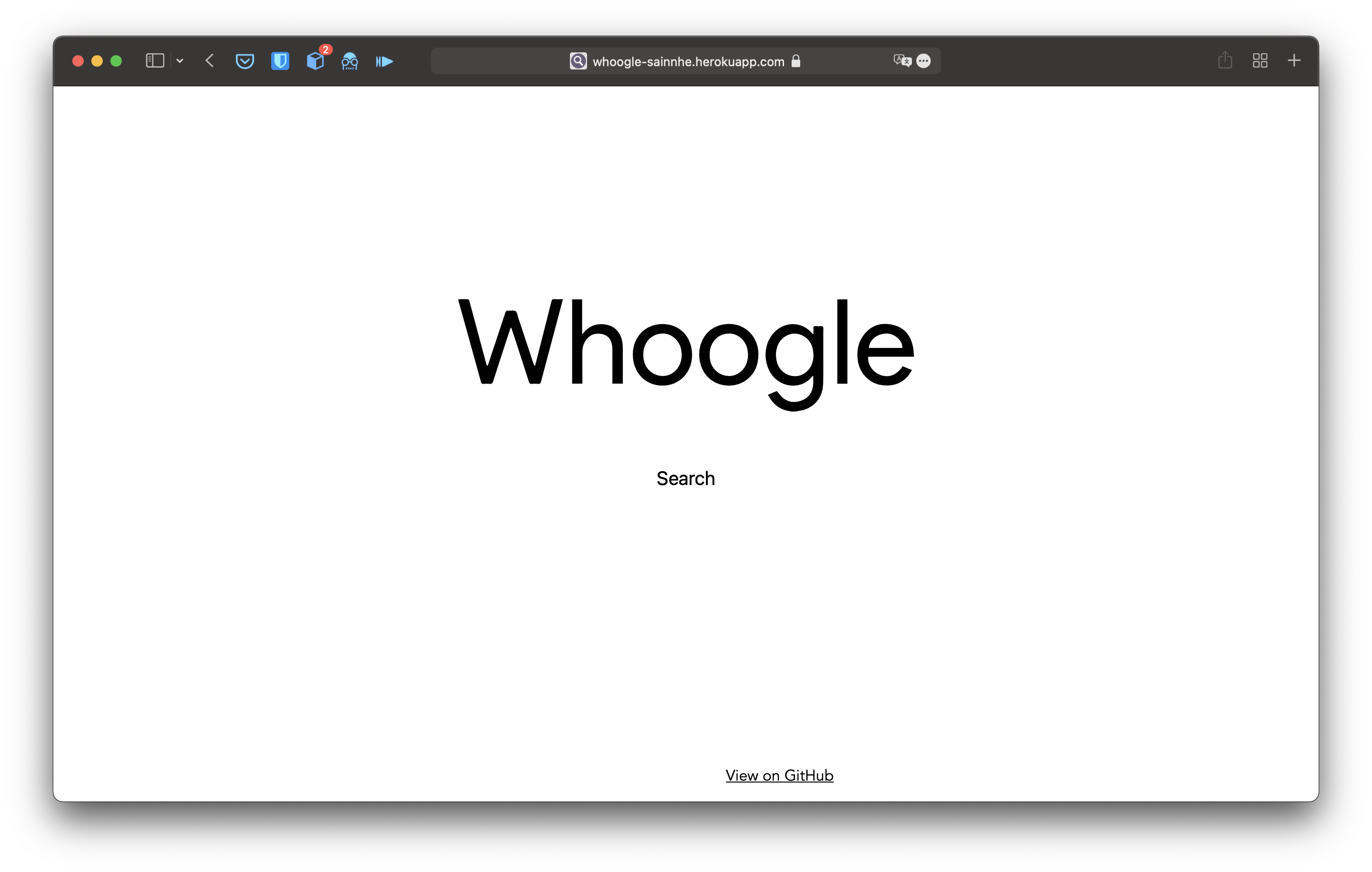
The search box is totally invisible, although it's clickable. I typed something and click the "search" text and the results page goes as follows:
My question is: is this a bug or it's intentional? I saw the screenshots on README and they are comparatively another thing.
If it's intentional, how can I switch to the version shows in the screenshots in heroku?
Btw, here is the site I deployed if we need to debug it: https://whoogle-sainnhe.herokuapp.com
@benbusby commented on GitHub (May 16, 2022):
Hi, apologies for the delay.
Can you try redeploying to heroku using this link: https://heroku.com/deploy?template=https://github.com/benbusby/whoogle-search/tree/main and let me know if that fixes it for you? When you're deploying, make sure the
WHOOGLE_CONFIG_CSSvariable that it prompts you for is not left blank. There's a weird bug with Heroku deployments in particular where if the aforementioned variable is left empty, it gets autofilled with a placeholder value, which causes the visual issue you're seeing.Let me know if redeploying fixes that for you, and re-open if you're still seeing it.