mirror of
https://github.com/retspen/webvirtcloud.git
synced 2026-04-25 15:35:57 +03:00
[GH-ISSUE #173] VNC is not working over https #118
Labels
No labels
bug
enhancement
pull-request
No milestone
No project
No assignees
1 participant

Notifications
Due date
No due date set.
Dependencies
No dependencies set.
Reference
starred/webvirtcloud#118
Loading…
Add table
Add a link
Reference in a new issue
No description provided.
Delete branch "%!s()"
Deleting a branch is permanent. Although the deleted branch may continue to exist for a short time before it actually gets removed, it CANNOT be undone in most cases. Continue?
Originally created by @lord-kyron on GitHub (Aug 11, 2018).
Original GitHub issue: https://github.com/retspen/webvirtcloud/issues/173
I am trying to get VNC working over https.
In my settings.py I have convigured:
`` ## WebVirtCloud settings
Wobsock port
WS_PORT = 6080
Websock host
WS_HOST = '0.0.0.0'
Websock public port
WS_PUBLIC_HOST = 'my.domain.com'
Websock SSL connection
WS_CERT = '/etc/letsencrypt/live/my.domain.com/fulchain.pem'``
and in /console/novncd:
CERT = DIR_PATH + '/etc/letsencrypt/live/my.domain.com/fulchain.pem'my.domain.com is just for illustration.
My ssl is fully working on the nginx server, however, when I try to open the vnc over https, I am getting 1006 erro all the time.
@catborise @honza801 - can you give me some advise or help with how to configure this?
@lord-kyron commented on GitHub (Aug 11, 2018):
UPDATE: Actually it was never working fine on firefox.
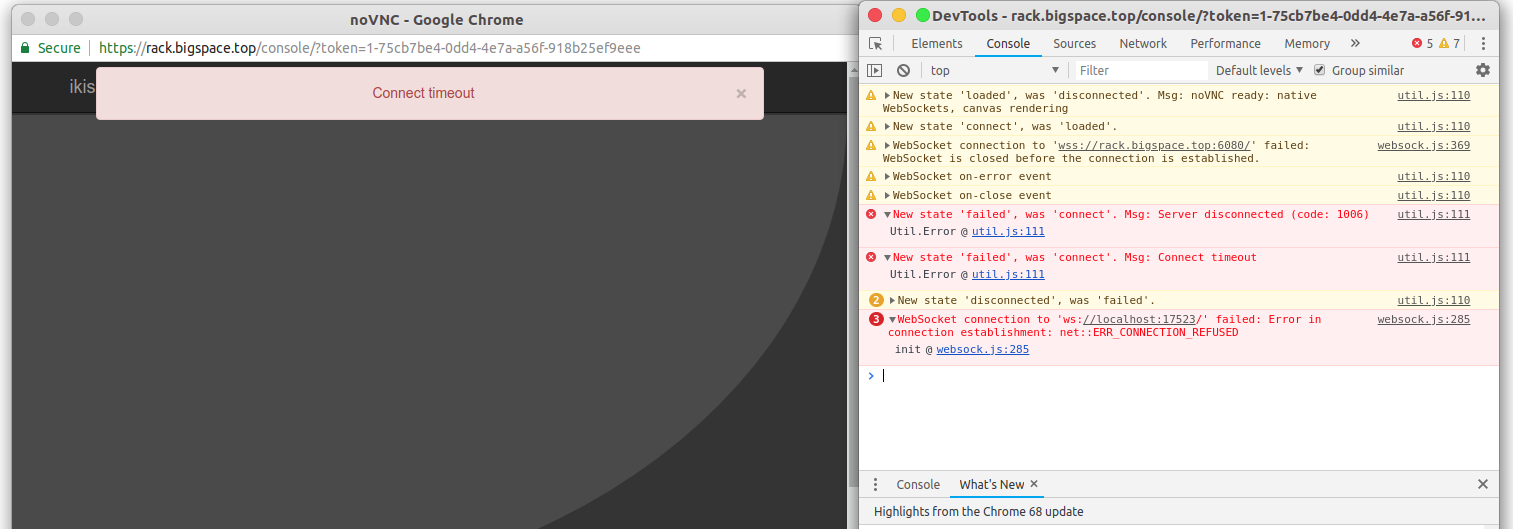
Here is the log from Chrome - there it gives me connection time out error:
@lord-kyron commented on GitHub (Aug 11, 2018):
@honza801 @catborise
I've made it work following the tutorial from this issue:
https://github.com/retspen/webvirtcloud/issues/126#issuecomment-394981688
Basically I've kept those settings I've posted above, but applied from this issue the proxying of the websockets over the nginx working port of the webvirtcloud. In my case port 443, not 80.
it is working now and I plan to make a patch which I will apply to my version of the repo in order to make this easy for other guys looking to make this work - either with or without ssl - proxying it over the nginx is a great idea!
@kilejiunderscorea commented on GitHub (Mar 28, 2019):
Hello,
For those who still have the problem with novnc and https:
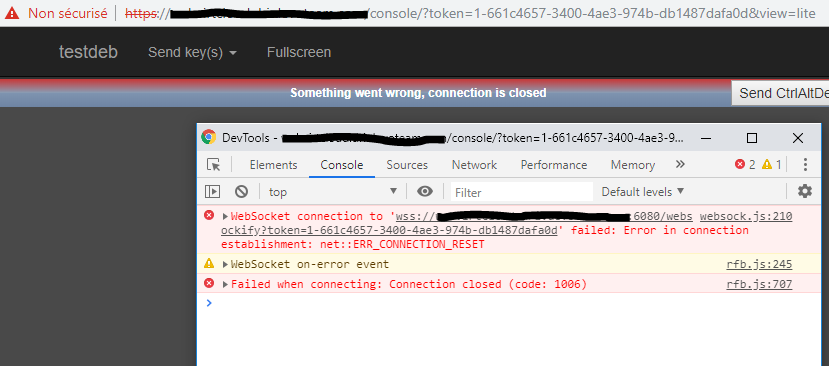
Try concatenating your cert file and key file into a pem file like this:
$> cat cert.crt cert.key > cert.pemThen, in /etc/supervisord.conf at the include novncd part, make sure to add the cert parameter in command, like the image below:
$> systemctl restart supervisordAnd now, it should work fine.