mirror of
https://github.com/dani-garcia/vaultwarden.git
synced 2026-04-26 01:35:54 +03:00
[GH-ISSUE #579] Duo Login - An unexpected error has occured #379
Labels
No labels
SSO
Third party
better for forum
bug
bug
documentation
duplicate
enhancement
future Vault
future Vault
future Vault
good first issue
help wanted
low priority
notes
pull-request
question
troubleshooting
wontfix
No milestone
No project
No assignees
1 participant

Notifications
Due date
No due date set.
Dependencies
No dependencies set.
Reference
starred/vaultwarden#379
Loading…
Add table
Add a link
Reference in a new issue
No description provided.
Delete branch "%!s()"
Deleting a branch is permanent. Although the deleted branch may continue to exist for a short time before it actually gets removed, it CANNOT be undone in most cases. Continue?
Originally created by @TuEstUnePommeDeTerre on GitHub (Aug 17, 2019).
Original GitHub issue: https://github.com/dani-garcia/vaultwarden/issues/579
I am unable to log in to the web and desktop clients with Duo enabled.
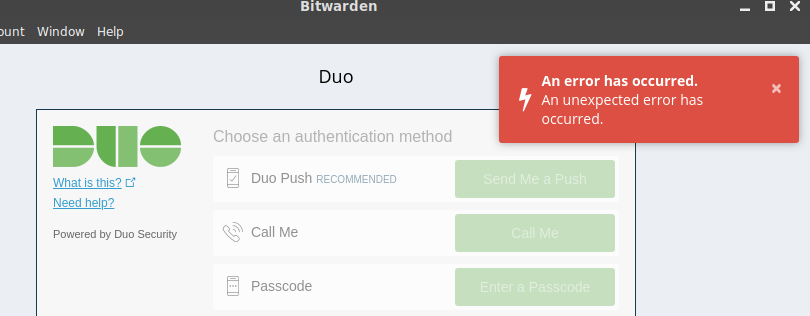
However, it does work on the Android app and the web vault.
I've included my docker log with RUST_BACKTRACE=full
The json error occurs in successful logons.
@dani-garcia commented on GitHub (Aug 18, 2019):
This seems to happen because an error sending the login email, do you have it enabled and configured correctly?
@TuEstUnePommeDeTerre commented on GitHub (Aug 19, 2019):
I have the SMTP settings set according to the wiki, but you're right; they do not seem to work.
The password hint page generates a similar error.
Interestingly though, the error persists with the SMTP configuration disabled.
Here is a redacted version of my docker-compose file:
@TuEstUnePommeDeTerre commented on GitHub (Aug 21, 2019):
I gave up and just rebuilt the docker instance in a VM. I might have had a port closed somewhere. It's still weird to me that the email error was thrown even when the SMTP settings were not enabled.