mirror of
https://github.com/dani-garcia/vaultwarden.git
synced 2026-04-26 09:46:00 +03:00
[GH-ISSUE #3407] rocket-worker-thread' panicked, Unable to log into vault. #1557
Labels
No labels
SSO
Third party
better for forum
bug
bug
documentation
duplicate
enhancement
future Vault
future Vault
future Vault
good first issue
help wanted
low priority
notes
pull-request
question
troubleshooting
wontfix
No milestone
No project
No assignees
1 participant

Notifications
Due date
No due date set.
Dependencies
No dependencies set.
Reference
starred/vaultwarden#1557
Loading…
Add table
Add a link
Reference in a new issue
No description provided.
Delete branch "%!s()"
Deleting a branch is permanent. Although the deleted branch may continue to exist for a short time before it actually gets removed, it CANNOT be undone in most cases. Continue?
Originally created by @sebasdt on GitHub (Apr 1, 2023).
Original GitHub issue: https://github.com/dani-garcia/vaultwarden/issues/3407
Subject of the issue
Rocket giving a 404 after trying to connect to it.
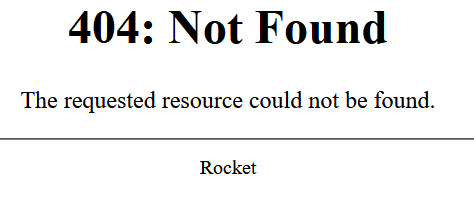
accessing the container directly also gives the same error look below here:
Deployment environment
Im using a vm within that a docker enviorment.
1.28.0 or the latest tag for docker
on Docker via portainer.
Windows and android basicly every option and no ios or linux clients.
Cloudflare ---> nginx Rproxy ---> container
I think this happend because Im experimenting with cloudflare tunnels. dont really think it has to do with cloudflare.
Steps to reproduce
I updated to the latest release and restarted the container. I am at version 1.28.0
as you can see in my log file you can see what parameters/env settings in using.
Expected behaviour
Im able to access the container and not get a rocket 404.
even when I try to access the container locally/directly the same error appears.
Actual behaviour
Im not able to do anything with vaultwarden
Troubleshooting data
LOGS:
https://pastebin.com/VNwLKb8n
@stefan0xC commented on GitHub (Apr 1, 2023):
Can you check your
DOMAINsettings? It looks like you might have set it to a sub-dir.@sebasdt commented on GitHub (Apr 1, 2023):
Yes I checked the domain is perfect fine.
It's pointed to https://vaultwarden.myAwesomedomain.bla
@stefan0xC commented on GitHub (Apr 1, 2023):
Okay, but Just to make sure. Have you also checked in
data/config.json?You could set
LOG_LEVEL=debugto see what paths vaultwarden is setting up.@sebasdt commented on GitHub (Apr 1, 2023):
Oh I see,
Sorry yes in the conf that the domain is pointing to the right endpoint.
I just restarted the whole machine and that seemed to solve it.
@sebasdt commented on GitHub (Apr 1, 2023):
Sorry to reopen the issue,
So in the meantime I was able to load page but forgot to check I could login..
here is the log that is in the portainer logs:
the config:
If you need more information feel free to ask. I do have backups as I should, it is just annoying that I don't know what the cause is.
@sebasdt commented on GitHub (Apr 1, 2023):
Sorry for me being in such a panic state. hehe
It was just the mail that was bugged out and wouldn't send a 2fa. so I accidentally added one letter to the SMTP password..
and SO Im happily reporting I have access again to my vault.