mirror of
https://github.com/dani-garcia/vaultwarden.git
synced 2026-04-25 17:25:57 +03:00
[GH-ISSUE #211] Google / Authy OTP issue #108
Labels
No labels
SSO
Third party
better for forum
bug
bug
documentation
duplicate
enhancement
future Vault
future Vault
future Vault
good first issue
help wanted
low priority
notes
pull-request
question
troubleshooting
wontfix
No milestone
No project
No assignees
1 participant

Notifications
Due date
No due date set.
Dependencies
No dependencies set.
Reference
starred/vaultwarden#108
Loading…
Add table
Add a link
Reference in a new issue
No description provided.
Delete branch "%!s()"
Deleting a branch is permanent. Although the deleted branch may continue to exist for a short time before it actually gets removed, it CANNOT be undone in most cases. Continue?
Originally created by @jdesnos on GitHub (Oct 6, 2018).
Original GitHub issue: https://github.com/dani-garcia/vaultwarden/issues/211
Hello,
First of all, thanks for this lightweight implementation of birwarden, it's so much easier to deploy than the official!
Here is my issue, when i try to enable OTP in my user settings i get the following error

But, if i wait until the next code is generated on my OTP app (Google Authenticator), the old one works.

I don't get much information from log output.
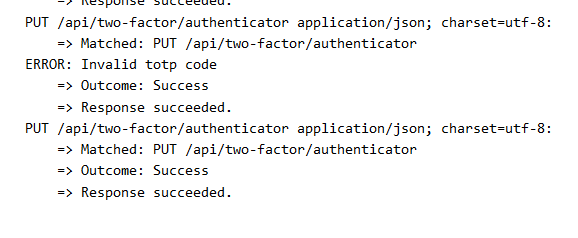
Here is my setup:
docker run -d
--name bitwarden
-v $CONFIG_DIR/Bitwarden/:/data/
-p 3000:80
mprasil/bitwarden:latest
Can you help me ?
Thank you.
@fbartels commented on GitHub (Oct 6, 2018):
Hi,
I had a similar issue at first. You should check if your server time matches with the time of your client. Preferably you should set up ntp on your server.
@jdesnos commented on GitHub (Oct 6, 2018):
Hi,
I just checked time and there was a 25 second gap between the server and my computer.
With NTP set, it works now perfectly.
Thanks!