mirror of
https://github.com/rivo/tview.git
synced 2026-04-27 05:45:49 +03:00
[GH-ISSUE #558] List does not unselect items when navigating #410
Labels
No milestone
No project
No assignees
1 participant

Notifications
Due date
No due date set.
Dependencies
No dependencies set.
Reference
starred/tview#410
Loading…
Add table
Add a link
Reference in a new issue
No description provided.
Delete branch "%!s()"
Deleting a branch is permanent. Although the deleted branch may continue to exist for a short time before it actually gets removed, it CANNOT be undone in most cases. Continue?
Originally created by @njkleiner on GitHub (Jan 29, 2021).
Original GitHub issue: https://github.com/rivo/tview/issues/558
I'm running the following code, adapted from the flex and list demos.
When I navigate to the second item using the arrow keys, the first one stays selected. Once the second item is selected too, they both stay selected and further navigating the list does nothing.
The behavior I would have expected is for the list to work normally (i.e., only select one item at a time). I'm not sure what I'm doing wrong, because I don't think what I'm doing is much different from the list demo, which works as expected.
@SoMuchForSubtlety commented on GitHub (Feb 13, 2021):
I just encountered this issue myself. Looks it was introduced with this commit.
github.com/rivo/tview@d7d44cb0d2@rivo can you shine some light on the reason behind this?
@rivo commented on GitHub (Feb 17, 2021):
Please don't use
tcell.ColorDefault. It basically means "transparent" so it has pretty much no effect and therefore leads to strange side effects such as this one.@njkleiner commented on GitHub (Feb 17, 2021):
The reason why I used
ColorDefaultwas because I use a terminal with a white background. Is there a different (preferred) way to reset the colors to a "light mode"?@rivo commented on GitHub (Feb 17, 2021):
I understand. This has come up multiple times as many people assume
ColorDefaultmeans something likeColorTerminalBackground.I'm currently not aware of any way to use the terminal's theme colours. There was some related work done in https://github.com/gdamore/tcell/issues/314 but the attached commit isn't in the main branch so I don't know what the status is. (There are also no further comments in that issue.)
@SoMuchForSubtlety commented on GitHub (Feb 17, 2021):
I changed the behaviour in this commit
github.com/SoMuchForSubtlety/tview@c4de038979Now tview respects the terminal background colour and things like transparent terminals work
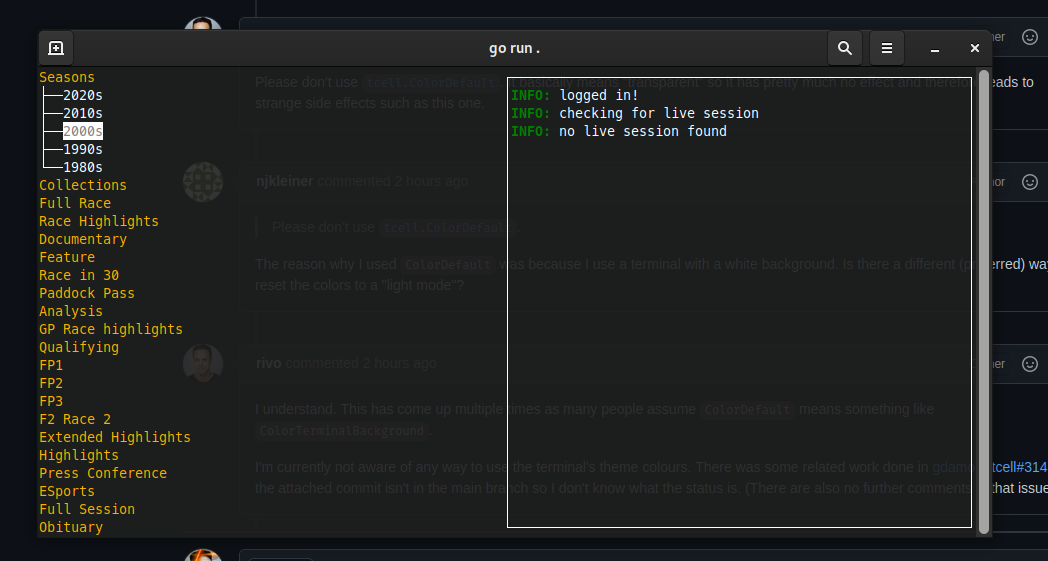
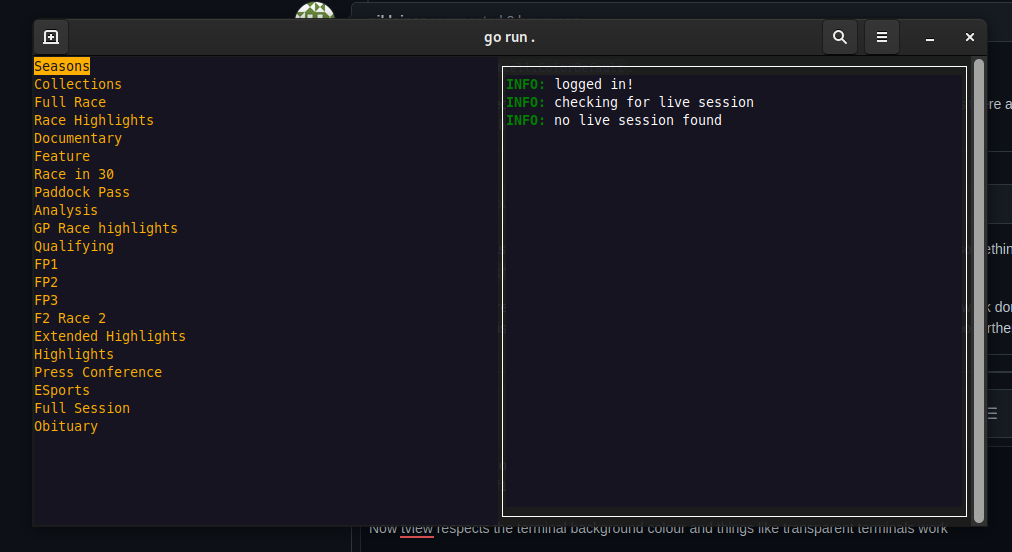
Before my patch it looked like this (note that the
TextViewborders are still transparent)@rivo commented on GitHub (Feb 17, 2021):
I realize I looked at the wrong
tcelldocumentation and maybe my previous comment is not accurate anymore.I will look at this again.
@rivo commented on GitHub (Apr 27, 2021):
Coming back to this, in your application, you can now set the general background colour to your terminal's default as follows:
However,
tcelldoesn't provide any equivalent for the default text colour. So if you only make this one change, the text colour in your light terminal will still be white. Of course, you can set it to black:But then it's black even on dark terminals.
Overall, I don't see a way to make it adapt to different terminal themes.