mirror of
https://github.com/prasathmani/tinyfilemanager.git
synced 2026-04-26 10:55:56 +03:00
[GH-ISSUE #256] Icons Not Showing #182
Labels
No labels
Feature
Feature
Is It Really an Issue?
Need More Info
Request
Security
bug
duplicate
enhancement
enhancement
help wanted
invalid
pull-request
question
suggestion
wontfix
No milestone
No project
No assignees
1 participant

Notifications
Due date
No due date set.
Dependencies
No dependencies set.
Reference
starred/tinyfilemanager#182
Loading…
Add table
Add a link
Reference in a new issue
No description provided.
Delete branch "%!s()"
Deleting a branch is permanent. Although the deleted branch may continue to exist for a short time before it actually gets removed, it CANNOT be undone in most cases. Continue?
Originally created by @inellcorpin on GitHub (Nov 22, 2019).
Original GitHub issue: https://github.com/prasathmani/tinyfilemanager/issues/256
Why are icons not showing?
I've downloaded all CSS and JS since my site will be running local only and no internet.
@prasathmani commented on GitHub (Nov 22, 2019):
I'm using font awesome icons, so download font awesome and try it
@inellcorpin commented on GitHub (Nov 22, 2019):
Hi Prasathmani, do you have the download link? And where do I store them once I have them?
@EV-soft commented on GitHub (Nov 22, 2019):
Download link:
https://cdnjs.cloudflare.com/ajax/libs/font-awesome/4.7.0/css/font-awesome.min.css
Find this line in tinyfilemanager php:
<link rel="stylesheet" href="https://cdnjs.cloudflare.com/ajax/libs/font-awesome/4.7.0/css/font-awesome.min.css">and edit to the place where you save the CSS
Be aware that other things will not work without Internet access (File Viewer / Editor?)
@inellcorpin commented on GitHub (Nov 22, 2019):
I already downloaded that css and have that in place but still not working.
@EV-soft commented on GitHub (Nov 22, 2019):
It also need a font:
https://cdnjs.cloudflare.com/ajax/libs/font-awesome/4.7.0/fonts/fontawesome-webfont.woff2?v=4.7.0
@inellcorpin commented on GitHub (Nov 22, 2019):
Tried right now and still not working. Is this just copy and paste on the css folder?
@EV-soft commented on GitHub (Nov 22, 2019):
Download and save "fontawesome-webfont.woff2" in: Try the same folder as tinyfilemanager.php
@EV-soft commented on GitHub (Nov 22, 2019):
Create a foler:" /webfonts" and place it here.
Read more: https://stackoverflow.com/questions/49550011/font-awesome-icons-in-offline
Read more: https://fontawesome.com/how-to-use/on-the-web/setup/hosting-font-awesome-yourself
@EV-soft commented on GitHub (Nov 22, 2019):
Sorry... /webfonts is for the newest fontawesome version 5.0
v4.7 from 2017 uses a folder: "/fonts"
url('../fonts/fontawesome-webfont.woff?v=4.7.0') format('woff')
@inellcorpin commented on GitHub (Nov 23, 2019):
I downloaded the latest version of webfonts. However, there are still icons not showing:
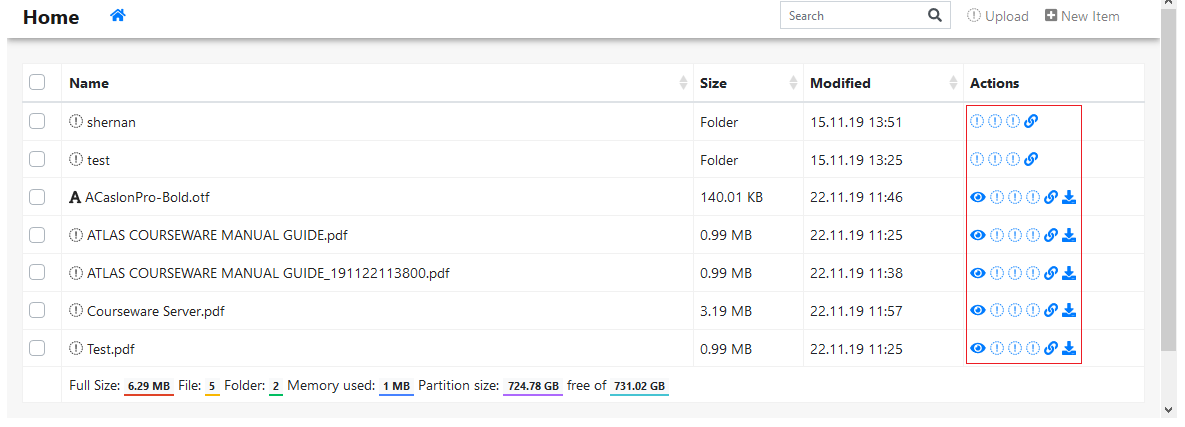
There are icons that are displaying though. Is there anything else I need to download?
@Roni-Neto commented on GitHub (Nov 24, 2019):
https://neto.cf/download/78937498rue/fonts%20css%20js.zip
@inellcorpin commented on GitHub (Nov 24, 2019):
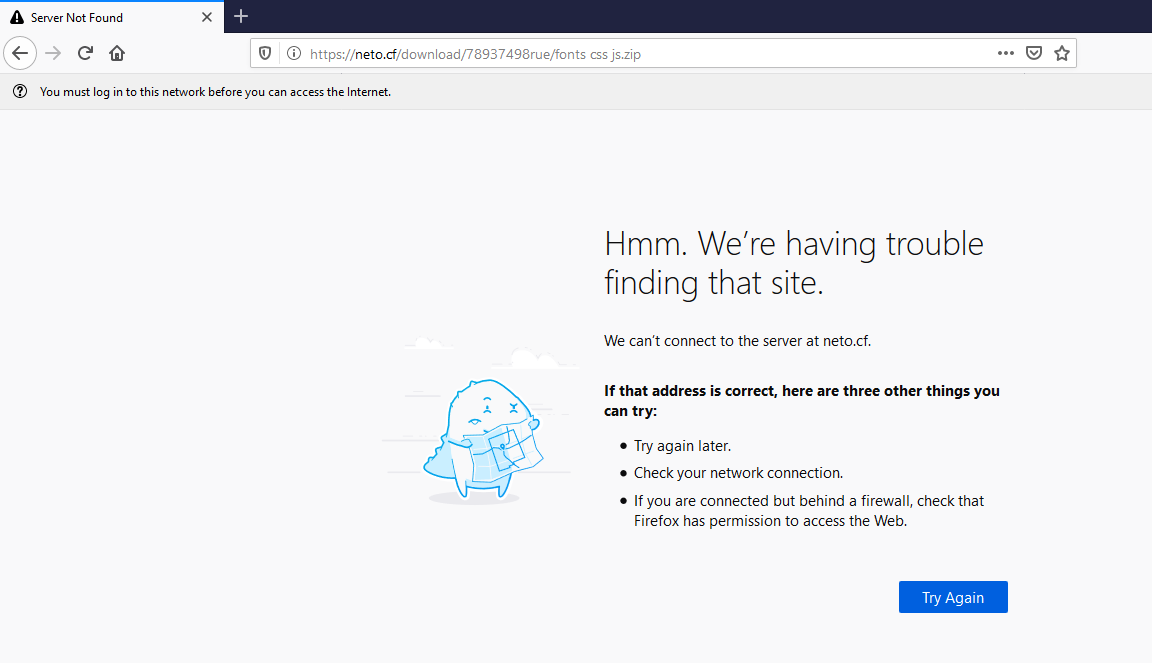
I can't open the link...
@Roni-Neto commented on GitHub (Nov 24, 2019):
fonts css js.zip
@inellcorpin commented on GitHub (Nov 24, 2019):
Downloaded the files. It still doesn't show the icons... :(
@inellcorpin commented on GitHub (Nov 24, 2019):
Now it's showing after clearing the cache. :)
Thanks to all!