mirror of
https://github.com/spotipy-dev/spotipy.git
synced 2026-04-27 08:35:49 +03:00
[GH-ISSUE #777] Python isn't recognizing module install #475
Labels
No labels
api-bug
bug
dependencies
documentation
duplicate
enhancement
external-ide
headless-mode
implicit-grant-flow
invalid
missing-endpoint
pr-welcome
private-api
pull-request
question
spotipy3
wontfix
No milestone
No project
No assignees
1 participant

Notifications
Due date
No due date set.
Dependencies
No dependencies set.
Reference
starred/spotipy#475
Loading…
Add table
Add a link
Reference in a new issue
No description provided.
Delete branch "%!s()"
Deleting a branch is permanent. Although the deleted branch may continue to exist for a short time before it actually gets removed, it CANNOT be undone in most cases. Continue?
Originally created by @gehuskic on GitHub (Jan 31, 2022).
Original GitHub issue: https://github.com/spotipy-dev/spotipy/issues/777
Bug
Python is giving back errors that module spotipy does not exist. I tried installing the module multiple times with pip but nothing seems to make it work.
pip install spotipypip3 install spotipyI even tried playing around with the 'setup.py' file.
batch:
python setup.py buildpython setup.py build_pypython setup.py installpython setup.py install_libFor some reason on the command prompt I do not get any issues importing the module, only when it comes to using it in a script.
This issue is building off of the issue from this post:
https://github.com/plamere/spotipy/issues/254#issue-296182129
Enviorment
Screenshots
Loads in on Windows Terminal (command prompt)
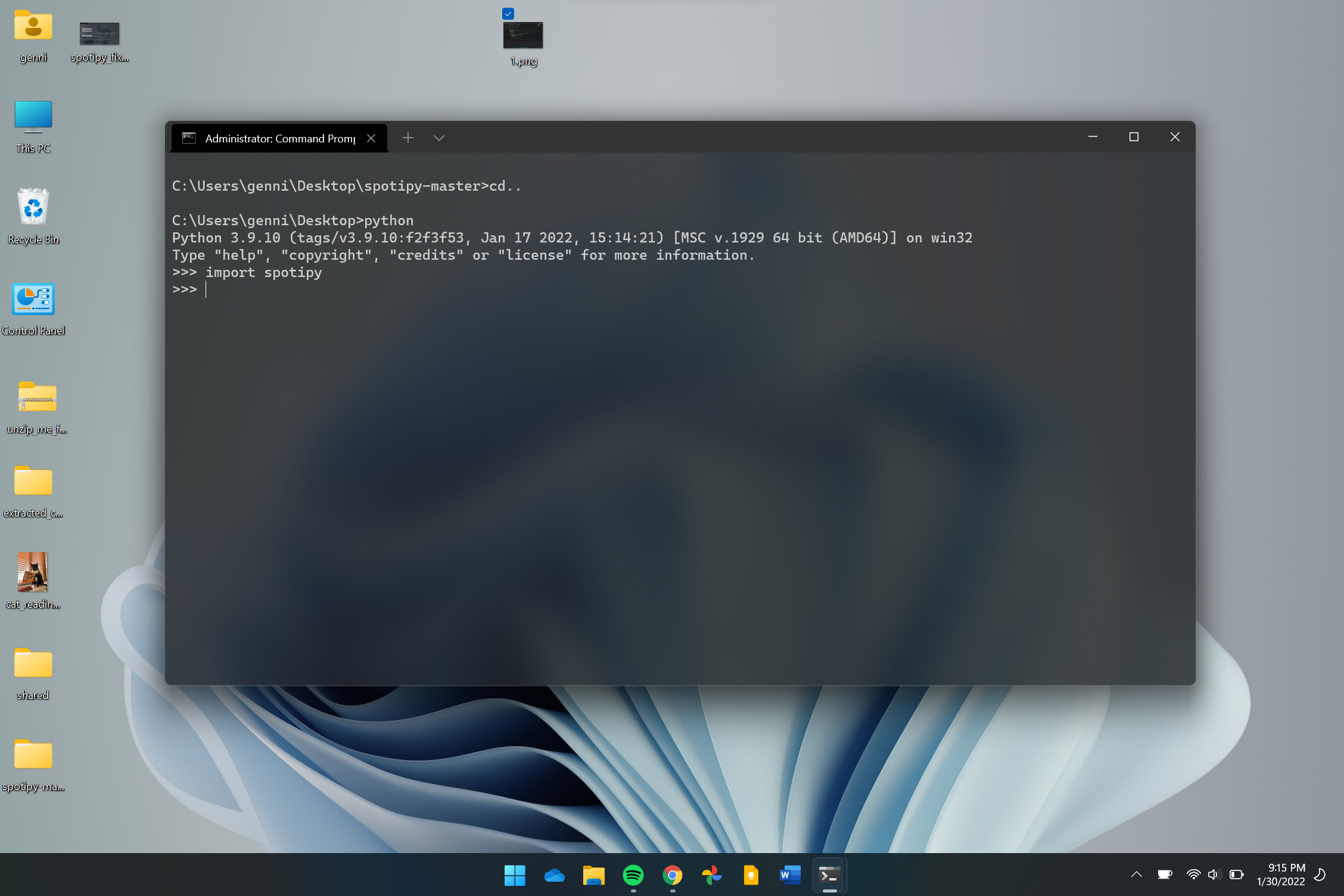
Doesn't work on all other IDEs

@gehuskic commented on GitHub (Jan 31, 2022):
And yes, it is installed when checked with
pip freeze. I also reboot after each install to rule that out.@vavalomi commented on GitHub (Mar 7, 2022):
You seem to have multiple versions of python installed and your terminal defaults to one (where you have the module successfully installed) - look at the version: 3.9.10
To check where exactly the executable is located you can run
python -c "import os, sys; print(os.path.dirname(sys.executable))"in your Windows Terminal.But your VSCode runs version 3.10 (from c:\users\genni\appdata...)
@gehuskic commented on GitHub (Mar 8, 2022):
Do you know know how I would change it back to 3.9.10 on VS code or spider?
@dieser-niko commented on GitHub (May 23, 2024):
Do you still need help here or can we close the issue?
@dieser-niko commented on GitHub (Jun 11, 2024):
I'm going to close this issue as there's no activity. Also it seems to be somewhat outdated.