mirror of
https://github.com/aome510/spotify-player.git
synced 2026-04-26 09:25:49 +03:00
[GH-ISSUE #85] How to shuffle #964
Labels
No labels
bug
documentation
enhancement
good first issue
help wanted
pull-request
question
third-party
third-party
wontfix
No milestone
No project
No assignees
1 participant

Notifications
Due date
No due date set.
Dependencies
No dependencies set.
Reference
starred/spotify-player#964
Loading…
Add table
Add a link
Reference in a new issue
No description provided.
Delete branch "%!s()"
Deleting a branch is permanent. Although the deleted branch may continue to exist for a short time before it actually gets removed, it CANNOT be undone in most cases. Continue?
Originally created by @sub-arctic on GitHub (Nov 14, 2022).
Original GitHub issue: https://github.com/aome510/spotify-player/issues/85
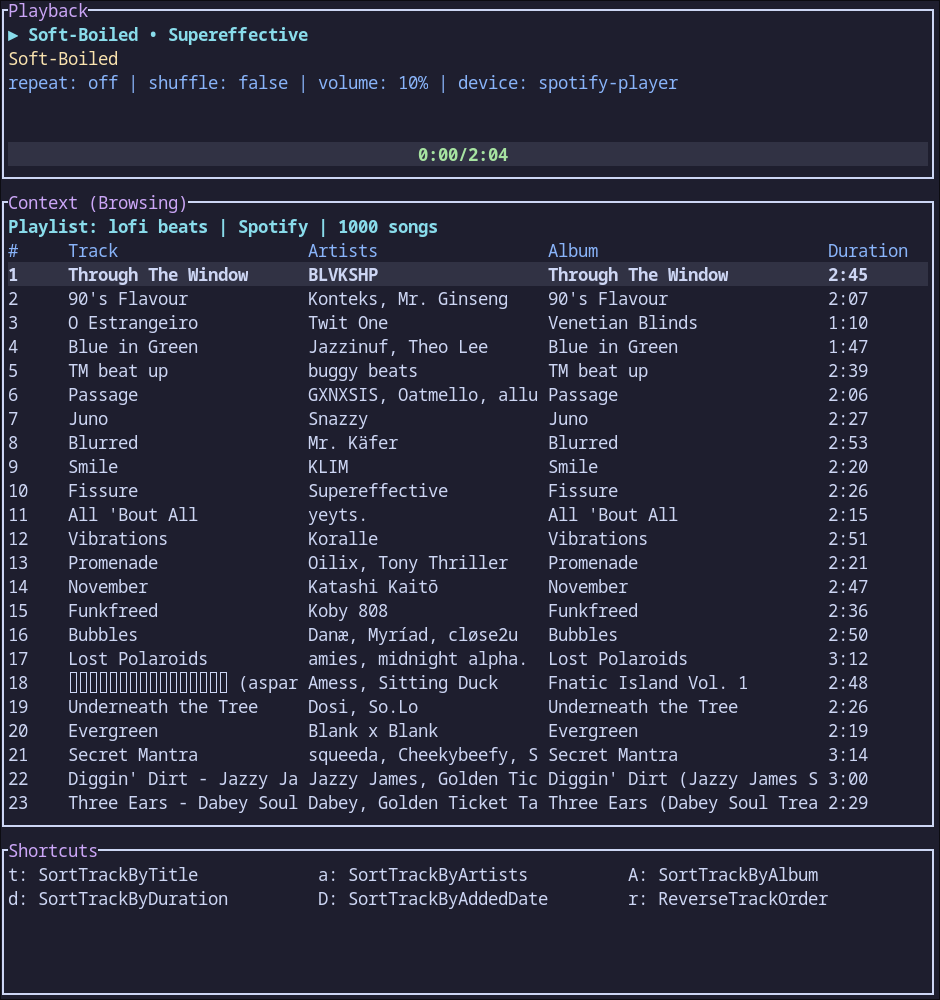
This is probably stupid, but when I press shuffle keybind (C-s), it opens up a shortcut menu and there is no shuffle option. Can someone please clarify the shortcut?
@aome510 commented on GitHub (Nov 14, 2022):
which shortcut menu does it open? Is it similar to the one below?
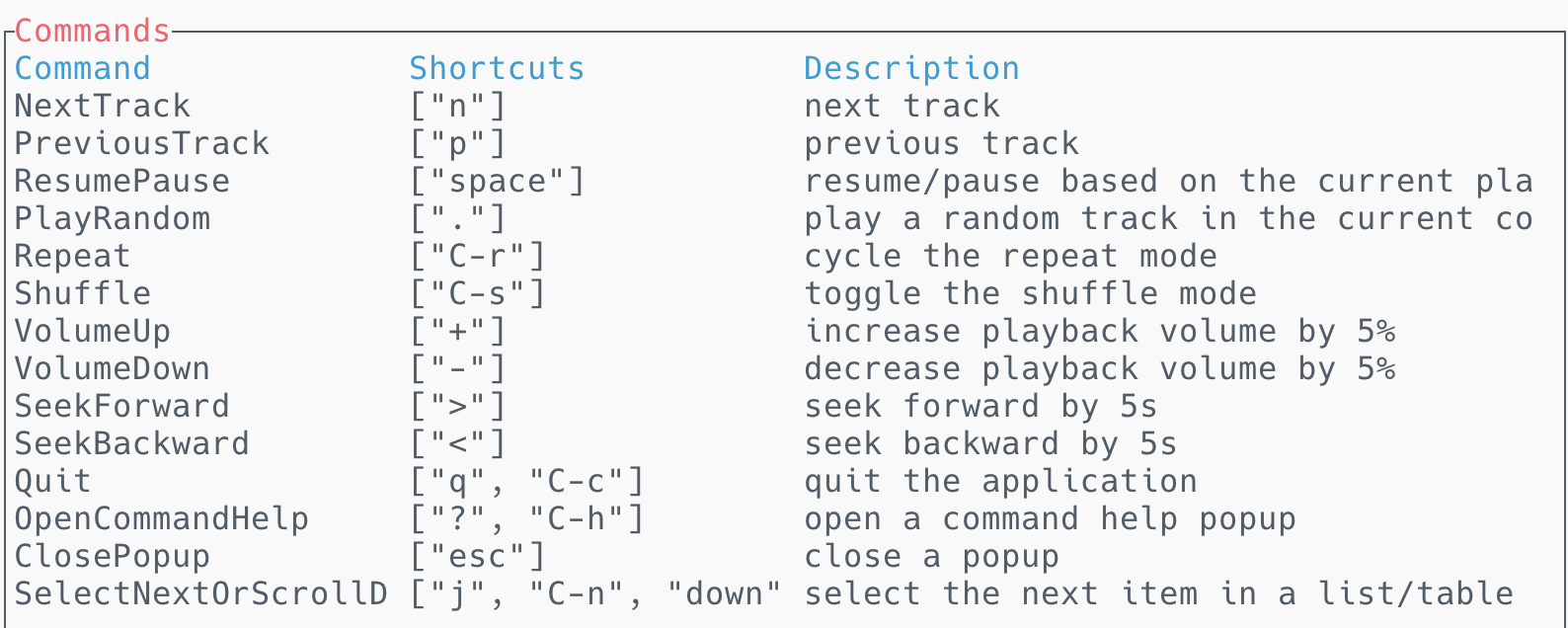
If not, I guess
C-sis probably the shortcut to open a shortcut menu for your terminal. You can bindShufflecommand to another key in your.config/spotify-player/keymap.tom. More details: https://github.com/aome510/spotify-player/blob/master/doc/config.md#keymaps@sub-arctic commented on GitHub (Nov 15, 2022):
I don't think it is a terminal shortcut menu, as it has details such as sorting by album and artist name. Here is an image
@sub-arctic commented on GitHub (Nov 15, 2022):
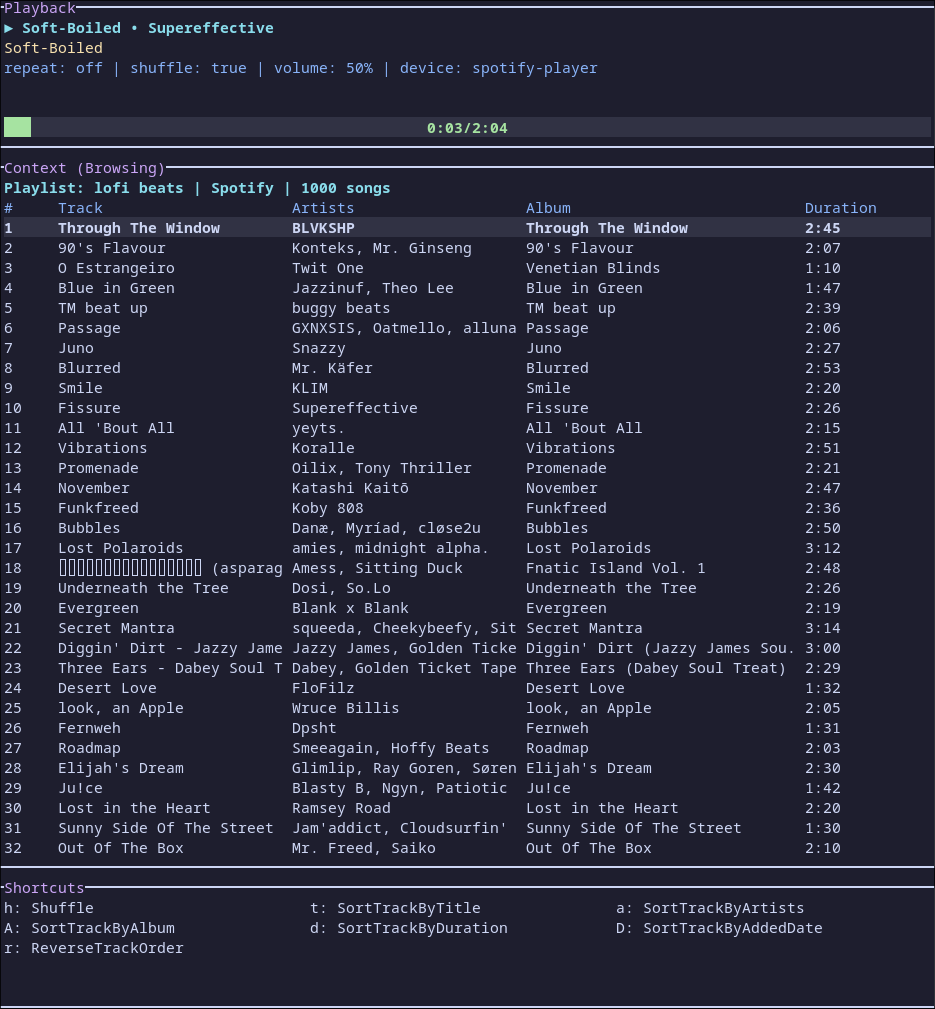
So I changed the keymap.toml so that the shortcut for shuffle was "s h", and now it shows up in the shortcut menu:
@aome510 commented on GitHub (Nov 16, 2022):
Oh I see. I think it's because the app or the terminal doesn't recognize the
control-scombination and it is parsed as askey. That's why the shortcut menu for commands withskey prefix is shown. One possible workaround is to change the shortcut like u already did. Hope that's not too much of a trouble.