[GH-ISSUE #85] How to shuffle #28

Closed
opened 2026-03-02 23:43:49 +03:00 by kerem · 4 comments
Owner

Originally created by @sub-arctic on GitHub (Nov 14, 2022).
Original GitHub issue: https://github.com/aome510/spotify-player/issues/85

This is probably stupid, but when I press shuffle keybind (C-s), it opens up a shortcut menu and there is no shuffle option. Can someone please clarify the shortcut?

Originally created by @sub-arctic on GitHub (Nov 14, 2022). Original GitHub issue: https://github.com/aome510/spotify-player/issues/85 This is probably stupid, but when I press shuffle keybind (C-s), it opens up a shortcut menu and there is no shuffle option. Can someone please clarify the shortcut?
kerem closed this issue 2026-03-02 23:43:49 +03:00
Author
Owner

@aome510 commented on GitHub (Nov 14, 2022):

when I press shuffle keybind (C-s), it opens up a shortcut menu and there is no shuffle option

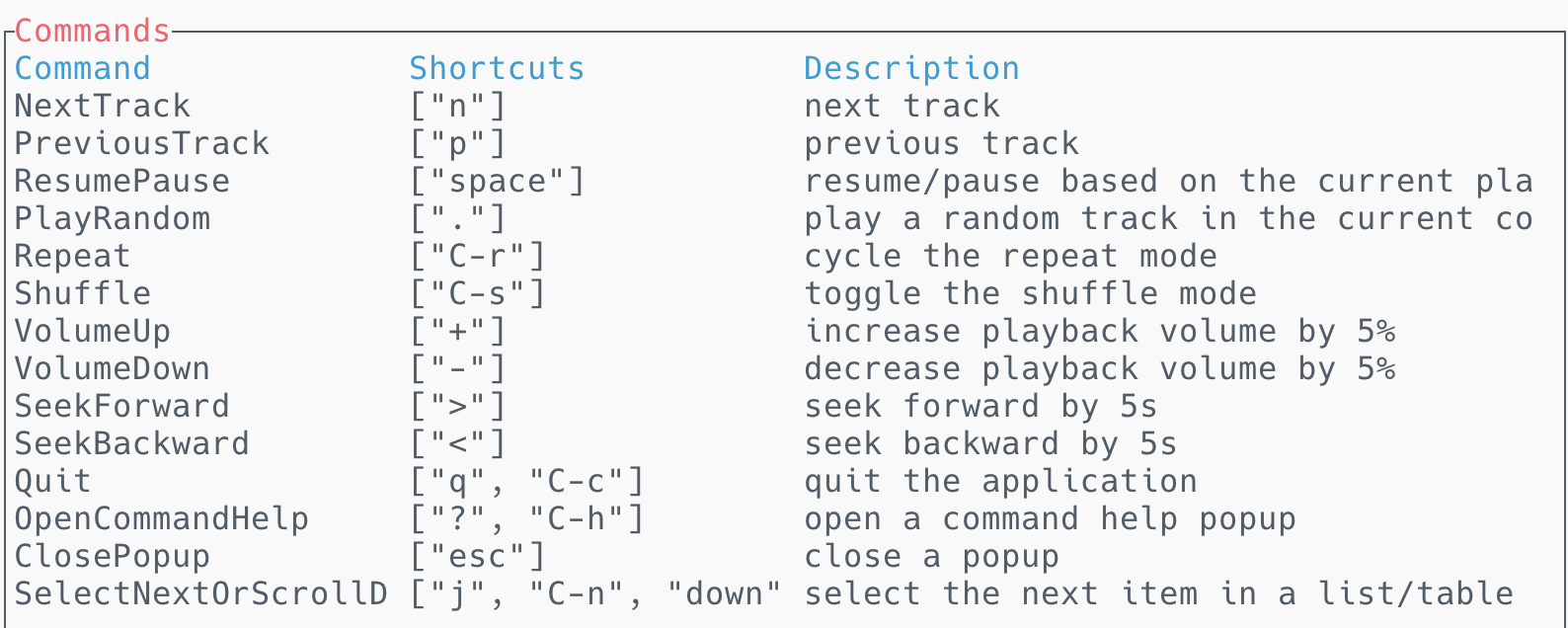
which shortcut menu does it open? Is it similar to the one below?
Screen Shot 2022-11-14 at 10 03 03 AM

If not, I guess C-s is probably the shortcut to open a shortcut menu for your terminal. You can bind Shuffle command to another key in your .config/spotify-player/keymap.tom. More details: https://github.com/aome510/spotify-player/blob/master/doc/config.md#keymaps

<!-- gh-comment-id:1313895509 --> @aome510 commented on GitHub (Nov 14, 2022): > when I press shuffle keybind (C-s), it opens up a shortcut menu and there is no shuffle option which shortcut menu does it open? Is it similar to the one below? <img width="794" alt="Screen Shot 2022-11-14 at 10 03 03 AM" src="https://user-images.githubusercontent.com/40011582/201693386-bbce0143-8539-4117-bbd1-dbeb1c2fd303.png"> If not, I guess `C-s` is probably the shortcut to open a shortcut menu for your terminal. You can bind `Shuffle` command to another key in your `.config/spotify-player/keymap.tom`. More details: https://github.com/aome510/spotify-player/blob/master/doc/config.md#keymaps
Author
Owner

@sub-arctic commented on GitHub (Nov 15, 2022):

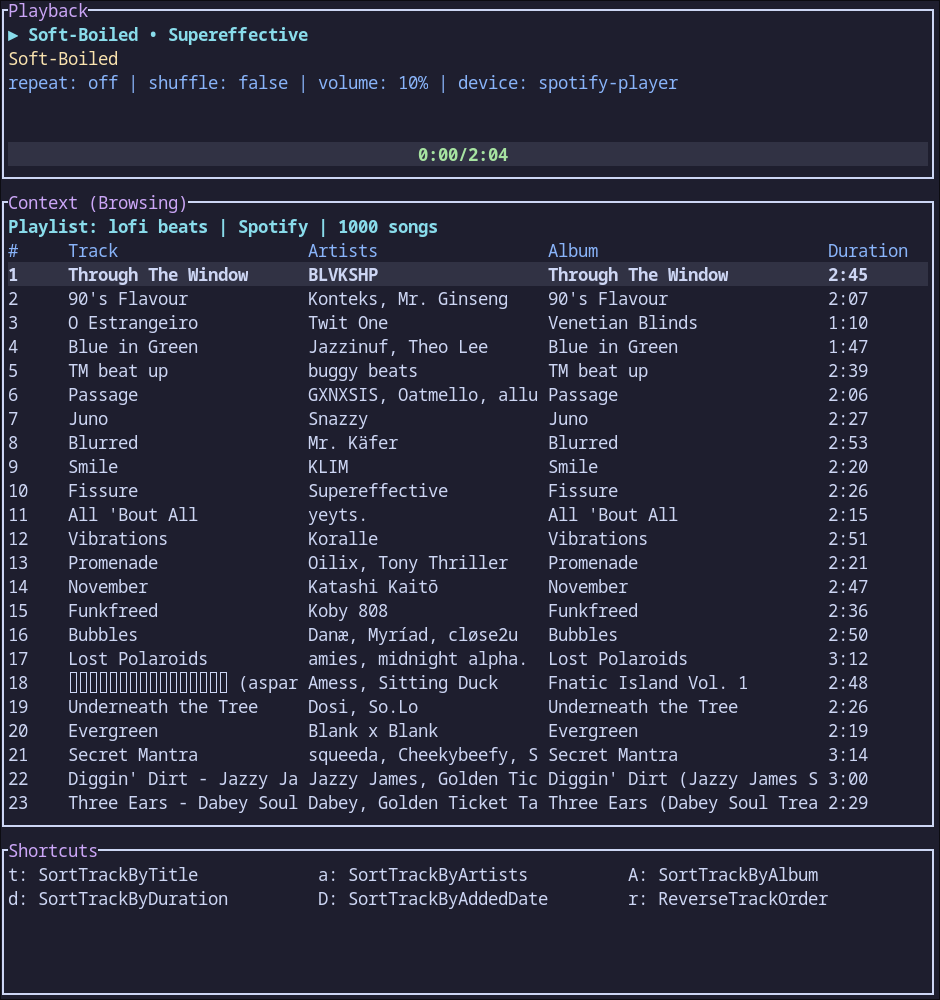
I don't think it is a terminal shortcut menu, as it has details such as sorting by album and artist name. Here is an image
file

<!-- gh-comment-id:1315051358 --> @sub-arctic commented on GitHub (Nov 15, 2022): I don't think it is a terminal shortcut menu, as it has details such as sorting by album and artist name. Here is an image ![file](https://user-images.githubusercontent.com/83101428/201886310-b59fe9de-8793-46de-af31-b20f128bb14b.png)
Author
Owner

@sub-arctic commented on GitHub (Nov 15, 2022):

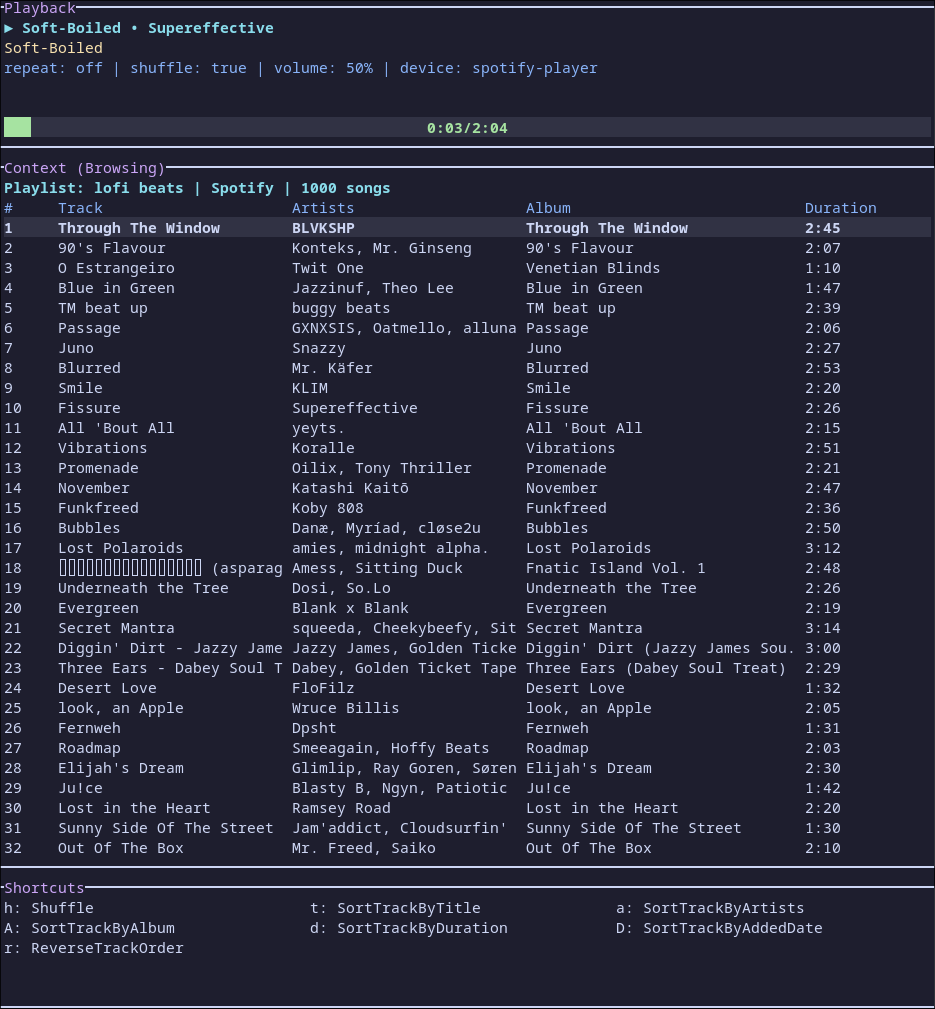
So I changed the keymap.toml so that the shortcut for shuffle was "s h", and now it shows up in the shortcut menu:
file

<!-- gh-comment-id:1315056882 --> @sub-arctic commented on GitHub (Nov 15, 2022): So I changed the keymap.toml so that the shortcut for shuffle was "s h", and now it shows up in the shortcut menu: ![file](https://user-images.githubusercontent.com/83101428/201887212-73aabbe3-9fdc-4c9b-85f1-0d4d9ff679fb.png)
Author
Owner

@aome510 commented on GitHub (Nov 16, 2022):

I don't think it is a terminal shortcut menu, as it has details such as sorting by album and artist name. Here is an image

Oh I see. I think it's because the app or the terminal doesn't recognize the control-s combination and it is parsed as a s key. That's why the shortcut menu for commands with s key prefix is shown. One possible workaround is to change the shortcut like u already did. Hope that's not too much of a trouble.

<!-- gh-comment-id:1316156608 --> @aome510 commented on GitHub (Nov 16, 2022): > I don't think it is a terminal shortcut menu, as it has details such as sorting by album and artist name. Here is an image Oh I see. I think it's because the app or the terminal doesn't recognize the `control-s` combination and it is parsed as a `s` key. That's why the shortcut menu for commands with `s` key prefix is shown. One possible workaround is to change the shortcut like u already did. Hope that's not too much of a trouble.
Sign in to join this conversation.
No milestone
No project
No assignees
1 participant
Notifications
Due date
The due date is invalid or out of range. Please use the format "yyyy-mm-dd".

No due date set.

Dependencies

No dependencies set.

Reference
starred/spotify-player#28
No description provided.