mirror of
https://github.com/s3fs-fuse/s3fs-fuse.git
synced 2026-04-25 13:26:00 +03:00
[GH-ISSUE #1633] "Input/output error", "could not link mirror file" when caching on ExFAT filesystem (file I/O only) #857
Labels
No labels
bug
bug
dataloss
duplicate
enhancement
feature request
help wanted
invalid
need info
performance
pull-request
question
question
testing
No milestone
No project
No assignees
1 participant

Notifications
Due date
No due date set.
Dependencies
No dependencies set.
Reference
starred/s3fs-fuse#857
Loading…
Add table
Add a link
Reference in a new issue
No description provided.
Delete branch "%!s()"
Deleting a branch is permanent. Although the deleted branch may continue to exist for a short time before it actually gets removed, it CANNOT be undone in most cases. Continue?
Originally created by @ryan-williams on GitHub (Apr 24, 2021).
Original GitHub issue: https://github.com/s3fs-fuse/s3fs-fuse/issues/1633
Update / Resolution
per https://github.com/s3fs-fuse/s3fs-fuse/issues/1633#issuecomment-826179605, it seems that s3fs caching requires hard-link capability on the filesystem where the cache lives, which ExFAT/FAT32 doesn't support, resulting in the errors below.
There's an open q about whether s3fs caching needs to use hard links (https://github.com/s3fs-fuse/s3fs-fuse/issues/1633#issuecomment-826336020), but changing it would presumably be significant work, so for now I interpret the resolution as "reformat my external SSD to use a filesystem that supports hard-linking".
Details about issue
When enabling
use_cacheon an external SSD (Samsung T7),statandlsoperations work, but reading/writing file contents fails withcould not link mirror fileerror msgs.use_cacheat a path on my macbook's internal SSD, everything works fine.could not link mirror fileseems to be the most descriptive error msg (source pointer)Example broken cmd
Mounting
s3://ctbkon external "T7" SSD (mounted at/Volumes/T7), w/ cache also on T7:ls,statoperations workIn another terminal, I can
lsthe bucket; files and sizes appear correctly:Any I/O (
cat/head/touch) givesInput/output errorReading a file fails (
could not link mirror file)The
s3fs -fcmd shows acould not link mirror fileerror:Simple write operation fails (
could not link mirror file)Similar
could not link mirror fileerror in thes3fssession.Empty file was created, contents failed to write
The previous command created an empty file (in the cache and in S3), but its contents were never written:
(The initial
ls -lalso triggers a warning indicating mirror cache problems:failed to remove mirror cache file)Example working cmd:
The only difference is moving the cache from
/Volumes/T7/tmpto~/tmp/s3. Note that the mount-point itself is still on the external SSD, but everything works. Something about the cache specifically being on external SSD causes the issue.With this, I can run the previous commands:
and get the expected results and no errors/warnings.
Permissions
Note the permissions seem more permissive in the broken external SSD case, so I don't think they are an issue:
(unrelated:
dir-permsscript)Additional Information
Version of s3fs being used (s3fs --version)
Version of fuse being used (pkg-config --modversion fuse, rpm -qi fuse, dpkg -s fuse)
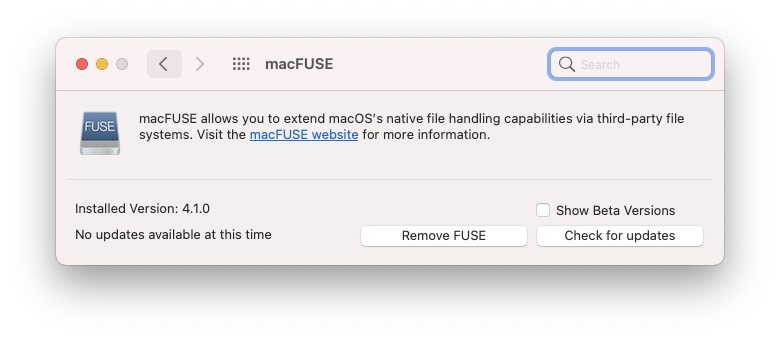
macFUSE 4.1.0
Kernel information (uname -r)
macOS Big Sur 11.2.3
s3fs command line used, if applicable
As above, broken cmd:
It's still broken if I mount on my macbook SSD (but leave the cache on the external SSD):
Working cmd:
Mount-point + cache both on macbook SSD also works:
/etc/fstab entry, if applicable
N/A
@gaul commented on GitHub (Apr 25, 2021):
Could you share the entire "could not link mirror file" error log? This includes the errno which would help diagnose this issue. I can think of two causes:
Also I notice you have gotten s3fs to work with a newer version of MacFUSE. We could use some help in #1632 documenting how to get this to work with newer hardware and versions.
@ryan-williams commented on GitHub (Apr 25, 2021):
Sure, sorry I didn't include the full output previously.
Terminal 1:
Terminal 2:
Resulting
~/s3fs-out.txtIt looks like ExFAT, which I'm guessing doesn't support hard links, as you suggested:
diskutil info /Volumes/T7So I guess that solves the issue, thanks!
I will look into reformatting this drive. I also wonder if
s3fscould work around this if it detects a drive doesn't support hard links?I believe they are in all of my examples (they both go under the root path passed to
-o use_cache, from what I can tell), but that's a good thing to flag.Interesting, yea I had to
brew uninstall osxfuse, and install macFUSE, but other than that I don't think I did anything special. I'm on a 2017 mbp, but I also have an M1 here I can test this on. I'll leave a note on #1632 as well.@gaul commented on GitHub (Apr 25, 2021):
errno 45 on macOS corresponds to
ENOTSUPwhich makes sense that FAT filesystem would return it: https://developer.apple.com/library/archive/documentation/System/Conceptual/ManPages_iPhoneOS/man2/intro.2.html. s3fs 1.87 propagates this asEIObut later versions pass the correct errno to the caller.@ggtakec I am unclear why s3fs must use hard links here? Any ideas?
@ryan-williams commented on GitHub (May 3, 2021):
I've summarized my take-aways in the top comment, and am going to close this, though happy to continue discussing / updating if folks have more to add.
@ggtakec commented on GitHub (Jan 9, 2022):
This issue is closed due to late my reply, but I would like to answer the question.
The reason for using hard links is to open and operate the same file from multiple processes (threads).
For example, Process A opens, writes, and flushes (closes) a file.
And suppose process B removed/renamed it before flushing by process A.
Also, if the C process opens a file with the same original file name after renaming ...etc.
s3fs is a slow device that does HTTP POST over the network. Thus, the above collisions can occur.
s3fs is using a hard link so that if a removing/renaming occurs during an operation (it may be uploading or just opened), the operation can be completed.
This is a preventive measure to prevent the cache file from being removed/renamed, and newly created with the same file name before opening and uploading.