mirror of
https://github.com/clechasseur/pathcopycopy.git
synced 2026-04-25 04:05:55 +03:00
4
Installing
Charles Lechasseur edited this page 2020-07-04 20:39:42 -04:00
Installing Path Copy Copy is easy. First grab the installer for the latest release and launch it. (Note that you need to have administrative access to install Path Copy Copy; per-user installation is not currently supported.)
After accepting the free software license and selecting the installation directory, you will be prompted to choose which commands to enable by default. If you are unsure what to pick, the default choice is usually fine; furthermore, it can be changed later.
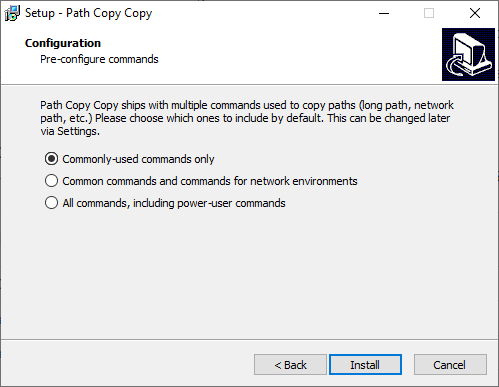
Selecting which commands to enable by default
After choosing commands to enable, simply click the Install button. The installation should only take a couple of seconds.
After installing, you can access Path Copy Copy by right-clicking on any file or folder in the Windows Explorer. Simple!