mirror of
https://github.com/ciur/papermerge.git
synced 2026-04-25 12:05:58 +03:00
[GH-ISSUE #78] Download document with OCRed layer of text. #60
Labels
No labels
2.1
3.0
3.0.1
3.0.2
3.0.3
3.0.3
3.1
3.2
3.2
3.3
3.5
3.x
Fixed. Waiting for feedback.
Fixed. Waiting for feedback.
UX
Version 2.1 - alpha
XSS
announcement
beta
blocker
bug
cannot reproduce
confirmed
confirmed
critical
demo
dependencies
deployment
detchnical debt
discussion
docker
documentation
donations
duplicate
enhancement
feature request
frontend
fundraising
good first issue
good issue
help wanted
high
implemented
important
improvement
incomplete
invalid
investigation
kubernetes
low
low impact
medium
medium
medium impact
migration from 2.0
migration from 2.1
missing-language
missing-ocr-language
no-activity
note
ocr
outofscope
packaging
performance
popular request
pull-request
pypi
question
raspberry pi
roadmap
search
security
setup
status
task
technical debt
updates
user xp
version 1.4.0 - demo
will be implemented
will not be implemented
wontfix
No milestone
No project
No assignees
1 participant

Notifications
Due date
No due date set.
Dependencies
No dependencies set.
Reference
starred/papermerge#60
Loading…
Add table
Add a link
Reference in a new issue
No description provided.
Delete branch "%!s()"
Deleting a branch is permanent. Although the deleted branch may continue to exist for a short time before it actually gets removed, it CANNOT be undone in most cases. Continue?
Originally created by @ciur on GitHub (Aug 19, 2020).
Original GitHub issue: https://github.com/ciur/papermerge/issues/78
Originally assigned to: @ciur on GitHub.
One of the features suggested in this discussion
is ability to download document with OCRed layer of text.
If I think carefully of my workflow - I needed to download many times the documents, and even though OCR text layer was available in document viewer - downloaded PDF version did not contained that text.
I think it makes sense to add make download button as dropdown with 2 versions:
Here is comment where user mentioned this.
@ciur commented on GitHub (Aug 19, 2020):
Great, feature request, Eugen !
@ciur commented on GitHub (Aug 19, 2020):
Sure, Eugen, you are welcome! 👍
I love speaking to myself... 😒
@Quotic commented on GitHub (Aug 19, 2020):
Eugen, I agree with Eugen. That will be great.
@ciur commented on GitHub (Oct 14, 2020):
Feedback from reddit
@ebertland commented on GitHub (Oct 21, 2020):
I would like this to work as part of a backup to cloud strategy as well. When I copy the PDF files to a cloud service, I would like them to be searchable there as well. (My current workaround is to run the scans through ocrmypdf before sending them to papermerge.)
When you implement this feature, please consider providing the same capability through a REST API also, so that I can make a custom backup utility. Thanks!
@CorneliousJD commented on GitHub (Oct 23, 2020):
I would also like this to be implemented.
Right now in order to make this happen I'm also running PDFs through OCRmyPDF-Auto (docker container) to automatically de-skew the pages and embed OCR directly into PDF before importing into Papermerge, that way the raw PDF file on the filesystem retains embedded OCR, AND its hilightable within the webUI of Papermerge as well. Best of both worlds.
Not needing to do this step first would make the process even faster for usres like me and @ebertland
If it's a toggle-able option within Papermerge that would be even better, as some people may not need it, but I think defaulting to ON would be the best.
May even be a good idea to have a button to go back and re-encode the PDFs that already exist within Papermerge so they get OCR data embedded directly into the PDF, that way our existing libraries are already covered as well.
Until then though I will continue to first run PDFs through OCRmyPDF-auto before ingesting into Papermerge.
Thanks for the consideration!
@ciur commented on GitHub (Jun 21, 2021):
Feature is implemented and it is now part of develop branch. Will be released as part of version 2.1 (~ December 2021).
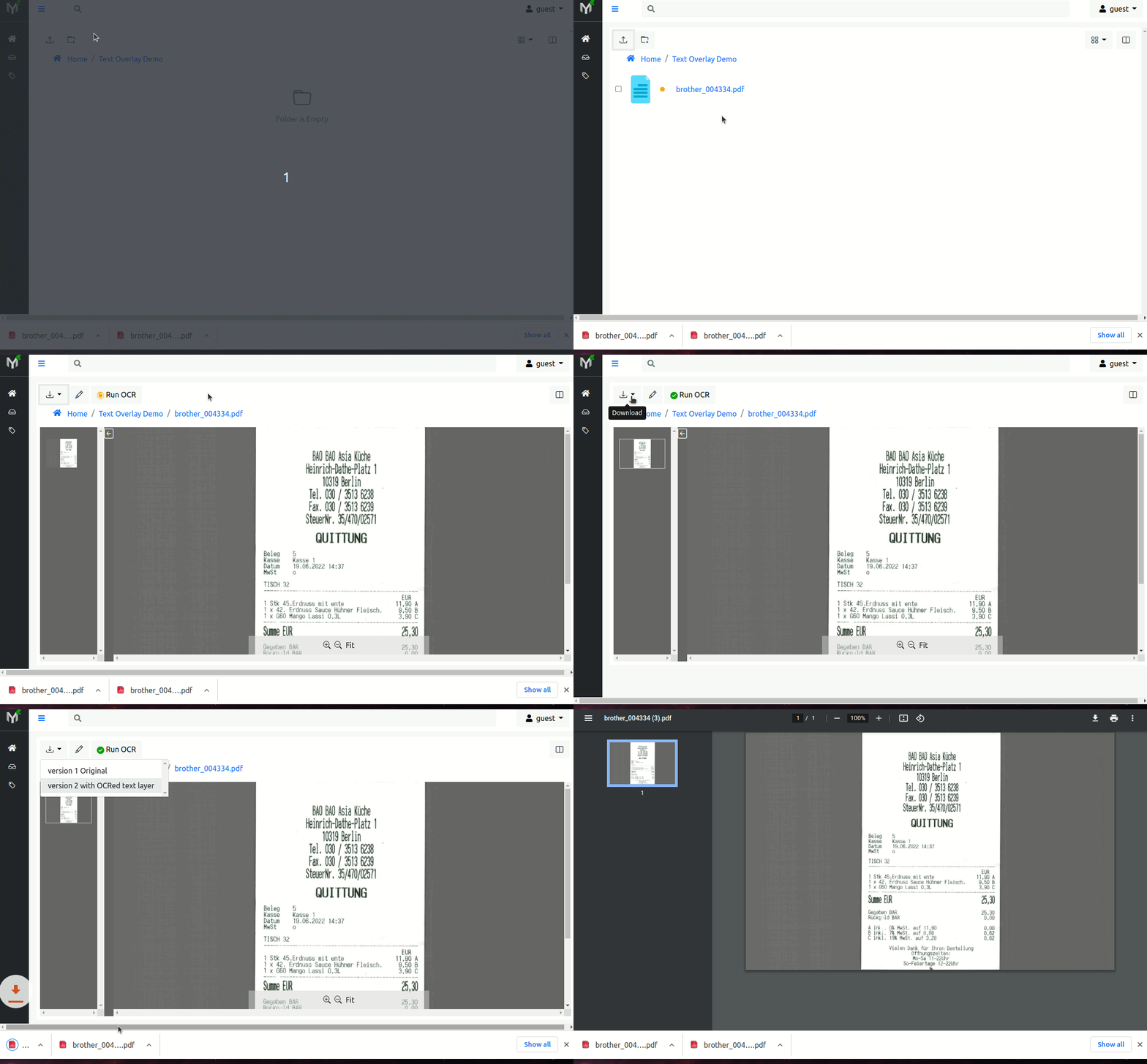
With this feature in place, when user uploads a new document, after OCR process is complete, user can download 2 document versions - so called document version 0 (v0) - original (i.e. exactly same as uploaded) and version 1 (v1) the document with text overlay i.e. fully searchable PDF document.
Text overlay is created using OCRmyPDF .
@ciur commented on GitHub (Jul 31, 2022):
Text overlay feature is implemented and available in 2.1.0a35.
Basically now, after document is uploaded and OCRed, you can download document with text layer!
Beside document with text overlay original version is available to download as well.
Under the hood papermerge uses OCRmyPDF in order to produce a searchable PDF.
Here is a quick demo:
And documentation about text layer