mirror of
https://github.com/ciur/papermerge.git
synced 2026-04-25 12:05:58 +03:00
[GH-ISSUE #432] Printing from the system. #336
Labels
No labels
2.1
3.0
3.0.1
3.0.2
3.0.3
3.0.3
3.1
3.2
3.2
3.3
3.5
3.x
Fixed. Waiting for feedback.
Fixed. Waiting for feedback.
UX
Version 2.1 - alpha
XSS
announcement
beta
blocker
bug
cannot reproduce
confirmed
confirmed
critical
demo
dependencies
deployment
detchnical debt
discussion
docker
documentation
donations
duplicate
enhancement
feature request
frontend
fundraising
good first issue
good issue
help wanted
high
implemented
important
improvement
incomplete
invalid
investigation
kubernetes
low
low impact
medium
medium
medium impact
migration from 2.0
migration from 2.1
missing-language
missing-ocr-language
no-activity
note
ocr
outofscope
packaging
performance
popular request
pull-request
pypi
question
raspberry pi
roadmap
search
security
setup
status
task
technical debt
updates
user xp
version 1.4.0 - demo
will be implemented
will not be implemented
wontfix
No milestone
No project
No assignees
1 participant

Notifications
Due date
No due date set.
Dependencies
No dependencies set.
Reference
starred/papermerge#336
Loading…
Add table
Add a link
Reference in a new issue
No description provided.
Delete branch "%!s()"
Deleting a branch is permanent. Although the deleted branch may continue to exist for a short time before it actually gets removed, it CANNOT be undone in most cases. Continue?
Originally created by @ajarzyn on GitHub (Nov 29, 2021).
Original GitHub issue: https://github.com/ciur/papermerge/issues/432
Originally assigned to: @ciur on GitHub.
I'm not frustrated just thought that it would be a good idea to have possibility to print documents directly from the webUI.
Solution
I'm currently thinking of two features both would be welcome but first is much easier to implement:
Thank you for your time.
When I'll find some time I will try to dig around the subject myself, but currently I have huge TODO list sorry.
@lucasff commented on GitHub (Jan 20, 2022):
The point of the project is to digitally store documents and (potentially) get rid of them physically. Printing via the browser isn't a good enough option, why?
@ajarzyn commented on GitHub (Jan 20, 2022):
You've made an assumption that stored documents are used only in the electronical environment.
Papermarge allows you to store not only copies of the physicall documents, but also electronic pieces.
And it's sometime usefull to print something for yourself.
Regarding printing physical documents:
there are many possible cases that you would need to print you stored documents for.
Don't get me wrong I prefere to send it via e-mail if I can but sometimes it's just no possible.
Regarding printing from application:
Few month ago I found myself in need of printing from within the application/server (thus this issue)
I was outside of the home network
I was able connect to pappermarge thought reverse proxy and dns throught the browser.
Not technical older person was at the house.
I do not remember specifics if I needed to print something for that person, or for a delivery but the thing was that I had to print something for this "not technical" person to fetch it and pass it further.
So basically you need to print document for someone without beeing in the same network.
I do not remember if I solved it back then, but I think I could try to VPN into my home network and connect to the printer, but it's a solution which requires configuration of VPN for every single user there would be using pappermarge.
With printing from papermarge there could be settings for quotas, for access etc. and you would have all the thing you would need in one place.
Instead of:
Login to papermarge -> find document -> download document -> close papermarge -> connect to VPN -> find and open downloaded document (we know how android likes to hide downloads) -> print document
You would get:
Login to papermarge -> find document -> send to printer -> close papermarge
@lucasff commented on GitHub (Feb 21, 2022):
The use case is actually very interesting. But as you see, implementing this functionality would mean implementing a full printing stack on papermerge. And, papermerge by itself would rely on having a printer installed on the network, and shared.
The problem starts here: shared how? Connected via a Windows, Mac, or Linux server daemon? Is this printer online all the time waiting for requests, or sleeps? Are we talking about implementing a client for a CUPS server running somewhere? Different drivers for each printer: infeasible.
What's exactly the "additional information" the browser adds? Headers and footers? This can be turned off.
Papermerge is built using Ember.js on the Frontend, so it would mean that by adding this functionality you need to create an API residing on the server that talks to the printer.
If I'm being honest, it makes much more sense to have a VPN connection and send it directly. It works, and it's reliable, and you can use the mobile OS (Android or iOS, doesn't matter) to print, and even add drivers if needed (more stable).
There's also an alternative, so-called "cloud print services". Each manufacturer has its own (I have a Canon). If you have that setup, like your printer has Wi-Fi and can get something to print via email, for example, it's a good enough solution that doesn't require the VPN.
I hope my answer suits you.
@ajarzyn commented on GitHub (Feb 21, 2022):
Thank you for this descriptive message, actually I never looked into how communication with the printer works I just poped an idea which I though would be cool to have.
I do not think that it should have full printing stack implemented.
How I see it is that a button with the printer appears if you activate option in the menu, you must configure a command which is send bash/bach/http request/socket/signal/script?
Pressing on the button papermarge sends or envoke a command ie. Canon: Linux, Windows.
And that's all.
In my opinion all responsibility for printers configuration shall be moved to the user, and should be based on the server running papermarge, because as you said it's impossible to say how many different configuration there is.
Regarding additional information, you are right you can remove headers but I would like to share with you how Firefox handles printing directly from Papermarge:
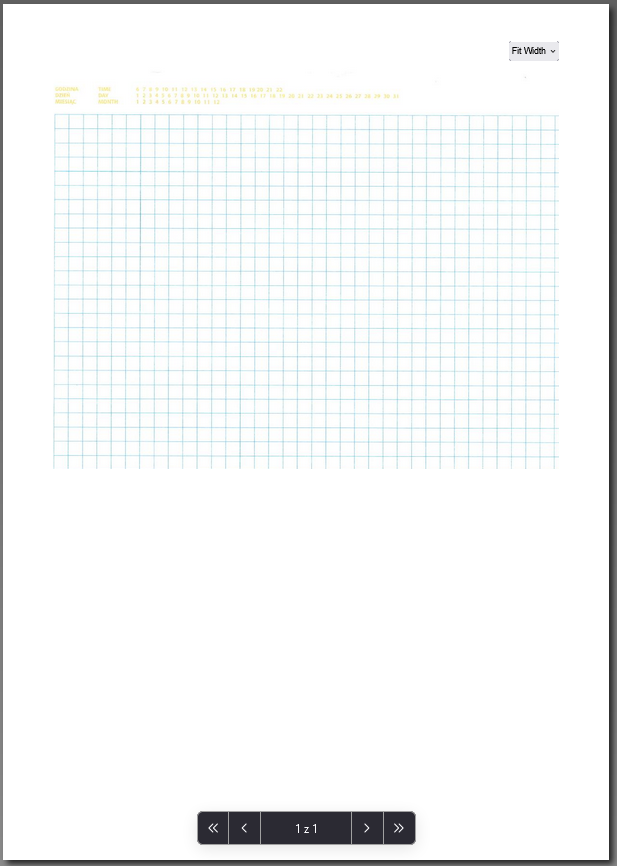
Notice that there is Fit Width drop down menu, and the page is cut in half (as it is visible one the screen).
Maybe just envoking "print view" with all the document would be a good idea?
Still with VPN you need to download the document localy and then send it to the printer.
I do not want to talk about cloud print service, as I have my private cloud to be as far as I can from the commercial solution. e-mail still need document to be downloaded and your documetns are leacked into your e-mail provider.
Sorry for taking so much of your time I just think it can be beneficial to all of the users.
@ciur commented on GitHub (Jul 31, 2022):
Printing is outside the scope.