mirror of
https://github.com/ciur/papermerge.git
synced 2026-04-25 03:55:58 +03:00
[GH-ISSUE #211] How i use pgAdmin4 for database management. #174
Labels
No labels
2.1
3.0
3.0.1
3.0.2
3.0.3
3.0.3
3.1
3.2
3.2
3.3
3.5
3.x
Fixed. Waiting for feedback.
Fixed. Waiting for feedback.
UX
Version 2.1 - alpha
XSS
announcement
beta
blocker
bug
cannot reproduce
confirmed
confirmed
critical
demo
dependencies
deployment
detchnical debt
discussion
docker
documentation
donations
duplicate
enhancement
feature request
frontend
fundraising
good first issue
good issue
help wanted
high
implemented
important
improvement
incomplete
invalid
investigation
kubernetes
low
low impact
medium
medium
medium impact
migration from 2.0
migration from 2.1
missing-language
missing-ocr-language
no-activity
note
ocr
outofscope
packaging
performance
popular request
pull-request
pypi
question
raspberry pi
roadmap
search
security
setup
status
task
technical debt
updates
user xp
version 1.4.0 - demo
will be implemented
will not be implemented
wontfix
No milestone
No project
No assignees
1 participant

Notifications
Due date
No due date set.
Dependencies
No dependencies set.
Reference
starred/papermerge#174
Loading…
Add table
Add a link
Reference in a new issue
No description provided.
Delete branch "%!s()"
Deleting a branch is permanent. Although the deleted branch may continue to exist for a short time before it actually gets removed, it CANNOT be undone in most cases. Continue?
Originally created by @mrtortong on GitHub (Nov 15, 2020).
Original GitHub issue: https://github.com/ciur/papermerge/issues/211
Originally assigned to: @ciur on GitHub.
Hi Ciur
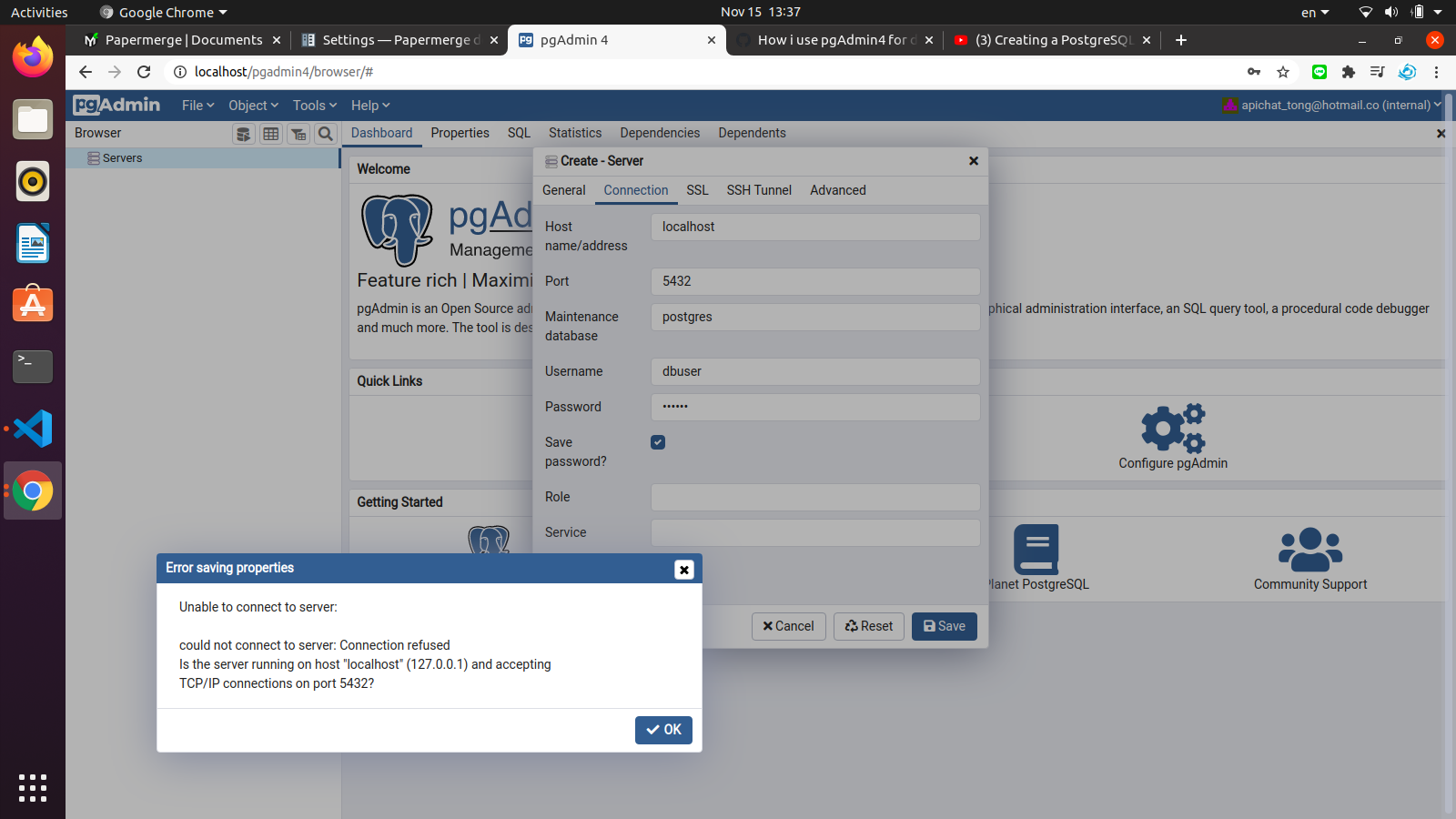
How i use pgAdmin4 for database management? I try but it error. I run by docker-compose for papermerge.
Thank you very much.
Apichat
@ciur commented on GitHub (Nov 15, 2020):
Please use pgAdmin4 specific resource for questions regarding pgAdmin usage.
@mohammed-Emad commented on GitHub (Apr 14, 2021):
It should be added to the Postgres network
In other words, both of them must be within a single network
You can find out which networks have been set up inside the docker by means of the command
sudo docker network lsBut to solve the problem, continue the following stages
First, review the names of the containers
Search for the name for Postgres
like
postgres_dbThen run the following query
sudo docker inspect postgres_dband Find the IP address and the network name. You will find them in the following figure
like that:
and
Next we'll run Pgadmin by merging the network name we found
Note!
1-
dpage/pgadmin4Is the name of my container--Make sure to use your container name along with your mail address and password as well
--
goto pgadmin in browser
set port and ip-address to new server
Good luck🙂