[GH-ISSUE #414] Interface access down since upgrade #349

Closed
opened 2026-02-26 06:32:30 +03:00 by kerem · 4 comments
Owner

Originally created by @Sigri44 on GitHub (May 19, 2020).
Original GitHub issue: https://github.com/NginxProxyManager/nginx-proxy-manager/issues/414

Checklist

  • Have you pulled and found the error with jc21/nginx-proxy-manager:latest docker image? yes
  • Are you sure you're not using someone else's docker image? yes
  • If having problems with Lets Encrypt, have you made absolutely sure your site is accessible from outside of your network? yes

Describe the bug

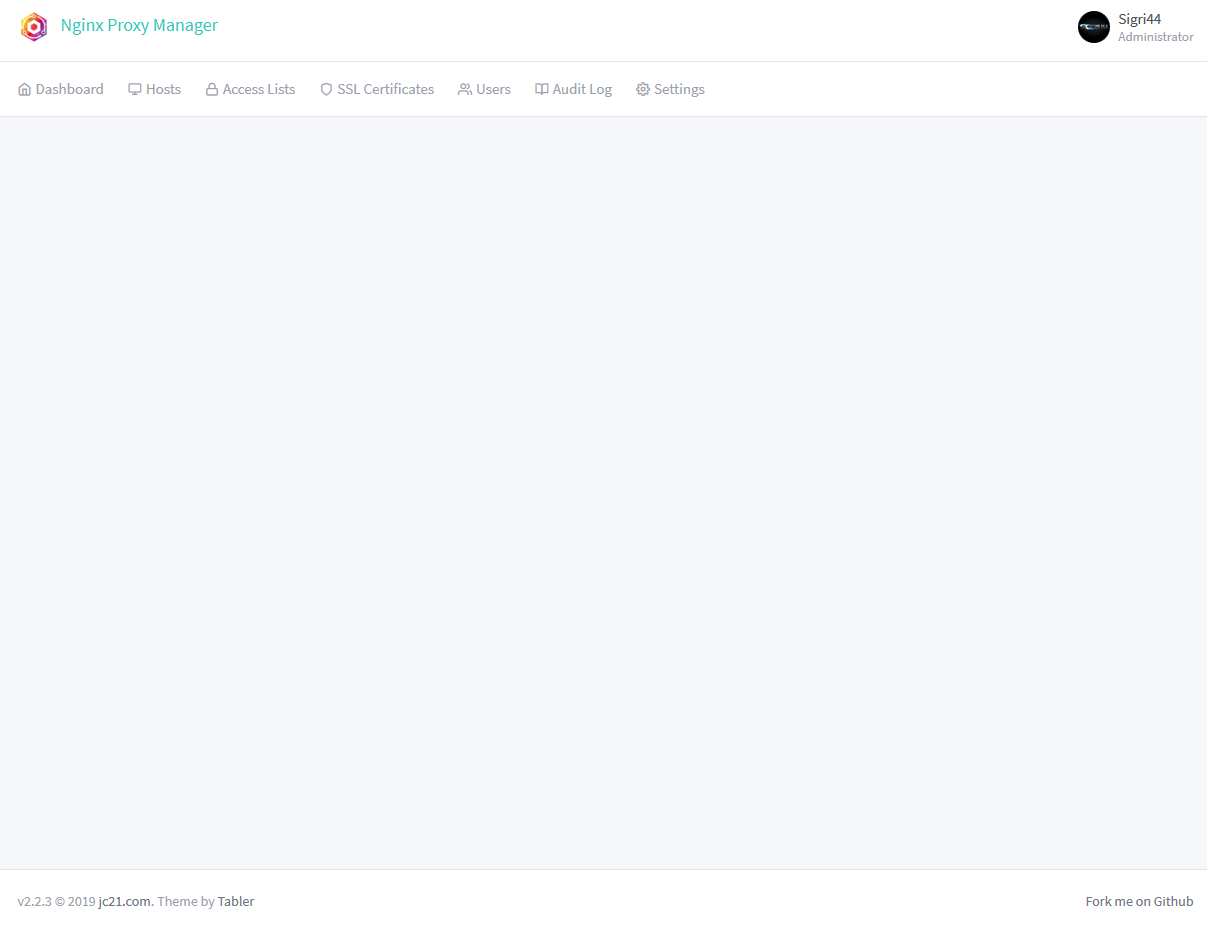
  • Since upgrade docker image since 2.1.2 to 2.2.3, interface have errors
  • What version of Nginx Proxy Manager is reported on the login page? 2.2.3

To Reproduce
Upgrade docker image from 2.1.2 to 2.2.3
Wipe cookies/cache
Log out and Sign in

Expected behavior
Interface have errors

Screenshots
1
2

Operating System

  • Dedicated Server with Debian 10

Additional context
Errors logs :
QueryBuilder#allowEagermethod is deprecated. You should useallowGraphinstead.allowEagermethod will be removed in 3.0QueryBuilder#eagermethod is deprecated. You should use thewithGraphFetchedmethod instead.eagermethod will be removed in 3.0 QueryBuilder#omit is deprecated. This method will be removed in version 3.0

Originally created by @Sigri44 on GitHub (May 19, 2020). Original GitHub issue: https://github.com/NginxProxyManager/nginx-proxy-manager/issues/414 **Checklist** - Have you pulled and found the error with `jc21/nginx-proxy-manager:latest` docker image? yes - Are you sure you're not using someone else's docker image? yes - If having problems with Lets Encrypt, have you made absolutely sure your site is accessible from outside of your network? yes **Describe the bug** - Since upgrade docker image since 2.1.2 to 2.2.3, interface have errors - What version of Nginx Proxy Manager is reported on the login page? 2.2.3 **To Reproduce** Upgrade docker image from 2.1.2 to 2.2.3 Wipe cookies/cache Log out and Sign in **Expected behavior** Interface have errors **Screenshots** ![1](https://user-images.githubusercontent.com/9304947/82361723-87b00900-9a0b-11ea-82eb-95099231f1ce.PNG) ![2](https://user-images.githubusercontent.com/9304947/82361727-88e13600-9a0b-11ea-9ef7-187c8e4627b6.PNG) **Operating System** - Dedicated Server with Debian 10 **Additional context** Errors logs : ` `QueryBuilder#allowEager` method is deprecated. You should use `allowGraph` instead. `allowEager` method will be removed in 3.0 `QueryBuilder#eager` method is deprecated. You should use the `withGraphFetched` method instead. `eager` method will be removed in 3.0 QueryBuilder#omit is deprecated. This method will be removed in version 3.0 `
kerem 2026-02-26 06:32:30 +03:00
Author
Owner

@jc21 commented on GitHub (May 20, 2020):

This is very strange. Can you completely flush your browser cache, or use a different browser to test?

Failing that, can you try using the github-develop docker image tag to see if that has the same problem for you?

<!-- gh-comment-id:631418051 --> @jc21 commented on GitHub (May 20, 2020): This is very strange. Can you completely flush your browser cache, or use a different browser to test? Failing that, can you try using the `github-develop` docker image tag to see if that has the same problem for you?
Author
Owner

@Sigri44 commented on GitHub (May 20, 2020):

This is very strange. Can you completely flush your browser cache, or use a different browser to test?

Failing that, can you try using the github-develop docker image tag to see if that has the same problem for you?

Ok with full cache clear of browser fix the problem.. -_-"

Yesterday i have test to update MariaDB, it was slightly better but some bugs remained when trying to go to "settings" for example.

Thanks for everything and sorry for the inconvenience !

<!-- gh-comment-id:631437018 --> @Sigri44 commented on GitHub (May 20, 2020): > > > This is very strange. Can you completely flush your browser cache, or use a different browser to test? > > Failing that, can you try using the `github-develop` docker image tag to see if that has the same problem for you? Ok with full cache clear of browser fix the problem.. -_-" Yesterday i have test to update MariaDB, it was slightly better but some bugs remained when trying to go to "settings" for example. Thanks for everything and sorry for the inconvenience !
Author
Owner

@Tbones3141 commented on GitHub (Dec 30, 2021):

This is very strange. Can you completely flush your browser cache, or use a different browser to test?

Failing that, can you try using the github-develop docker image tag to see if that has the same problem for you?

JC - I am still having issue with the following, even after flushing cache. I can "login" and it works, but should i not be worried about the deprecated methods below:

s6-svscanctl: fatal: unable to control /var/run/s6/services: supervisor not listening

QueryBuilder#allowEager method is deprecated. You should use allowGraph instead. allowEager method will be removed in 3.0

QueryBuilder#eager method is deprecated. You should use the withGraphFetched method instead. eager method will be removed in 3.0

QueryBuilder#omit is deprecated. This method will be removed in version 3.0

Model#$omit is deprected and will be removed in 3.0.

<!-- gh-comment-id:1003182006 --> @Tbones3141 commented on GitHub (Dec 30, 2021): > This is very strange. Can you completely flush your browser cache, or use a different browser to test? > > Failing that, can you try using the `github-develop` docker image tag to see if that has the same problem for you? JC - I am still having issue with the following, even after flushing cache. I can "login" and it works, but should i not be worried about the deprecated methods below: s6-svscanctl: fatal: unable to control /var/run/s6/services: supervisor not listening `QueryBuilder#allowEager` method is deprecated. You should use `allowGraph` instead. `allowEager` method will be removed in 3.0 `QueryBuilder#eager` method is deprecated. You should use the `withGraphFetched` method instead. `eager` method will be removed in 3.0 QueryBuilder#omit is deprecated. This method will be removed in version 3.0 Model#$omit is deprected and will be removed in 3.0.
Author
Owner

@Tbones3141 commented on GitHub (Jan 3, 2022):

I have a very small, all consuming, issue. I am VERY NEW to most of
docker, linux. I am unable to, after a month of trying...figure out how to
only use Tlsv1.2 and Tlsv1.3. Firefox will not open the proxy_host's. I
have tried adding SSL_Protocols Tls1.2 Tlsv1.3 to the files, but this
doesn't help. I keep seeing all my service containers showing 1.0 and 1.1
so they will not work. Honestly, I have looked everywhere. Could you
direct me? Also, I have no default_host config, is that normal? Thanks in
advance for your consideration.

Best,
Troy Burke

<!-- gh-comment-id:1003878877 --> @Tbones3141 commented on GitHub (Jan 3, 2022): I have a very small, all consuming, issue. I am VERY NEW to most of docker, linux. I am unable to, after a month of trying...figure out how to only use Tlsv1.2 and Tlsv1.3. Firefox will not open the proxy_host's. I have tried adding SSL_Protocols Tls1.2 Tlsv1.3 to the files, but this doesn't help. I keep seeing all my service containers showing 1.0 and 1.1 so they will not work. Honestly, I have looked everywhere. Could you direct me? Also, I have no default_host config, is that normal? Thanks in advance for your consideration. Best, Troy Burke
Sign in to join this conversation.
No milestone
No project
No assignees
1 participant
Notifications
Due date
The due date is invalid or out of range. Please use the format "yyyy-mm-dd".

No due date set.

Dependencies

No dependencies set.

Reference
starred/nginx-proxy-manager-NginxProxyManager#349
No description provided.