mirror of
https://github.com/NginxProxyManager/nginx-proxy-manager.git
synced 2026-04-25 09:25:55 +03:00
[GH-ISSUE #2598] Admin Login Bad Gateway Error after routine restart (Route53 connection?) #1810
Labels
No labels
awaiting feedback
bug
cannot reproduce
dns provider request
duplicate
enhancement
enhancement
enhancement
good first issue
help wanted
invalid
need more info
no certbot plugin available
product-support
pull-request
question
stale
troll
upstream issue
v2
v2
v2
v3
wontfix
No milestone
No project
No assignees
1 participant

Notifications
Due date
No due date set.
Dependencies
No dependencies set.
Reference
starred/nginx-proxy-manager-NginxProxyManager#1810
Loading…
Add table
Add a link
Reference in a new issue
No description provided.
Delete branch "%!s()"
Deleting a branch is permanent. Although the deleted branch may continue to exist for a short time before it actually gets removed, it CANNOT be undone in most cases. Continue?
Originally created by @DerLeole on GitHub (Feb 8, 2023).
Original GitHub issue: https://github.com/NginxProxyManager/nginx-proxy-manager/issues/2598
Checklist
jc21/nginx-proxy-manager:latestdocker image?Describe the bug
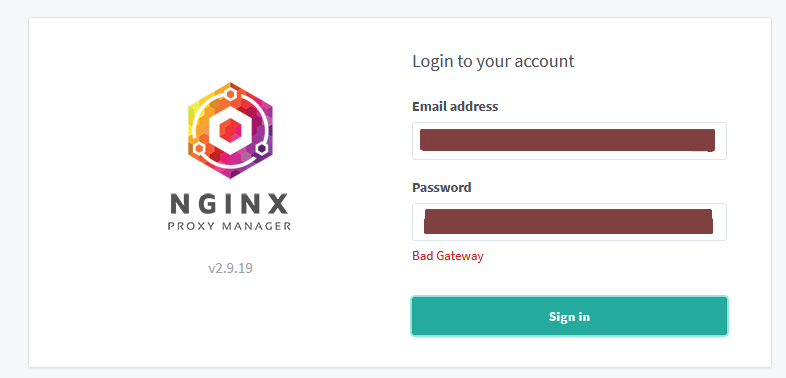
After a routine restart of the docker container for npm I found myself unable to login to the admin page.
The only report I get is a red "Bad Gateway" text under the login field.
The proxying works fine in the background as I would expect it, I just can't login.
Nginx Proxy Manager Version
v2.9.19
To Reproduce
I honestly don't quite know how to reproduce this, as it just happened after a routine restart without any changes.
Expected behavior
Ability to login without problems.
Screenshots
Operating System
Debian 11
Additional context
The only error I can find in my logs.
@DerLeole commented on GitHub (Feb 8, 2023):
I managed to fix the login error, by manually editing the database entries to no longer use DNS Challenges with Route 53.
But the error itself still should be addressed.
@whenthelight commented on GitHub (Feb 23, 2023):
same Error on latest PR from Docker-Hub , fixed it with exec in Container and update with: "pip install certbot-dns-route53"
@franzbischoff commented on GitHub (Feb 24, 2023):
cffi fails to compile the wheel.
this solves:
pip3 install https://www.piwheels.org/simple/cffi/cffi-1.15.1-cp37-cp37m-linux_armv7l.whl#sha256=bf9242179d15bac1bf6d9b03d83d058019b3f6bca8c08ad699de315e5fbfa6d3
@franzbischoff commented on GitHub (Feb 24, 2023):
fixed image. Only Arm7l
https://hub.docker.com/r/franzbischoff/nginx-proxy-manager
@baiyz0825 commented on GitHub (Feb 27, 2023):
thanks this s work for me
@BartAgterbosch commented on GitHub (Apr 15, 2023):
Unfortunately none of the mentioned solutions work for me, this issue happened to me immediately after updating to the latest 2.9.19 version, and none of the above unfortunately seem to work, worst of all, all of the websites it's supposed to redirect have gone down (presumably because of nginx)
Edit: nvm, for some reason the new version either needed specifically a dns server mentioned, or it somehow got wiped when recreating the image, probably the first one.. Problem fixed now
@Ja50n-Kru commented on GitHub (May 6, 2023):
I am now seeing this after update to 2.10 - how can I fix it? When I try to login I get 'bad gateway'.
@conichonhaa commented on GitHub (Oct 3, 2023):
Hi, same problem with 2.10.4 update.
Tried to add config.json and json file path in docker-compose.yml as the documentation said, but same bad gateway result
@github-actions[bot] commented on GitHub (Apr 18, 2024):
Issue is now considered stale. If you want to keep it open, please comment 👍
@github-actions[bot] commented on GitHub (Jun 13, 2025):
Issue was closed due to inactivity.