mirror of
https://github.com/NginxProxyManager/nginx-proxy-manager.git
synced 2026-04-25 17:35:52 +03:00
[GH-ISSUE #2191] Custom Certificate Import not working- Upload Failed:0 #1568
Labels
No labels
awaiting feedback
bug
cannot reproduce
dns provider request
duplicate
enhancement
enhancement
enhancement
good first issue
help wanted
invalid
need more info
no certbot plugin available
product-support
pull-request
question
stale
troll
upstream issue
v2
v2
v2
v3
wontfix
No milestone
No project
No assignees
1 participant

Notifications
Due date
No due date set.
Dependencies
No dependencies set.
Reference
starred/nginx-proxy-manager-NginxProxyManager#1568
Loading…
Add table
Add a link
Reference in a new issue
No description provided.
Delete branch "%!s()"
Deleting a branch is permanent. Although the deleted branch may continue to exist for a short time before it actually gets removed, it CANNOT be undone in most cases. Continue?
Originally created by @ghostersk on GitHub (Aug 7, 2022).
Original GitHub issue: https://github.com/NginxProxyManager/nginx-proxy-manager/issues/2191
EDIT:
The issue was not in docker, but it could not read the certificates, as it was created with sudo... I do not understand why it could not read those files when I could read them without sudo as normal user
I just installed NPM and try to add my self signed certs. I tried multiple generating methods but none of them works. It is latest Docker installation.
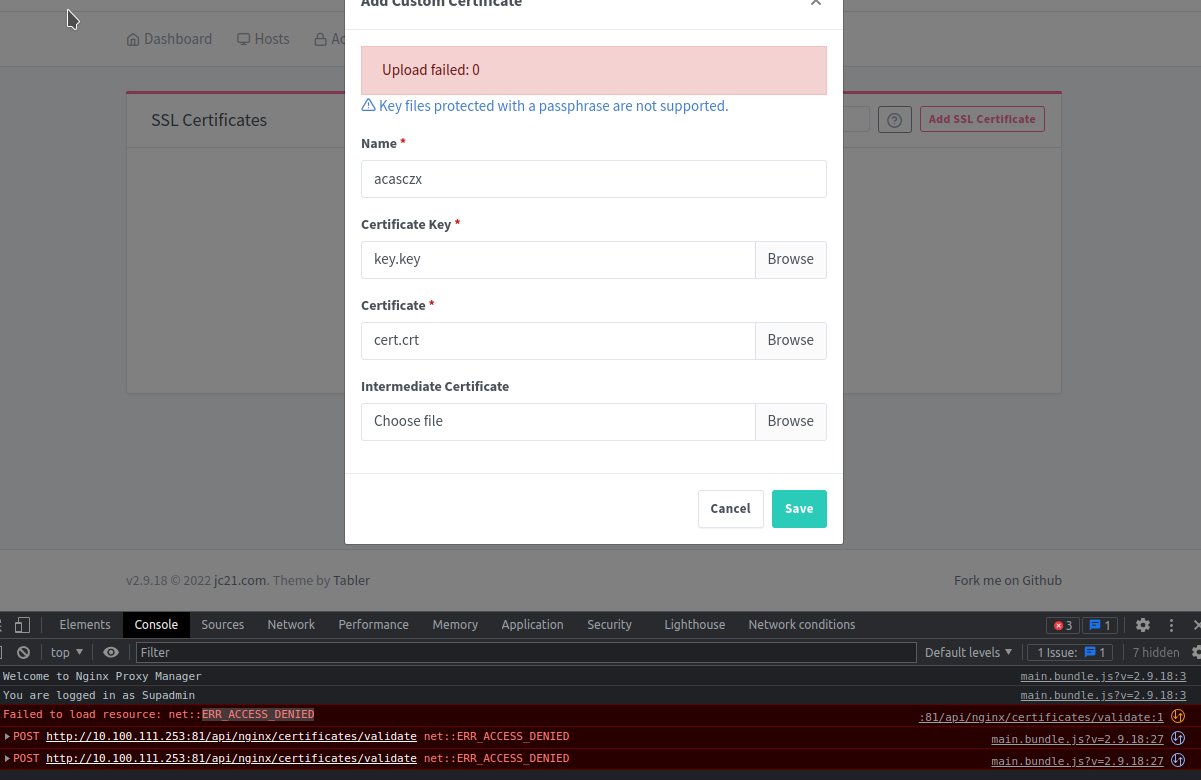
I tried to generate Certificates with CA and import cert-key.pem as key and cert.pem as certificate:
Also I just tried to generate simple certificate but still same issue:
No posts here given me any solution. I believe it was said that this is already solved in all of them.
I have suspicion that it cannot upload those certificates, but i cannot find any reason why as there is no error in NPM logs
I tried to run it from localhost:81, 127.0.0.1:81 and from the docker image ip too
@rezzorix commented on GitHub (Aug 8, 2022):
Looks like the container has no permissions to upload/write into the folders...
With what user have you started the container? sudo by any chance?
@ghostersk commented on GitHub (Aug 8, 2022):
I do not remember. when i look for the permissions in the docker all belongs to root.
I run docker without sudo as it is set up to run without. I store folders in /opt and those folders require sudo for me.
But I can write inside of the container to those volumes.
Can you let me know what folder, path should I check if is writable or what user it shoul have?
This is list of users in the container:
@rezzorix commented on GitHub (Aug 9, 2022):
Hmm I also see that you set
ports: - '127.0.0.1:80:80' - '127.0.0.1:81:81' - '127.0.0.1:443:443'Which I believe is not correct... set it to
ports: - '80:80' - '81:81' - '443:443'Then try again.
@ghostersk commented on GitHub (Aug 10, 2022):
I just installed it on VM with Debian 11 and same error...