mirror of
https://github.com/netbootxyz/netboot.xyz.git
synced 2026-04-25 23:25:54 +03:00
[GH-ISSUE #1128] the Ubuntu 22.04 installer misbehaves on <3GB RAM #306
Labels
No labels
Hacktoberfest
Hacktoberfest
bootloader
bsd
bug
confirmed
documentation
duplicate
enhancement
enhancement
enhancement
eol
experimental-merged
freebsd
help wanted
invalid
investigate
ipxe
linux
live-os
memdisk
menu
no-issue-activity
no-issue-activity
pull-request
released
todo
upstream
windows
windows
work-in-progress
No milestone
No project
No assignees
1 participant

Notifications
Due date
No due date set.
Dependencies
No dependencies set.
Reference
starred/netboot.xyz#306
Loading…
Add table
Add a link
Reference in a new issue
No description provided.
Delete branch "%!s()"
Deleting a branch is permanent. Although the deleted branch may continue to exist for a short time before it actually gets removed, it CANNOT be undone in most cases. Continue?
Originally created by @divinity76 on GitHub (Jun 16, 2022).
Original GitHub issue: https://github.com/netbootxyz/netboot.xyz/issues/1128
Describe the bug
depending on available RAM, the Ubuntu 22.04 installer will:
1GB: crash with "IO error on /dev/loop2" -errors
2GB: Hang indefinitely? screenshot below
3GB: install fine.
To Reproduce
try to install Ubuntu 22.04 on 1GB/2GB RAM
Expected behavior
.. not sure, ideally some kind of error, or at least a very large warning, saying "netboot install of ubuntu 22.04 won't work on <3GB ram"
Screenshots
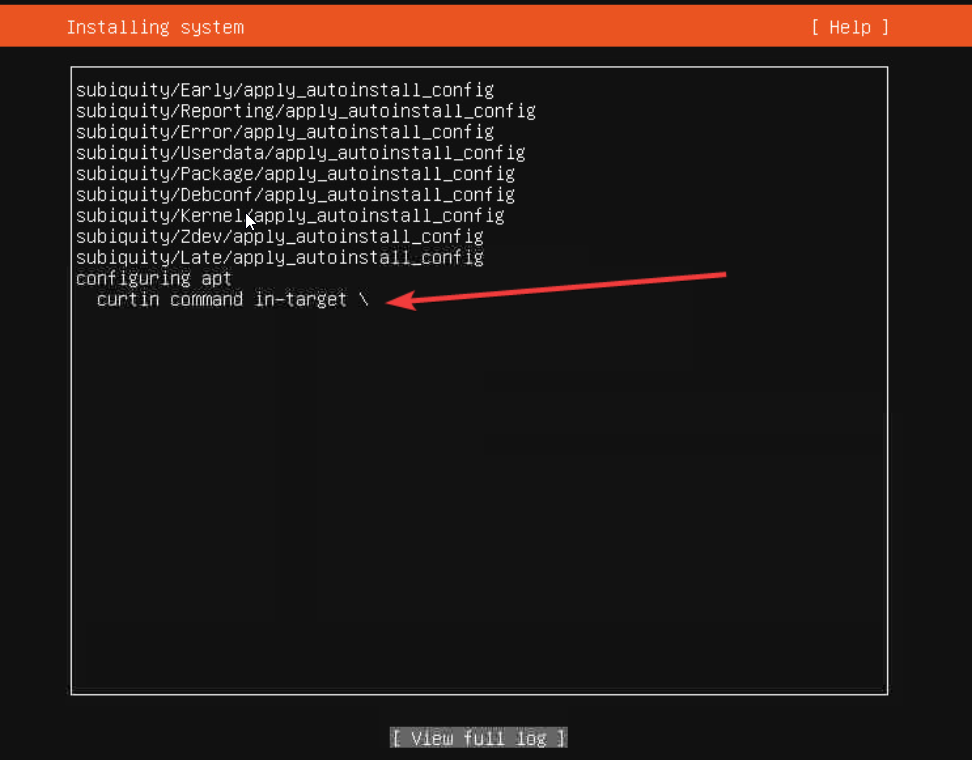
i don't have a screenshot of 1GB RAM crashes, but i have a screenshot of the 2GB RAM hang:
(on 3GB ram it works fine, neither hangs nor crashes)
Additional context
@antonym commented on GitHub (Jun 17, 2022):
Generally more RAM is better... the kernel is having to download the ISO and mount it in RAM so 3-4GB or more is usually recommended. The older legacy installer kernels did not require as much RAM as packages were just streamed over the network.
@divinity76 commented on GitHub (Jun 21, 2022):
@antonym yeah but it took me hours to figure out "oh the problem is not enough RAM". Would be nice if netboot gave some kind of warning "ey this sytem doesn't have enough RAM to use the Ubiquity installer, are you sure you want to boot this installer anyway?" - before it cost another person hours to come to the same conclusion
@antonym commented on GitHub (Jun 23, 2022):
System requirements added to the docs: https://netboot.xyz/docs/quick-start#system-requirements