mirror of
https://github.com/midoks/mdserver-mac.git
synced 2026-04-27 03:05:53 +03:00
启动与停止
- 在界面上,点击开启或启动即可使用。
启动时,会默认启动openresty、php55。
停止时。会停止openresty,不会停止php,需要自己手动点击菜单管理。
PHP扩展管理
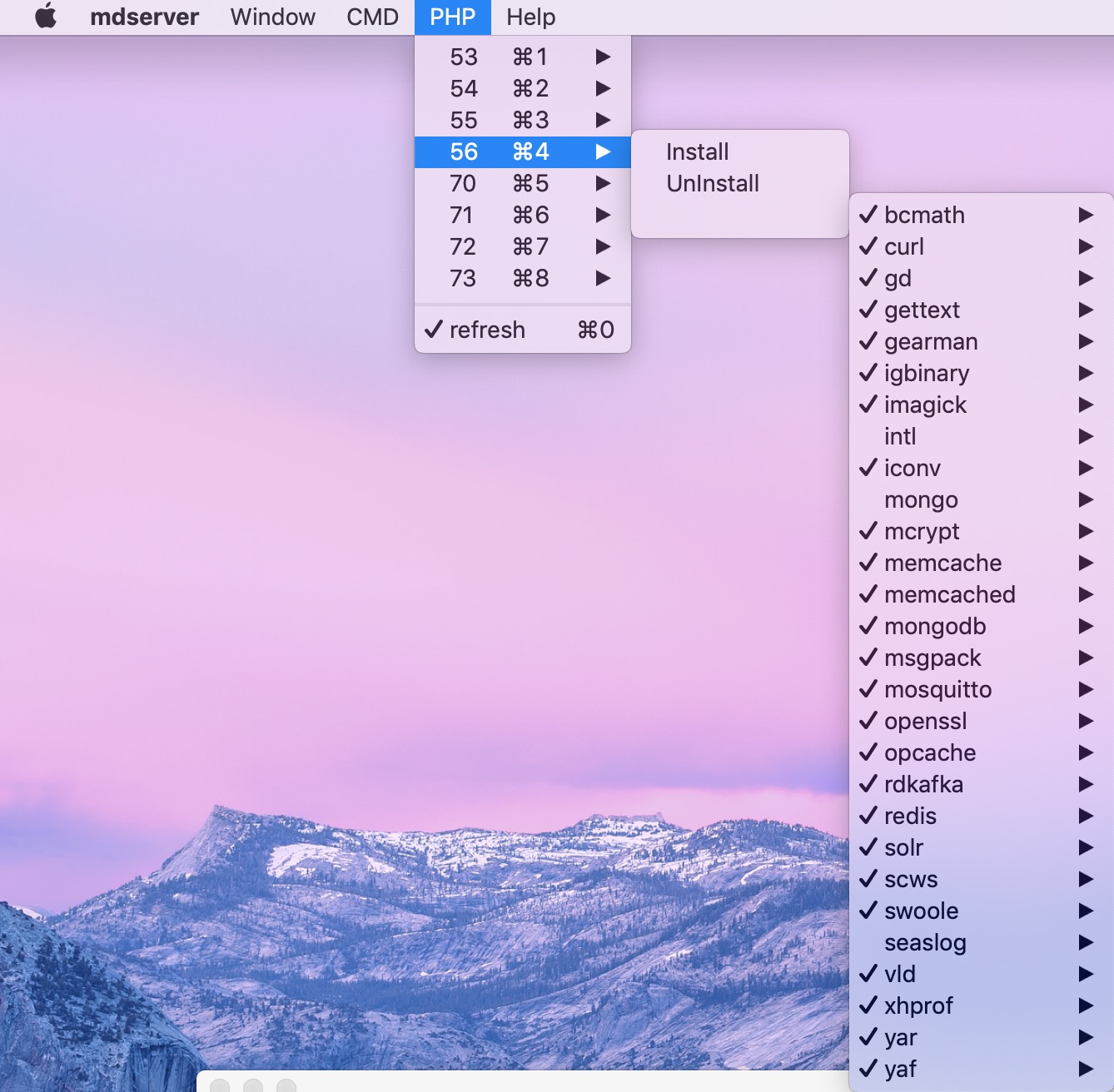
在新版本中,我把所有的安装过程文件都存放的在install文件中。在实际使用过程中,可方便修改。PHP扩展的管理也在相应的文件中。
- 点击PHP相应的版本就是开启或停止PHP-FPM。
- 点击PHP菜单下的install和uninstall,会调用相应的安装和卸载脚本。【卸载脚本没有写任何程序】
- 在安装PHP扩展之前,要下载相应的源码,点击安装即可下载。
- 在PHP菜单下Extends下的扩展。也是如此。也有相应的安装和卸载功能。
- 2.x之前采用端口监听,3.0版本改用socket文件,在/tmp文件下。如:/tmp/php55-cgi.sock
PHP扩展编译
- 安装brew
/usr/bin/ruby -e "$(curl -fsSL https://raw.githubusercontent.com/Homebrew/install/master/install)"
- 安装wget
brew install wget
- 下载PHP源码 -> 点击PHP相应版本的Install即可。
- 可以重新安装现有的PHP扩展。也可以创建新的扩展。如:
/Applications/mdserver/bin/reinstall/php70/intl
含有:
install.sh
uninstall.sh
load.sh
unload.sh
等脚本文件。
CMD管理
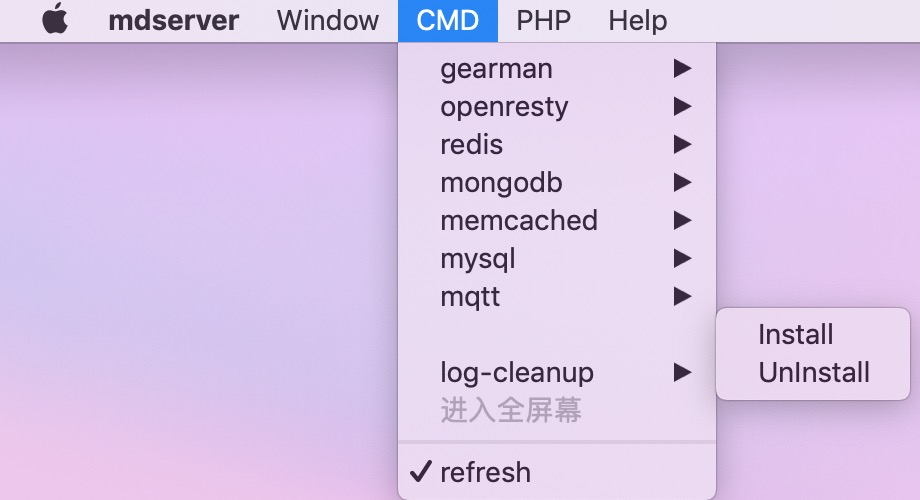
上面是一些组件的安装和卸载。