mirror of
https://github.com/koel/koel.git
synced 2026-04-25 08:46:00 +03:00
[GH-ISSUE #1227] php artisan koel:init was failed #701
Labels
No labels
Authentication
Dependencies
Documentation
Feature Request
Flac
Help Wanted
Installation/Setup
Integration
Mobile
PR Welcome
Pending Release
Performance
Playlist
S3
Search
Sync
[Pri] Low
[Pri] Normal
[Status] Keep Open
[Status] Needs Author Reply
[Status] Needs Review
[Status] Stale
[Status] Will Implement
[Type] Blessed
[Type] Bug
[Type] Duplicate
[Type] Enhancement
[Type] Help Request
[Type] Question
[Type] Task
pull-request
No milestone
No project
No assignees
1 participant

Notifications
Due date
No due date set.
Dependencies
No dependencies set.
Reference
starred/koel-koel#701
Loading…
Add table
Add a link
Reference in a new issue
No description provided.
Delete branch "%!s()"
Deleting a branch is permanent. Although the deleted branch may continue to exist for a short time before it actually gets removed, it CANNOT be undone in most cases. Continue?
Originally created by @justinushermawan on GitHub (May 21, 2020).
Original GitHub issue: https://github.com/koel/koel/issues/1227
Describe the bug
Im trying to setup
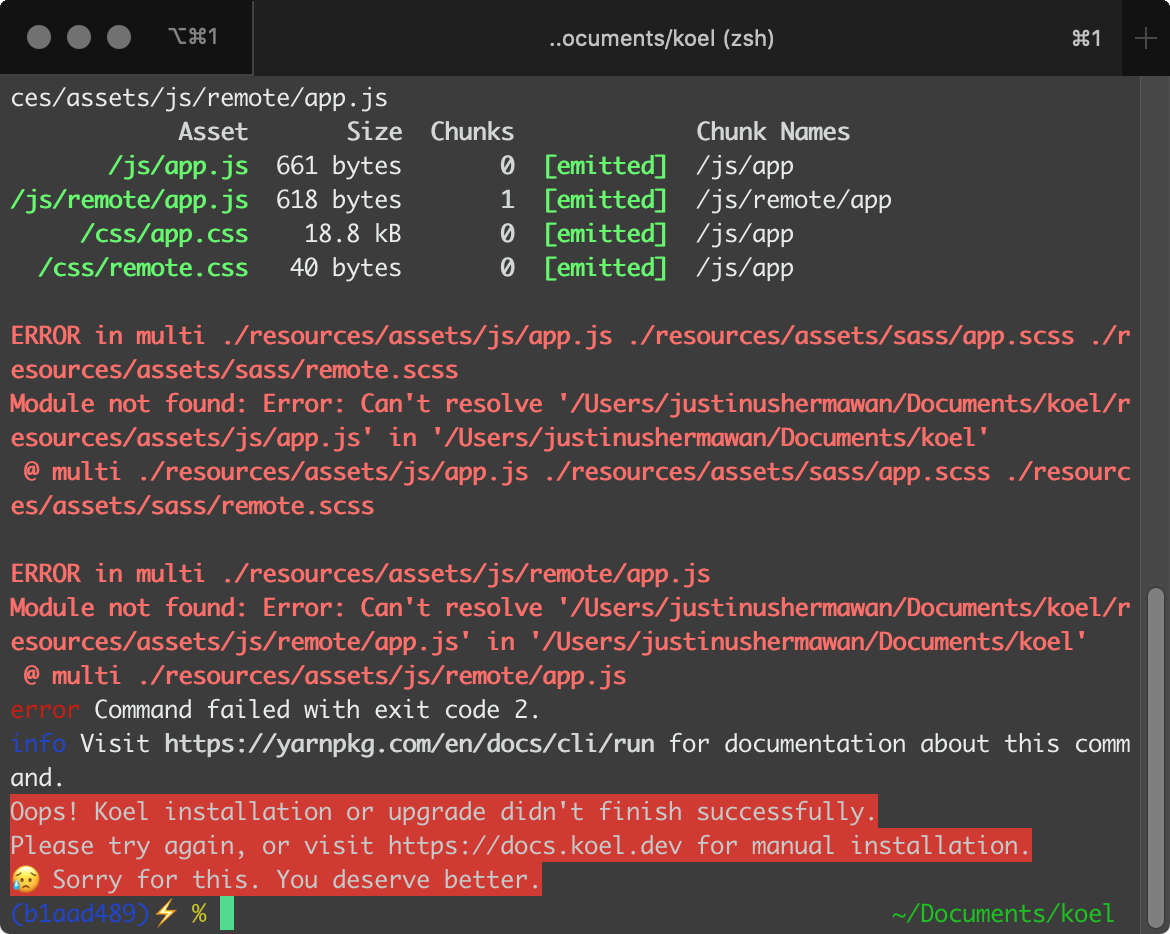
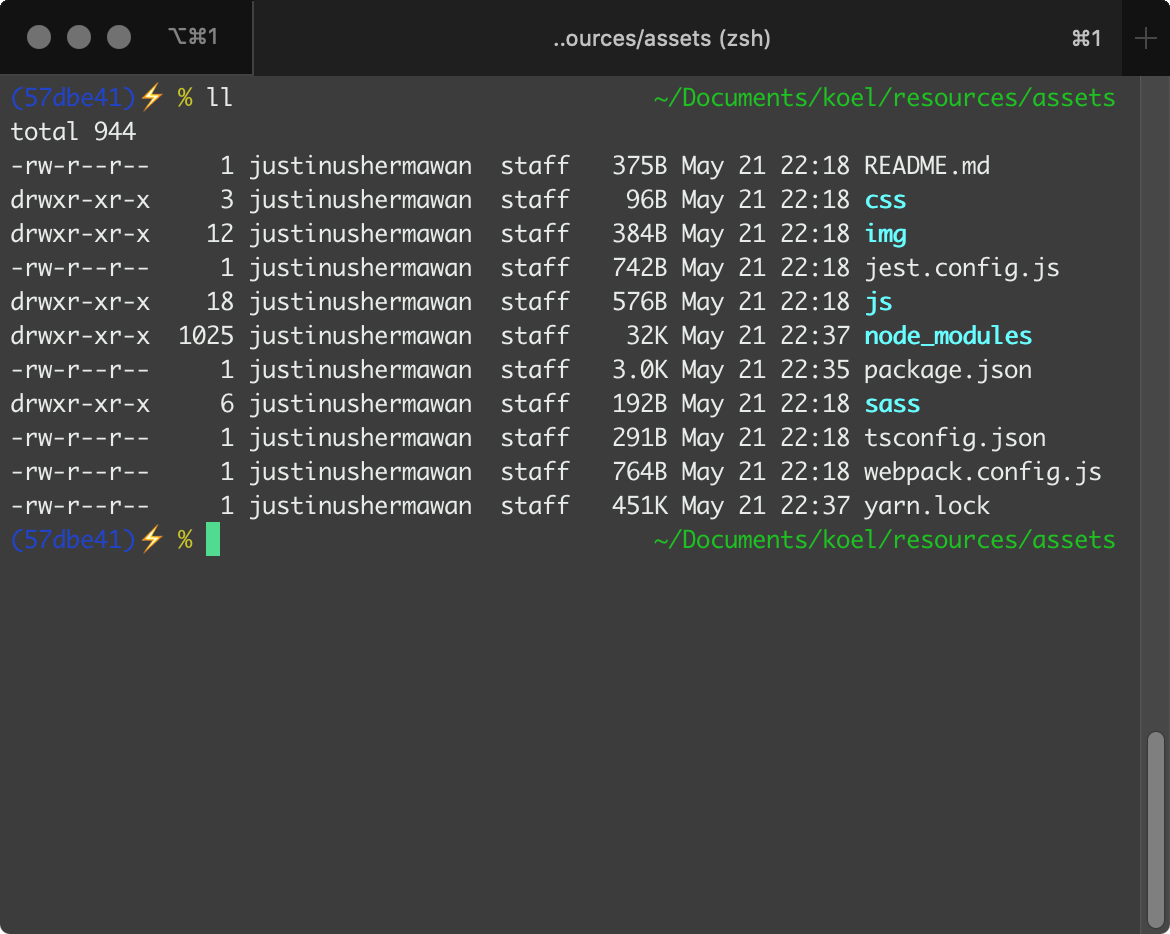
koelin my local, but unfortunately when running the last step which isphp artisan koel:init, it throws a compiling assets stuff error. It says theresources/assets/js/app.js, ...files were not found, and when I looked up into theresources/assets/jsdirectory, there were only.tsfiles, no.jsfiles were found.Screenshots
Environment
@BrookeDot commented on GitHub (May 21, 2020):
Can you list the commands that you ran?
What do you get for
yarn install? and what version of Yarn?@justinushermawan commented on GitHub (May 22, 2020):
Output for
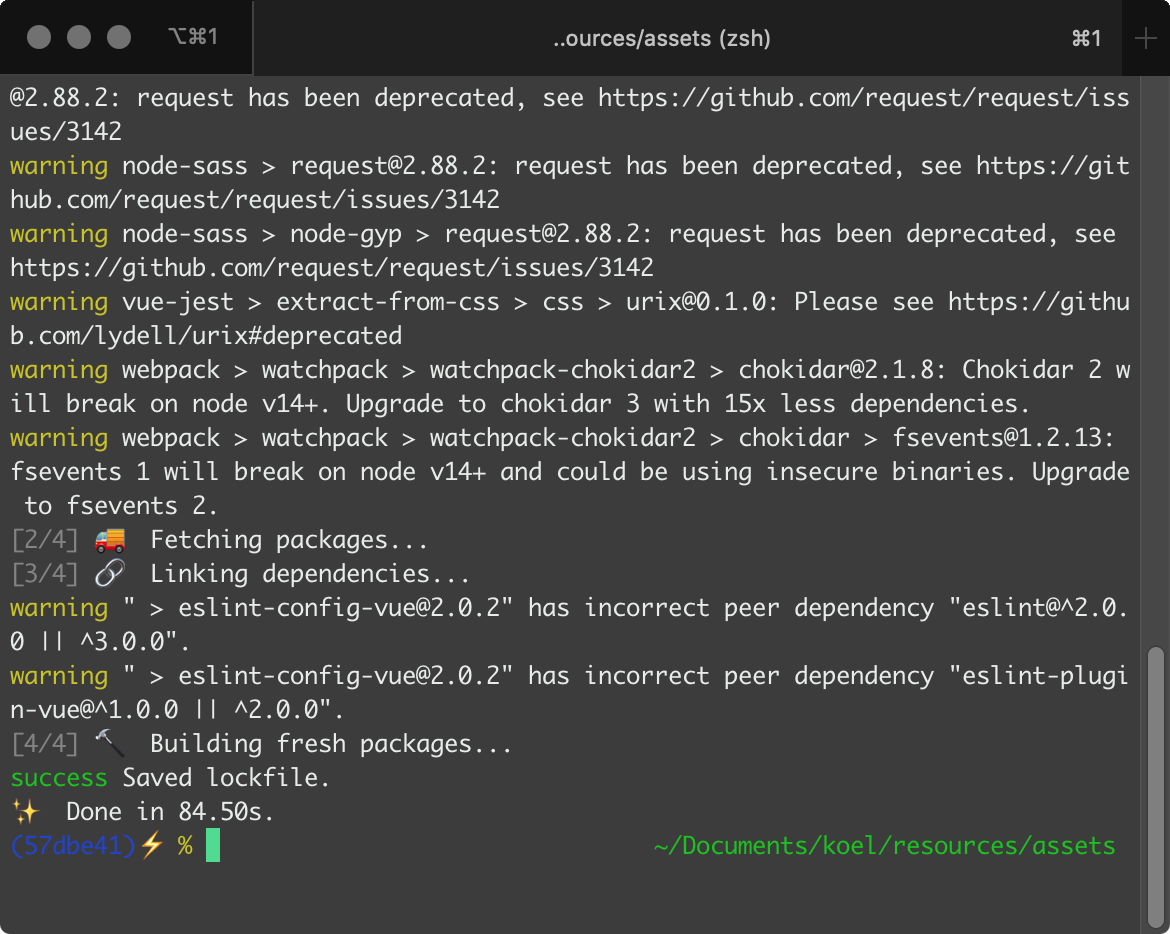
yarn install:Yarn version: 1.22.4
Is there a problem with
laravel-mix?@phanan commented on GitHub (May 24, 2020):
There's not
.tsfile in v4.3.1. It looks like somehow yourresources/assetsversion is latest (which has TS).@justinushermawan commented on GitHub (May 24, 2020):
Eventually, I can make it run successfully by cloning the
masterbranch instead and use the latestNodeversion which is14.3.0and after finishing the front-end stuff build, I had to runkey:generateandkoel:jwtcommands manually to make it run with no error.@BCCC0 commented on GitHub (May 25, 2020):
I ran into the same problem. I solve it by running
git submodule update --init --recursiveimmediately aftergit checkout v4.3.1, which is suggested in the release page. I guess that a little modification is needed on the installation manual.@r41v3n commented on GitHub (Jun 3, 2020):
Hey @justinushermawan
I have the exact same problem here :( did you solve it??
If you solved it please just let me know.
@justinushermawan commented on GitHub (Jun 3, 2020):
Yes, I did. I cloned the master branch instead, and it works successfully.
@r41v3n commented on GitHub (Jun 3, 2020):
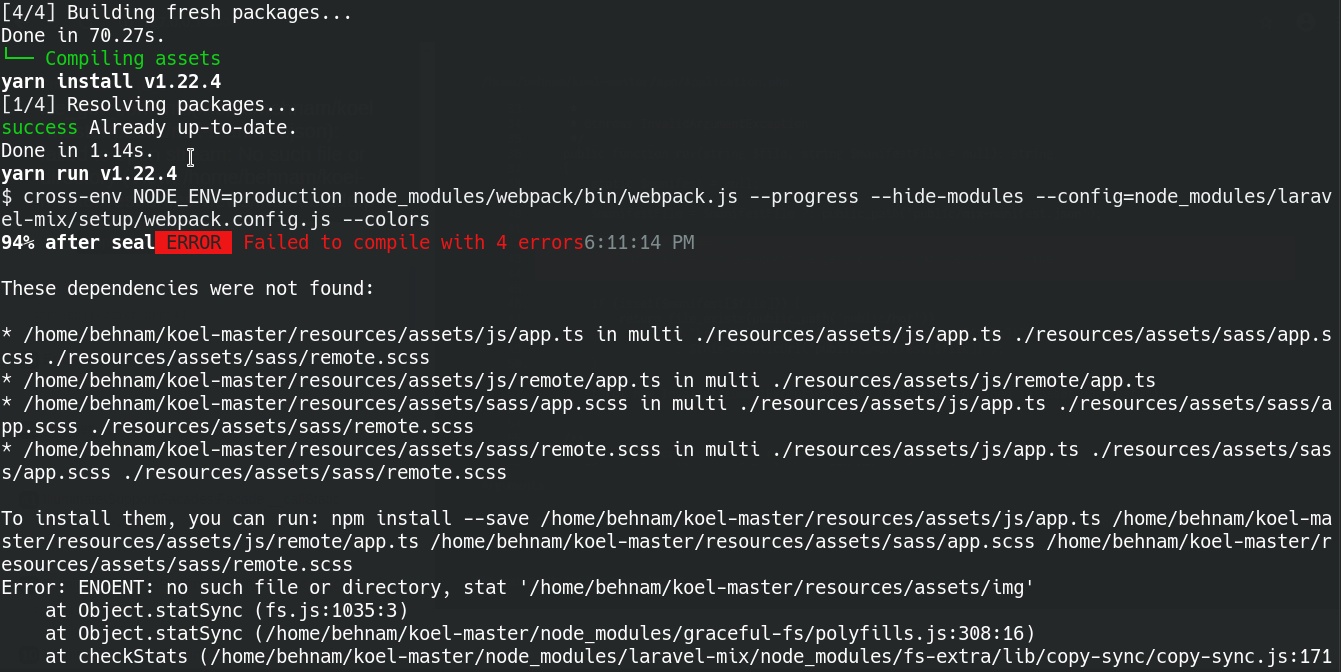
I did what you said, but now instead of 2 errors i have 4 errors.
I did clone from master and then run
composer installand after that i ranphp artisan koel:initAfter running
php artisan koel:initi got this output ==>>.
.
.
Now to front-end stuff
├── Installing Node modules in resources/assets directory
yarn install v1.22.4
[1/4] Resolving packages...
[2/4] Fetching packages...
info fsevents@1.2.9: The platform "linux" is incompatible with this module.
info "fsevents@1.2.9" is an optional dependency and failed compatibility check. Excluding it from installation.
info fsevents@2.1.3: The platform "linux" is incompatible with this module.
info "fsevents@2.1.3" is an optional dependency and failed compatibility check. Excluding it from installation.
[3/4] Linking dependencies...
[4/4] Building fresh packages...
Done in 70.27s.
└── Compiling assets
yarn install v1.22.4
[1/4] Resolving packages...
success Already up-to-date.
Done in 1.14s.
yarn run v1.22.4
$ cross-env NODE_ENV=production node_modules/webpack/bin/webpack.js --progress --hide-modules --config=node_modules/laravel-mix/setup/webpack.config.js --colors
94% after seal ERROR Failed to compile with 4 errors 6:11:14 PM
These dependencies were not found:
To install them, you can run: npm install --save /home/behnam/koel-master/resources/assets/js/app.ts /home/behnam/koel-master/resources/assets/js/remote/app.ts /home/behnam/koel-master/resources/assets/sass/app.scss /home/behnam/koel-master/resources/assets/sass/remote.scss
Error: ENOENT: no such file or directory, stat '/home/behnam/koel-master/resources/assets/img'
at Object.statSync (fs.js:1035:3)
at Object.statSync (/home/behnam/koel-master/node_modules/graceful-fs/polyfills.js:308:16)
at checkStats (/home/behnam/koel-master/node_modules/laravel-mix/node_modules/fs-extra/lib/copy-sync/copy-sync.js:171:22)
at checkPaths (/home/behnam/koel-master/node_modules/laravel-mix/node_modules/fs-extra/lib/copy-sync/copy-sync.js:183:31)
at Object.copySync (/home/behnam/koel-master/node_modules/laravel-mix/node_modules/fs-extra/lib/copy-sync/copy-sync.js:25:20)
at File.copyTo (/home/behnam/koel-master/node_modules/laravel-mix/src/File.js:191:12)
at FileCollection.copyTo (/home/behnam/koel-master/node_modules/laravel-mix/src/FileCollection.js:83:24)
at /home/behnam/koel-master/node_modules/laravel-mix/src/FileCollection.js:77:38
at Array.forEach ()
at FileCollection.copyTo (/home/behnam/koel-master/node_modules/laravel-mix/src/FileCollection.js:77:17)
at CopyFilesTask.run (/home/behnam/koel-master/node_modules/laravel-mix/src/tasks/CopyFilesTask.js:15:20)
at CustomTasksPlugin.runTask (/home/behnam/koel-master/node_modules/laravel-mix/src/webpackPlugins/CustomTasksPlugin.js:36:14)
at /home/behnam/koel-master/node_modules/laravel-mix/src/webpackPlugins/CustomTasksPlugin.js:12:44
at Array.forEach ()
at /home/behnam/koel-master/node_modules/laravel-mix/src/webpackPlugins/CustomTasksPlugin.js:12:23
at AsyncSeriesHook.eval [as callAsync] (eval at create (/home/behnam/koel-master/node_modules/tapable/lib/HookCodeFactory.js:33:10), :18:1)
at AsyncSeriesHook.lazyCompileHook (/home/behnam/koel-master/node_modules/tapable/lib/Hook.js:154:20)
at onCompiled (/home/behnam/koel-master/node_modules/webpack/lib/Compiler.js:271:21)
at /home/behnam/koel-master/node_modules/webpack/lib/Compiler.js:681:15
at AsyncSeriesHook.eval [as callAsync] (eval at create (/home/behnam/koel-master/node_modules/tapable/lib/HookCodeFactory.js:33:10), :6:1)
at AsyncSeriesHook.lazyCompileHook (/home/behnam/koel-master/node_modules/tapable/lib/Hook.js:154:20)
at /home/behnam/koel-master/node_modules/webpack/lib/Compiler.js:678:31
at AsyncSeriesHook.eval [as callAsync] (eval at create (/home/behnam/koel-master/node_modules/tapable/lib/HookCodeFactory.js:33:10), :9:1)
at AsyncSeriesHook.lazyCompileHook (/home/behnam/koel-master/node_modules/tapable/lib/Hook.js:154:20)
at /home/behnam/koel-master/node_modules/webpack/lib/Compilation.js:1423:35
at AsyncSeriesHook.eval [as callAsync] (eval at create (/home/behnam/koel-master/node_modules/tapable/lib/HookCodeFactory.js:33:10), :9:1)
at AsyncSeriesHook.lazyCompileHook (/home/behnam/koel-master/node_modules/tapable/lib/Hook.js:154:20)
at /home/behnam/koel-master/node_modules/webpack/lib/Compilation.js:1414:32
at eval (eval at create (/home/behnam/koel-master/node_modules/tapable/lib/HookCodeFactory.js:33:10), :19:1)
at processTicksAndRejections (internal/process/task_queues.js:97:5)
error Command failed with exit code 1.
info Visit https://yarnpkg.com/en/docs/cli/run for documentation about this command.
Oops! Koel installation or upgrade didn't finish successfully.
Please try again, or visit https://docs.koel.dev for manual installation.
😥 Sorry for this. You deserve better.
Screenshot
That was the output please help me if you know why i'm getting this :( Please
@justinushermawan commented on GitHub (Jun 3, 2020):
You need
--recursiveparam when cloning the repo, retry the cloning process with this command:git clone --recursive https://github.com/koel/koel.git .@r41v3n commented on GitHub (Jun 3, 2020):
Thank you :))) Finally after 2 days of trying i'm accually using it.
@justinushermawan commented on GitHub (Jun 3, 2020):
You're welcome, glad to help you.