[GH-ISSUE #1601] Support importing Postman Environments #504

Closed
opened 2026-03-16 15:43:00 +03:00 by kerem · 13 comments
Owner

Originally created by @kiriti999 on GitHub (Apr 14, 2021).
Original GitHub issue: https://github.com/hoppscotch/hoppscotch/issues/1601

Describe the bug
Unable to import or delete environment json variables properly from postman

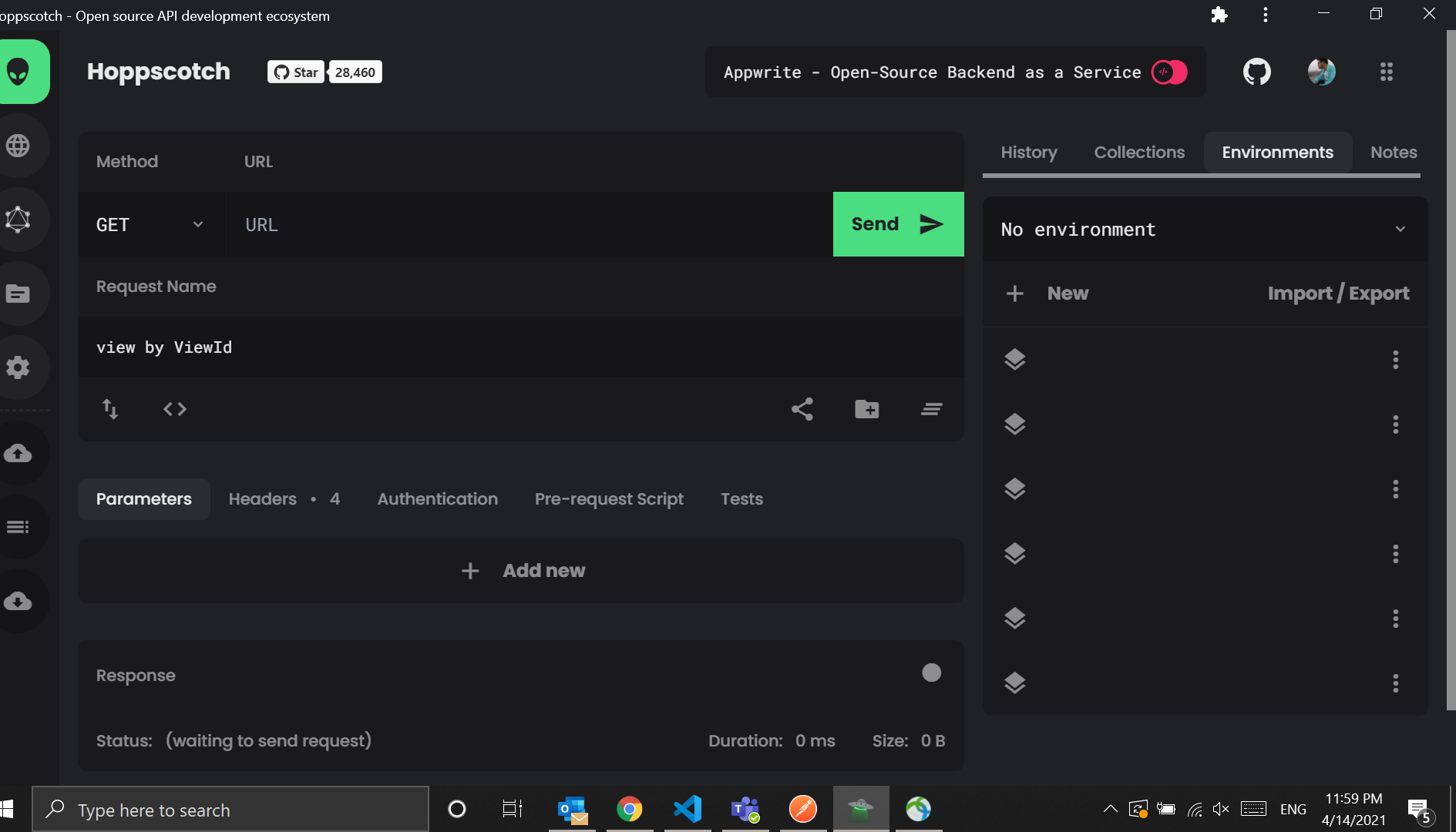
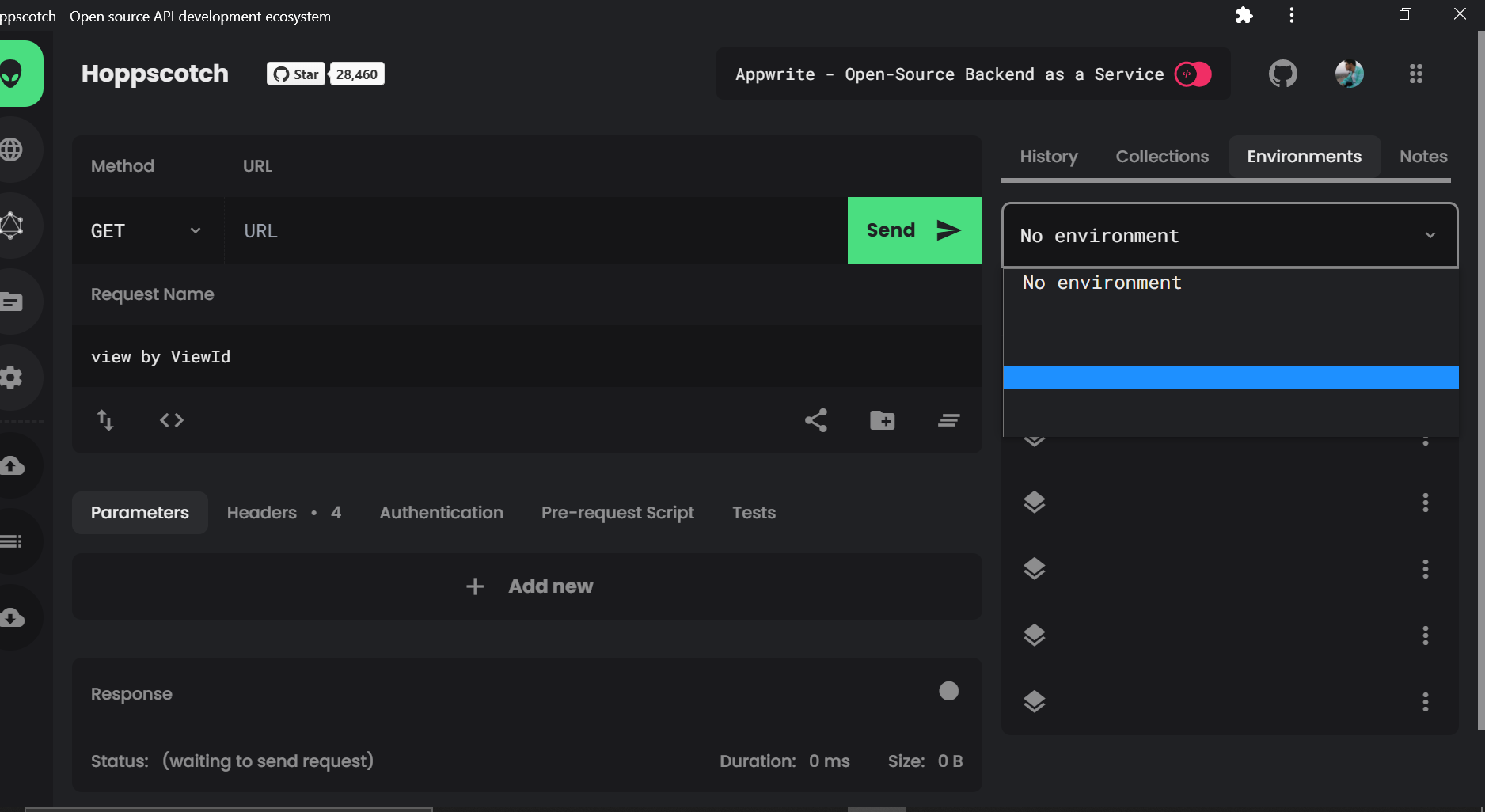
The imported env variables has blank labels and not able to delete them

To Reproduce
Steps to reproduce the behavior:

  1. Go to environments
  2. Click on imports and import a json
  3. Imported variables doesn't have labels
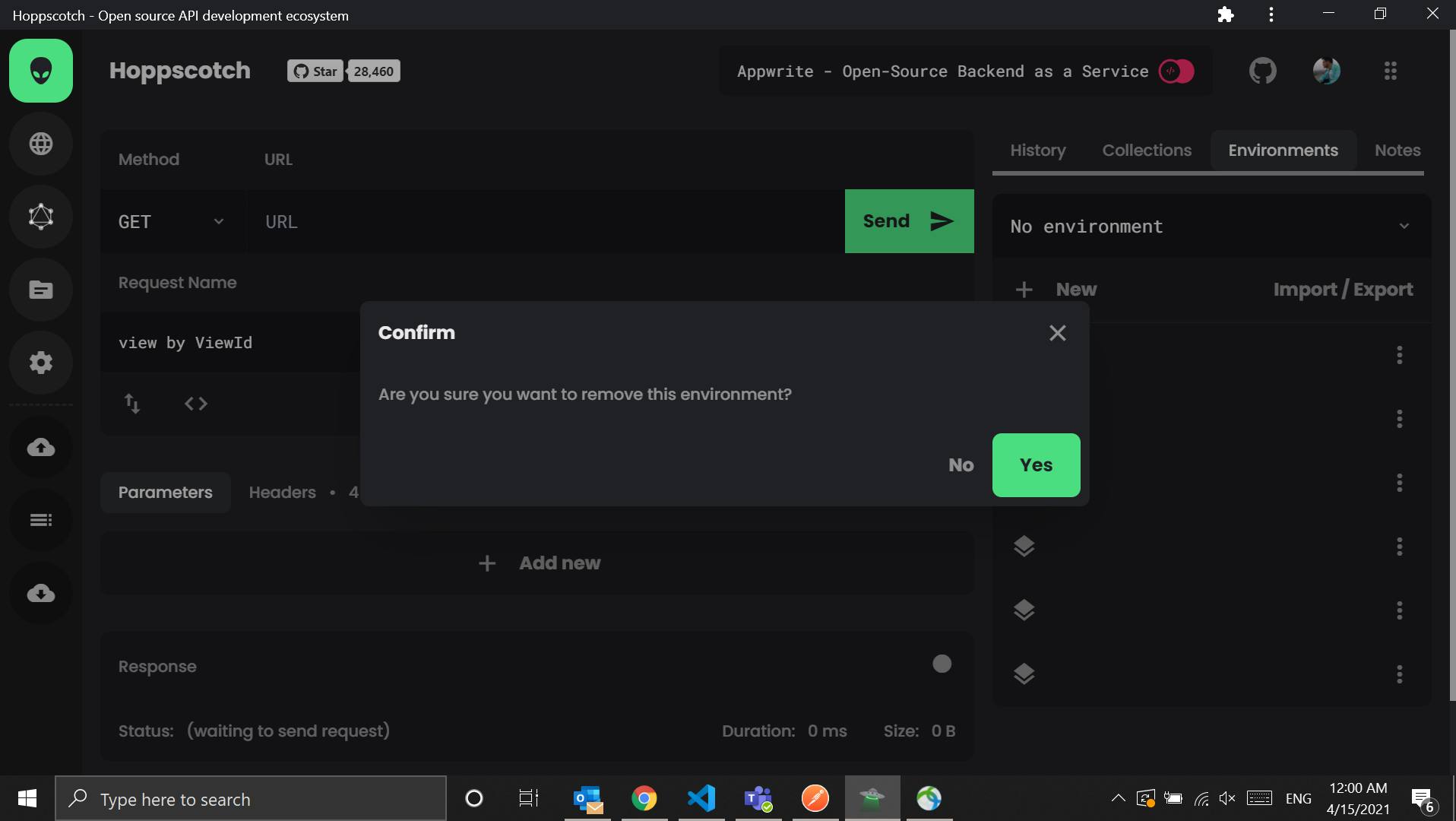
  4. Try to delete them. The model pop up "Yes" button doesn't work
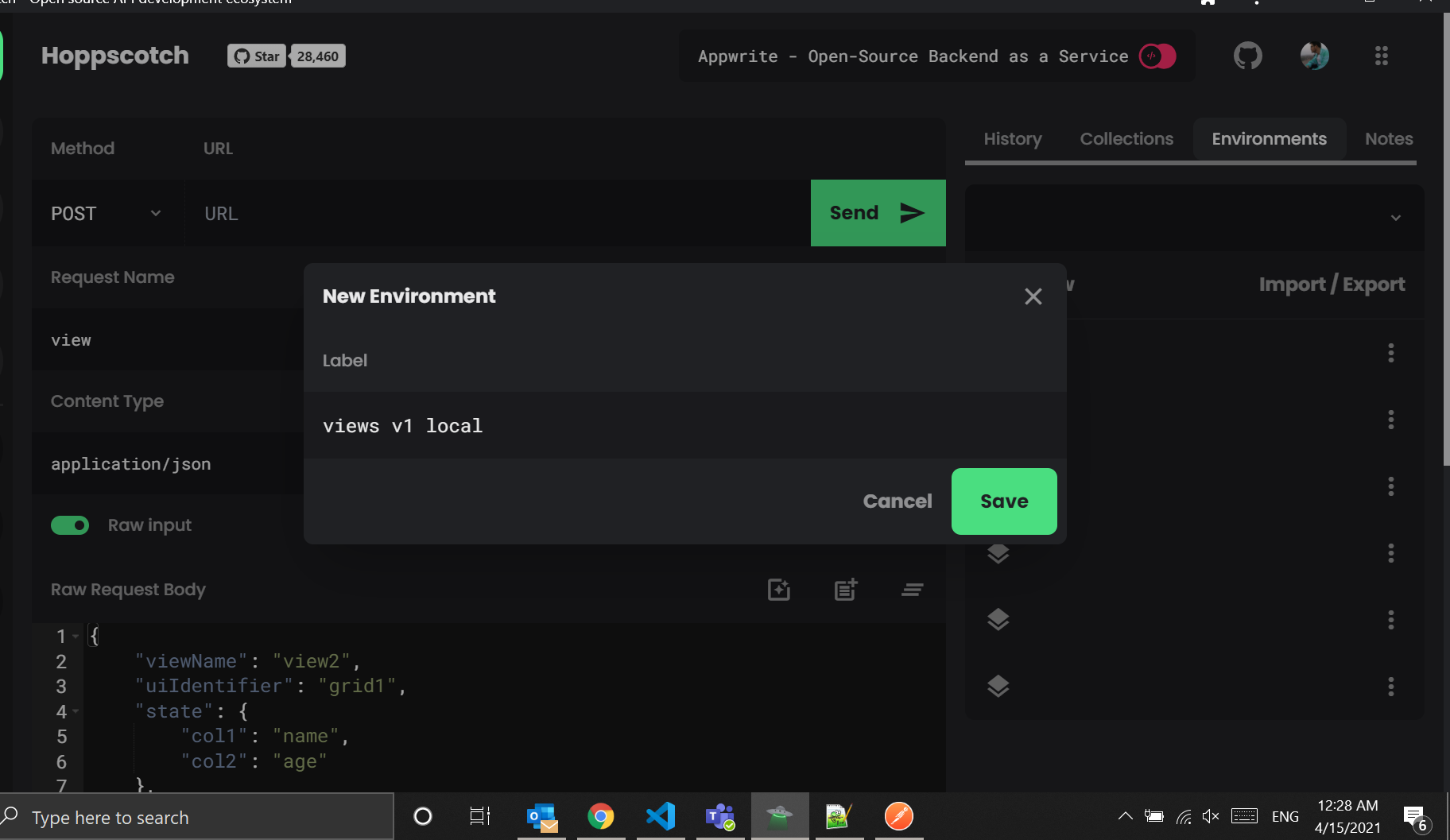
  5. Also unable to create the environment variables. (the save button doesn't work - see the last screenshot attached)

Screenshots
image
image
image
image

Desktop (please complete the following information):

  • OS: [windows 10]
  • Browser [chrome app]
  • Version [Version 89.0.4389.128 (Official Build) (64-bit)]

Additional context
I am trying to import this JSON file from postman:

{
	"id": "016d4d8f-10d9-40ad-9e95-502cfe2aa956",
	"name": "views v1 local",
	"values": [
		{
			"key": "URL",
			"value": "http://localhost:{{port}}/api/v1",
			"enabled": true
		},
		{
			"key": "envId",
			"value": "env1",
			"enabled": true
		},
		{
			"key": "orgId",
			"value": "org1",
			"enabled": true
		},
		{
			"key": "port",
			"value": "3000",
			"enabled": true
		},
		{
			"key": "email",
			"value": "kiriti.komaragiri@altusgroup.com",
			"enabled": true
		}
	],
	"_postman_variable_scope": "environment",
	"_postman_exported_at": "2021-04-14T18:07:35.034Z",
	"_postman_exported_using": "Postman/8.2.1"
}
Originally created by @kiriti999 on GitHub (Apr 14, 2021). Original GitHub issue: https://github.com/hoppscotch/hoppscotch/issues/1601 **Describe the bug** Unable to import or delete environment json variables properly from postman The imported env variables has blank labels and not able to delete them **To Reproduce** Steps to reproduce the behavior: 1. Go to environments 2. Click on imports and import a json 3. Imported variables doesn't have labels 4. Try to delete them. The model pop up "Yes" button doesn't work 5. Also unable to create the environment variables. (the save button doesn't work - see the last screenshot attached) **Screenshots** ![image](https://user-images.githubusercontent.com/13074074/114760930-83a47c80-9d7d-11eb-89fe-2166b21d14a8.png) ![image](https://user-images.githubusercontent.com/13074074/114760967-8dc67b00-9d7d-11eb-88e3-2bc2381e0d6a.png) ![image](https://user-images.githubusercontent.com/13074074/114761772-910e3680-9d7e-11eb-9dff-5c12cef23272.png) ![image](https://user-images.githubusercontent.com/13074074/114764444-93be5b00-9d81-11eb-85bb-72eca35e57ee.png) **Desktop (please complete the following information):** - OS: [windows 10] - Browser [chrome app] - Version [Version 89.0.4389.128 (Official Build) (64-bit)] **Additional context** I am trying to import this JSON file from postman: ``` { "id": "016d4d8f-10d9-40ad-9e95-502cfe2aa956", "name": "views v1 local", "values": [ { "key": "URL", "value": "http://localhost:{{port}}/api/v1", "enabled": true }, { "key": "envId", "value": "env1", "enabled": true }, { "key": "orgId", "value": "org1", "enabled": true }, { "key": "port", "value": "3000", "enabled": true }, { "key": "email", "value": "kiriti.komaragiri@altusgroup.com", "enabled": true } ], "_postman_variable_scope": "environment", "_postman_exported_at": "2021-04-14T18:07:35.034Z", "_postman_exported_using": "Postman/8.2.1" } ```
kerem 2026-03-16 15:43:00 +03:00
Author
Owner

@liyasthomas commented on GitHub (Apr 15, 2021):

Hi @kiriti999
As of now, Hoppscotch Environment importer doesn't support Postman Environments completely. It's actually possible and I'll look into this implementation ASAP.

<!-- gh-comment-id:819959691 --> @liyasthomas commented on GitHub (Apr 15, 2021): Hi @kiriti999 As of now, Hoppscotch Environment importer doesn't support Postman Environments completely. It's actually possible and I'll look into this implementation ASAP.
Author
Owner

@kiriti999 commented on GitHub (Apr 26, 2021):

Hi @liyasthomas Any update?

<!-- gh-comment-id:827009864 --> @kiriti999 commented on GitHub (Apr 26, 2021): Hi @liyasthomas Any update?
Author
Owner

@liyasthomas commented on GitHub (Apr 27, 2021):

I suppose this will require some more time since the way Postman uses the environment variable notaions is different than that of Hoppscotch. In Hoppscotch we prefer <<variable_name>> whereas in Postman it's {{variable_name}} notation. We'll look into this on a later period. Thanks for the patience.

NOTE: feel free to raise a PR to add support for Postman environment variables if you're interested in this feature. @kiriti999

<!-- gh-comment-id:827315278 --> @liyasthomas commented on GitHub (Apr 27, 2021): I suppose this will require some more time since the way Postman uses the environment variable notaions is different than that of Hoppscotch. In Hoppscotch we prefer `<<variable_name>>` whereas in Postman it's `{{variable_name}}` notation. We'll look into this on a later period. Thanks for the patience. NOTE: feel free to raise a PR to add support for Postman environment variables if you're interested in this feature. @kiriti999
Author
Owner

@kiriti999 commented on GitHub (May 10, 2021):

@liyasthomas I wish I could. If you can guide me which files needs to be touched to implement this feature, I can give it a try.

<!-- gh-comment-id:837075723 --> @kiriti999 commented on GitHub (May 10, 2021): @liyasthomas I wish I could. If you can guide me which files needs to be touched to implement this feature, I can give it a try.
Author
Owner

@liyasthomas commented on GitHub (May 10, 2021):

https://github.com/hoppscotch/hoppscotch/blob/main/components/environments/ImportExport.vue

This component handle Importing environments from JSON.

<!-- gh-comment-id:837440819 --> @liyasthomas commented on GitHub (May 10, 2021): https://github.com/hoppscotch/hoppscotch/blob/main/components/environments/ImportExport.vue This component handle Importing environments from JSON.
Author
Owner

@ayoubfaouzi commented on GitHub (Sep 18, 2021):

Would be lovely to have this one working. Got the same issue, blank urls.

<!-- gh-comment-id:922174517 --> @ayoubfaouzi commented on GitHub (Sep 18, 2021): Would be lovely to have this one working. Got the same issue, blank urls.
Author
Owner

@liyasthomas commented on GitHub (Sep 30, 2021):

Hi @deepto98, thanks for showing interest in contributing to Hoppscotch. You're free to work on this. Let us know if you've any doubts. Assigning this to you.

<!-- gh-comment-id:930814455 --> @liyasthomas commented on GitHub (Sep 30, 2021): Hi @deepto98, thanks for showing interest in contributing to Hoppscotch. You're free to work on this. Let us know if you've any doubts. Assigning this to you.
Author
Owner

@jorgetovar commented on GitHub (Nov 17, 2021):

@deepto98 could you please link the pull request? I want to contribute without duplicating the work

<!-- gh-comment-id:971615981 --> @jorgetovar commented on GitHub (Nov 17, 2021): @deepto98 could you please link the pull request? I want to contribute without duplicating the work
Author
Owner

@rakshit087 commented on GitHub (Dec 7, 2021):

It seems to work for me as well.

image

I am using the same json file as @kiriti999.

I also found this function

importFromPostman({ name, values }) {  
      const environment = { name, variables: [] }  
      values.forEach(({ key, value }) =>  
        environment.variables.push({ key, value })  
      )  
      const environments = [environment]  
      this.importFromHoppscotch(environments)  
}

This function is executed if importFileObj._postman_variable_scope === "environment" || importFileObj._postman_variable_scope === "globals" which seems to work for any postman environment.

Can someone confirm? Let me know if something is wrong with the function, would love to contribute 👽

<!-- gh-comment-id:987564839 --> @rakshit087 commented on GitHub (Dec 7, 2021): It seems to work for me as well. ![image](https://user-images.githubusercontent.com/50898928/144966471-d1f5ebfa-0066-41d7-84ae-c88c0285e447.png) I am using the same json file as @kiriti999. I also found this function ``` importFromPostman({ name, values }) { const environment = { name, variables: [] } values.forEach(({ key, value }) => environment.variables.push({ key, value }) ) const environments = [environment] this.importFromHoppscotch(environments) } ``` This function is executed if `importFileObj._postman_variable_scope === "environment" || importFileObj._postman_variable_scope === "globals"` which seems to work for any postman environment. Can someone confirm? Let me know if something is wrong with the function, would love to contribute 👽
Author
Owner

@kritikmodi commented on GitHub (Dec 7, 2021):

Hi @deepto98 , is the issue resolved or are you working towards developing the solution as of now?

<!-- gh-comment-id:987877276 --> @kritikmodi commented on GitHub (Dec 7, 2021): Hi @deepto98 , is the issue resolved or are you working towards developing the solution as of now?
Author
Owner

@samuelj90 commented on GitHub (Feb 24, 2022):

@kritikmodi This feature is working fine with latest version.
@liyasthomas I think this issue can be closed.

<!-- gh-comment-id:1049554044 --> @samuelj90 commented on GitHub (Feb 24, 2022): @kritikmodi This feature is working fine with latest version. @liyasthomas I think this issue can be closed.
Author
Owner

@boardtc commented on GitHub (Sep 8, 2022):

I am using the windows app. In environments, I select Import / Export and choose "Import from Hoppscotch" (should this not be Import JSON? ) and select my Postman environment JSON file, which is the format as shown by the OP and contains 48 keys. Hoppscotch reports back that the file is imported and the environment shows in the list under global. However, clicking on it does not expand any keys at all and the environment does not appear to be accessible / imported at all. Any thoughts please?

<!-- gh-comment-id:1240591041 --> @boardtc commented on GitHub (Sep 8, 2022): I am using the windows app. In environments, I select Import / Export and choose "Import from Hoppscotch" (should this not be Import JSON? ) and select my Postman environment JSON file, which is the format as shown by the OP and contains 48 keys. Hoppscotch reports back that the file is imported and the environment shows in the list under global. However, clicking on it does not expand any keys at all and the environment does not appear to be accessible / imported at all. Any thoughts please?
Author
Owner

@iDschepe commented on GitHub (Oct 1, 2022):

I was searching for a tool to convert postman exported environment zip file to a hoppscotch importable json file.
Unfortunately, I couldn't find, so I decided to share my results:

https://github.com/iDschepe/hoppscotch-transformer
It will also try to convert used variables within other variable values.

Feel free to contribute or give any feedback!

<!-- gh-comment-id:1264386294 --> @iDschepe commented on GitHub (Oct 1, 2022): I was searching for a tool to convert postman exported environment zip file to a hoppscotch importable json file. Unfortunately, I couldn't find, so I decided to share my results: https://github.com/iDschepe/hoppscotch-transformer It will also try to convert used variables within other variable values. Feel free to contribute or give any feedback!
Sign in to join this conversation.
No milestone
No project
No assignees
1 participant
Notifications
Due date
The due date is invalid or out of range. Please use the format "yyyy-mm-dd".

No due date set.

Dependencies

No dependencies set.

Reference
starred/hoppscotch#504
No description provided.