[GH-ISSUE #725] Webhooks not working #519

Closed
opened 2026-02-25 23:42:44 +03:00 by kerem · 8 comments
Owner

Originally created by @lettore on GitHub (Nov 3, 2022).
Original GitHub issue: https://github.com/healthchecks/healthchecks/issues/725

From Version 2.4 webhooks are not working anymore, trying inside the container I'm able to ping and curl remote side.
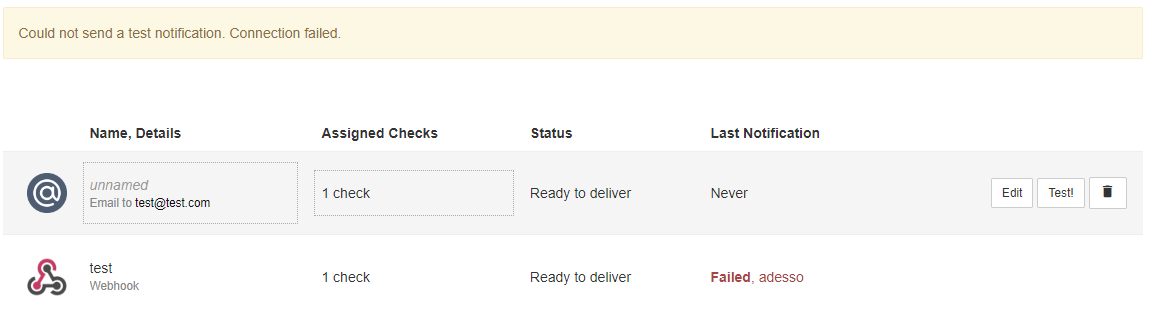
Testing from web-ui I always receive Connection Failed, but nothing in the logs also with debug on.
I'm using the linuxserver image.

Originally created by @lettore on GitHub (Nov 3, 2022). Original GitHub issue: https://github.com/healthchecks/healthchecks/issues/725 From Version 2.4 webhooks are not working anymore, trying inside the container I'm able to ping and curl remote side. Testing from web-ui I always receive Connection Failed, but nothing in the logs also with debug on. I'm using the linuxserver image.
kerem closed this issue 2026-02-25 23:42:44 +03:00
Author
Owner

@cuu508 commented on GitHub (Nov 4, 2022):

  1. Do you by any chance have http_proxy or https_proxy environment variables set?

  2. Can you test webhook delivery using a throwaway healthchecks/healthchecks container? You can copy/paste the snippets from the "Quick Start using Docker CLI" section in README to get running quickly.

<!-- gh-comment-id:1303389402 --> @cuu508 commented on GitHub (Nov 4, 2022): 1. Do you by any chance have `http_proxy` or `https_proxy` environment variables set? 2. Can you test webhook delivery using a throwaway [healthchecks/healthchecks](https://hub.docker.com/r/healthchecks/healthchecks) container? You can copy/paste the snippets from the "Quick Start using Docker CLI" section in README to get running quickly.
Author
Owner

@lettore commented on GitHub (Nov 5, 2022):

I don't have http_proxy env variable set.
As I said webhooks are working with version 2.3 and not in 2.4. Nothing is changed in compose file.
Testing using with a throwaway healthchecks/healthchecks container is not working either.
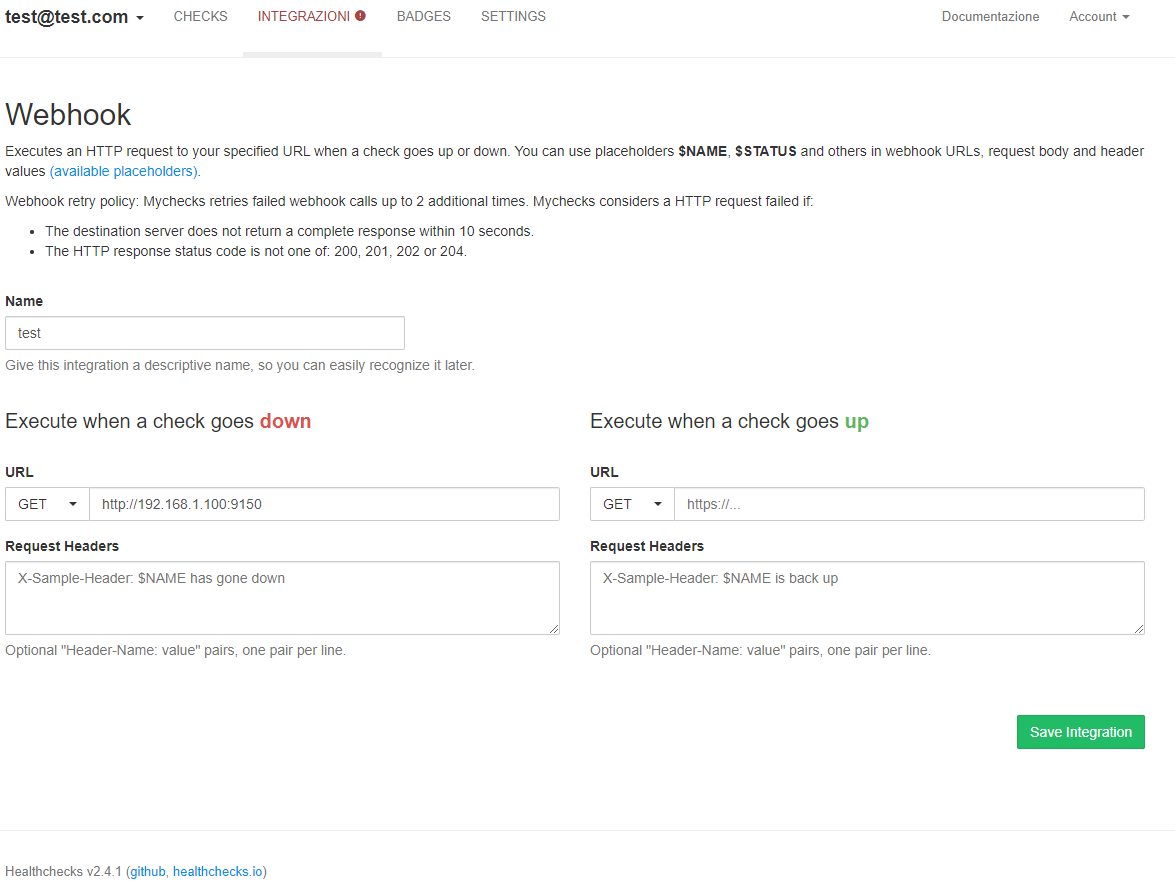
You can test yourself with a GET request to any webserver, in this case I tried also to contact itself (exposed to port 9150).
image
image
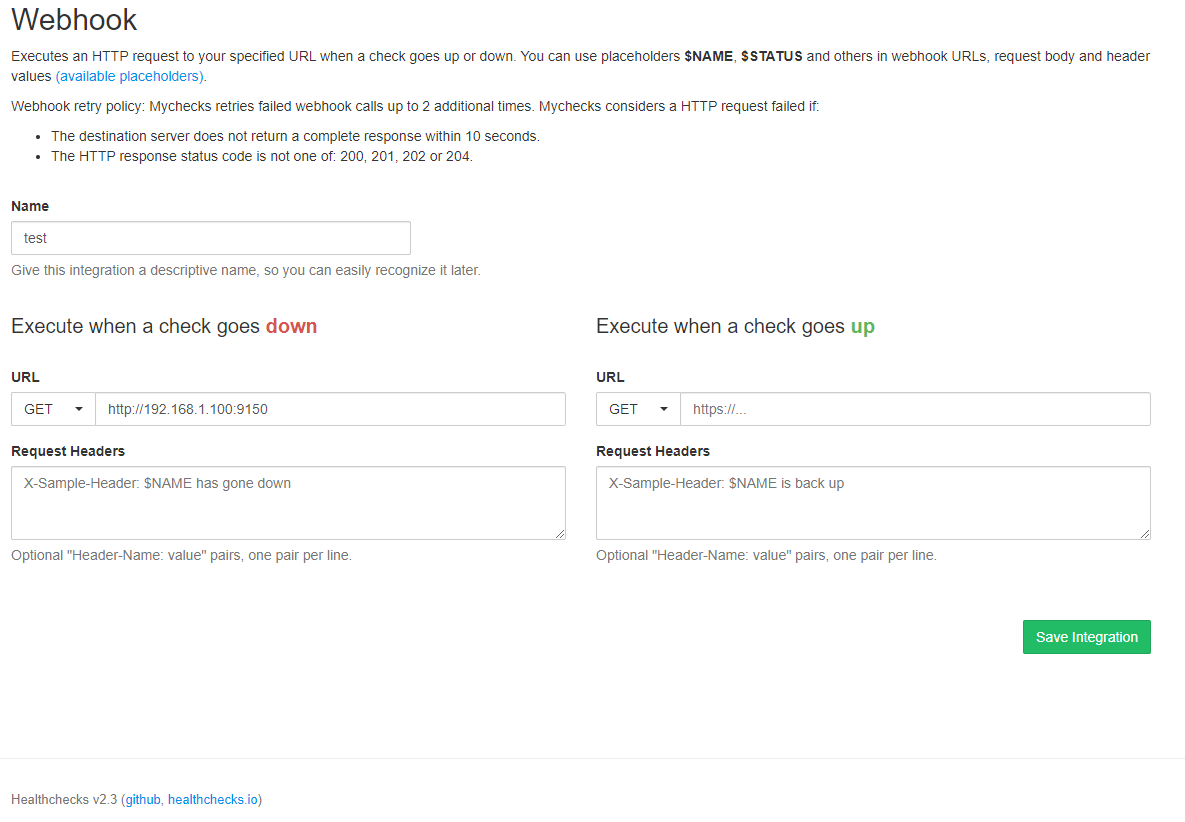
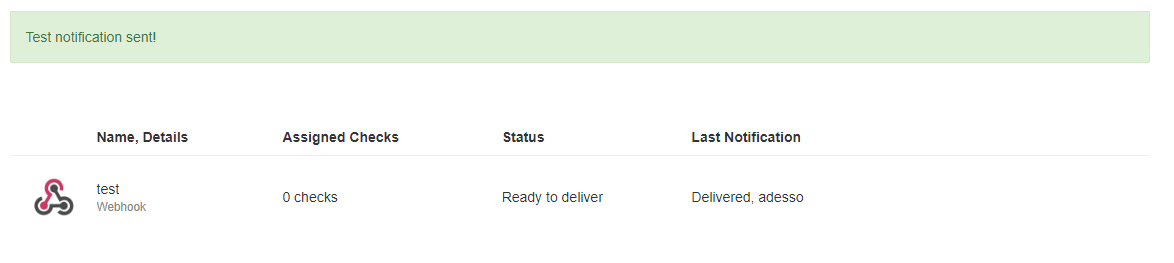
With the server with 2.3 version is working.
image
image

<!-- gh-comment-id:1304608636 --> @lettore commented on GitHub (Nov 5, 2022): I don't have http_proxy env variable set. As I said webhooks are working with version 2.3 and not in 2.4. Nothing is changed in compose file. Testing using with a throwaway [healthchecks/healthchecks](https://hub.docker.com/r/healthchecks/healthchecks) container is not working either. You can test yourself with a GET request to any webserver, in this case I tried also to contact itself (exposed to port 9150). ![image](https://user-images.githubusercontent.com/34779795/200135731-bedd3dce-22b9-426c-905a-a46437f9e19c.png) ![image](https://user-images.githubusercontent.com/34779795/200135740-c4883fe4-c943-4764-a5fc-8ad521a96808.png) With the server with 2.3 version is working. ![image](https://user-images.githubusercontent.com/34779795/200135700-4572b01b-6f30-44df-bdd6-93e28046f716.png) ![image](https://user-images.githubusercontent.com/34779795/200135715-a15d0b22-8cb9-4dab-ad88-fb67be76c35b.png)
Author
Owner

@cuu508 commented on GitHub (Nov 5, 2022):

From v2.4 onwards, to allow requests to private IP ranges, set INTEGRATIONS_ALLOW_PRIVATE_IPS=True env var.

https://healthchecks.io/docs/self_hosted_configuration/#INTEGRATIONS_ALLOW_PRIVATE_IPS

<!-- gh-comment-id:1304609529 --> @cuu508 commented on GitHub (Nov 5, 2022): From v2.4 onwards, to allow requests to private IP ranges, set `INTEGRATIONS_ALLOW_PRIVATE_IPS=True` env var. https://healthchecks.io/docs/self_hosted_configuration/#INTEGRATIONS_ALLOW_PRIVATE_IPS
Author
Owner

@lettore commented on GitHub (Nov 5, 2022):

That's resolved, not totally sure why by default a private address inside a secure network should be a security issue. It's the first time I have faced this kind of problem, usually, only local addresses are allowed not otherwise.

<!-- gh-comment-id:1304643512 --> @lettore commented on GitHub (Nov 5, 2022): That's resolved, not totally sure why by default a private address inside a secure network should be a security issue. It's the first time I have faced this kind of problem, usually, only local addresses are allowed not otherwise.
Author
Owner

@cuu508 commented on GitHub (Nov 6, 2022):

not totally sure why by default a private address inside a secure network should be a security issue

It is a security issue if you let untrusted people create accounts on your Healthchecks instance. They can set up webhooks that probe your internal network. Of course, if you are the only user, or if you fully trust all your users, then that is not a concern, and you can set INTEGRATIONS_ALLOW_PRIVATE_IPS=True.

<!-- gh-comment-id:1304735324 --> @cuu508 commented on GitHub (Nov 6, 2022): > not totally sure why by default a private address inside a secure network should be a security issue It is a security issue if you let untrusted people create accounts on your Healthchecks instance. They can set up webhooks that probe your internal network. Of course, if you are the only user, or if you fully trust all your users, then that is not a concern, and you can set `INTEGRATIONS_ALLOW_PRIVATE_IPS=True`.
Author
Owner

@lettore commented on GitHub (Nov 6, 2022):

What if I don't fully trust only one user? Until 2.3 no one cared about this "issue" now you made by default a change that disrupt the webhook functionality, with just a setting that applies to the whole system and not per user or address. I had blocked by your rule https domain names that resolves also from the Internet with user authentication or token enabled. Just because the server is inside my Lan and it's resolved by local dns as a local address. Which kind of security risk is involved in a GET call to a local address with authentication enabled? In this way I have to disable your protection because is blocking every call to secure servers as well to unsecured one's. It wouldn't be better, if you take care of security, to make a more complex system where, for example, admins have full access to local lan, and other users should use address in a whitelist?

<!-- gh-comment-id:1304740614 --> @lettore commented on GitHub (Nov 6, 2022): What if I don't fully trust only one user? Until 2.3 no one cared about this "issue" now you made by default a change that disrupt the webhook functionality, with just a setting that applies to the whole system and not per user or address. I had blocked by your rule https domain names that resolves also from the Internet with user authentication or token enabled. Just because the server is inside my Lan and it's resolved by local dns as a local address. Which kind of security risk is involved in a GET call to a local address with authentication enabled? In this way I have to disable your protection because is blocking every call to secure servers as well to unsecured one's. It wouldn't be better, if you take care of security, to make a more complex system where, for example, admins have full access to local lan, and other users should use address in a whitelist?
Author
Owner

@lettore commented on GitHub (Nov 6, 2022):

I'm using Healthchecks for personal use, I'm quite sure that the majority of the users do the same. Personally I don't use webhooks for notifications, I use webhooks for calling a "repair" script when a check is falling, to do things like restart a container or a service etc. This software can be really powerful, but it's quite limited in many parts, like this one. May happens that the Admin needs to use a local script or a local webhook. Enabling this features will allow anyone to use a local script. This is not a good practice for me. Because of this I think that every instance of Healthchecks should be treated as a single user instance, or at least you should trust any other user. It should be much better to have an admin console where you can grant privileges per user basis.

<!-- gh-comment-id:1304751065 --> @lettore commented on GitHub (Nov 6, 2022): I'm using Healthchecks for personal use, I'm quite sure that the majority of the users do the same. Personally I don't use webhooks for notifications, I use webhooks for calling a "repair" script when a check is falling, to do things like restart a container or a service etc. This software can be really powerful, but it's quite limited in many parts, like this one. May happens that the Admin needs to use a local script or a local webhook. Enabling this features will allow anyone to use a local script. This is not a good practice for me. Because of this I think that every instance of Healthchecks should be treated as a single user instance, or at least you should trust any other user. It should be much better to have an admin console where you can grant privileges per user basis.
Author
Owner

@cuu508 commented on GitHub (Nov 6, 2022):

Until 2.3 no one cared about this "issue" now you made by default a change that disrupt the webhook functionality

Sorry about that :-/ In the hindsight, I should have called attention to this behavior change in the release notes.

Which kind of security risk is involved in a GET call to a local address with authentication enabled?

https://portswigger.net/web-security/ssrf

It wouldn't be better, if you take care of security, to make a more complex system where, for example, admins have full access to local lan, and other users should use address in a whitelist?

I don't self-host any notification delivery services (aside from signal-cli), and so don't have a need for this. But I can see how it could be useful in selfhosting scenarios.

<!-- gh-comment-id:1304743510 --> @cuu508 commented on GitHub (Nov 6, 2022): > Until 2.3 no one cared about this "issue" now you made by default a change that disrupt the webhook functionality Sorry about that :-/ In the hindsight, I should have called attention to this behavior change in the release notes. > Which kind of security risk is involved in a GET call to a local address with authentication enabled? https://portswigger.net/web-security/ssrf > It wouldn't be better, if you take care of security, to make a more complex system where, for example, admins have full access to local lan, and other users should use address in a whitelist? I don't self-host any notification delivery services (aside from signal-cli), and so don't have a need for this. But I can see how it could be useful in selfhosting scenarios.
Sign in to join this conversation.
No milestone
No project
No assignees
1 participant
Notifications
Due date
The due date is invalid or out of range. Please use the format "yyyy-mm-dd".

No due date set.

Dependencies

No dependencies set.

Reference
starred/healthchecks#519
No description provided.