[GH-ISSUE #287] AirPrint Passthrough #266

Closed
opened 2026-03-02 08:00:53 +03:00 by kerem · 6 comments
Owner

Originally created by @squishycat92 on GitHub (Apr 13, 2022).
Original GitHub issue: https://github.com/hwdsl2/docker-ipsec-vpn-server/issues/287

Hello!

I ran into an issue with getting AirPrint to work over the IKEv2 VPN tunnel today and was wondering if you could provide some insight (I'm not entirely sure what is happening here). As per this StackExchange thread, users should explicitly define their printer IPs into a configuration profile. The client device will then directly query the IP for its printer resource and remotely print a document.

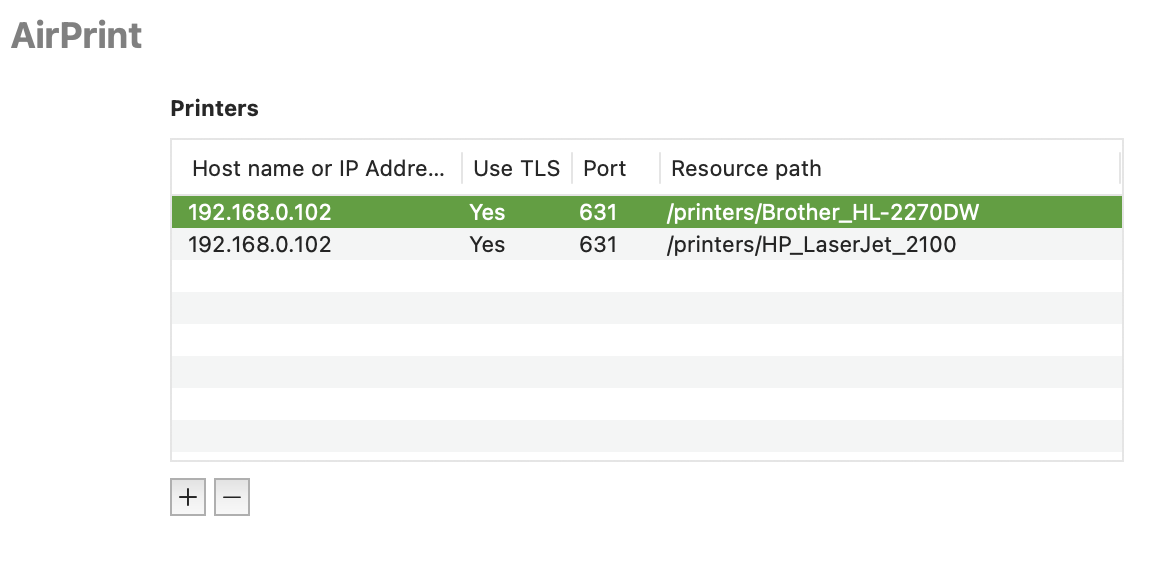
However, I've been having a bit of trouble getting this to work. I have defined the IP address and printer locations and verified them on my computer (see attached screenshot). When connected to the VPN tunnel remotely, the IP address is also reachable (192.168.0.102). However, the device cannot discover the printer and simply displays the message "No AirPrint Printers Found".

I suspect that this is caused by the fact that the VPN client is assigned a local IP that is on a different subnet than the rest of the local network (in my case the VPN ip is 192.168.43.xxx and the host is 192.168.0.xxx). If this is the case, would there be a method to configure the VPN to use the host subnet instead of creating another one?

Thank you so much!

Configuration of AirPrint (these work when on the LAN):
image

Originally created by @squishycat92 on GitHub (Apr 13, 2022). Original GitHub issue: https://github.com/hwdsl2/docker-ipsec-vpn-server/issues/287 Hello! I ran into an issue with getting AirPrint to work over the IKEv2 VPN tunnel today and was wondering if you could provide some insight (I'm not entirely sure what is happening here). As per [this StackExchange thread](https://apple.stackexchange.com/questions/349728/airprint-over-vpn), users should explicitly define their printer IPs into a configuration profile. The client device will then directly query the IP for its printer resource and remotely print a document. However, I've been having a bit of trouble getting this to work. I have defined the IP address and printer locations and verified them on my computer (see attached screenshot). When connected to the VPN tunnel remotely, the IP address is also reachable (`192.168.0.102`). However, the device cannot discover the printer and simply displays the message "No AirPrint Printers Found". I suspect that this is caused by the fact that the VPN client is assigned a local IP that is on a different subnet than the rest of the local network (in my case the VPN ip is `192.168.43.xxx` and the host is `192.168.0.xxx`). If this is the case, would there be a method to configure the VPN to use the host subnet instead of creating another one? Thank you so much! Configuration of AirPrint (these work when on the LAN): ![image](https://user-images.githubusercontent.com/62223616/163079669-0cb77b4b-8c9c-4363-bf16-9aa494a65940.png)
kerem closed this issue 2026-03-02 08:00:54 +03:00
Author
Owner

@hwdsl2 commented on GitHub (Apr 18, 2022):

@squishycat92 Hello! Thanks for reporting this issue. There is a way to use a different internal subnet for the VPN, but it is not straightforward to configure and is for advanced users only.

Just to test: If you can, try to temporarily set your local network to e.g. 192.168.43.0/24 and see if the AirPrint works.

<!-- gh-comment-id:1101440774 --> @hwdsl2 commented on GitHub (Apr 18, 2022): @squishycat92 Hello! Thanks for reporting this issue. There is a way to use a different internal subnet for the VPN, but it is not straightforward to configure and is for advanced users only. Just to test: If you can, try to temporarily set your local network to e.g. 192.168.43.0/24 and see if the AirPrint works.
Author
Owner

@squishycat92 commented on GitHub (Apr 18, 2022):

I'm not sure if changing my LAN subnet would work - wouldn't the Docker container still be separated from the local network? Considering that the printer is reachable via a ping request while connecting to the VPN, I think that there might be some discovery packet that is not passed over the tunnel, causing iOS to be unable to reach the printer. Any ideas about what could be happening here?

<!-- gh-comment-id:1101580054 --> @squishycat92 commented on GitHub (Apr 18, 2022): I'm not sure if changing my LAN subnet would work - wouldn't the Docker container still be separated from the local network? Considering that the printer is reachable via a ping request while connecting to the VPN, I think that there might be some discovery packet that is not passed over the tunnel, causing iOS to be unable to reach the printer. Any ideas about what could be happening here?
Author
Owner

@hwdsl2 commented on GitHub (Apr 19, 2022):

@squishycat92 Unfortunately, I am not familiar with how AirPrint works internally.

<!-- gh-comment-id:1101947672 --> @hwdsl2 commented on GitHub (Apr 19, 2022): @squishycat92 Unfortunately, I am not familiar with how AirPrint works internally.
Author
Owner

@squishycat92 commented on GitHub (Apr 19, 2022):

I believe it is just using avahi-daemon to advertise on the network... not sure if this can be passed through a tunnel?

I believe you can try setting up an experimentation setup - it's just a printer on CUPS being advertised through avahi, so I would imagine it's some sort of mDNS.

<!-- gh-comment-id:1101949768 --> @squishycat92 commented on GitHub (Apr 19, 2022): I believe it is just using avahi-daemon to advertise on the network... not sure if this can be passed through a tunnel? I believe you can try setting up an experimentation setup - it's just a printer on CUPS being advertised through avahi, so I would imagine it's some sort of mDNS.
Author
Owner

@squishycat92 commented on GitHub (Jun 5, 2022):

Hey @hwdsl2, I recently had time to look into this issue further. It seems like this is a bug with AirPrint rather than with the VPN tunnel. I have recently bought a new router, so it seems that this is not a router-specific issue either.

First, I tried pinging the CUPS server's IP address, which worked:

teddybear@Teds-iMac ~ % ping 192.168.4.33
PING 192.168.4.33 (192.168.4.33): 56 data bytes
64 bytes from 192.168.4.33: icmp_seq=0 ttl=63 time=120.132 ms
64 bytes from 192.168.4.33: icmp_seq=1 ttl=63 time=103.380 ms
64 bytes from 192.168.4.33: icmp_seq=2 ttl=63 time=117.706 ms
64 bytes from 192.168.4.33: icmp_seq=3 ttl=63 time=190.455 ms
^C
--- 192.168.4.33 ping statistics ---
4 packets transmitted, 4 packets received, 0.0% packet loss
round-trip min/avg/max/stddev = 103.380/132.918/190.455/33.830 ms

I then tried using ipptool to see if I could fetch information about the printer:

teddybear@Teds-iMac ~ % ipptool -t ipp://192.168.4.33/printers/Brother_HL-2270DW get-printer-attributes.test    
"/usr/share/cups/ipptool/get-printer-attributes.test":
    Get printer attributes using get-printer-attributes                  [PASS]

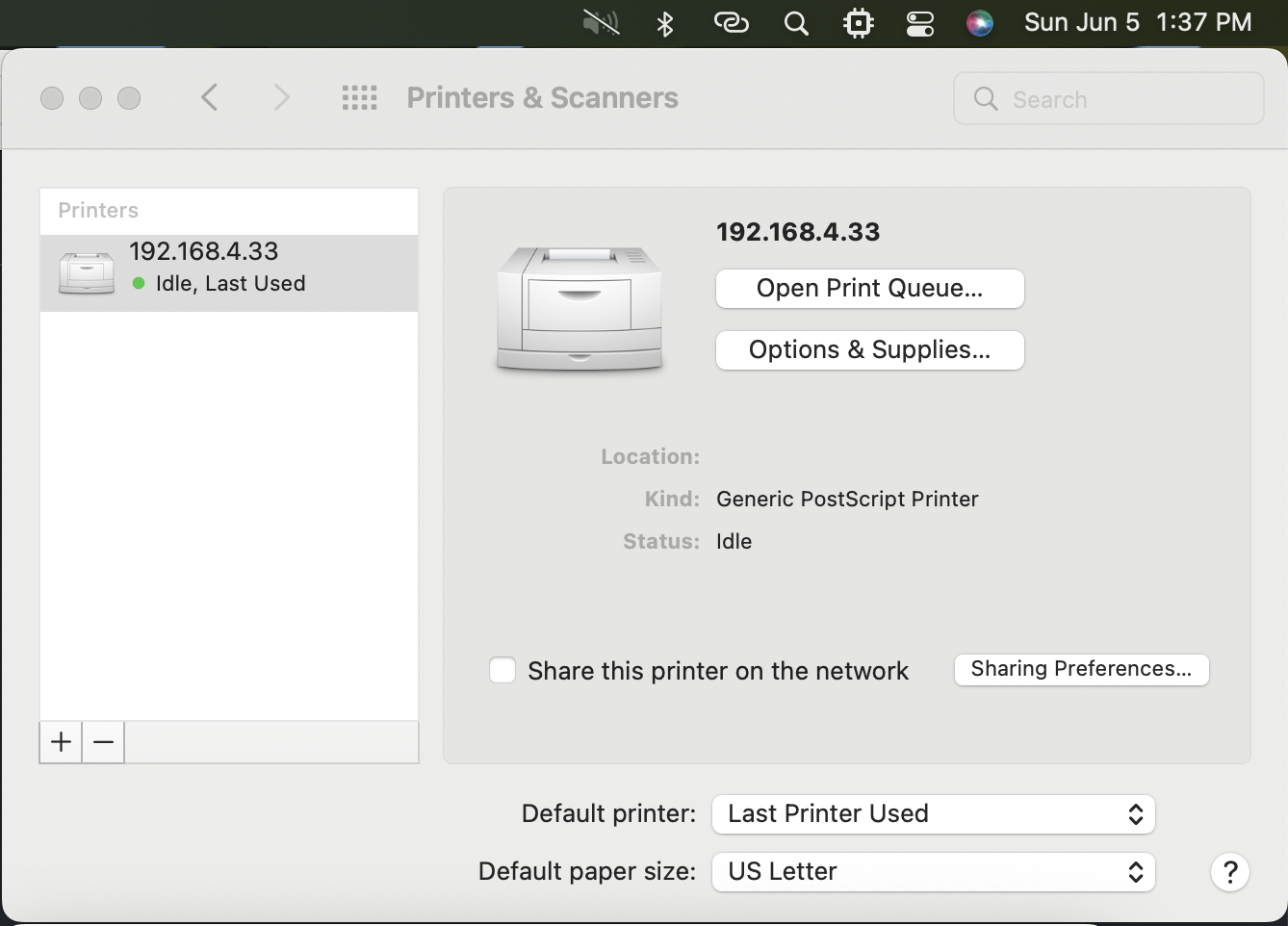
This was able to get the information about the printer (using the -v flag returned all the correct information about my printer), so I then tried to add it to my Mac (using IPP, not AirPrint) and print from there:
image

The printer information was a bit off (didn't recognize any drivers either), but printing a test page was successful. Based on this, I think we can assume that this is a bug in Apple's AirPrint and close this issue?

Thanks!

<!-- gh-comment-id:1146879747 --> @squishycat92 commented on GitHub (Jun 5, 2022): Hey @hwdsl2, I recently had time to look into this issue further. It seems like this is a bug with AirPrint rather than with the VPN tunnel. I have recently bought a new router, so it seems that this is not a router-specific issue either. First, I tried pinging the CUPS server's IP address, which worked: ``` teddybear@Teds-iMac ~ % ping 192.168.4.33 PING 192.168.4.33 (192.168.4.33): 56 data bytes 64 bytes from 192.168.4.33: icmp_seq=0 ttl=63 time=120.132 ms 64 bytes from 192.168.4.33: icmp_seq=1 ttl=63 time=103.380 ms 64 bytes from 192.168.4.33: icmp_seq=2 ttl=63 time=117.706 ms 64 bytes from 192.168.4.33: icmp_seq=3 ttl=63 time=190.455 ms ^C --- 192.168.4.33 ping statistics --- 4 packets transmitted, 4 packets received, 0.0% packet loss round-trip min/avg/max/stddev = 103.380/132.918/190.455/33.830 ms ``` I then tried using `ipptool` to see if I could fetch information about the printer: ``` teddybear@Teds-iMac ~ % ipptool -t ipp://192.168.4.33/printers/Brother_HL-2270DW get-printer-attributes.test "/usr/share/cups/ipptool/get-printer-attributes.test": Get printer attributes using get-printer-attributes [PASS] ``` This was able to get the information about the printer (using the `-v` flag returned all the correct information about my printer), so I then tried to add it to my Mac (using IPP, not AirPrint) and print from there: <img width="669" alt="image" src="https://user-images.githubusercontent.com/62223616/172069563-db85e2e4-eba1-40ce-aa7f-f51ab11aa582.png"> The printer information was a bit off (didn't recognize any drivers either), but printing a test page was successful. Based on this, I think we can assume that this is a bug in Apple's AirPrint and close this issue? Thanks!
Author
Owner

@hwdsl2 commented on GitHub (Jun 6, 2022):

@squishycat92 Thank you for looking into this issue further and sharing your findings with us! I'm glad that you were able to connect to the printer using the alternative method. And yes, I think this is likely a bug in Apple's AirPrint. I'm going to close this issue as suggested.

<!-- gh-comment-id:1147088823 --> @hwdsl2 commented on GitHub (Jun 6, 2022): @squishycat92 Thank you for looking into this issue further and sharing your findings with us! I'm glad that you were able to connect to the printer using the alternative method. And yes, I think this is likely a bug in Apple's AirPrint. I'm going to close this issue as suggested.
Sign in to join this conversation.
No milestone
No project
No assignees
1 participant
Notifications
Due date
The due date is invalid or out of range. Please use the format "yyyy-mm-dd".

No due date set.

Dependencies

No dependencies set.

Reference
starred/docker-ipsec-vpn-server#266
No description provided.