mirror of
https://github.com/hwdsl2/docker-ipsec-vpn-server.git
synced 2026-04-26 18:15:50 +03:00
[GH-ISSUE #117] modprobe: ERROR: ../libkmod/libkmod.c:586 #104

Loading…
Add table
Add a link
Reference in a new issue
No description provided.
Delete branch "%!s()"
Deleting a branch is permanent. Although the deleted branch may continue to exist for a short time before it actually gets removed, it CANNOT be undone in most cases. Continue?
Originally created by @mario26 on GitHub (Jan 24, 2019).
Original GitHub issue: https://github.com/hwdsl2/docker-ipsec-vpn-server/issues/117
Hello !
I just installed your Docker to use it with my Huawei 4G router.
Thank you for providing this Docker that will be very useful if i can make it work!
To begin, here is my docker-compose.yml file:
Here is my vpn.env file:
Here is the docker-compose return when running:
As you can see i have an error that I do not understand:
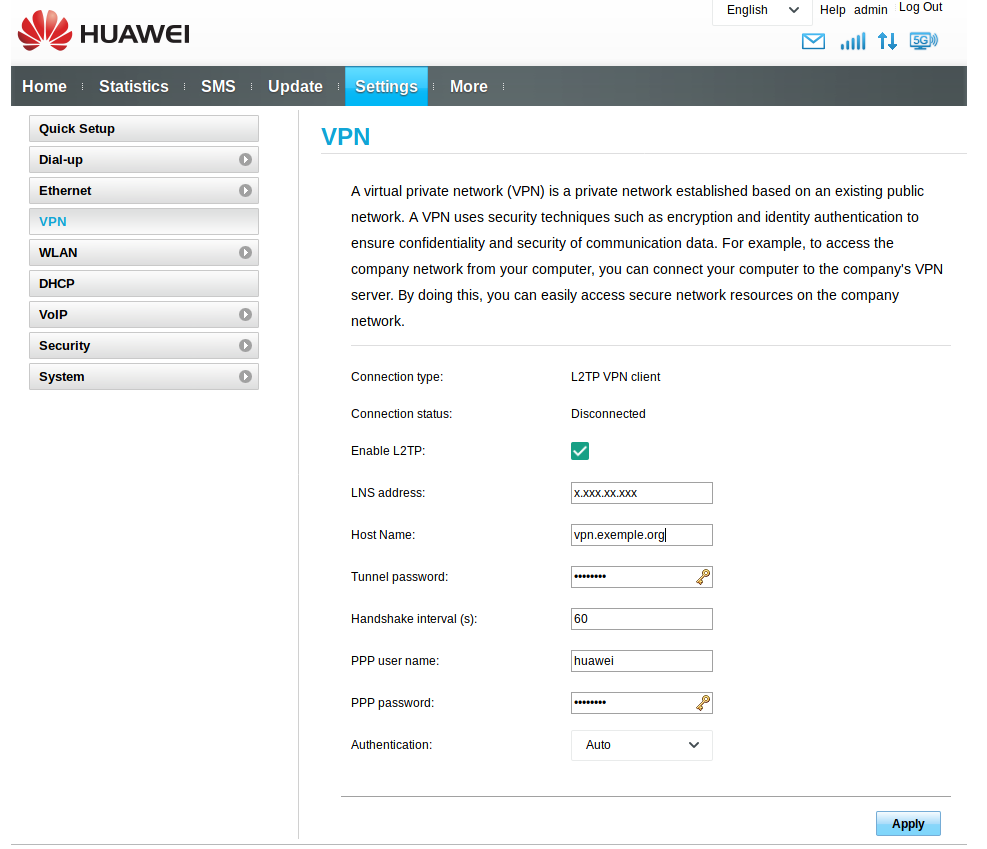
I configured my router like this:
Here is the firewall configuration:
It does not work...
Can you help me make your VPN work with Docker?
Thank you
@hwdsl2 commented on GitHub (Jan 24, 2019):
@mario26 Hello! Before starting the Docker container, it is required to first load the IPsec
af_keykernel module on your Docker host. See [1].On Ubuntu/Debian, the Docker container will try to load it from within the container, but your kernel modules must be bind mounted via
/lib/modules.Change this line in your Docker compose file:
- ${VOLUMES_ROOT_PATH}/data/l2tpvpn:/lib/modules:roto the following:- /lib/modules:/lib/modules:ro. The former is wrong.[1] https://github.com/hwdsl2/docker-ipsec-vpn-server/blob/master/README.md#start-the-ipsec-vpn-server