mirror of
https://github.com/budtmo/docker-android.git
synced 2026-04-25 12:15:52 +03:00
[GH-ISSUE #132] how to change the display resolution #93
Labels
No milestone
No project
No assignees
1 participant

Notifications
Due date
No due date set.
Dependencies
No dependencies set.
Reference
starred/docker-android#93
Loading…
Add table
Add a link
Reference in a new issue
No description provided.
Delete branch "%!s()"
Deleting a branch is permanent. Although the deleted branch may continue to exist for a short time before it actually gets removed, it CANNOT be undone in most cases. Continue?
Originally created by @guozhanxian on GitHub (Dec 10, 2018).
Original GitHub issue: https://github.com/budtmo/docker-android/issues/132
Operating System: centos7
Docker Image:
butomo1989/docker-android-x86-9.0
Docker Version:
Docker version 18.09.0
I want to know how to change the display resolution.
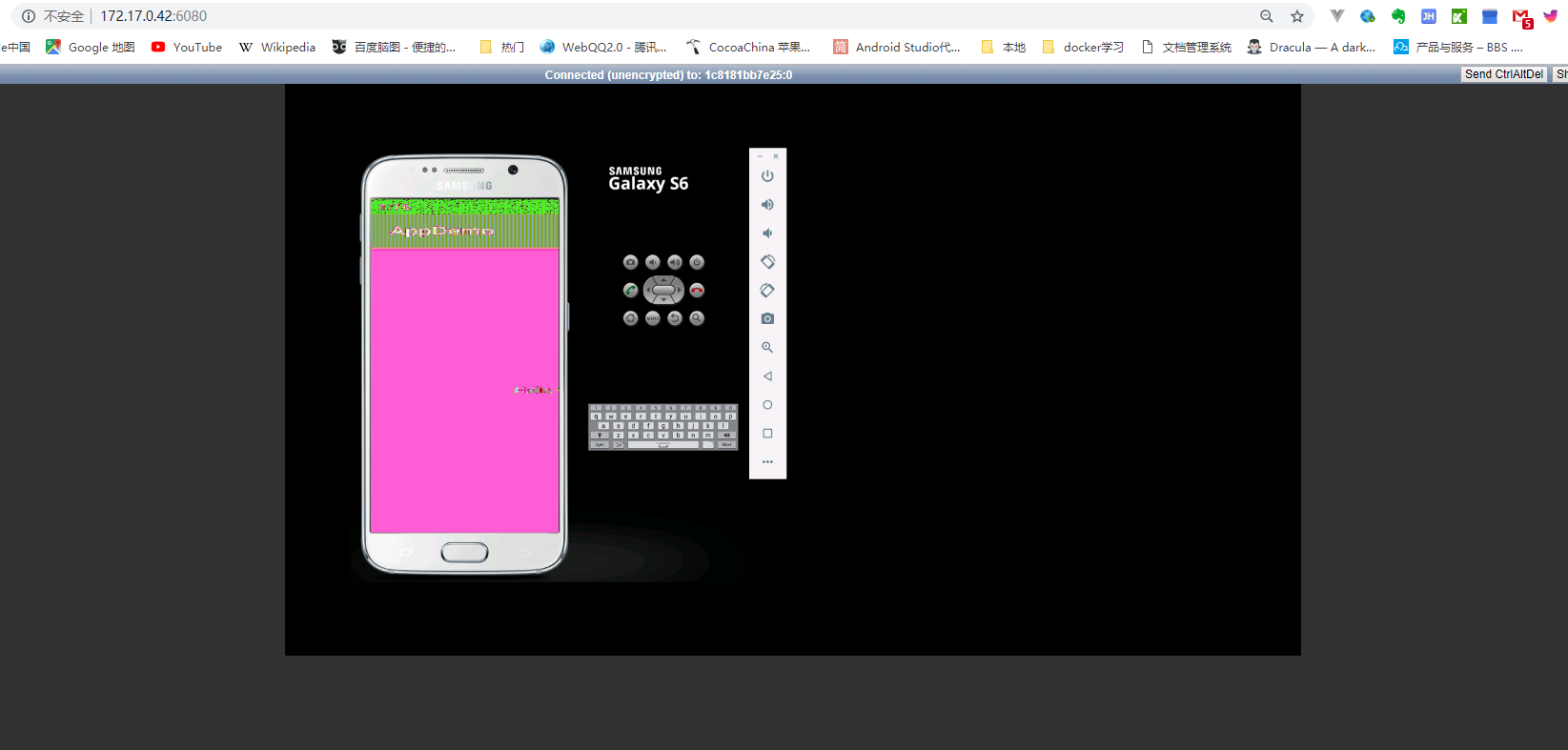
@diemol commented on GitHub (Dec 11, 2018):
Hi @guozhanxian,
The display resolution is given by the layout of the skin, see for example the S6. You need to go there and change it yourself for the desired size.
If that does not work, also try to modify the
config.iniof the device, where the screen resolution is also mentioned. I think in this project it should be located under/root/.android/avd/{theDevice}.avd/config.ini.@diemol commented on GitHub (Dec 11, 2018):
You can also change the dpi if you want, check https://stackoverflow.com/questions/4791943/emulating-density-of-320-dpi-on-android-emulator