mirror of
https://github.com/budtmo/docker-android.git
synced 2026-04-25 12:15:52 +03:00
[GH-ISSUE #194] Protect container with basic authentification #136
Labels
No milestone
No project
No assignees
1 participant

Notifications
Due date
No due date set.
Dependencies
No dependencies set.
Reference
starred/docker-android#136
Loading…
Add table
Add a link
Reference in a new issue
No description provided.
Delete branch "%!s()"
Deleting a branch is permanent. Although the deleted branch may continue to exist for a short time before it actually gets removed, it CANNOT be undone in most cases. Continue?
Originally created by @yousefchtourou on GitHub (Aug 25, 2019).
Original GitHub issue: https://github.com/budtmo/docker-android/issues/194
💬 Questions and Help
Any idea to protect this container ?
any body in LAN ,
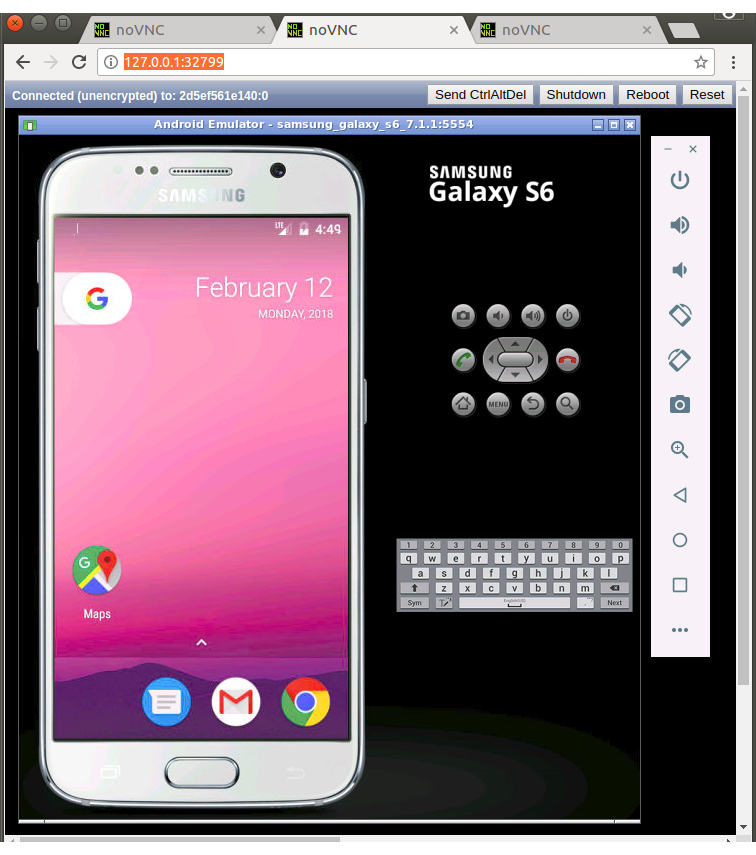
can press Ctrl+alt+supper to shutdown the emulator and fail the application
@Arne-B commented on GitHub (Aug 28, 2019):
Yeah, NoVNC uses websockify to provide a webserver. Websockify supports auth plugins, but the noVNC start script does not use this feature (as far as i could tell in a quick check). (${WEBSOCKIFY} ${SSLONLY} --web ${WEB} ${CERT:+--cert ${CERT}} ${KEY:+--key ${KEY}} ${PORT} ${VNC_DEST} ${RECORD_ARG} &)
This means, that this script from noVNC needs to be changed first, before support could be added in this project.
EDIT: I just saw, we are using a version from 2016, might be a good idea to update...
@ychtourou commented on GitHub (Aug 28, 2019):
protect by basic authentification for example
@Arne-B commented on GitHub (Aug 28, 2019):
setting a vnc password with
RUN mkdir /root/.vnc/
&& x11vnc -storepasswd password /root/.vnc/passwd
and running vnc with
command=/usr/bin/x11vnc -display %(ENV_DISPLAY)s -usepw -forever -shared
would make sure, that every vnc access it at least secure by a global default password which then must be changed at runtime.
I would suggest to introduce some ENV VAR which, if set, sets the vnc password and enables it.
The default can still be no password, because its an active choice to forward the vnc ports and enable external access.
@budtmo commented on GitHub (Sep 11, 2019):
Hi @ychtourou,
I dont give it, because it make easier to integrate with other tools (e.g. zalenium) and easier for user to open it (the user do not need to give the credentials everytime they want to see what happening and for testing purpose in my opinion it should be secured enough because you are in the same company network). probably the easiest solution is that you dont need to open any the vnc port and use screen recording if you want to see what happening during test execution. but you can share your use case why you want to protect the container in the same network, so maybe we can discuss the next step.
I will close it for now, but feel free to reopen it.