mirror of
https://github.com/cypht-org/cypht.git
synced 2026-04-25 04:56:03 +03:00
[GH-ISSUE #297] 🕷 Breaking connections destroys EMail draft #258
Labels
No labels
2fa
I18N
PGP
Security
Security
account
advanced_search
advanced_search
announcement
api_login
authentication
awaiting feedback
blocker
bug
bug
bug
calendar
config
contacts
core
core
devops
docker
docs
duplicate
dynamic_login
enhancement
epic
feature
feeds
framework
github
github
gmail_contacts
good first issue
help wanted
history
history
imap
imap_folders
inline_message
installation
keyboard_shortcuts
keyboard_shortcuts
ldap_contacts
mobile
need-ssh-access
new module set
nux
pop3
profiles
pull-request
question
refactor
release
research
saved_searches
smtp
strategic
tags
tests
themes
website
wordpress
No milestone
No project
No assignees
1 participant

Notifications
Due date
No due date set.
Dependencies
No dependencies set.
Reference
starred/cypht#258
Loading…
Add table
Add a link
Reference in a new issue
No description provided.
Delete branch "%!s()"
Deleting a branch is permanent. Although the deleted branch may continue to exist for a short time before it actually gets removed, it CANNOT be undone in most cases. Continue?
Originally created by @ulfgebhardt on GitHub (Oct 26, 2018).
Original GitHub issue: https://github.com/cypht-org/cypht/issues/297
Originally assigned to: @jasonmunro on GitHub.
When writing an EMail the client updates in the Background. Should that Update fail e.g. Connection lost the EMail is gone and the Browser shows a beautiful "Could not connect to Server" or similar.
This should never happen - since the EMail seems not to be backuped. The EMail must be preserved at any costs - just imagine you wrote a Text-Wall which will hit your recipient critical and you lose your connection - everything is gone :(.
The update-process in the Background should not interfere with Page-Display
Grüße Ulf <3
@jasonmunro commented on GitHub (Oct 26, 2018):
I have not run into this before - I will try to reproduce it. Nothing about a failed background update should wipe out an in process outbound E-mail so I'm surprised. In process E-mails are periodically saved to the server (once a minute or so I think). They can be recovered using the icon in the upper right of the screen. Drafts are only saved in the session so they are lost if you logout, and of course if you are unable to connect to the server the background draft saving fails. Maybe I can add some client side fallback in that case. I will let you know what I find out!
@jasonmunro commented on GitHub (Oct 26, 2018):
@ulfgebhardt
I'm unable to reproduce.
Am I not reproducing what you are describing? thanks!
@ulfgebhardt commented on GitHub (Oct 27, 2018):
Ok, i cannot reproduce it by breaking the Internet-Connection.
This was happening when i borrowed the WLAN of the neighbor, since my internet was not present.
The Problem might be with the session safety of Cypht bound to an IP. My WLAN Adapter is configured to change MAC on every connect - therefore breaking the connection of a WLAN Network will generate a new IP.
I don't know how to build a good scenario which makes this reproducable. I just can say it happend; I lost 2 EMails in the process.
Maybe using a mobile on a train can be used to reproduce the Problem oO
Grüße Ulf
@jasonmunro commented on GitHub (Oct 27, 2018):
Just so I understand, what exactly happened in your 2 cases in the UI. You got a "could not connect to server" - and were redirected to another page? logged out? stayed on the compose form but it was reset? And did this happen while writing or on send?
Thanks!
@ulfgebhardt commented on GitHub (Oct 29, 2018):
My Chrome sent me to its offline page.
Smth like this:
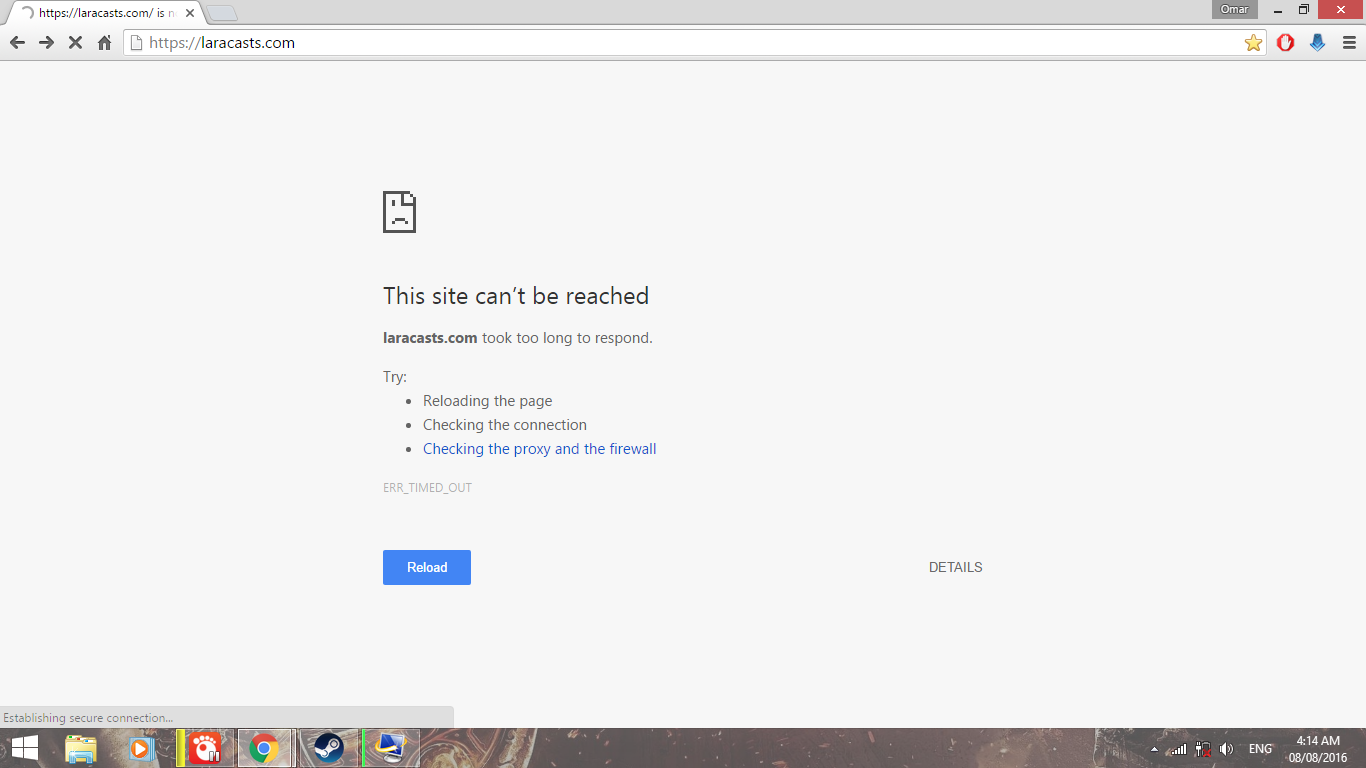
maybe this is a minor bug - since it only occurs under those special circumstances.
After reestablishing the connection it sent me back to the cypht-login page.
Maybe this is also a problem with chrome, since chrome shows the offline-page, once it cannot establish a connection.
A more favorable behaviour would be:
And to clarify, I did not press sent, the background updater(refresh of inbox/draft-save mechanism) caused the offline-page to appear, while I was writing the EMail.
Grüße Ulf <3
@jasonmunro commented on GitHub (Oct 29, 2018):
Thanks for the info! I agree on your description of better behavior and will create a new ticket for "better handling of network issues". as this is really a general problem and not specific to the compose page (though it is specifically painful having written a long message only to lose it). I will add some details to that issue about how I plan on implementing some improvements here.
I think in your case you hit this line of code at some point:
https://github.com/jasonmunro/cypht/blob/master/modules/core/site.js#L143
A background request "succeeded" but was either unauthenticated or returned nothing because of a network error, however it was not a "true" network error as far as the code could tell because it would have fired a different callback in that case. This caused Cypht to redirect you to the home page, which triggered the "no internet connection" placeholder and you lost the message. I'm removing this redirect which should help - in these cases you might have had a chance to copy your message before losing it.
Also we do have an ini option to disable strict IP checking if that makes more sense for your use case called disable_ip_check.
@ulfgebhardt commented on GitHub (Oct 29, 2018):
I agree that the
disable_ip_checkoption would probl. a good solution - even tho this was just a temporary problem.I think it is wise to make a more broad issue to address this rather then try to fix this minor problem - i just wanted to give some feedback - its not a continues problem for me ;-)
Feel free to close this.
Grüße Ulf <3
@dumblob commented on GitHub (Oct 29, 2018):
Well, I have to say I was totally, but really absolutely delighted when the provider whose web email interface I use every day started automatically saving the drafts every 20 seconds or so on the server in the drafts folder. I'm travelling o lot and this has already saved me tens of hours of duplicate work and frustration. Why tens of hours? Because this feature was implemented first after about 7 years of me having the email account by them and struggling with this issue every now and then.
So, if I may propose something, don't wast time with implementing any client-side solution, but directly this server-saving and make the frequency configurable (with 1 second precision) - on a mobile device one would be OK with 60 seconds due to bigger energy savings whereas on a desktop I would prefer something like 10 seconds).
And yes, for PGP we would ask each time for the password (in case writing the password will get interrupted by a new autosave request, the old request will be exchanged for this new one). In the worst case one can still press_Esc/click_on_Cancel_this_autosave_request to quickly dismiss the password prompt (i.e. not saving anything to server at that point) to finish the thought and first at the next prompt enter the password.
@jasonmunro commented on GitHub (Oct 29, 2018):
@dumblob I agree we need proper draft support, I previously created a ticket for this here https://github.com/jasonmunro/cypht/issues/257 . We already have much of the code path for that built, we just need to save the message as a draft in IMAP rather than in the session (we currently auto-save on the compose page every 30 seconds, but because it's session only it's lost if you are logged out). In order for this to work properly you would have to already have selected the outbound profile, but we could at least default to the first IMAP server we find or even fallback to the current way. No reason we could not then add a combined view for Drafts like we do for Sent.
It would however still be nice to have better UI handling around a lost connection - though many views in Cypht are standard HTTP requests so unless we did something terrible like check the network before any click event we can't make Cypht behave like a SPA when then network is down. With that said, I think we can do a little bit better than we do now - specifically around compose but also in general, which is why I proposed (and will be) creating a ticket specific to that aspect.
@jasonmunro commented on GitHub (Oct 30, 2018):
Created a new issue for discussion and work on offline handling here: https://github.com/jasonmunro/cypht/issues/298 so I'm going to close this. Thanks for the feedback everyone!