mirror of
https://github.com/dbeaver/cloudbeaver.git
synced 2026-04-25 21:56:01 +03:00
[GH-ISSUE #285] Configure system objects visibility for connections #78
Labels
No labels
AS
can't reproduce
can't reproduce
deployment
development
documentation
duplicate
duplicate
ee
enhancement
external
new driver
performance
pull-request
third party issue
wait for response
wait for review
wontfix
x:Oracle
x:cassandra
x:clickhouse
x:db2
x:duckdb
x:greenplum
x:h2
x:h2gis
x:hana
x:hive
x:intersystems
x:kyuubi
x:maria
x:mongo
x:mysql
x:postgresql
x:presto
x:sql server
x:sqlite
x:teradata
x:trino
xf:accessibility
xf:administration
xf:ai
xf:authentication
xf:aws
xf:commit-mode
xf:connection
xf:dark theme
xf:data editor
xf:datatransfer
xf:dba
xf:driver management
xf:erd
xf:filters
xf:i18n
xf:i18n
xf:installer
xf:json
xf:kerberos
xf:ldap
xf:local config
xf:log viewer
xf:metadata
xf:metadata editor
xf:navigator
xf:okta
xf:query manager
xf:resource manager
xf:scripts
xf:sql editor
xf:tasks
xf:ui/uix
xo: Firefox
xo:eclipse
xo:internet explorer
xo:macos
xp:major
xrn:internal
No milestone
No project
No assignees
1 participant

Notifications
Due date
No due date set.
Dependencies
No dependencies set.
Reference
starred/cloudbeaver#78
Loading…
Add table
Add a link
Reference in a new issue
No description provided.
Delete branch "%!s()"
Deleting a branch is permanent. Although the deleted branch may continue to exist for a short time before it actually gets removed, it CANNOT be undone in most cases. Continue?
Originally created by @EricPE69 on GitHub (Feb 10, 2021).
Original GitHub issue: https://github.com/dbeaver/cloudbeaver/issues/285
Originally assigned to: @devnaumov on GitHub.
Describe the bug
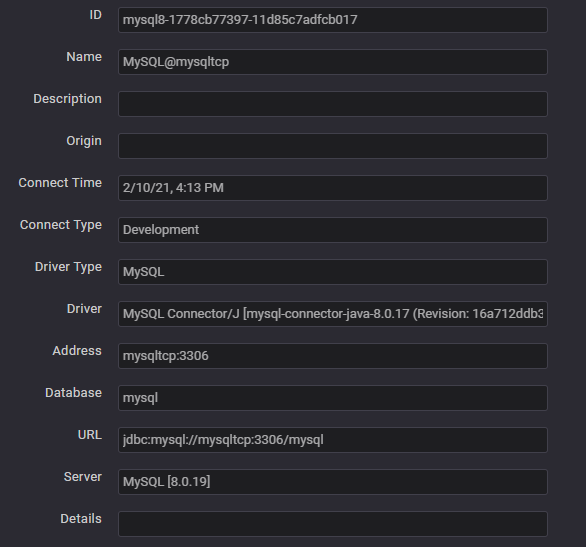
I access a mysql database (8.0.19) with the root user. i only see the sys database; I do not see mysql, performance_schema and information_schema even if I set it in database parameter.
To Reproduce
Steps to reproduce the behavior:
Access a mysql database (v8) with root user.
Screenshots

Desktop (please complete the following information):
@kseniiaguzeeva commented on GitHub (Feb 15, 2021):
Unfortunately I cannot reproduce it. Do you enter a schema in the connection settings?
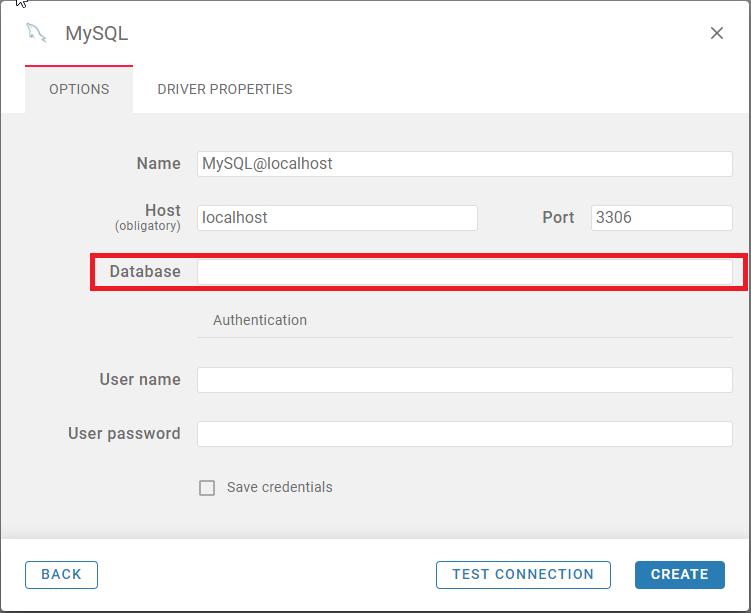
Can you see other schemas when use other clients (e.g. DBeaver https://dbeaver.io/download/)?
@EricPE69 commented on GitHub (Feb 15, 2021):
No, I do not enter schema in the connection settings.
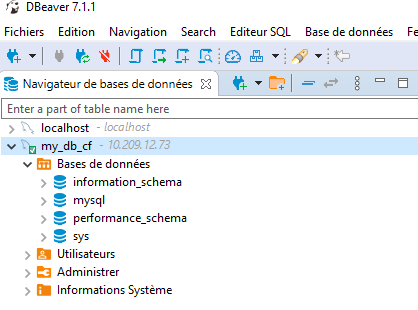
Yes, with adminer or dbeaver I see all the schemas (see screenshot)
@kseniiaguzeeva commented on GitHub (Feb 15, 2021):
Thank you for the additional info. Looking for steps to reproduce.
@kseniiaguzeeva commented on GitHub (Feb 16, 2021):
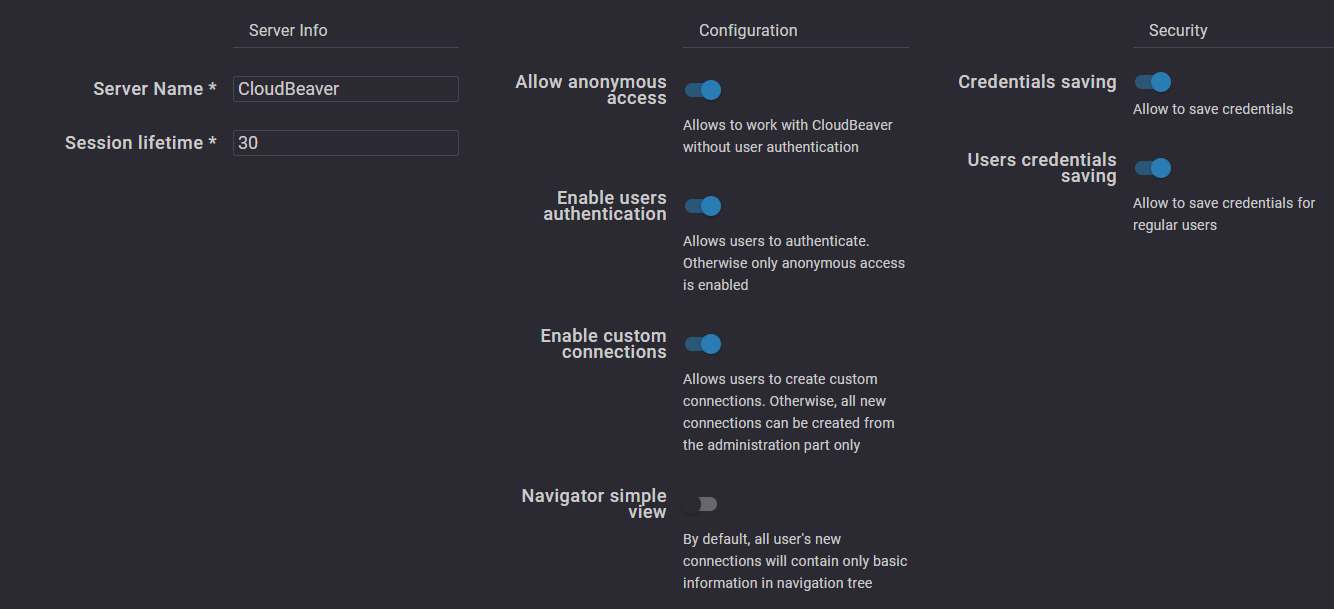
Can you login as admin? If yes, please go to Administration menu>Server configuration and check whether Navigator simple view is enabled.

If yes, disable it and recreate the connection.
@EricPE69 commented on GitHub (Feb 16, 2021):
No, Navigator simple view is not enabled.
@serge-rider commented on GitHub (Feb 17, 2021):
By default you system objects are hidden in CloudBeaver.
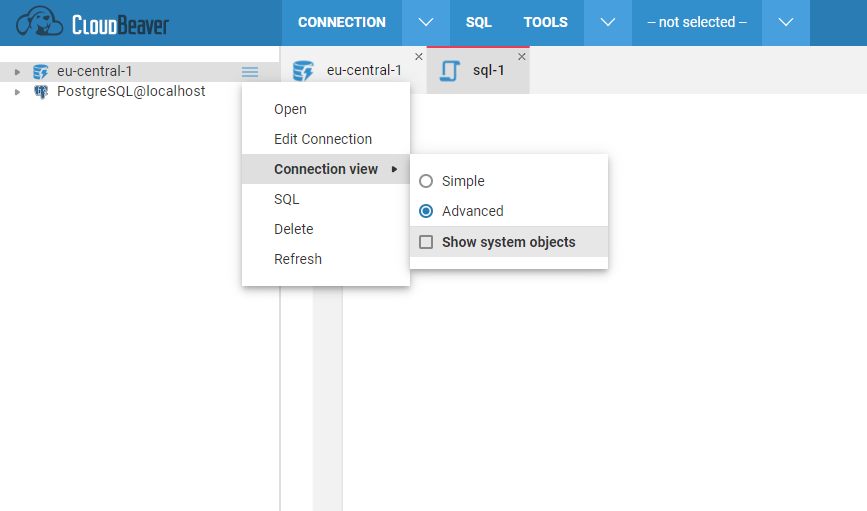
We plan add this configuration option in one of the next versions (in DBeaver it is shown as "Show system objects" setting on connection settings page).
Workaround: you can change connection config manually by editing file
data-sources.jsonfile. It can be found in CloudBeaver workspace folder inGlobalConfiguration/.dbeaveroruser-projects/USER/.dbeaver.Find you connection config there and add elemnt
"show-system-objects": truesomewhere after "name": "...".Restart CloudBeaver server - now you can see system objects.
@EricPE69 commented on GitHub (Feb 18, 2021):
I add a connection with "show-system-objects": true in data-sources.json file (see joined file).
For information to see this connection in the GUI I had to connect with the admin user, otherwise I do not see it.
But with this connection it does not change anything: I still only see the sys database.
data-sources.json.txt
@kseniiaguzeeva commented on GitHub (Feb 20, 2021):
Thank you for the additional details. We will add the option to see system objects to the next release.
@EricPE69 commented on GitHub (Feb 22, 2021):
Ok,
Thank you.
@Wroud commented on GitHub (Apr 1, 2021):
Hello. great news we released 20.0.6, where we implemented this feature!
@EricPE69 commented on GitHub (Apr 6, 2021):
Hello,
It works,
Thank you