mirror of
https://github.com/dbeaver/cloudbeaver.git
synced 2026-04-25 05:36:14 +03:00
[GH-ISSUE #1286] Adding a new driver does not work #280
Labels
No labels
AS
can't reproduce
can't reproduce
deployment
development
documentation
duplicate
duplicate
ee
enhancement
external
new driver
performance
pull-request
third party issue
wait for response
wait for review
wontfix
x:Oracle
x:cassandra
x:clickhouse
x:db2
x:duckdb
x:greenplum
x:h2
x:h2gis
x:hana
x:hive
x:intersystems
x:kyuubi
x:maria
x:mongo
x:mysql
x:postgresql
x:presto
x:sql server
x:sqlite
x:teradata
x:trino
xf:accessibility
xf:administration
xf:ai
xf:authentication
xf:aws
xf:commit-mode
xf:connection
xf:dark theme
xf:data editor
xf:datatransfer
xf:dba
xf:driver management
xf:erd
xf:filters
xf:i18n
xf:i18n
xf:installer
xf:json
xf:kerberos
xf:ldap
xf:local config
xf:log viewer
xf:metadata
xf:metadata editor
xf:navigator
xf:okta
xf:query manager
xf:resource manager
xf:scripts
xf:sql editor
xf:tasks
xf:ui/uix
xo: Firefox
xo:eclipse
xo:internet explorer
xo:macos
xp:major
xrn:internal
No milestone
No project
No assignees
1 participant

Notifications
Due date
No due date set.
Dependencies
No dependencies set.
Reference
starred/cloudbeaver#280
Loading…
Add table
Add a link
Reference in a new issue
No description provided.
Delete branch "%!s()"
Deleting a branch is permanent. Although the deleted branch may continue to exist for a short time before it actually gets removed, it CANNOT be undone in most cases. Continue?
Originally created by @dgkim11 on GitHub (Nov 16, 2022).
Original GitHub issue: https://github.com/dbeaver/cloudbeaver/issues/1286
Hi,
I need to add Sap Hana Jdbc driver to Cloudbeaver Community. I followed the guide document(https://github.com/dbeaver/cloudbeaver/wiki/Adding-new-database-drivers) but I can't see the new driver. This is my works.
I found "sap_hana" driver in plugin.xml in dbeaver. So, I used the driver for my Sap Jdbc driver.
Step1, I add a sap_hana folder in drivers directory of cloudbeaver with the following pom.xml,please refer to the attached file. (https://github.com/dbeaver/cloudbeaver/files/10018941/sap_hana.zip).
Step2. I added 'sap_hana' to the root pom.xml in drivers directory.
Step3, I updated plugin.xml file in bundle/io.cloudbeaver.resources.drivers.base directory. with the following items.
Step4. executed build.sh and I got the following message during building.
...
[INFO] drivers.sap_hana 1.0.0 ............................. SUCCESS [ 2.318 s]
...
Is there any missing or wrong task?
Thanks,
Dongkyun
@kseniaguzeeva commented on GitHub (Nov 16, 2022):
Could you please give me a description what exactly have been wrong in your case (an error message etc.)? What have you received after finishing your steps?
@dgkim11 commented on GitHub (Nov 16, 2022):
I could not find any error message during build. The below is the log of build.sh
build-cloudbeaver.log
As you can see, the result was success.
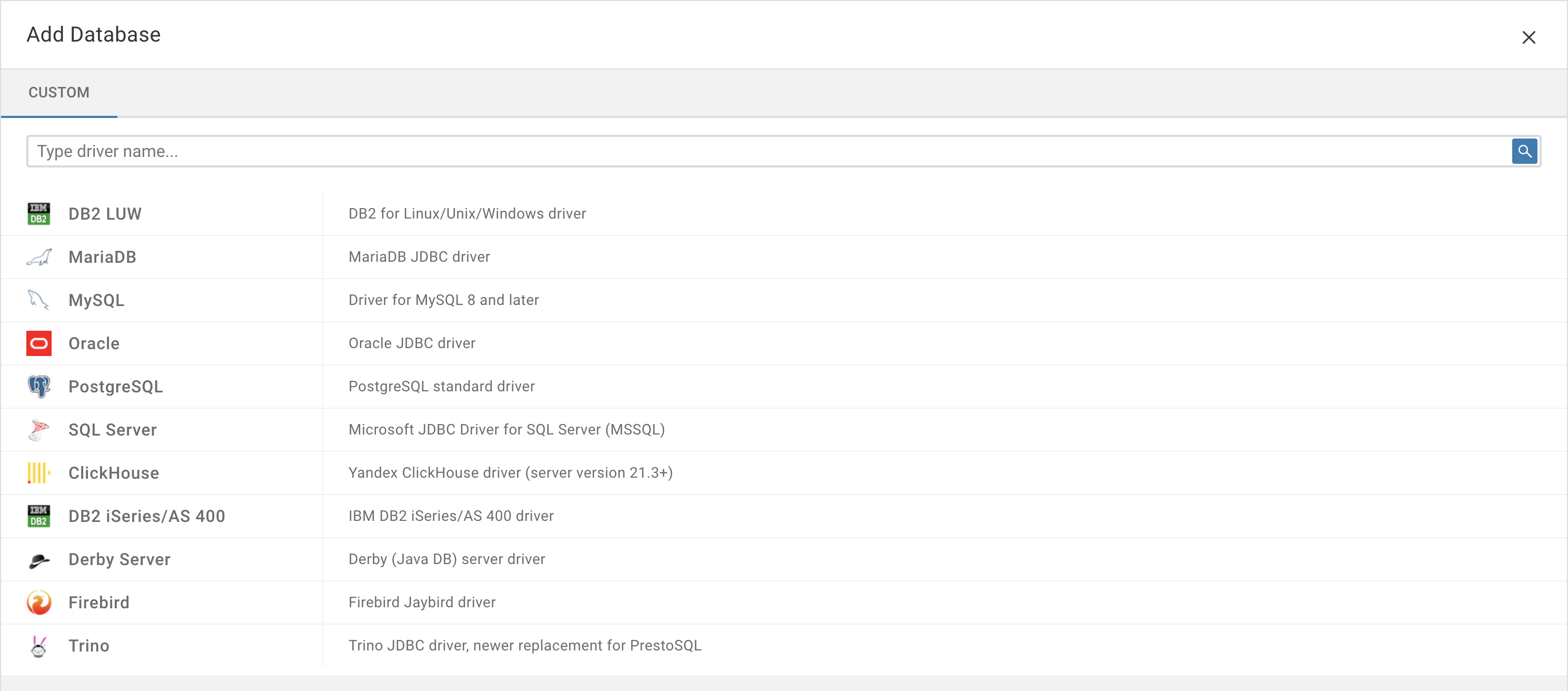
Then, I executed deploy/cloudbeaver/run-server.sh and I expected to see the Sap hana driver on Cloudbeaver, but I could not see it like the below screen capture.
I found sap_hana folder in server/drivers after building.
As I mentioned, to add the new driver, I created 'drivers/sap_hana' and pom.xml with the maven dependency in the folder.
Then, i updated plugin.xml to add the driver. The below file is the folders I updated.
아카이브.zip
Could you please let me know what is wrong?
@dgkim11 commented on GitHub (Nov 22, 2022):
I resolved this issue. The document of 'https://github.com/dbeaver/cloudbeaver/wiki/Adding-new-database-drivers' is not correct. I think this doc should be updated. There is Sap Hana driver already in Dbeaver. Do not use the generic plugin, but instead, you can find org.jkiss.dbeaver.ext.hana plugin. Use it in the plugin.xml of Cloudbeaver.