[GH-ISSUE #1200] How to visualize activate the clodbeaver graphql terminal? #263

Closed
opened 2026-03-07 20:47:01 +03:00 by kerem · 12 comments
Owner

Originally created by @miltonchirinos44 on GitHub (Oct 6, 2022).
Original GitHub issue: https://github.com/dbeaver/cloudbeaver/issues/1200

Originally assigned to: @devnaumov on GitHub.

I have been finding out how to activate the cloudbeaver graphql terminal, but I have not been successful, it will be possible that you can help me with that data

Originally created by @miltonchirinos44 on GitHub (Oct 6, 2022). Original GitHub issue: https://github.com/dbeaver/cloudbeaver/issues/1200 Originally assigned to: @devnaumov on GitHub. I have been finding out how to activate the cloudbeaver graphql terminal, but I have not been successful, it will be possible that you can help me with that data
kerem 2026-03-07 20:47:01 +03:00
Author
Owner

@miltonchirinos44 commented on GitHub (Oct 6, 2022):

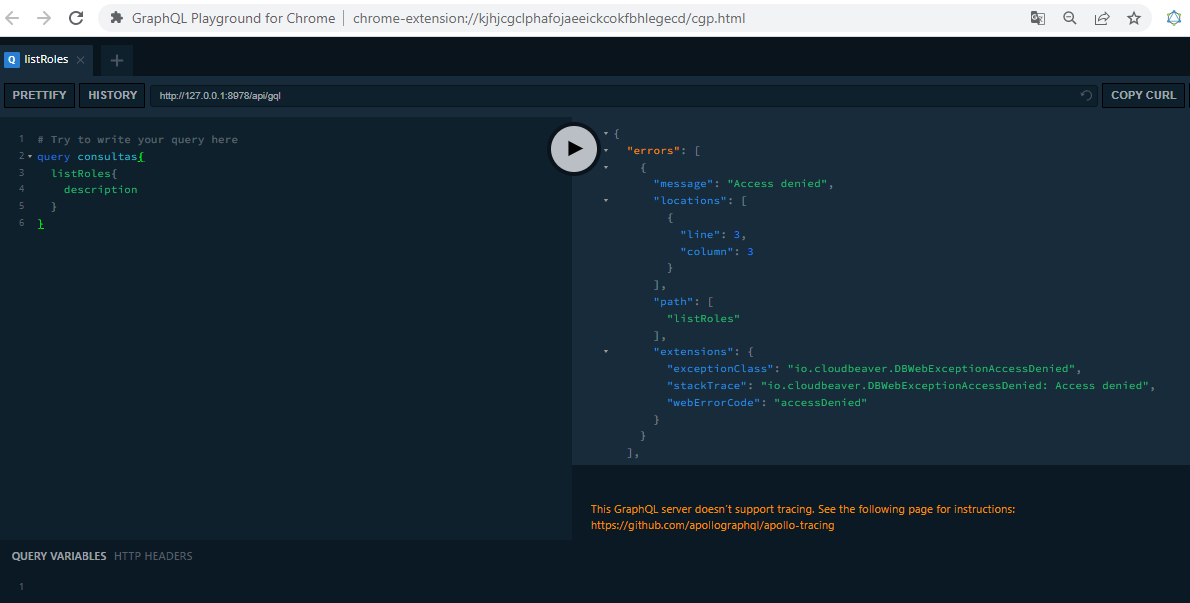
How do I make queries in the graphql console?
I have the following error
image

error
image
This GraphQL server doesn’t support tracing. See the following page for instructions:
https://github.com/apollographql/apollo-tracing

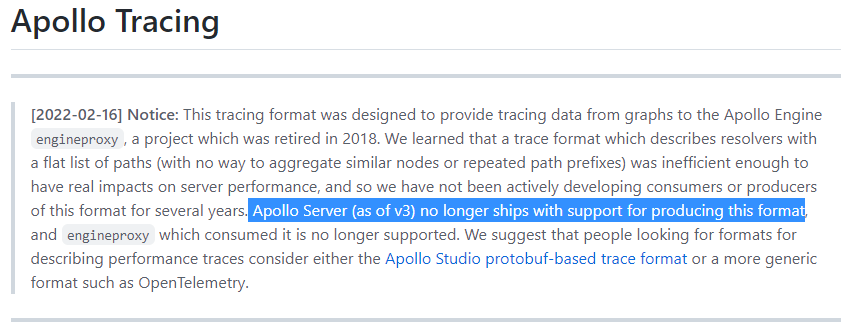
Reviewing the documentation
https://github.com/apollographql/apollo-tracing
image

I have been reviewing the source code of the cloud frontend but I cannot identify the code that corresponds to the graphql queries, could you help me identify the graphql queries or what type of graphql syntax are you using?

<!-- gh-comment-id:1270541911 --> @miltonchirinos44 commented on GitHub (Oct 6, 2022): How do I make queries in the graphql console? I have the following error ![image](https://user-images.githubusercontent.com/52106718/194393374-3d6f3210-3a1f-4acd-9211-045c954707dd.png) error ![image](https://user-images.githubusercontent.com/52106718/194393608-95e5e0dc-195a-4a27-83f2-729183eac0ec.png) **This GraphQL server doesn’t support tracing. See the following page for instructions: https://github.com/apollographql/apollo-tracing** Reviewing the documentation https://github.com/apollographql/apollo-tracing ![image](https://user-images.githubusercontent.com/52106718/194394038-5428f3c8-b807-441a-ac3c-abfbe6fb5b9e.png) I have been reviewing the source code of the cloud frontend but I cannot identify the code that corresponds to the graphql queries, could you help me identify the graphql queries or what type of graphql syntax are you using?
Author
Owner

@miltonchirinos44 commented on GitHub (Oct 12, 2022):

I have the following error message access denied to view graphql terminal display according to the following detail https://github.com/dbeaver/cloudbeaver/issues/1213,

<!-- gh-comment-id:1276525250 --> @miltonchirinos44 commented on GitHub (Oct 12, 2022): I have the following error message **access denied to view graphql terminal display** according to the following detail https://github.com/dbeaver/cloudbeaver/issues/1213,
Author
Owner

@devnaumov commented on GitHub (Oct 14, 2022):

@miltonchirinos44 Hi! It looks like you don't have permission to run this query. Try to open the CloudBeaver session first. You can do it by executing openSession mutation

<!-- gh-comment-id:1278846530 --> @devnaumov commented on GitHub (Oct 14, 2022): @miltonchirinos44 Hi! It looks like you don't have permission to run this query. Try to open the CloudBeaver session first. You can do it by executing ```openSession mutation```
Author
Owner

@miltonchirinos44 commented on GitHub (Oct 14, 2022):

@devnaumov Hola,

The steps you take:

image

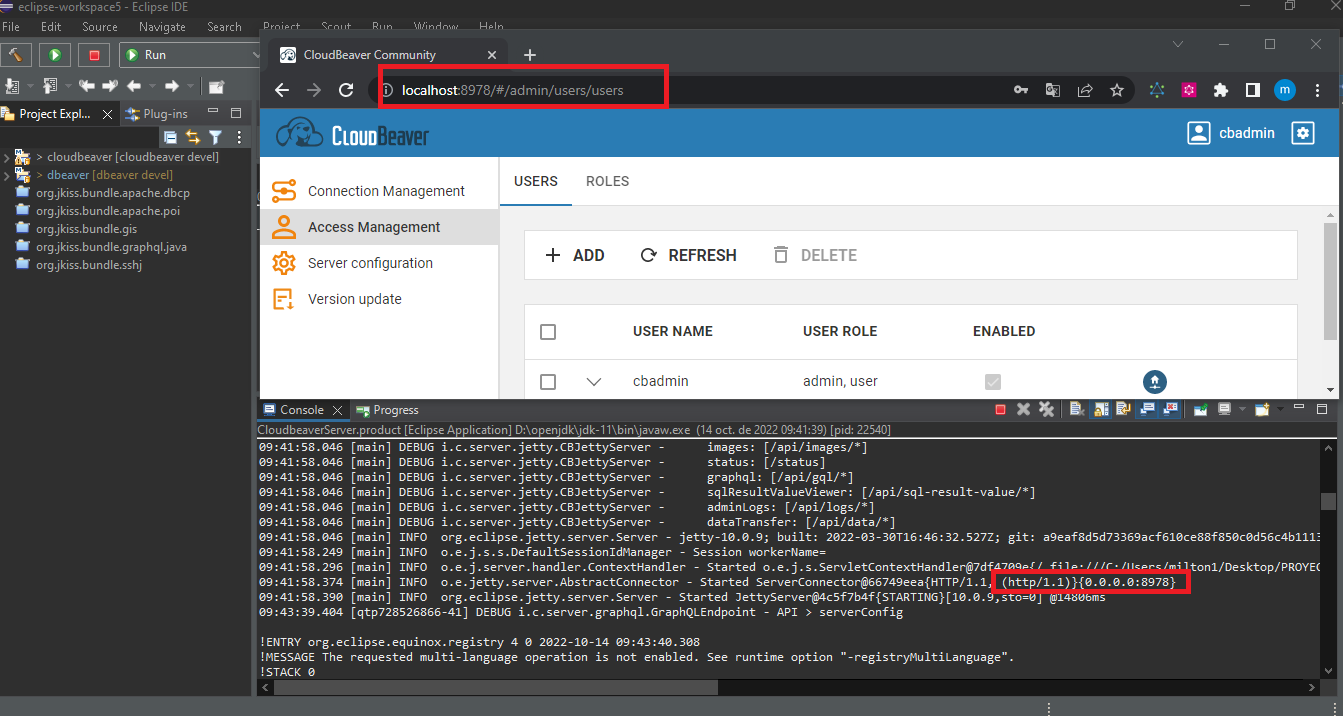
  • Second run cloudbeaver from eclipse java, login with user cba to establish session
    image

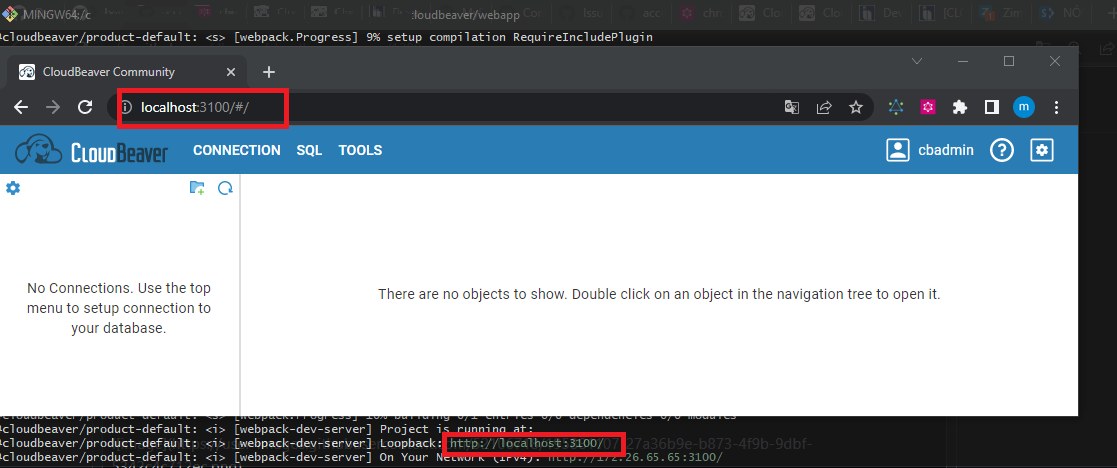
  • Third, run cloudbeaver development mode, I execute the following instruction in the terminal to launch cloudbeaver in development mode lerna run dev --stream --scope=@cloudbeaver/product-default -- -- --env server=localhost:8978
    image

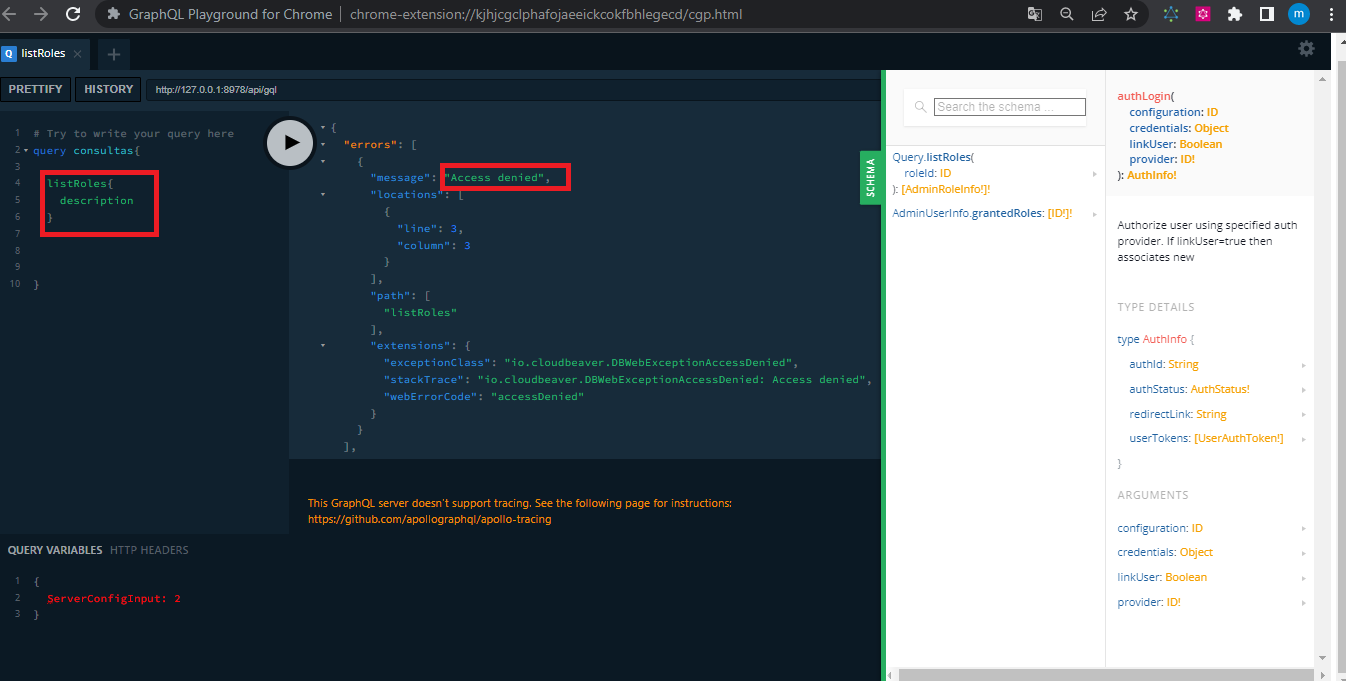
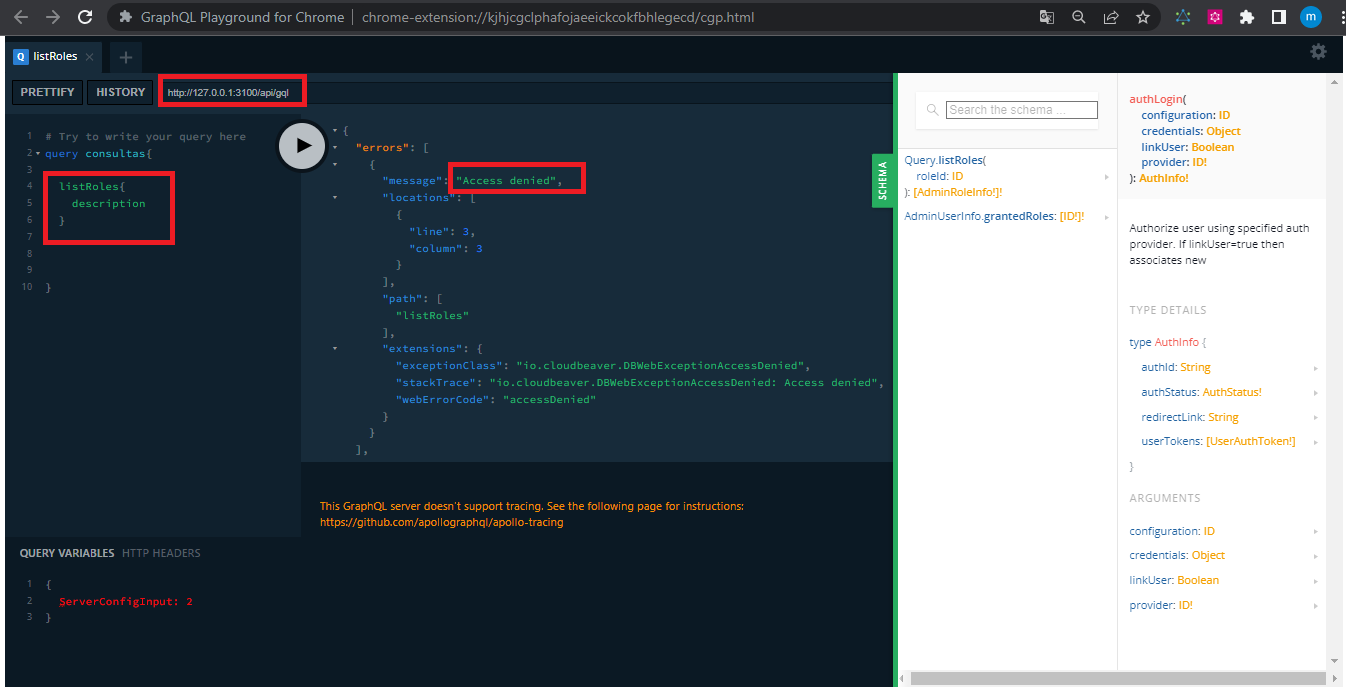
  • Fourth, I try to run the graphQL terminal with the urls (http://127.0.0.1:8978/api/gql) and (http://127.0.0.1:3100/api/gql), I run a query to list the description of the cloudbeaver roles, which tells me that access to the query is restricted in both cases of the urls as can be seen in the example

  • first url http://127.0.0.1:8978/api/gql
    image

  • second url http://127.0.0.1:3100/api/gql
    image

@devnaumov how can I open the Cloudbeaver session and where do I execute the openSession mutation statement, or am I making a mistake with the steps mentioned above, or do I need to do some other configuration?

<!-- gh-comment-id:1279173979 --> @miltonchirinos44 commented on GitHub (Oct 14, 2022): @devnaumov Hola, The steps you take: - First enable the `develMode: true` to display the graphql terminal as indicated in the following guide https://github.com/dbeaver/cloudbeaver/wiki/Server-API-explorer ![image](https://user-images.githubusercontent.com/52106718/195881107-27a36b9e-b873-4f9b-9dbf-5342c4c712ec.png) - Second run cloudbeaver from eclipse java, login with user cba to establish session ![image](https://user-images.githubusercontent.com/52106718/195882426-2b20daad-aaff-401f-b200-1189777586f3.png) - Third, run cloudbeaver development mode, I execute the following instruction in the terminal to launch cloudbeaver in development mode `lerna run dev --stream --scope=@cloudbeaver/product-default -- -- --env server=localhost:8978` ![image](https://user-images.githubusercontent.com/52106718/195883425-50ad349f-97c0-470c-abf5-ccd5239c87e2.png) - Fourth, I try to run the graphQL terminal with the urls (http://127.0.0.1:8978/api/gql) and (http://127.0.0.1:3100/api/gql), I run a query to list the description of the cloudbeaver roles, which tells me that access to the query is restricted in both cases of the urls as can be seen in the example - first url http://127.0.0.1:8978/api/gql ![image](https://user-images.githubusercontent.com/52106718/195884846-57db52ae-7516-49e9-91d5-4de4121175df.png) - second url http://127.0.0.1:3100/api/gql ![image](https://user-images.githubusercontent.com/52106718/195885200-2d5a4b2e-4acf-49dd-82c1-c3a6386390f5.png) @devnaumov how can I open the Cloudbeaver session and where do I execute the `openSession mutation` statement, or am I making a mistake with the steps mentioned above, or do I need to do some other configuration?
Author
Owner

@miltonchirinos44 commented on GitHub (Oct 18, 2022):

I still can't find the solution to run the GRAPHQL terminal, where I run the command openSession mutation

<!-- gh-comment-id:1282364376 --> @miltonchirinos44 commented on GitHub (Oct 18, 2022): I still can't find the solution to run the GRAPHQL terminal, where I run the command `openSession mutation`
Author
Owner

@miltonchirinos44 commented on GitHub (Nov 3, 2022):

So far I have no news of this problem, where I run the openSession mutation command

<!-- gh-comment-id:1302230248 --> @miltonchirinos44 commented on GitHub (Nov 3, 2022): So far I have no news of this problem, where I run the `openSession mutation` command
Author
Owner

@devnaumov commented on GitHub (Nov 9, 2022):

@miltonchirinos44 Hi there! Could you please try to login into the CloudBeaver via UI and then open the GraphQL console in a separate tab and run listRoles query?

<!-- gh-comment-id:1308887003 --> @devnaumov commented on GitHub (Nov 9, 2022): @miltonchirinos44 Hi there! Could you please try to login into the CloudBeaver via UI and then open the GraphQL console in a separate tab and run ```listRoles``` query?
Author
Owner

@miltonchirinos44 commented on GitHub (Nov 10, 2022):

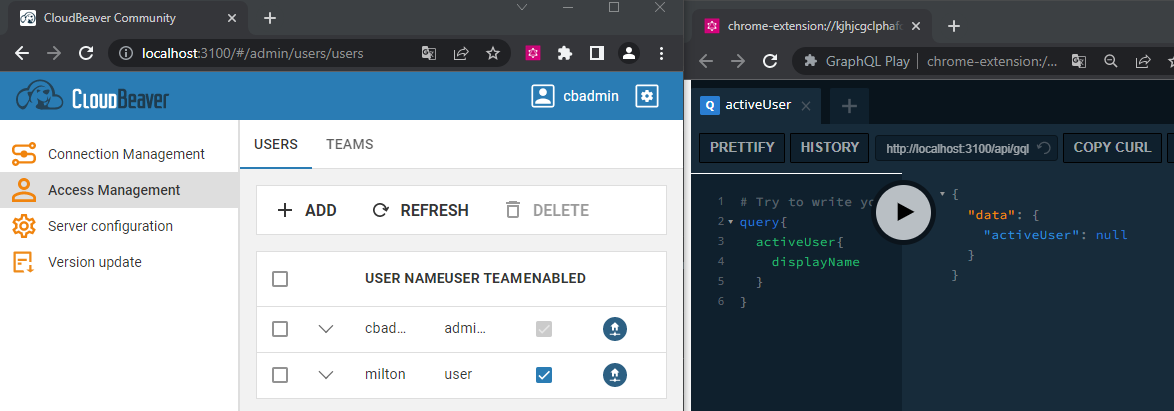
@devnaumov I tell you to first log in to cloudbeaver through the following url http://localhost:3100 and then in a separate tab start the graphql terminal through the following url http://localhost:3100 /api/gql
image

Is the url http://localhost:3100/api/gql correct when placed in the graphql playground terminal?

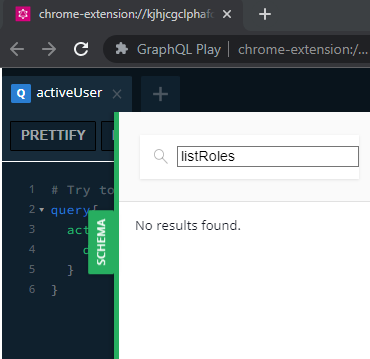
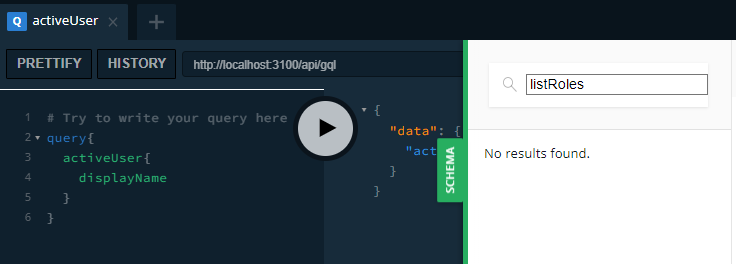
I tell you that I tried to look for the listRoles query in the documentation generated by the query terminal and it seems that it no longer exists
image
image

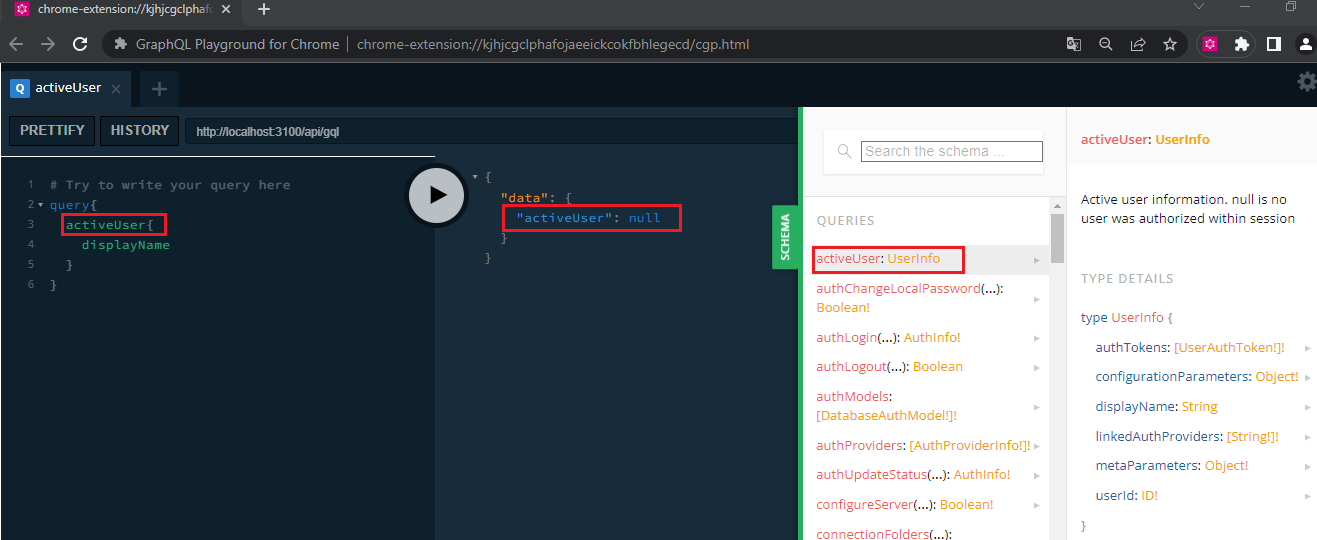
so I make a new query with activeUser to display the current active user but this time it tells me the user with a value of null
image

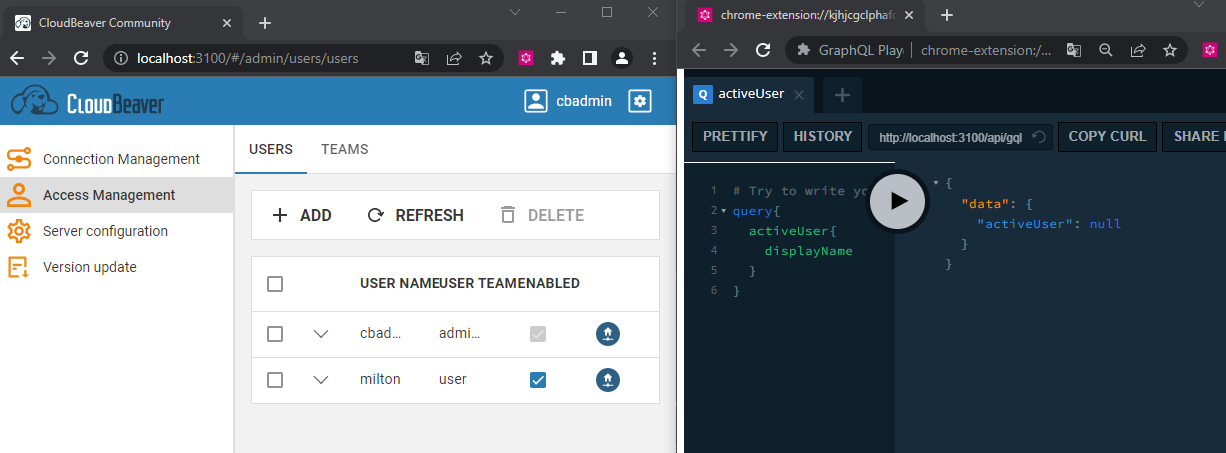
cloudbeaver login and graphql query
image

Could you help me with this error, or what am I doing wrong? I don't understand why the listRoles query no longer shows me

Note: I am working with:

  • latest version of cloudbeaver
  • update from java 11 to java 17 was made
  • verified that the cloudbeaver project runs correctly

los ejemplo se realizaron ejecutando cloudbeaver desde modo de desarrollo de cloudbeaver http://localhost:3100

<!-- gh-comment-id:1310754833 --> @miltonchirinos44 commented on GitHub (Nov 10, 2022): @devnaumov I tell you to first log in to cloudbeaver through the following url `http://localhost:3100` and then in a separate tab start the graphql terminal through the following url `http://localhost:3100 /api/gql` ![image](https://user-images.githubusercontent.com/52106718/201175656-c07366b1-c5bd-4563-84ea-d515cfed62db.png) Is the url `http://localhost:3100/api/gql` correct when placed in the graphql playground terminal? I tell you that I tried to look for the `listRoles` query in the documentation generated by the query terminal and it seems that it no longer exists ![image](https://user-images.githubusercontent.com/52106718/201177880-cc7caa0f-3069-45ab-ab39-60f525712fc5.png) ![image](https://user-images.githubusercontent.com/52106718/201181093-85acda5a-bb7c-49d6-ac8e-6b77656d050e.png) so I make a new query with `activeUser` to display the current active user but this time it tells me the user with a value of null ![image](https://user-images.githubusercontent.com/52106718/201178745-36089188-5c14-45dd-9b85-2e5fbb011067.png) cloudbeaver login and graphql query ![image](https://user-images.githubusercontent.com/52106718/201178990-f8b4bbae-9fe2-4d75-b4a0-747842ba503b.png) Could you help me with this error, or what am I doing wrong? I don't understand why the `listRoles` query no longer shows me Note: I am working with: - latest version of cloudbeaver - update from java 11 to java 17 was made - verified that the cloudbeaver project runs correctly los ejemplo se realizaron ejecutando cloudbeaver desde modo de desarrollo de cloudbeaver `http://localhost:3100`
Author
Owner

@miltonchirinos44 commented on GitHub (Nov 17, 2022):

I still have no solution how can I enter the graphql terminal and manage the queries

Please help me with this problem, I have reviewed the code and I was trying to find some information that allows me to enter the graphql terminal

<!-- gh-comment-id:1318772523 --> @miltonchirinos44 commented on GitHub (Nov 17, 2022): I still have no solution how can I enter the graphql terminal and manage the queries Please help me with this problem, I have reviewed the code and I was trying to find some information that allows me to enter the graphql terminal
Author
Owner

@miltonchirinos44 commented on GitHub (Nov 24, 2022):

??

<!-- gh-comment-id:1326474508 --> @miltonchirinos44 commented on GitHub (Nov 24, 2022): ??
Author
Owner

@devnaumov commented on GitHub (Dec 5, 2022):

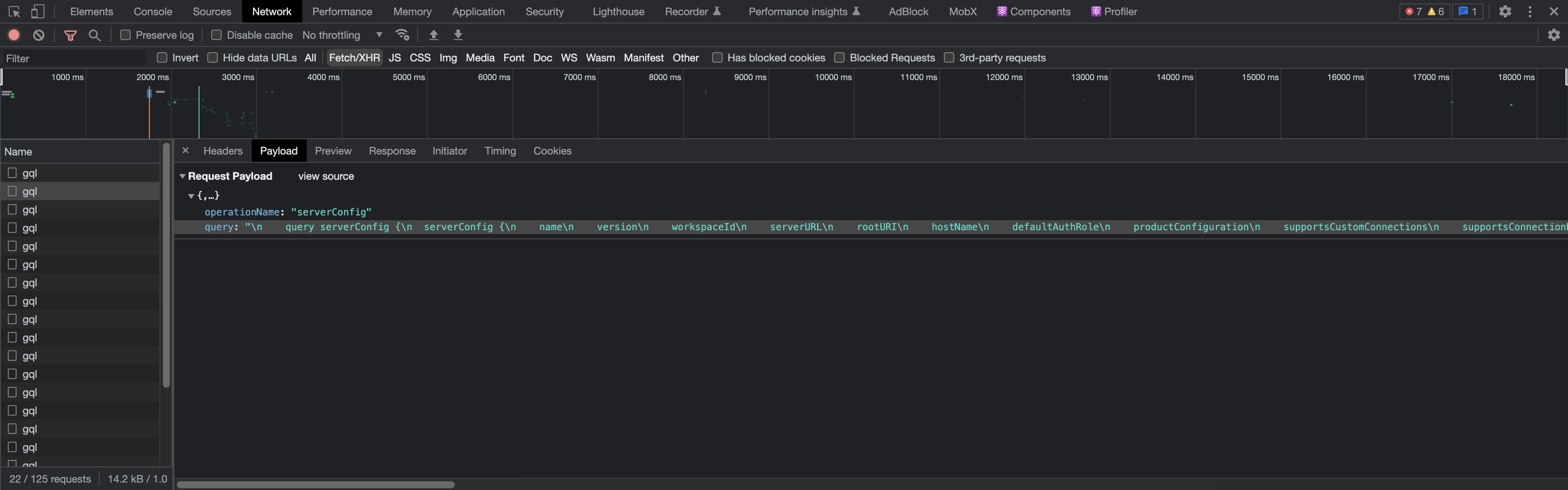
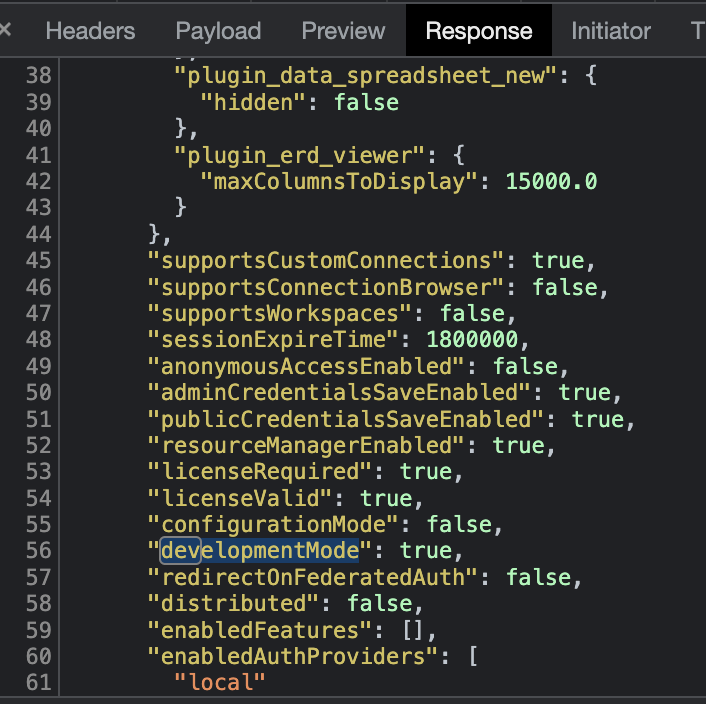
@miltonchirinos44 Lets make sure that you are running CloudBeaver in dev mode. To do so please check that serverConfig query returns the object that contains developmentMode field with the value of true.
image
image

Then login as a "cbadmin", open the separate tab and go to the http://localhost:3100/api/gql/console and paste the following query query test { activeUser { authRole displayName } }

image

Also try to disable chrome extension for the graphql console.

<!-- gh-comment-id:1337177754 --> @devnaumov commented on GitHub (Dec 5, 2022): @miltonchirinos44 Lets make sure that you are running CloudBeaver in dev mode. To do so please check that ```serverConfig``` query returns the object that contains developmentMode field with the value of ```true```. <img width="1800" alt="image" src="https://user-images.githubusercontent.com/48489896/205624712-6b91d83f-cc63-4fd3-82aa-2afd759bbde7.png"> <img width="353" alt="image" src="https://user-images.githubusercontent.com/48489896/205625339-07714fa5-fd3b-4e53-8710-25901b4695a0.png"> Then login as a "cbadmin", open the separate tab and go to the ```http://localhost:3100/api/gql/console``` and paste the following query ```query test { activeUser { authRole displayName } }``` <img width="1202" alt="image" src="https://user-images.githubusercontent.com/48489896/205625858-802ca9ef-288e-46f1-bf3d-76ed71e895f2.png"> Also try to disable chrome extension for the graphql console.
Author
Owner

@kseniaguzeeva commented on GitHub (Dec 8, 2022):

Feel free to contact me to reopen the ticket if a problem with activating the terminal still exists.

<!-- gh-comment-id:1342703932 --> @kseniaguzeeva commented on GitHub (Dec 8, 2022): Feel free to contact me to reopen the ticket if a problem with activating the terminal still exists.
Sign in to join this conversation.
No milestone
No project
No assignees
1 participant
Notifications
Due date
The due date is invalid or out of range. Please use the format "yyyy-mm-dd".

No due date set.

Dependencies

No dependencies set.

Reference
starred/cloudbeaver#263
No description provided.