mirror of
https://github.com/dbeaver/cloudbeaver.git
synced 2026-04-25 05:36:14 +03:00
[GH-ISSUE #1155] Development tools CloudBeaver #247
Labels
No labels
AS
can't reproduce
can't reproduce
deployment
development
documentation
duplicate
duplicate
ee
enhancement
external
new driver
performance
pull-request
third party issue
wait for response
wait for review
wontfix
x:Oracle
x:cassandra
x:clickhouse
x:db2
x:duckdb
x:greenplum
x:h2
x:h2gis
x:hana
x:hive
x:intersystems
x:kyuubi
x:maria
x:mongo
x:mysql
x:postgresql
x:presto
x:sql server
x:sqlite
x:teradata
x:trino
xf:accessibility
xf:administration
xf:ai
xf:authentication
xf:aws
xf:commit-mode
xf:connection
xf:dark theme
xf:data editor
xf:datatransfer
xf:dba
xf:driver management
xf:erd
xf:filters
xf:i18n
xf:i18n
xf:installer
xf:json
xf:kerberos
xf:ldap
xf:local config
xf:log viewer
xf:metadata
xf:metadata editor
xf:navigator
xf:okta
xf:query manager
xf:resource manager
xf:scripts
xf:sql editor
xf:tasks
xf:ui/uix
xo: Firefox
xo:eclipse
xo:internet explorer
xo:macos
xp:major
xrn:internal
No milestone
No project
No assignees
1 participant

Notifications
Due date
No due date set.
Dependencies
No dependencies set.
Reference
starred/cloudbeaver#247
Loading…
Add table
Add a link
Reference in a new issue
No description provided.
Delete branch "%!s()"
Deleting a branch is permanent. Although the deleted branch may continue to exist for a short time before it actually gets removed, it CANNOT be undone in most cases. Continue?
Originally created by @miltonchirinos44 on GitHub (Sep 15, 2022).
Original GitHub issue: https://github.com/dbeaver/cloudbeaver/issues/1155
Originally assigned to: @devnaumov on GitHub.
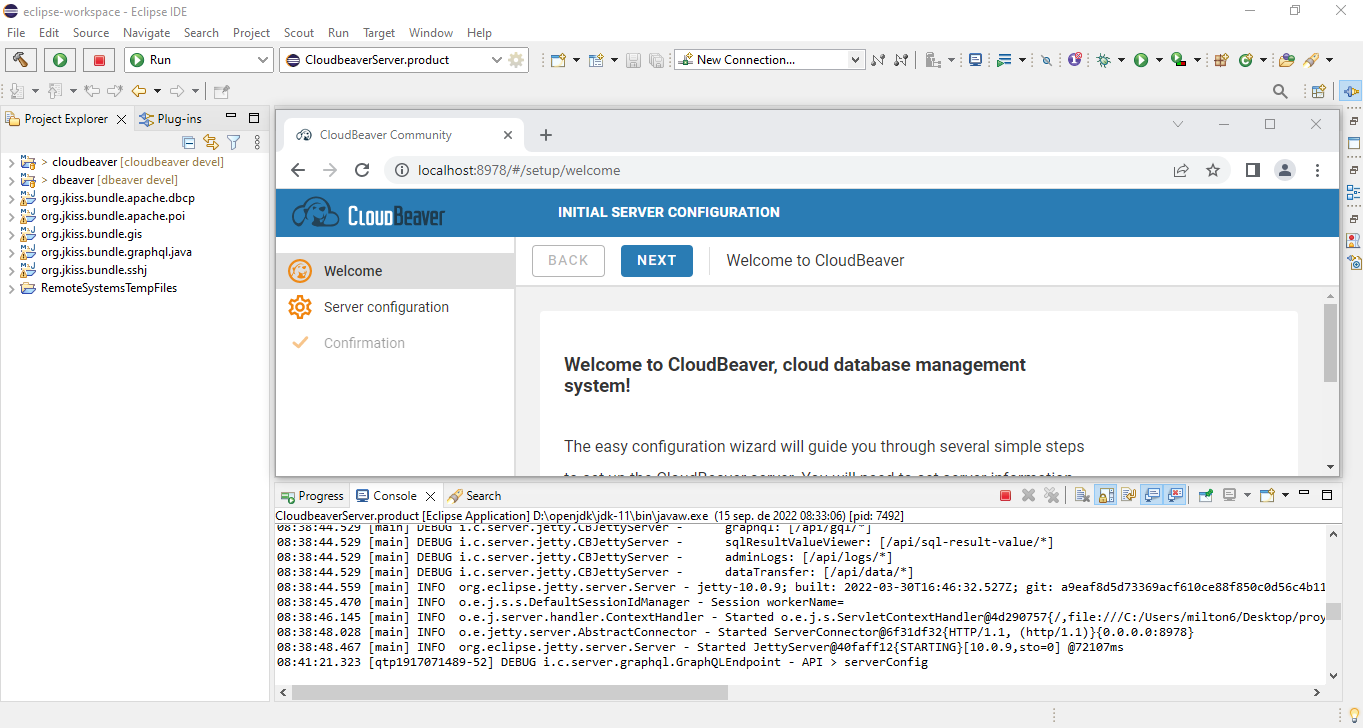
Hello friends, I am new to the development of cloudbeaver, a question? What development tools do you use for cloudbeaer development, apart from eclipse?
I have noticed that with eclipse it only shows me the backend.
What tool do you recommend for me to visualize the frontend?
Or what tools do you use apart from eclipse java, for the development of cloudbeaver or do you recommend any code editor?
I currently only have this:
@devnaumov commented on GitHub (Sep 20, 2022):
Hi @miltonchirinos44! We use VS Code for the front-end development and IntelliJ IDEA for the back-end development.
@miltonchirinos44 commented on GitHub (Sep 20, 2022):
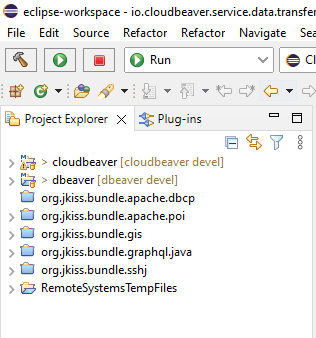
@devnaumov I have my backend files configured like this
and my files den vscode like this
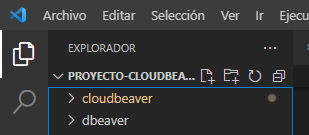
@devnaumov a query is it ok that in vscode I have the cloudbeaver and dbeaver folders open? or what suggestion do you suggest me
Another question I have is how can I execute the frontend separately from vscode since the backend is executed as follows in
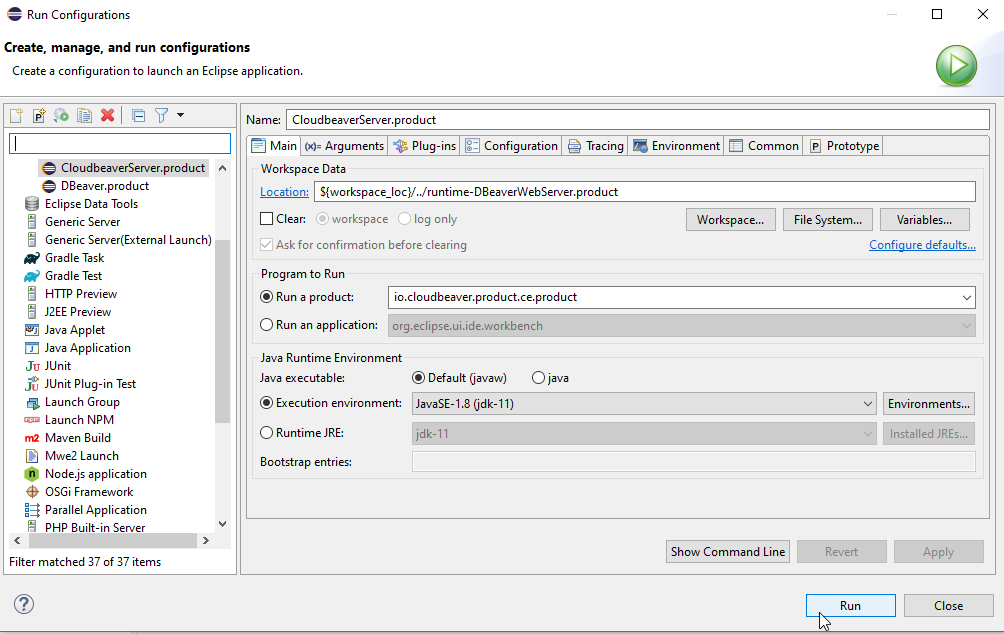
eclipse java@miltonchirinos44 commented on GitHub (Sep 26, 2022):
@devnaumov how to debug the front code in Visual Studio Code, could you tell me how I can do it?
@kseniaguzeeva commented on GitHub (Oct 12, 2022):
Could you please tell is the ticket still actual for you? What result do you want to receive and what for? It looks very similar with https://github.com/dbeaver/cloudbeaver/issues/1175.
@miltonchirinos44 commented on GitHub (Oct 12, 2022):
@kseniaguzeeva
In ticket #1155 you only needed to know what tools were used for cloudbeaver development, this question is about software, and the question I have with this ticket is how to debug cloudbeaver source code with
visual studio codeIn ticket #1175 I need to compile the cloudbeaver project in development mode and make changes that are displayed in real time, since when I run cloudbeaver from eclipse it does not let me debug the frontend, I need help with this ticket, I understand that I should raise the cloudbeaver server with the port (3100)
http://localhost:3100 with the following command
lerna run dev --stream --scope=@cloudbeaver/product-default -- -- --env server=localhost:8978, successfully launch the project. the problem is that i can't debug with visual studio code.@devnaumov commented on GitHub (Oct 14, 2022):
@miltonchirinos44 To run and debug the frontend in visual studio code you need to open the CloudBeaver project in vs code, run backend, run frontend by executing the following command
lerna run dev --stream --scope=@cloudbeaver/product-default -- -- --env server=localhost:8978(please make sure that your backend is running on the 8978 port), open localhost:3100, open any file in cloudbeaver/webapp/packages directory, make some changes and you will see that your project rebuilds itself@miltonchirinos44 commented on GitHub (Oct 18, 2022):
@devnaumov , let me tell you that I managed to run CloudBeaver in development mode, make some changes and verify that the project rebuilds itself.
How could I run cloudbeaver in development mode in
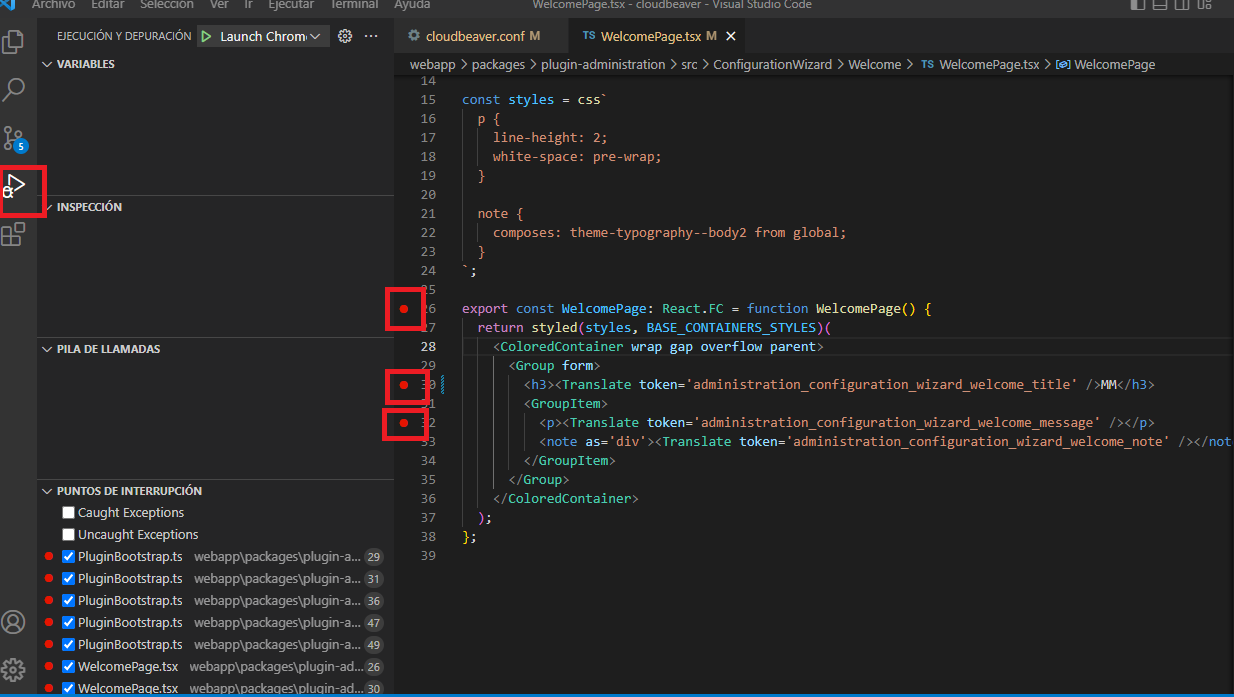
visual studio codeand debug code using breakpoints because when I run cloudbeaver in development mode and add breakpoint invisual studio code, visual studio code does not honor breakpoints@devnaumov commented on GitHub (Nov 9, 2022):
@miltonchirinos44 HI! Could you try to console.log something and check if it works? We need to make sure that your app rebuilds and changes are applied. Make your changes, save the file, open the CloudBeaver and check the console.
@kseniaguzeeva commented on GitHub (Dec 8, 2022):
I've noticed there is no updates for a long time. Feel free to contact me to reopen the ticket if it's still actual.